
Introduction
This manual provides essential instructions for the safe and effective use of your Banshee BT-902 Replacement Battery. Please read this manual thoroughly before installation and operation to ensure optimal performance and longevity of the battery.
Product Overview
The Banshee BT-902 is a high-capacity Lithium-ion replacement battery designed for specific Vocollect devices. It offers extended operational time compared to standard OEM batteries.
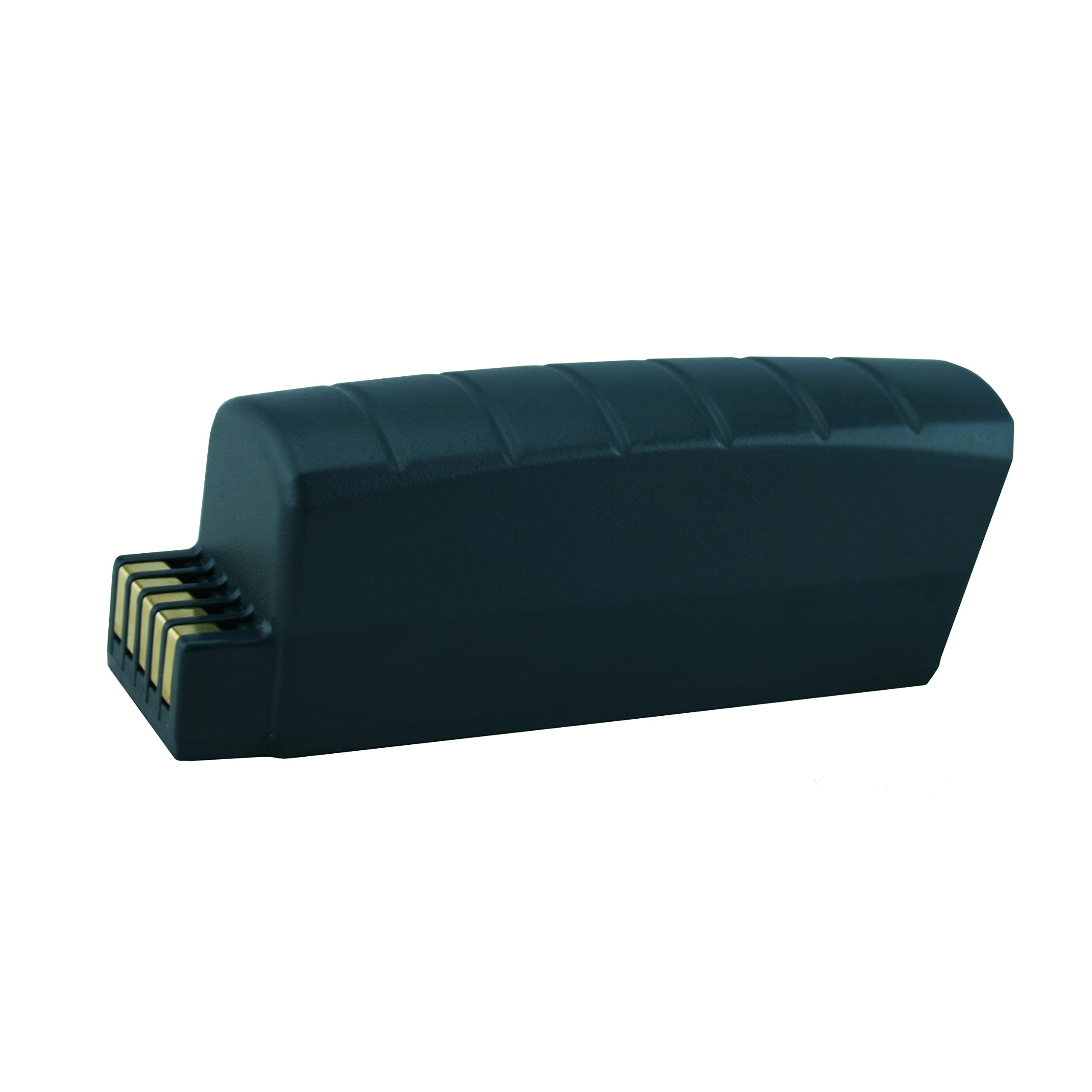
Image: Banshee BT-902 Replacement Battery. This image displays the overall design of the black replacement battery, highlighting its compact form factor and the gold contact pins on one end.
Compatibility
This Banshee BT-902 battery is a direct replacement for Vocollect OEM Number: BT-902 and is compatible with the following Vocollect devices:
- Vocollect A700
- Vocollect A710
- Vocollect A720
- Vocollect A730
Specifications
| Feature | Detail |
|---|---|
| Battery Type | Lithium-ion (Li-ion) |
| Voltage | 3.7V |
| Capacity | 2500mAh / 9.25Wh |
| OEM Replacement | BT-902 |
| Housing Material | GE Cycology C2950 PC/ABS |
| Flammability Standard | UL94-V0 |

Image: Banshee BT-902 Battery Label. This image shows the product label with specifications like "IDB-VOCA700-ZY", "Li-ion Rechargeable Battery", "3.7V / 2500mAh / 9.25Wh", and instructions to "Fully charge before first use" and "Recycle or dispose of properly".
Setup and Installation
- Preparation: Ensure the Vocollect device is powered off before attempting battery replacement.
- Remove Old Battery: Locate the battery compartment on your Vocollect A700 series device. Follow the device manufacturer's instructions to safely open the compartment and remove the existing battery.
- Insert New Battery: Align the Banshee BT-902 replacement battery with the battery compartment, ensuring the gold contact pins match the device's terminals. Gently push the battery into place until it is securely seated.
- Secure Compartment: Close the battery compartment cover according to your device's instructions.
- Initial Charge: It is recommended to fully charge the new battery before its first use. Connect the Vocollect device to its charger and allow it to charge until the charging indicator shows a full charge.

Image: Banshee BT-902 Battery Contacts. This close-up image displays the gold-plated electrical contacts on the battery, essential for proper connection with the Vocollect device.
Operating Instructions
Charging the Battery
- Use only the charger specified by Vocollect for your A700 series device.
- Connect the device with the Banshee battery installed to the charger.
- Monitor the device's charging indicator. Charging times may vary depending on the charger and the battery's current charge level.
- Avoid overcharging by disconnecting the device once fully charged, although the battery includes protection against over-charge.
Battery Usage
- The Banshee BT-902 battery is designed for daily use in compatible Vocollect devices.
- For optimal battery life, avoid completely draining the battery frequently. Partial discharges and recharges are generally better for Lithium-ion batteries.
- If the device will not be used for an extended period, store the battery with approximately 50% charge in a cool, dry place.
Maintenance and Storage
- Cleaning: Keep battery contacts clean and free of debris. Use a dry, soft cloth to wipe contacts if necessary.
- Temperature: Store and operate the battery within recommended temperature ranges (typically 0°C to 45°C or 32°F to 113°F). Extreme temperatures can degrade battery performance and lifespan.
- Long-Term Storage: If storing the battery for more than one month, charge it to about 50% capacity and store it in a cool, dry environment. Recharge every 3-6 months to prevent deep discharge.
- Disposal: Do not dispose of batteries in household waste. Follow local regulations for proper recycling of Lithium-ion batteries.
Troubleshooting
Battery Not Charging
- Ensure the battery is correctly inserted into the device.
- Verify the charger is properly connected to both the device and a power source.
- Check for any visible damage to the battery, device, or charger.
- Clean the battery contacts and device terminals with a dry, soft cloth.
Shortened Battery Life
- Ensure the battery is fully charged before use.
- Operating the device in extreme temperatures can reduce battery life.
- If the battery is old, its capacity may naturally degrade over time, requiring replacement.
Safety Information
- Do not disassemble, crush, puncture, or short-circuit the battery.
- Do not expose the battery to high temperatures (above 60°C / 140°F) or direct sunlight.
- Keep the battery away from water and other liquids.
- If the battery shows signs of damage, swelling, or leakage, discontinue use immediately and dispose of it properly.
- Keep out of reach of children.
Warranty and Support
The Banshee BT-902 Replacement Battery is backed by an 18-month warranty against manufacturing defects. For warranty claims or technical support, please contact Banshee customer service through the retailer where the product was purchased or visit the official Banshee website.
Additionally, this product includes a 30-day money-back guarantee.
Official Product Video
Video: Replacement Battery for Vocollect BT-902. This video provides a visual overview of the Banshee BT-902 replacement battery, highlighting its features and compatibility with Vocollect A700 series devices. Please note that while the video mentions 5000mAh, the product specifications confirm a 2500mAh capacity.


