
Introduction
The Mi Light 12W RGB+CCT LED Bulb is a versatile smart lighting solution offering a wide range of colors and white light options. This bulb provides over 16 million colors and adjustable color temperature from warm white (2700K) to cool white (6500K). It supports multiple control methods, including Mi.Light wall switches, remote controls, and smartphone applications via a WiFi bridge. The bulb features a memory function, retaining its last setting upon power cycle, and allows for individual or group control of multiple bulbs.

Setup
1. Physical Installation
- Ensure the power to the light fixture is turned off before installation.
- Carefully screw the Mi Light LED Bulb into a standard E26/E27 light socket.
- Turn on the power to the light fixture. The bulb should illuminate in its default state.
2. Pairing with Remote Control / Wall Switch
To control the bulb with a Mi.Light remote control or wall switch (sold separately), follow these steps:
- Power on the bulb.
- Within 3 seconds of powering on, press the 'ON' button for the desired zone on your Mi.Light remote or wall switch.
- The bulb will flash three times to indicate successful pairing.
3. Smartphone App Control (Requires WiFi Bridge)
For smartphone control, a Mi.Light WiFi bridge (iBox1 or iBox2, sold separately) is required. Follow the instructions provided with your WiFi bridge to connect it to your home network and link it with the Mi.Light app. Once the bridge is set up, you can link your bulbs to the app through the bridge.


Operating Instructions
1. Power On/Off
Use the designated 'ON' and 'OFF' buttons on your remote control, wall switch, or the power toggle within the smartphone app to turn the bulb on or off.
2. Color Adjustment (RGB)
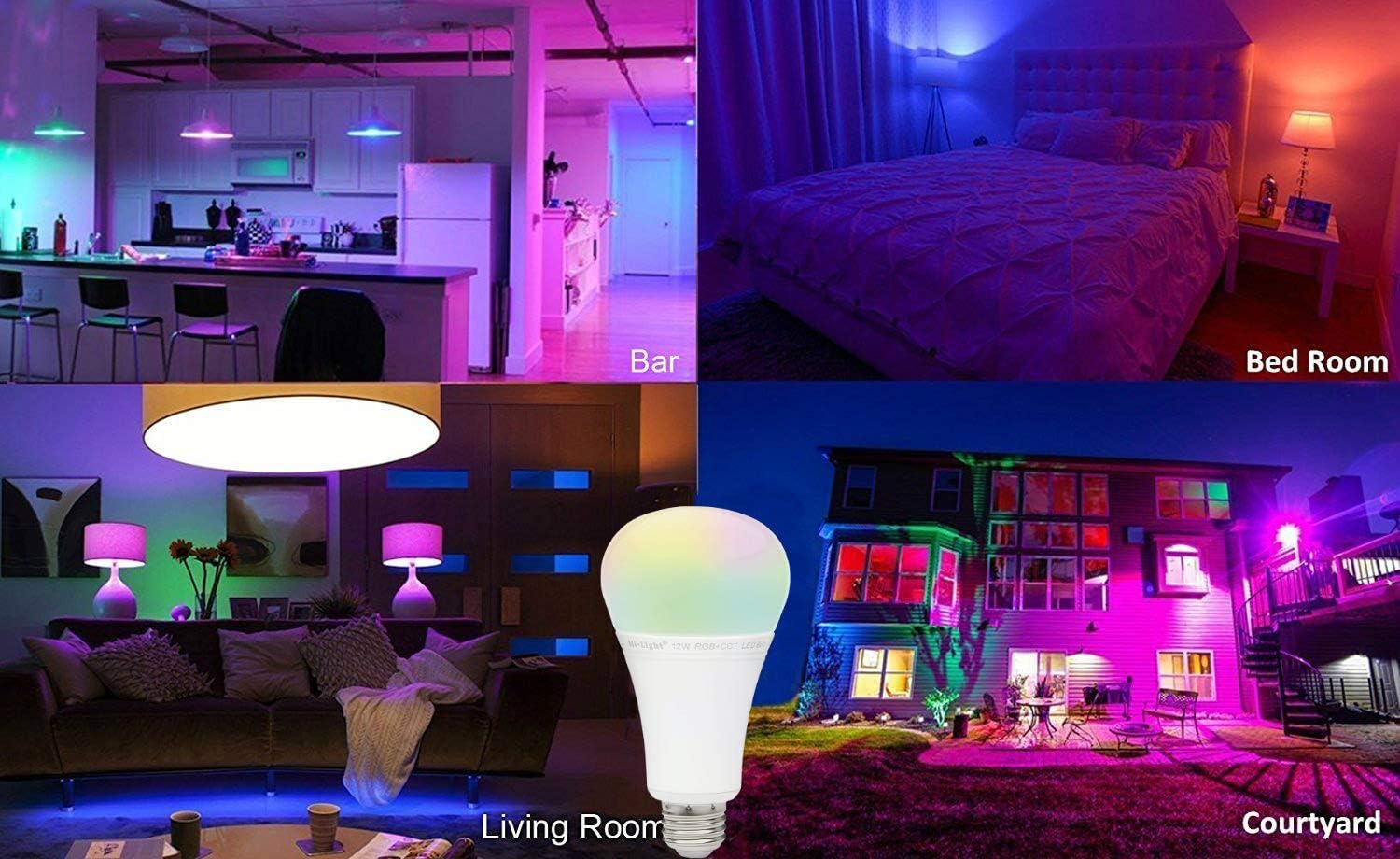
Access the color wheel on your remote control or within the Mi.Light app to select from over 16 million available colors. Simply touch or tap the desired color to change the bulb's illumination.
3. White Light Adjustment (CCT)
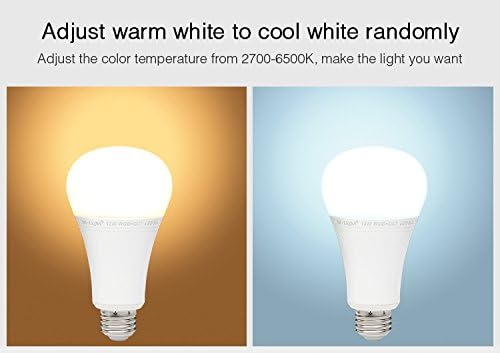
The bulb offers a dedicated warm white color (2700K) and can be adjusted to cool white (6500K). Use the CCT slider or buttons on your remote/app to transition between warm and cool white tones, allowing you to set the perfect ambiance.
4. Brightness Dimming
Adjust the brightness level from 0.1% to 100% using the brightness slider or dedicated dimming buttons on your remote control or within the smartphone application. This allows for precise control over the light intensity without flicker.
5. Memory Function
The bulb is equipped with a memory function. Whatever color, brightness, or mode was set before the bulb was turned off will be automatically restored when the bulb is powered on again.
6. Group Control
A single remote or smartphone can control up to 4 groups of bulbs. Each group can contain any quantity of bulbs within a 30-meter range for remote control. Smartphone control has no distance limitation. You can control each group individually or all groups simultaneously.
Maintenance
The Mi Light LED Bulb requires minimal maintenance. To ensure optimal performance and longevity:
- Cleaning: Ensure the bulb is powered off and cool before cleaning. Gently wipe the bulb with a soft, dry cloth. Do not use liquid cleaners or abrasive materials, as these can damage the bulb's surface or internal components.
- Environment: Use the bulb in dry, indoor environments. Avoid exposure to excessive moisture or extreme temperatures, which can shorten its lifespan.
- Handling: Handle the bulb by its base when installing or removing it. Avoid applying excessive force to the glass or plastic dome.
Troubleshooting
- Bulb does not turn on:
- Check if the light fixture has power.
- Ensure the bulb is screwed in correctly and securely.
- Test the bulb in a different, working fixture.
- Bulb does not respond to remote/app:
- Ensure the bulb is powered on.
- Verify that the remote control has working batteries.
- Re-pair the bulb with the remote/app (refer to 'Setup' section).
- For app control, ensure your WiFi bridge is properly connected to your network and the app.
- Check if the bulb is within the control range of the remote (up to 30 meters).
- Colors appear washed out or incorrect:
- Ensure the bulb is not in a specific white light mode. Switch to RGB mode.
- Try resetting the bulb by turning it off and on several times, then re-pairing.
- Flickering:
- Ensure the bulb is not connected to an incompatible dimmer switch. This bulb is designed for digital dimming via its remote/app.
- Check for loose connections in the light fixture.
Specifications

| Feature | Specification |
|---|---|
| Model Number | RGBC-12W-NEW |
| Wattage | 12 Watts |
| Voltage | 100-120 Volts, 60 Hertz |
| Light Type | LED (RGB+CCT) |
| Brightness | 1100 Lumens |
| Color Temperature | 2700K (Warm White) to 6500K (Cool White) |
| Color Rendering Index (CRI) | 96 |
| Control Method | Remote, App (via WiFi Bridge) |
| Average Life | 17520 Hours |
| Material | Plastic |
| Dimensions | 6 x 3.1 x 3 inches (Package) |
| Item Weight | 10.4 ounces |
| Indoor/Outdoor Usage | Indoor |
Warranty and Support
Warranty Information
This Mi Light LED Bulb comes with a 2-year warranty from the date of purchase. This warranty covers manufacturing defects and malfunctions under normal use. Please retain your proof of purchase for warranty claims.
Customer Support
For technical assistance, troubleshooting, or warranty inquiries, please contact the manufacturer, LIGHTEU, or your authorized reseller. Refer to your purchase documentation for specific contact details.


