
1. Initial Setup
1.1 Unpacking
Carefully remove the iron and all accessories from the packaging. Retain the packaging for future storage or transport. Inspect the iron for any signs of damage.
1.2 Filling the Water Tank
Ensure the iron is unplugged before filling. Open the water inlet cover, typically located on the top front of the iron. Fill the water tank with tap water up to the 'MAX' fill line. Do not overfill. Close the water inlet cover securely.
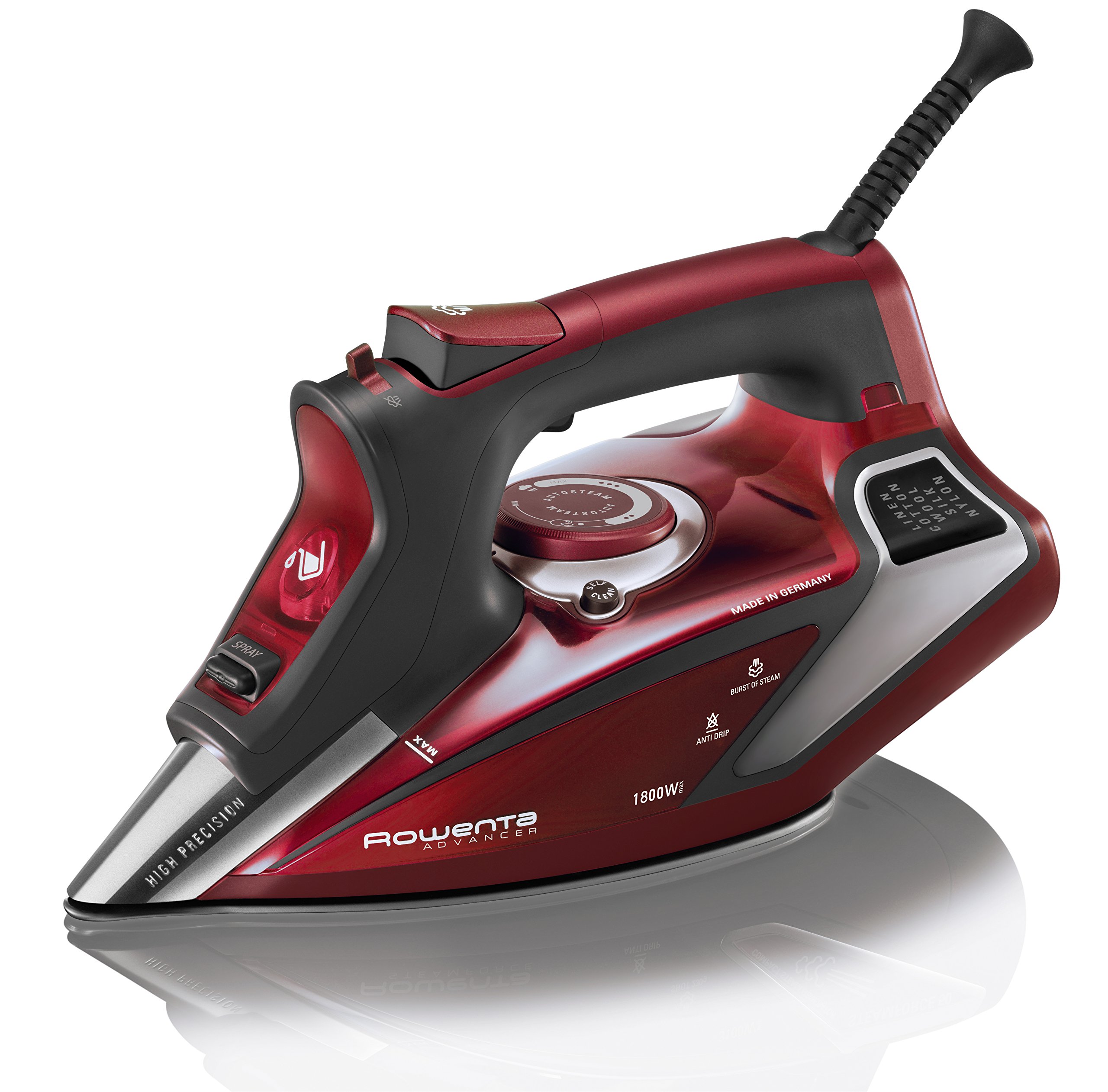
Image 1: Rowenta Professional Digital LED Display Steam Iron, showing the overall design and water tank location.
2. Operation Guide
2.1 Powering On and Temperature Selection
Plug the iron into a suitable electrical outlet. The digital LED display will illuminate. Rotate the temperature dial to select the appropriate fabric setting (Linen, Cotton, Wool, Silk, Nylon). The iron will heat up to the selected temperature, indicated by the LED display.

Image 2: Digital LED display indicating various fabric types for temperature selection.
2.2 Steam Functions
The iron features SteamForce technology for powerful steam output. The Microsteam stainless-steel soleplate has 400 steam holes for even steam distribution. Use the steam control slider to adjust the steam level or activate the powerful burst of steam (up to 210g) for stubborn wrinkles.

Image 3: Illustration of Autosteam levels, demonstrating varying steam output.

Image 4: Close-up of the Microsteam 400-hole stainless-steel soleplate for full steam coverage.
2.3 Smart Steam Motion Sensor
The integrated smart steam motion sensor automatically turns off variable steam when the iron stops moving, helping to conserve water and electricity.
2.4 Spray Mist Function
For extra-stubborn wrinkles, press the spray mist button to release a fine mist of water onto the fabric.
3. Care and Maintenance
3.1 Anti-Calcium System
The iron is equipped with an integrated anti-calcium system designed to prevent mineral buildup and ensure long-lasting steam performance. Regular use of the self-clean function complements this system.

Image 5: Icon representing the Anti-Calc system, which helps prevent mineral buildup.
3.2 Self-Clean System
To maintain optimal performance, use the self-clean system periodically. Refer to the detailed instructions in the full product manual for the specific self-cleaning procedure.
3.3 Draining Water After Use
After each use, unplug the iron and allow it to cool completely. Open the water inlet cover and carefully drain any remaining water from the tank. Leave the cover open to allow the tank to air dry, preventing stagnant water and potential mineral deposits.
4. Troubleshooting
4.1 Automatic Safety Shut-Off
For safety, the iron is equipped with a 3-way auto shut-off feature:
- If left unused in the upright position, it shuts off automatically after 8 minutes.
- If tipped over or left in the horizontal position, it shuts off automatically after 30 seconds.
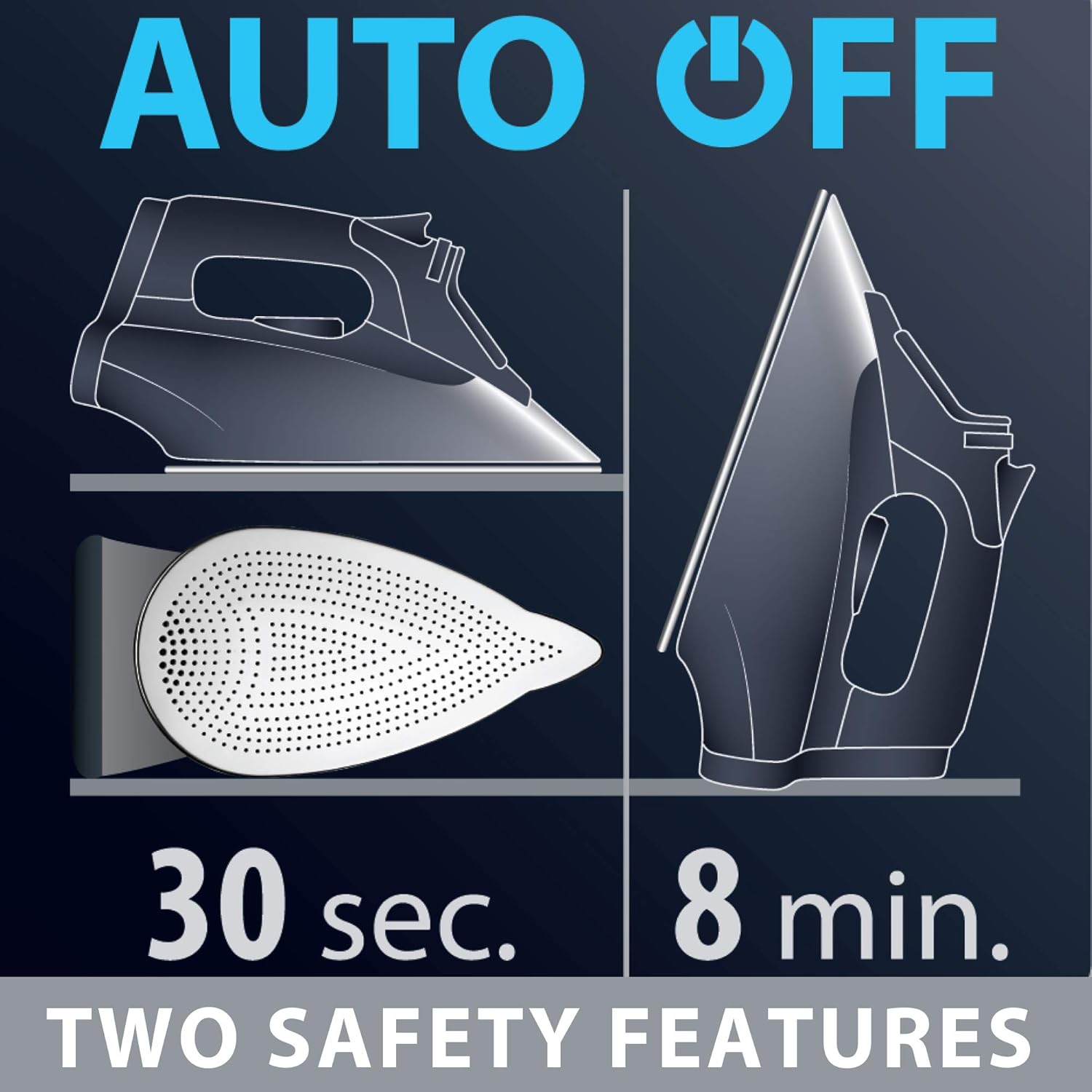
Image 6: Illustration of the automatic shut-off safety features for upright and horizontal positions.
4.2 Common Issues
- Water Dripping: Ensure the iron has reached the selected temperature before activating steam. Using steam at too low a temperature can cause water to drip from the soleplate.
- No Steam: Check if the water tank is filled and if the steam control is set to an active steam position. Ensure the iron is hot enough for steam generation.
- Iron Not Heating: Verify that the iron is securely plugged into a working electrical outlet and that the temperature dial is set to a fabric-specific temperature, not 'OFF'.
5. Technical Specifications
- Brand: Rowenta
- Model Name: Professional Digital LED Display
- Model Number: DW9281
- Wattage: 1800 watts
- Special Features: Auto Shutoff, Anti-Calcium System, Self-Clean System
- Voltage: 15 Volts (Note: This value seems unusually low for a household iron and might be a data entry error. Please refer to the product label for accurate voltage.)
- Frequency: 50 Hz (Note: This value is typical for European markets. For North America, 60 Hz is standard. Please refer to the product label for accurate frequency.)
- Base Material: Stainless Steel
6. Warranty and Customer Support
For detailed warranty information, please refer to the warranty card included with your product or visit the official Rowenta website. If you encounter any issues or require assistance, please contact Rowenta customer support through their official channels.


