
Introduction
Thank you for choosing the EMART Photography LED Continuous Light Lamp. This manual provides detailed instructions for the safe and efficient use of your new lighting kit. Designed for tabletop studio photography, these lamps offer 5500K color temperature, 600 lumens, and a 90+ CRI for excellent color accuracy and clarity in digital photography.

EMART Photography LED Continuous Light Lamp with 5500K color temperature, 600 lumens, and 90+ CRI.
What's Included
Your EMART Photography LED Continuous Light Lamp kit includes the following components:
- 2 x High Output Table Top Photography LED Light with Stand
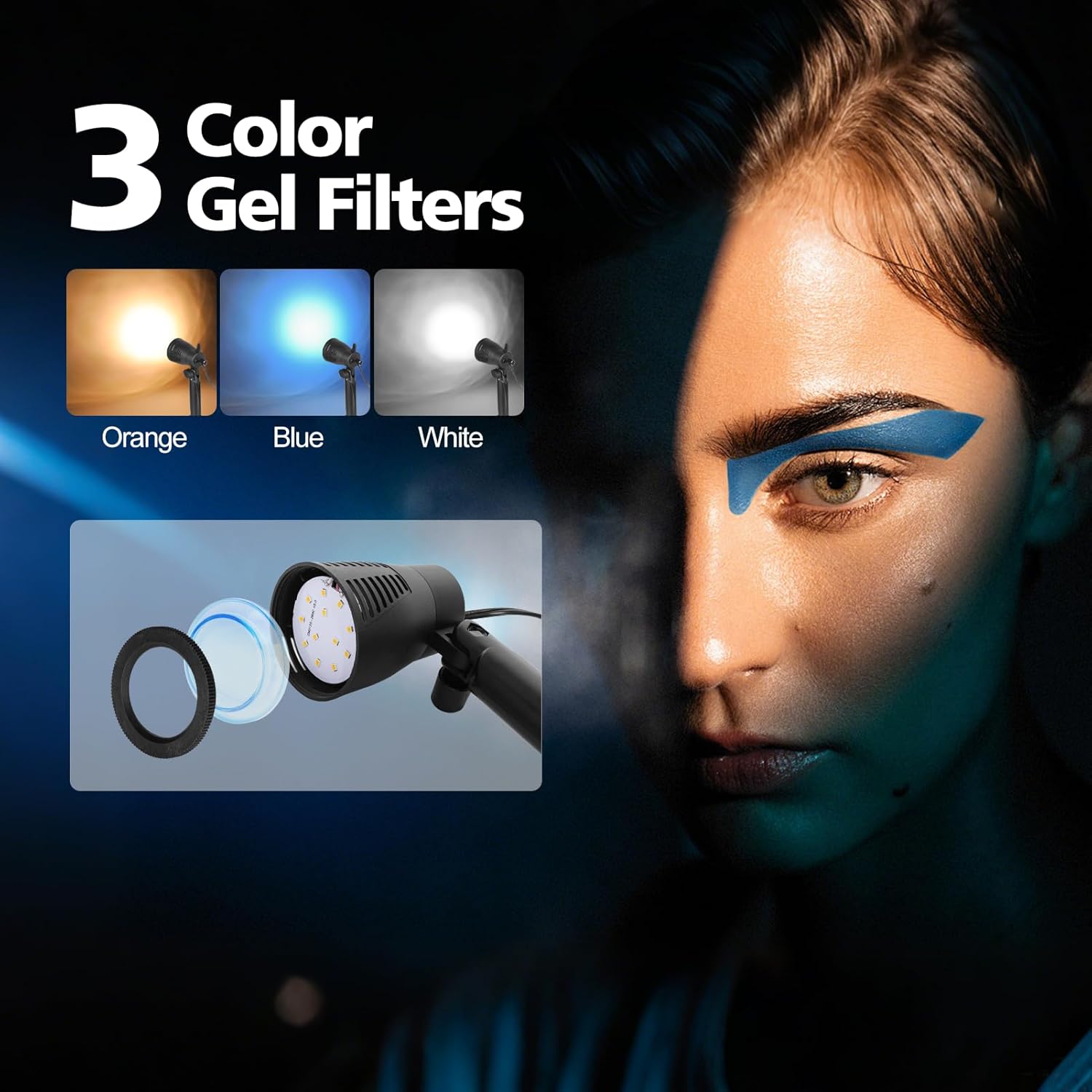
- 2 x White Color Gel Filter for LED Light
- 2 x Orange Color Gel Filter for LED Light
- 2 x Blue Color Gel Filter for LED Light
Setup Instructions
Follow these steps to set up your EMART LED Continuous Light Lamp:
- Unfold the Tripod Legs: The light features a retractable bracket with a spring design. Gently pull out and unfold the tripod legs from the base of the light. Extend the lower portions of the tripod legs for increased stability.
- Adjust the Lamp Head: The lamp head swivels up and down 180 degrees. Use the knob on the side to adjust the light beam to your desired angle.
- Power Connection: Plug the power cord into a standard electrical outlet. The light is now ready for use.

The retractable tripod legs fold into the base for compact storage and extend for stability.

Adjust the lamp head by swiveling it up or down 180 degrees using the side knob.
Detailed view of the light's components, including the power switch and plug.
Setup Video Guide
Official EMART installation video demonstrating how to set up the LED continuous light lamp, including unfolding the tripod legs and attaching color filters.
Operating Instructions
To operate your EMART LED Continuous Light Lamp:
- Turn On/Off: Use the power switch located on the back of the lamp to turn the light on or off.
- Adjust Light Angle: As described in the setup, use the side knob to fine-tune the lamp head's angle to direct light precisely where needed.
- Use Color Gel Filters: To change the color temperature for cooler or warmer photos, unscrew the front cap of the lamp. Insert the desired white, orange, or blue color gel filter, then screw the front cap back on securely.

The kit includes orange, blue, and white gel filters to adjust the light's color temperature.
These lights are ideal for eliminating superfluous shadows and achieving excellent, even color temperature and clarity for various photography needs, including toys, baking, jewelry, and still photos.

EMART LED lights provide ideal illumination for tabletop photography setups.
Maintenance
To ensure the longevity and optimal performance of your EMART LED Continuous Light Lamp:
- Cleaning: Use a soft, dry cloth to clean the exterior of the lamp. Do not use abrasive cleaners or solvents.
- Storage: When not in use, fold the tripod legs into the base and store the lamps in a cool, dry place away from direct sunlight and moisture.
- Handling: Handle the lamps with care to avoid damage to the LED bulbs or internal components.
Troubleshooting
If you encounter issues with your EMART LED Continuous Light Lamp, refer to the following:
- Light Not Turning On:
- Ensure the power cord is securely plugged into a working electrical outlet.
- Verify that the power switch on the back of the lamp is in the 'ON' position.
- Unstable Stand:
- Ensure the tripod legs are fully extended and spread out on a flat, stable surface.
- Check that the retractable bracket is securely locked in place.
- Inconsistent Light Output:
- Ensure the color gel filters are correctly installed and not obstructing the light path.
- Check for any visible damage to the LED bulbs.
If problems persist, please contact EMART customer support for assistance.
Specifications
| Feature | Detail |
|---|---|
| Brand | EMART |
| Model Number | EM-7W-LTL |
| Color | White spot light |
| Flash Modes Description | Constant illumination, adjustable brightness, adjustable color temperature |
| Water Resistance Level | Not Water Resistant |
| Has Self-Timer | No |
| Compatible Devices | Cameras (various brands and models) |
| Audio Recording | No |
| Screen Size | 10.2 Inches |
| UPC | 673257860934 |
| Manufacturer Part Number | EM-7W-LTL |
| Manufacturer | EMART |
| ASIN | B07DVP53G2 |
Warranty
The EMART Photography LED Continuous Light Lamp comes with a 12-month warranty from the date of purchase. This warranty covers manufacturing defects and ensures the product is free from defects in material and workmanship under normal use. Please retain your proof of purchase for warranty claims.
Support
For any questions, technical support, or warranty inquiries regarding your EMART Photography LED Continuous Light Lamp, please contact EMART customer service. Refer to the product packaging or the official EMART website for the most current contact information.