
1. Introduction
The LASTBUS Backup Camera is a professional-grade reversing camera designed for heavy-duty vehicles such as RVs, campers, trucks, trailers, buses, and vans. Engineered with advanced imaging technology and robust construction, this camera provides clear and wide-angle views to enhance safety during driving and parking maneuvers, both day and night.
2. Product Features
- Bright & Clear Picture: Equipped with a CMOS image sensor and 700 TV lines, this camera delivers clear and detailed color images, ensuring no details on the road are overlooked.
- Enhanced Night Vision: Features 18 built-in IR LEDs that automatically activate in low-light conditions, providing clear visibility up to 50 feet (25 meters) at night.
- Wide Angle Vision: Offers a 130° wide viewing angle with 360-degree adjustment capability, helping to eliminate blind spots.
- Durable Construction: Built with a full metal shell and a glass screen, ensuring waterproof (IP69 rating), shockproof, and long-lasting performance in various weather conditions.
- Universal Compatibility: Designed with a standard 4-pin GX12-4 connector for broad compatibility with 12-24V DC vehicle systems.
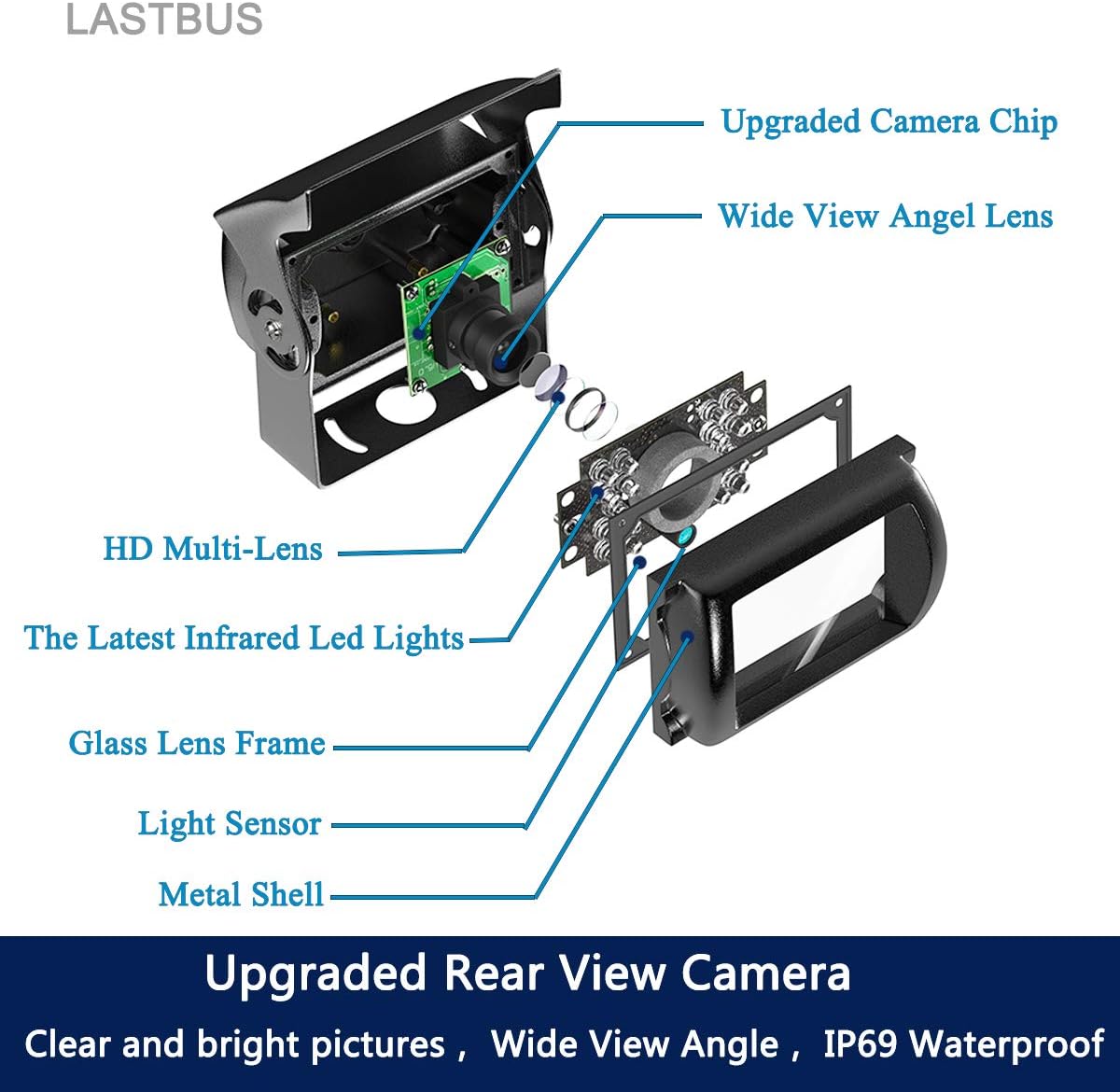
Figure 2.1: Internal components of the LASTBUS Backup Camera, highlighting the upgraded camera chip, wide view angle lens, HD multi-lens, infrared LEDs, glass lens frame, light sensor, and metal shell.

Figure 2.2: The camera's IP69K waterproof rating ensures reliable operation in all weather conditions.
3. Specifications
| Feature | Detail |
|---|---|
| Connector Type | Standard GX12-4 (4-pin) |
| Image Sensor | 1/4'' 2.5mm Color Sensor (CMOS) |
| Horizontal Resolution | 700 TV Lines |
| Power Supply | 12-24V DC |
| Video Format | NTSC |
| View Angle | 130° |
| Waterproof Rating | IP69 |
| Night Vision | Supported (18 IR LEDs, 50ft range) |
| Construction Material | Full Metal Shell, Glass Screen |
| Dimensions (L x W x H) | 3 x 2.6 x 3.25 inches |
| Item Weight | 9.9 ounces |
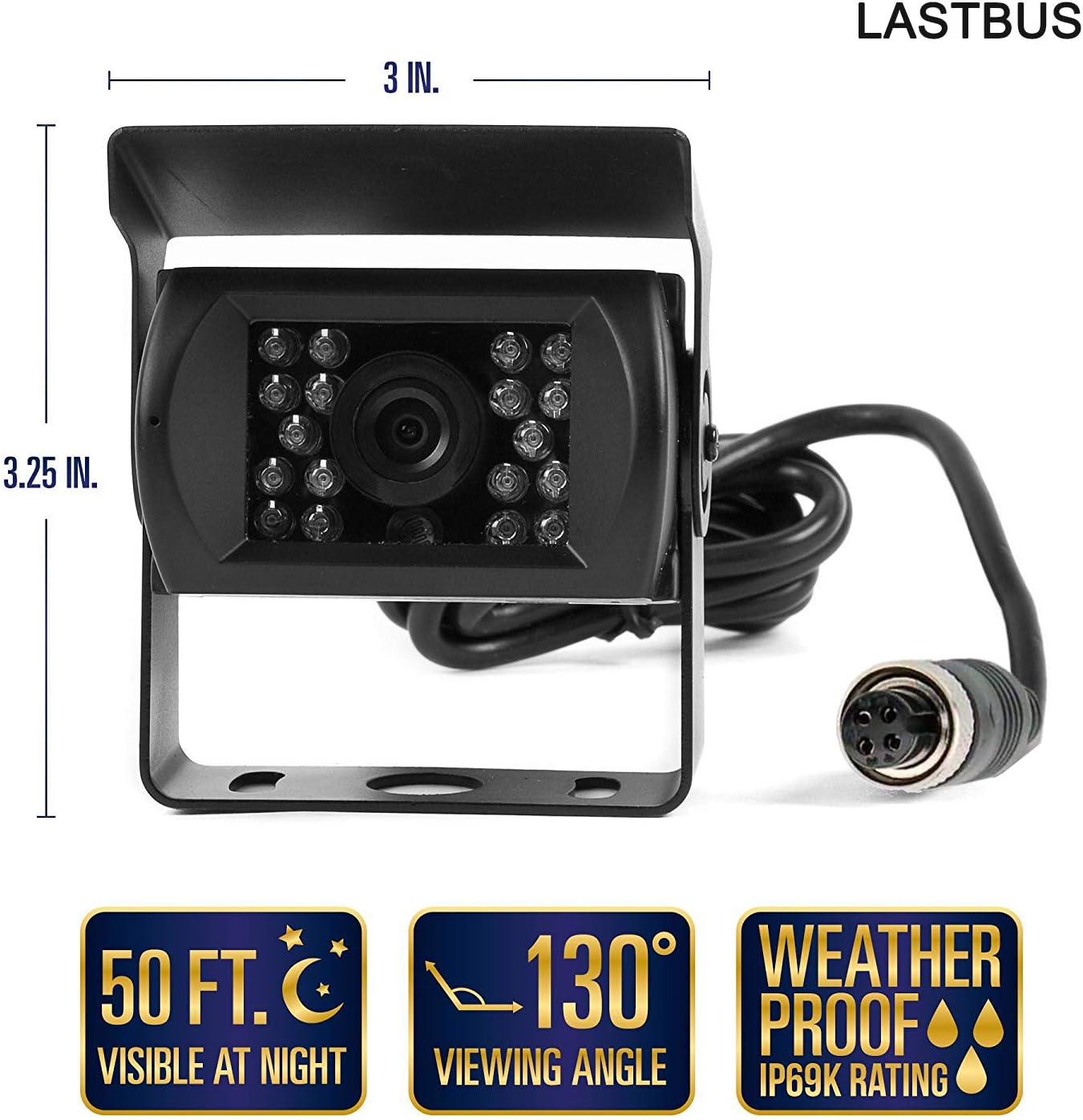
Figure 3.1: Key specifications including dimensions, 50 ft night vision, 130° viewing angle, and IP69K waterproof rating.

Figure 3.2: Additional dimensions and illustration of the 360-degree adjustable mounting bracket with 18 LED night lens.
4. Package Contents
Upon opening the package, please verify that all items are present and in good condition:
- LASTBUS Backup Camera (x1)
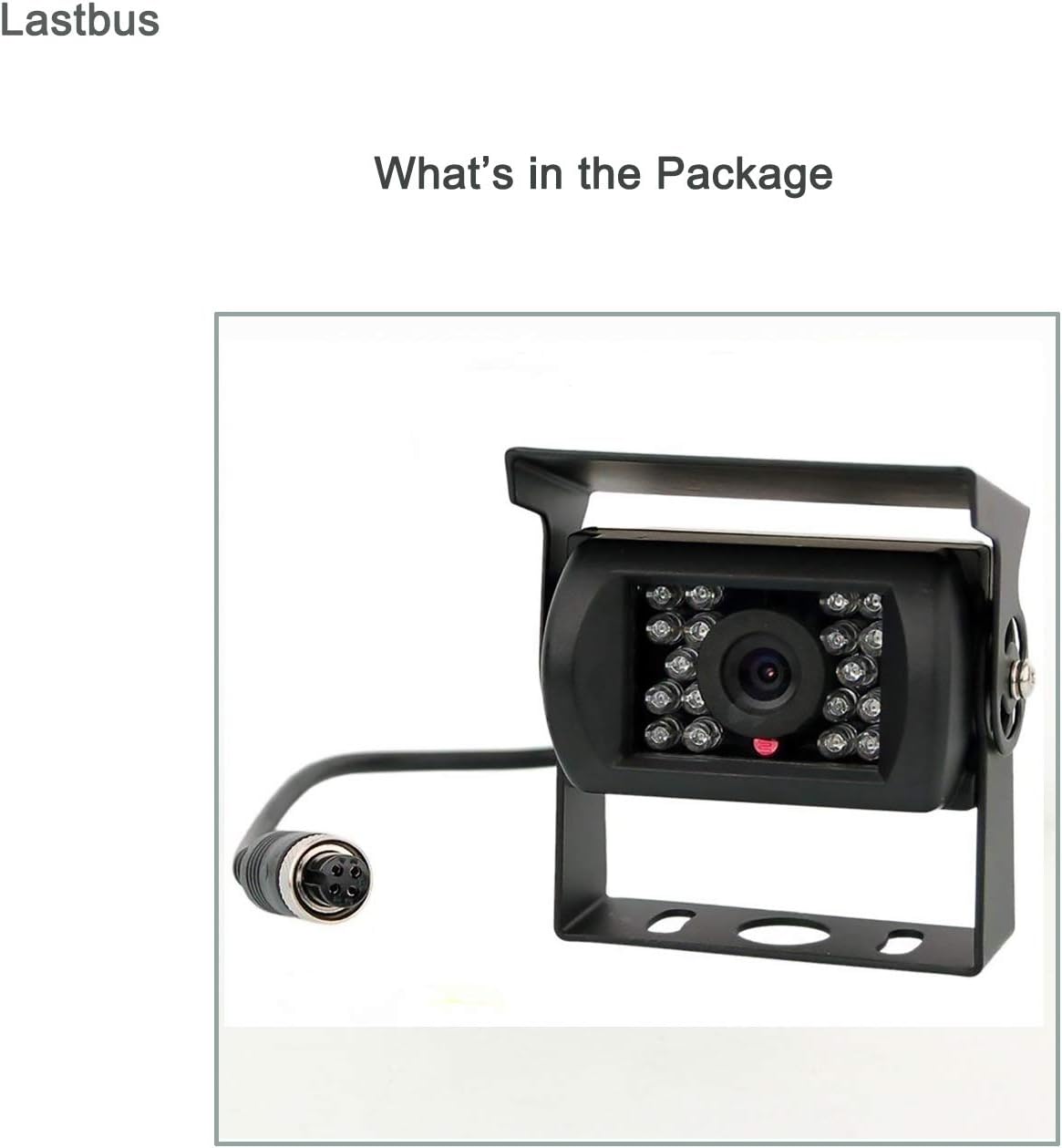
Figure 4.1: Contents of the package, showing the backup camera with its integrated cable.
5. Installation Guide
This camera is designed for straightforward installation on 12-24V DC vehicle systems. Please follow these guidelines for proper setup:
5.1. Compatibility Check
Important Warning: The camera utilizes a standard GX12-4 (or M12 4-pin) connector. Before installation, confirm that your monitor or existing wiring system uses compatible GX12-4 or M12 4-pin connectors. Incompatible connectors will prevent the camera from functioning correctly with your system. Additionally, this camera is not compatible with monitors that only support AHD format.
5.2. Wiring Diagram

Figure 5.1: Pinout diagram for the GX12-4 connector. Pin 1: Positive Pole (12-24V), Pin 2: Negative Pole/GND, Pin 3: Null, Pin 4: Video Cord.
5.3. Mounting the Camera
Mount the camera securely at the desired rear location of your vehicle. The camera features a 360-degree adjustable bracket, allowing you to optimize the viewing angle for your specific application. Ensure the camera has a clear line of sight and is protected from direct impact.

Figure 5.2: Example of the camera mounted on a vehicle, providing a clear rear view on the monitor.
6. Operation
Once properly installed and connected to a compatible monitor, the LASTBUS Backup Camera operates automatically. When the vehicle is put into reverse, the camera will transmit its video feed to the connected display, providing a real-time view of the area behind your vehicle.
- Daytime Operation: The 700 TV lines and CMOS sensor provide clear, color images in well-lit conditions.
- Nighttime Operation: The integrated 18 IR LEDs will automatically activate as ambient light decreases, switching the camera to night vision mode to ensure clear black-and-white visibility in dark environments.
7. Maintenance
The LASTBUS Backup Camera is designed for durability and minimal maintenance. To ensure optimal performance and longevity:
- Regular Cleaning: Periodically clean the camera lens with a soft, damp cloth to remove dirt, dust, or water spots that may obstruct the view. Avoid abrasive cleaners.
- Connection Check: Occasionally inspect the 4-pin connector and cable for any signs of wear, corrosion, or damage. Ensure connections remain secure.
- Weather Resistance: The IP69 waterproof rating protects the camera from water ingress and dust. No special weatherproofing is required for the camera unit itself, but ensure cable entry points into the vehicle are sealed.
8. Troubleshooting
If you encounter issues with your LASTBUS Backup Camera, please refer to the following common problems and solutions:
- No Signal / Black Screen:
- Verify that the camera's 4-pin GX12-4 connector is securely plugged into the monitor or wiring harness.
- Ensure the camera is receiving proper 12-24V DC power. Check power connections and fuses.
- Confirm that your monitor system is compatible with the GX12-4 connector and does not exclusively support AHD video format.
- Test the camera with a known working monitor or test the monitor with a known working camera, if possible, to isolate the issue.
- Unclear or Distorted Picture:
- Clean the camera lens thoroughly.
- Check for any physical damage to the lens or camera housing.
- Ensure proper power supply; unstable voltage can affect image quality.
- Night Vision Not Activating:
- Ensure the camera is in a sufficiently dark environment for the IR LEDs to activate automatically.
- Check for any obstructions blocking the IR LEDs.
9. Warranty and Support
LASTBUS is committed to providing excellent customer service and support for your product.
- Customer Service: 24-Hour Online Customer Service is available to assist with any questions or concerns.
- Money-Back Guarantee: Enjoy a 60-Day Money-Back Guarantee from the date of purchase.
- Replacement Warranty: A 12-Month Replacement Warranty covers manufacturing defects.
- Lifetime Support: LASTBUS provides lifetime technical support for the product.
For any inquiries, assistance, or to report an issue, please contact LASTBUS customer service directly. We are dedicated to ensuring your satisfaction.