
1. Introduction
Thank you for choosing the Teesa HYPERCARE T200 Cordless Beard Trimmer. This device is designed for precise beard trimming, contouring, and body hair styling. Please read this manual carefully before first use to ensure safe and optimal operation. Keep this manual for future reference.

Figure 1: Teesa HYPERCARE T200 Cordless Beard Trimmer with comb attachment.
2. Safety Instructions
- This appliance is not intended for use by persons (including children) with reduced physical, sensory or mental capabilities, or lack of experience and knowledge, unless they have been given supervision or instruction concerning use of the appliance by a person responsible for their safety.
- Children should be supervised to ensure that they do not play with the appliance.
- Do not immerse the appliance in water or other liquids.
- Do not use the appliance if the blades are damaged or broken, as this may cause injury.
- Only use the provided USB cable for charging.
- Ensure the appliance is switched off before cleaning or maintenance.
- Keep the appliance away from heat sources and direct sunlight.
3. Product Overview
3.1 Components
- Trimmer unit with steel blades
- Adjustable comb attachment (9 settings)
- USB charging cable
- Cleaning brush
- Lubricating oil
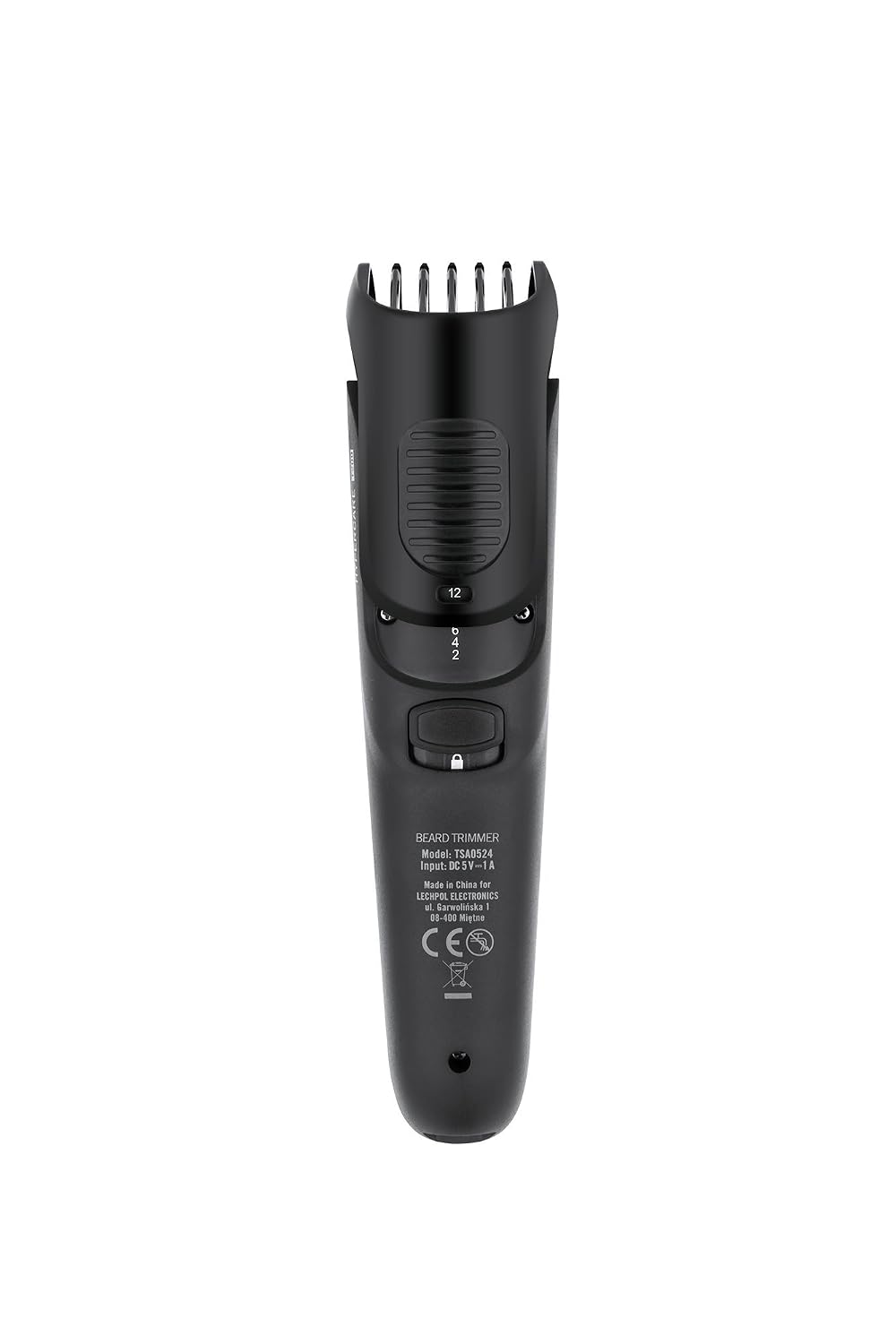
Figure 2: Rear view of the trimmer, highlighting the model number and length adjustment mechanism.

Figure 3: Included accessories: cleaning brush, lubricating oil, and USB charging cable.
4. Setup
4.1 Initial Charging
- Before first use, fully charge the trimmer.
- Connect the USB charging cable to the trimmer's charging port.
- Plug the other end of the USB cable into a compatible USB power adapter (not included) or a computer USB port.
- The charging indicator light will illuminate. Allow the trimmer to charge for the recommended time (refer to specifications) until fully charged.
4.2 Attaching the Comb Attachment
- Ensure the trimmer is switched off.
- Align the comb attachment with the trimmer head.
- Gently push the comb attachment onto the trimmer head until it clicks into place.

Figure 4: Trimmer with the comb attachment securely in place.
5. Operating Instructions
5.1 Selecting Trimming Length
The Teesa HYPERCARE T200 features an adjustable comb attachment with 9 length settings (2, 4, 6, 8, 10, 12, 14, 16, 18 mm).
- With the comb attachment installed, locate the length adjustment dial on the back of the trimmer.
- Rotate the dial to select your desired trimming length. The selected length will be indicated on the trimmer body.
5.2 Trimming
- Ensure your skin and hair are clean and dry.
- Press the power button to switch on the trimmer.
- Hold the trimmer with the blades flat against the skin.
- Move the trimmer slowly against the direction of hair growth for an even trim.
- For precise contouring or very short trimming, remove the comb attachment and use the bare blades carefully.
- After use, switch off the trimmer by pressing the power button.

Figure 5: Trimmer head with comb attachment removed, exposing the steel blades for closer trimming or detailing.
6. Maintenance
6.1 Cleaning the Trimmer
- Switch off and unplug the trimmer from any charging source.
- Remove the comb attachment.
- Use the provided cleaning brush to remove loose hairs from the blades and the inside of the trimmer head.
- The trimmer head can be rinsed under running water. Ensure the main body of the trimmer does not get wet.
- Allow all parts to air dry completely before reassembling or storing.
6.2 Lubricating the Blades
Regular lubrication ensures optimal performance and extends the life of the blades.
- After cleaning and drying, apply 1-2 drops of the provided lubricating oil onto the blades.
- Switch on the trimmer for a few seconds to distribute the oil evenly.
- Wipe off any excess oil with a soft cloth.
7. Troubleshooting
| Problem | Possible Cause | Solution |
|---|---|---|
| Trimmer does not turn on. | Battery is discharged. | Charge the trimmer fully. |
| Trimmer pulls hair or cuts poorly. | Blades are dull or clogged with hair. | Clean the blades thoroughly. Lubricate the blades. If problem persists, blades may need replacement. |
| Comb attachment does not stay in place. | Not properly attached. | Ensure the comb attachment is aligned and pushed until it clicks securely. |
8. Specifications
| Feature | Detail |
|---|---|
| Model Number | TSA0524 |
| Brand | Teesa |
| Power Source | Rechargeable Lithium-Ion Battery |
| Operating Mode | Cordless (charges via USB cable) |
| Blade Material | Steel |
| Comb Settings | 9 (2, 4, 6, 8, 10, 12, 14, 16, 18 mm) |
| Product Dimensions | 15.5 x 4.1 x 3.9 cm |
| Weight | 130 grams |
| Special Features | USB Charging |
9. Warranty and Support
For warranty information or technical support, please refer to the warranty card included with your product or contact Teesa customer service. Keep your proof of purchase for warranty claims.
