
Introduction
Thank you for choosing the PowerPac 12-Inch Table Fan, model PPTF303. This manual provides comprehensive instructions for the safe and efficient use of your new fan. Please read all instructions carefully before operating the appliance and retain this manual for future reference.
Important Safety Instructions
To reduce the risk of fire, electric shock, or injury, always follow these basic safety precautions:
- Read all instructions before using this fan.
- Ensure the power supply voltage matches the rating label on the fan.
- Always unplug the fan from the power outlet before cleaning, servicing, or moving it.
- Do not insert fingers or any objects through the grille when the fan is operating.
- Keep the fan away from water or other liquids. Do not operate in wet conditions.
- Do not operate the fan with a damaged cord or plug. If the cord is damaged, it must be replaced by the manufacturer, its service agent, or similarly qualified persons to avoid a hazard.
- This appliance is not intended for use by persons (including children) with reduced physical, sensory or mental capabilities, or lack of experience and knowledge, unless they have been given supervision or instruction concerning use of the appliance by a person responsible for their safety.
- Children should be supervised to ensure that they do not play with the appliance.
- Do not use the fan near curtains, plants, or other objects that could be drawn into the fan blades.
- Place the fan on a stable, flat surface to prevent it from tipping over.
- The fan is equipped with built-in thermal protection against overheating. If the fan overheats, it will automatically shut off. Unplug the fan and allow it to cool down before restarting.
Product Overview
Components
The PowerPac 12-Inch Table Fan PPTF303 includes the main fan unit with its base, grille, blades, motor housing, control panel, and power cord.
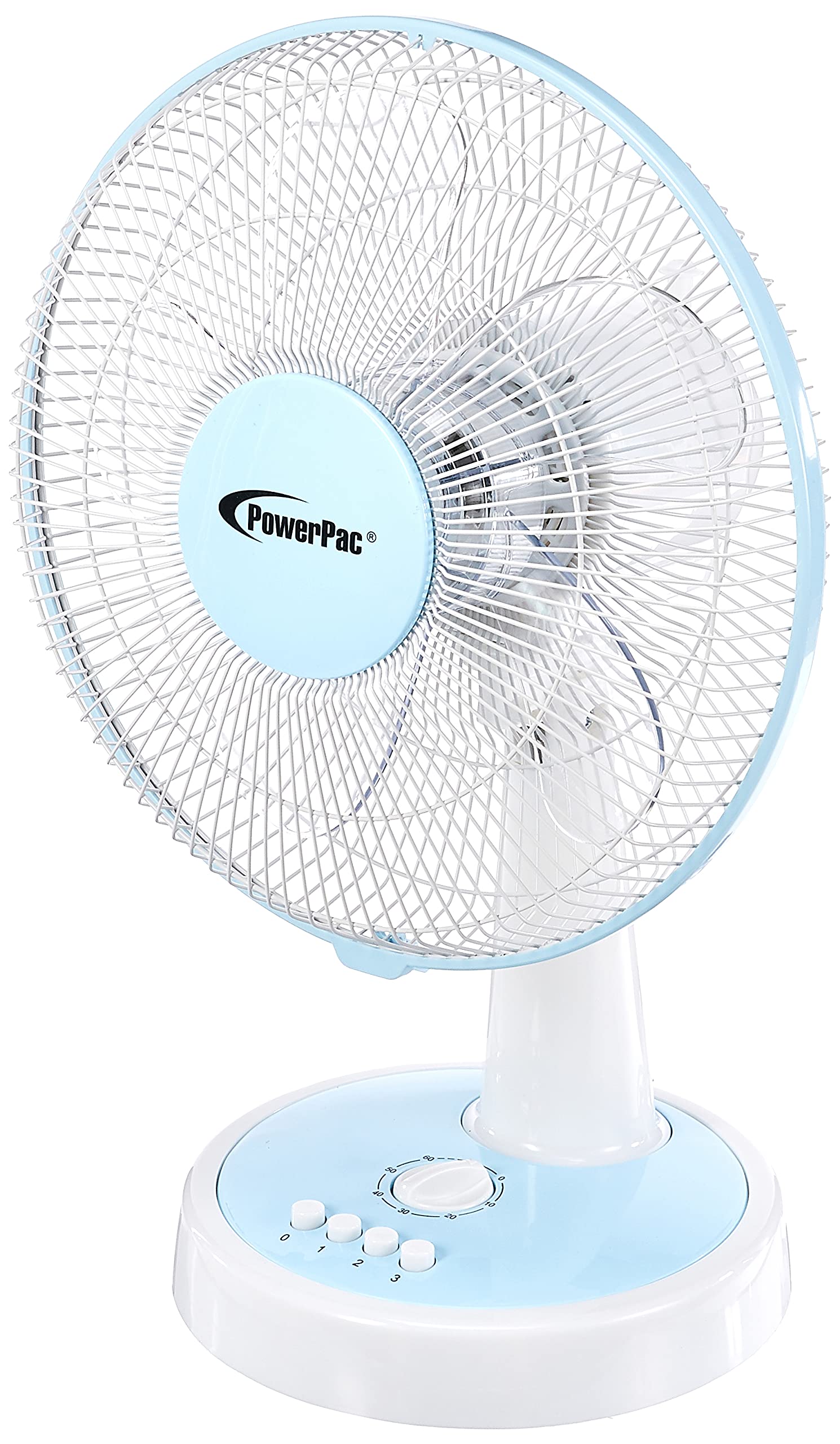
Figure 1: Front view of the PowerPac 12-Inch Table Fan PPTF303.
Features
- 3 Speed Settings: Choose from low, medium, or high airflow.
- Built-in Thermal Protection: Automatically shuts off to prevent overheating.
- High Velocity Motor: Designed for maximum air circulation.
- Oscillation: Provides wide-area cooling.
- Timer Function: Allows for timed operation.
Setup
The PowerPac 12-Inch Table Fan PPTF303 typically comes pre-assembled. Follow these steps for initial setup:
- Unpack: Carefully remove the fan from its packaging. Retain packaging for storage or return if necessary.
- Placement: Place the fan on a firm, level surface where it will not be easily knocked over. Ensure there is adequate space around the fan for proper air circulation and oscillation.
- Power Connection: Insert the power plug into a suitable electrical outlet. Ensure the outlet voltage matches the fan's requirements.
Operating Instructions
Your PowerPac Table Fan features a touch control method for easy operation.
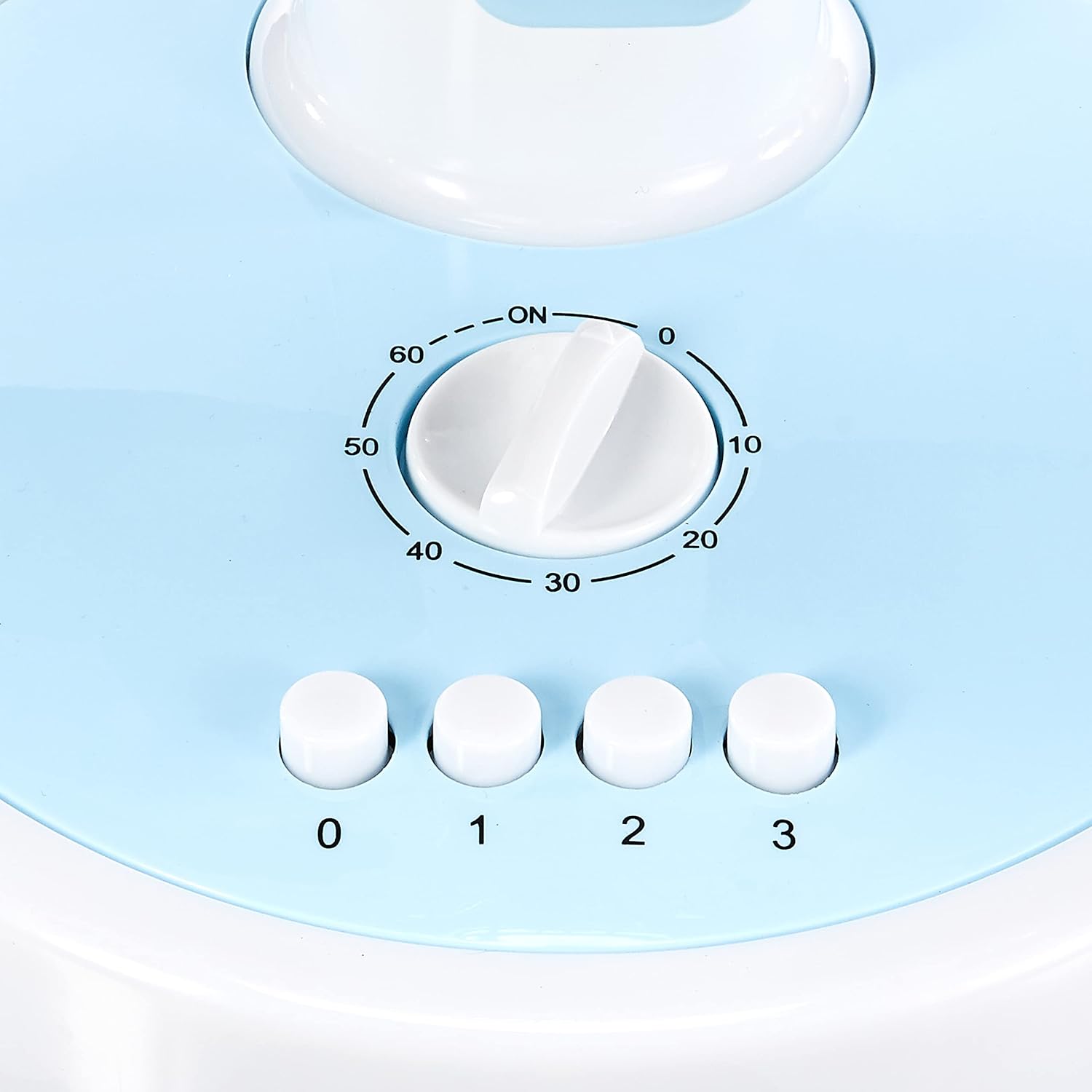
Figure 2: Close-up of the control panel with speed and timer settings.
- Power On/Off: Press the '0' button to turn the fan off. To turn it on, select a speed setting (1, 2, or 3).
- Adjusting Fan Speed:
- Press '1' for Low speed.
- Press '2' for Medium speed.
- Press '3' for High speed.
- Oscillation: To activate the oscillation feature, press the button located on the top of the motor housing. Press it again to stop oscillation.
- Timer Function: The fan includes a timer dial, typically marked from 0 to 60 minutes. Turn the dial clockwise to set the desired operating time. The fan will automatically switch off once the set time has elapsed.
Maintenance
Regular maintenance ensures optimal performance and longevity of your fan.
- Cleaning:
- Always unplug the fan before cleaning.
- Use a soft, damp cloth to wipe the exterior surfaces. Do not use abrasive cleaners or solvents.
- To clean the fan blades, carefully remove the front grille (refer to specific instructions if provided with your model for grille removal). Wipe the blades with a damp cloth. Ensure all parts are dry before reassembling and operating.
- Storage: When not in use for extended periods, store the fan in its original packaging or a clean, dry place.
Troubleshooting
If you encounter any issues with your fan, please refer to the following common problems and solutions:
| Problem | Possible Cause | Solution |
|---|---|---|
| Fan does not turn on. | No power supply; fan unplugged; thermal protection activated. | Check power cord connection; ensure outlet is functional; unplug and allow fan to cool for 30 minutes before restarting. |
| Weak airflow. | Fan speed set too low; dirty blades/grille. | Increase fan speed; clean blades and grilles as per maintenance instructions. |
| Fan makes unusual noise. | Loose parts; obstruction in blades. | Unplug and check for any loose parts or obstructions. If noise persists, contact customer support. |
If the problem persists after attempting these solutions, please contact PowerPac customer support.
Specifications
Key technical specifications for the PowerPac 12-Inch Table Fan PPTF303:
| Specification | Detail |
|---|---|
| Brand | PowerPac |
| Model Name | PPTF303 |
| Electric Fan Design | Table Fan |
| Size | 12 Inches |
| Number of Speeds | 3 |
| Power Source | Corded Electric |
| Wattage | 70 watts |
| Control Method | Touch |
| Special Features | Timer, Oscillation, Thermal Protection |
| Material | Plastic |
| Country of Origin | China |

Figure 3: Approximate dimensions of the PowerPac 12-Inch Table Fan PPTF303.
Warranty and Support
The PowerPac 12-Inch Table Fan PPTF303 comes with a 1 Year Local (Singapore) Manufacturer Warranty. Please retain your proof of purchase for warranty claims.
For technical support, service, or warranty inquiries, please contact PowerPac customer service through their official website or the retailer where the product was purchased.