
Introduction
This manual provides detailed instructions for the safe and effective use of your Walfront R-134a Air Conditioning Quick Connector set. Please read this manual thoroughly before operation and retain it for future reference.
The Walfront R-134a Quick Connector set is designed for use with R-134a A/C manifold gauges and service ports. It facilitates quick and secure connection and disconnection to vehicle R134a A/C systems, even under working pressure.

Image: The Walfront R-134a Quick Connector set, showing both high (red) and low (blue) pressure couplers along with their brass adapters.
Safety Information
Always wear appropriate personal protective equipment, including safety glasses and gloves, when working with refrigerants and automotive air conditioning systems. Ensure the vehicle's engine is off and the system is depressurized before attempting any connections or disconnections, unless specifically instructed otherwise by a qualified professional or vehicle service manual.
- Do not expose connectors to open flames or excessive heat.
- Ensure connections are secure to prevent refrigerant leaks.
- Handle refrigerants in a well-ventilated area.
- Refer to your vehicle's service manual for specific A/C system procedures.
Product Components
The Walfront R-134a Quick Connector set includes:
- 1 x Blue Low Side Quick Coupler (14mm / 0.55 inch inner diameter)
- 1 x Red High Side Quick Coupler (17mm / 0.67 inch inner diameter)
- 2 x Brass Adapters (1/4" SAE male thread)

Image: Diagram illustrating the components of the quick coupler, including the thimble, switch, brass adapter, and electroplated body.
Setup
- Identify Ports: Locate the R134a service ports on your vehicle's A/C system. The low-pressure port is typically smaller and often marked with an "L", while the high-pressure port is larger and marked with an "H".
- Select Coupler: Choose the appropriate quick coupler: the blue coupler for the low-pressure port and the red coupler for the high-pressure port.
- Attach Adapter: Ensure the brass adapter is securely threaded into the quick coupler. The adapter has a 1/4" SAE male thread for connection to refrigerant hoses.
- Prepare Hose: Connect your refrigerant hose from the A/C manifold gauge set to the 1/4" SAE male thread of the quick coupler's brass adapter.

Image: The Walfront R-134a Quick Connectors showing the low (blue) and high (red) pressure couplers with their brass adapters attached, ready for hose connection.
Operating Instructions
- Connect to Service Port: With the quick coupler's switch in the "OFF" or closed position, align the coupler with the corresponding vehicle R134a service port. Push the coupler firmly onto the service port until it clicks into place, indicating a secure connection.
- Engage Flow: To open the valve and allow refrigerant flow, turn the switch at the top of the quick coupler. The direction for "LOW" and "HIGH" flow is indicated on the respective switches.
- Monitor System: Use your A/C manifold gauges to monitor system pressures during refrigerant charging or recovery.
- Disengage Flow: Once the A/C service is complete, turn the switch at the top of the quick coupler to the "OFF" or closed position to stop refrigerant flow.
- Disconnect from Service Port: Pull back on the quick coupler's collar to release it from the vehicle's service port.

Image: Close-up view of the Walfront R-134a Quick Connectors, highlighting the red "HIGH" and blue "LOW" switches with directional arrows for engaging and disengaging refrigerant flow.

Image: Example of the Walfront R-134a Quick Connectors attached to a vehicle's A/C system, showing the red coupler on the high-side port and the blue coupler on the low-side port.
Maintenance
The Walfront R-134a Quick Connectors are constructed from durable aluminum, copper, and electroplated bronze for longevity. Regular maintenance ensures optimal performance and prevents leaks.
- Cleaning: After each use, wipe the connectors clean with a dry cloth to remove any dirt or refrigerant residue.
- Inspection: Periodically inspect the O-rings and seals for signs of wear, cracking, or damage. Replace any damaged seals immediately to prevent leaks.
- Storage: Store the connectors in a clean, dry environment away from extreme temperatures and direct sunlight.
Troubleshooting
| Problem | Possible Cause | Solution |
|---|---|---|
| Connector does not attach securely. | Incorrect port size; debris in port; worn internal mechanism. | Ensure correct coupler (red for high, blue for low). Clean service port. Inspect coupler for damage. |
| Refrigerant leak during connection. | Damaged O-ring/seal; coupler not fully engaged; valve not fully closed. | Inspect and replace O-rings. Ensure coupler is pushed firmly until it clicks. Verify switch is in closed position before connecting/disconnecting. |
| Difficulty turning the switch. | Internal debris; lack of lubrication; cross-threading. | Clean the switch area. Apply a small amount of appropriate lubricant if necessary. Ensure proper alignment. |
Specifications
| Feature | Detail |
|---|---|
| Model | Wal frontot2sc5fv6r |
| Compatibility | R-134a A/C Systems |
| Connector Type | Quick Coupler Adapter |
| Thread Size (Hose Connection) | 1/4" SAE Male |
| Low Side Coupler Inner Diameter (Blue) | Approx. 14mm (0.55 inch) |
| High Side Coupler Inner Diameter (Red) | Approx. 17mm (0.67 inch) |
| Material | Aluminum, Copper, Electroplated Bronze |
| Product Dimensions (L x W x H) | Approx. 1.97 x 1.57 x 1.57 inches |
| Item Weight | Approx. 10.6 ounces |
| Number of Pieces | 2 (Low and High Side Couplers) |
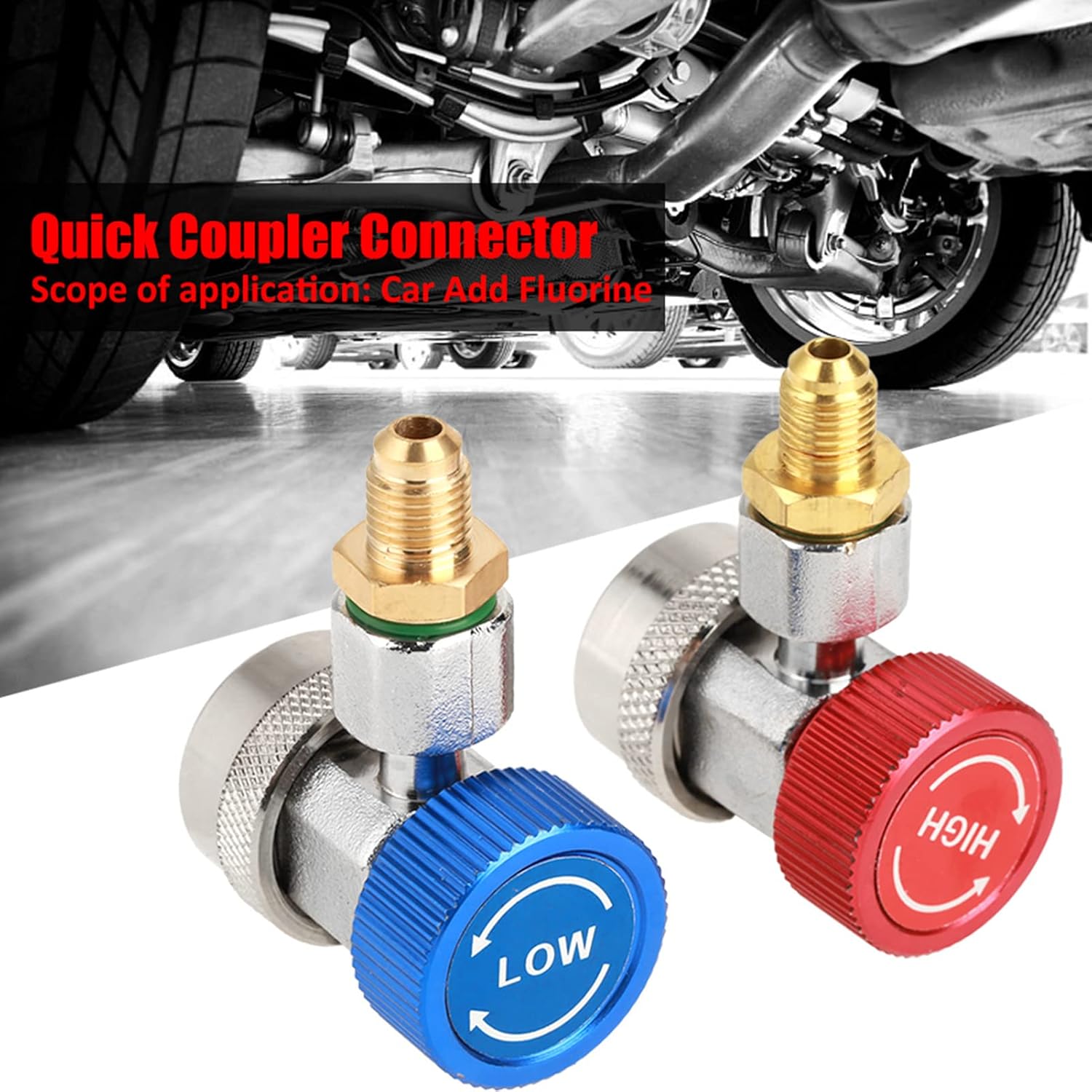
Image: The Walfront R-134a Quick Connectors with indicated inner diameters for the low (14mm) and high (17mm) side couplers.
Warranty and Support
Information regarding product warranty and customer support contact details is not provided within this manual. Please refer to your purchase documentation or the retailer's website for warranty terms and support options.