
Walfront Tactile Micro Switch Assortment Kit
Walfront 250-Piece Tactile Push Button Micro Switch Assortment Kit User Manual
1. Introduction
This manual provides comprehensive instructions for the Walfront 250-piece Tactile Push Button Micro Switch Assortment Kit. This kit is designed for various electronic projects, repairs, and DIY applications, particularly suitable for car remote control keys and other small electronic devices. It includes 10 different types of momentary tactile switches, offering versatility for a wide range of uses.
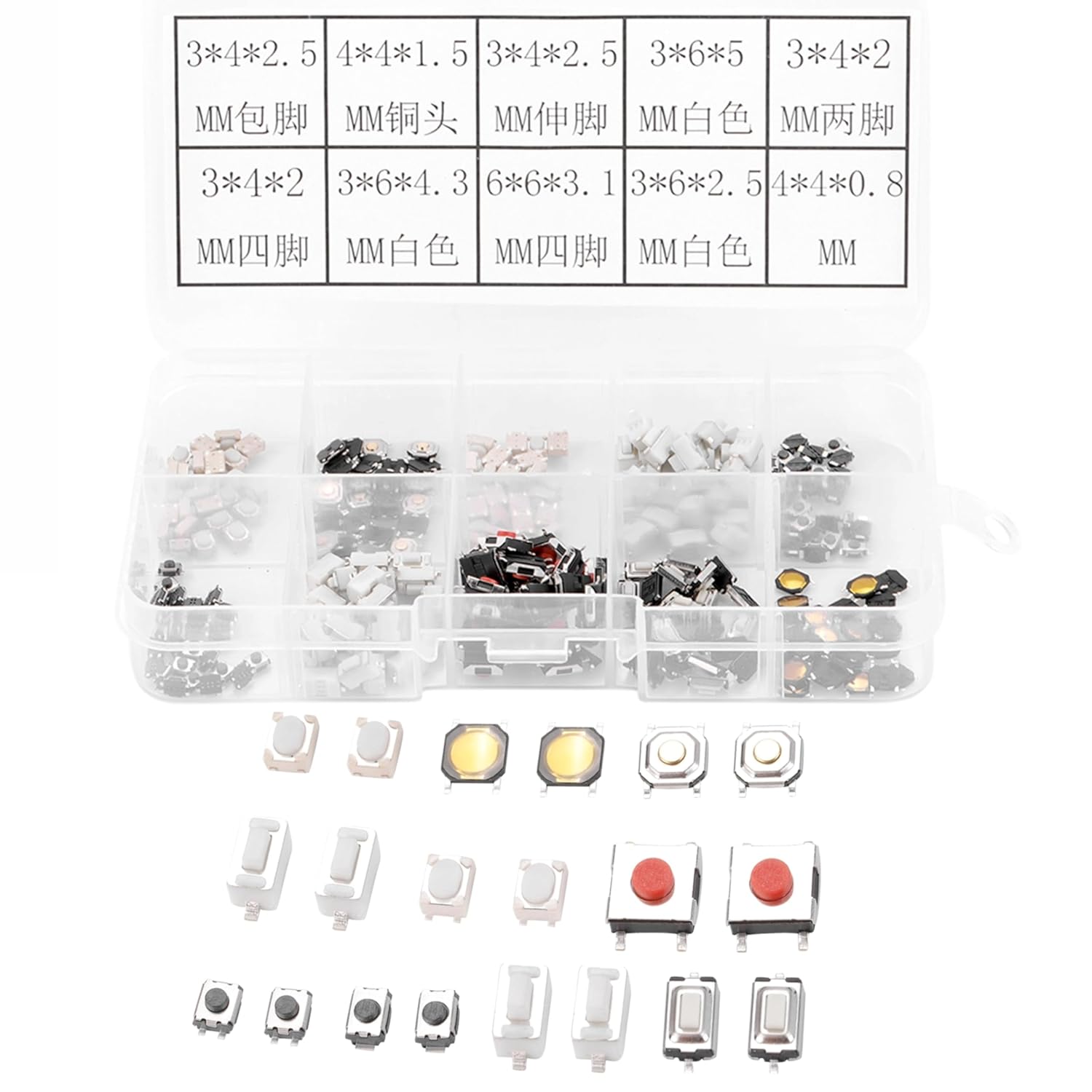
Image 1.1: Overview of the Walfront 250-piece tactile push button micro switch assortment kit, showcasing the clear plastic organizer box filled with various switch types.
2. Product Components
The Walfront Tactile Push Button Micro Switch Assortment Kit contains 250 micro switches, categorized into 10 distinct types. These switches are organized within a clear plastic storage box for easy identification and access.
2.1. Included Switch Types
- 3x4x2.5mm (Folding Pin)
- 3x4x2.5mm (Outspread Pin)
- 3x6x4.3mm
- 3x6x5mm
- 3x4x2mm (4-Pin)
- 4x4x1.5mm (Copper Head)
- 4x4x0.8mm
- 3x6x2.5mm
- 6x6x3.1mm (4-Pin)

Image 2.1: Visual representation of the 10 distinct types of micro switches included in the kit, with their respective dimensions and pin types.
Each switch type is designed for specific applications, offering high sensitivity and a long service life due to their precision mechanism design.
3. Setup and Identification
The kit comes pre-organized in a clear plastic box, facilitating easy setup and identification of the various switch types.
3.1. Initial Inspection
- Upon receiving the kit, inspect the plastic box for any damage during transit.
- Verify that all 10 compartments contain switches and that the total quantity is approximately 250 pieces.
3.2. Identifying Switch Types
Refer to the labels on the lid of the plastic box or the provided diagram (Image 2.1) to identify the specific dimensions and pin configurations of each switch type. This is crucial for selecting the correct switch for your application.
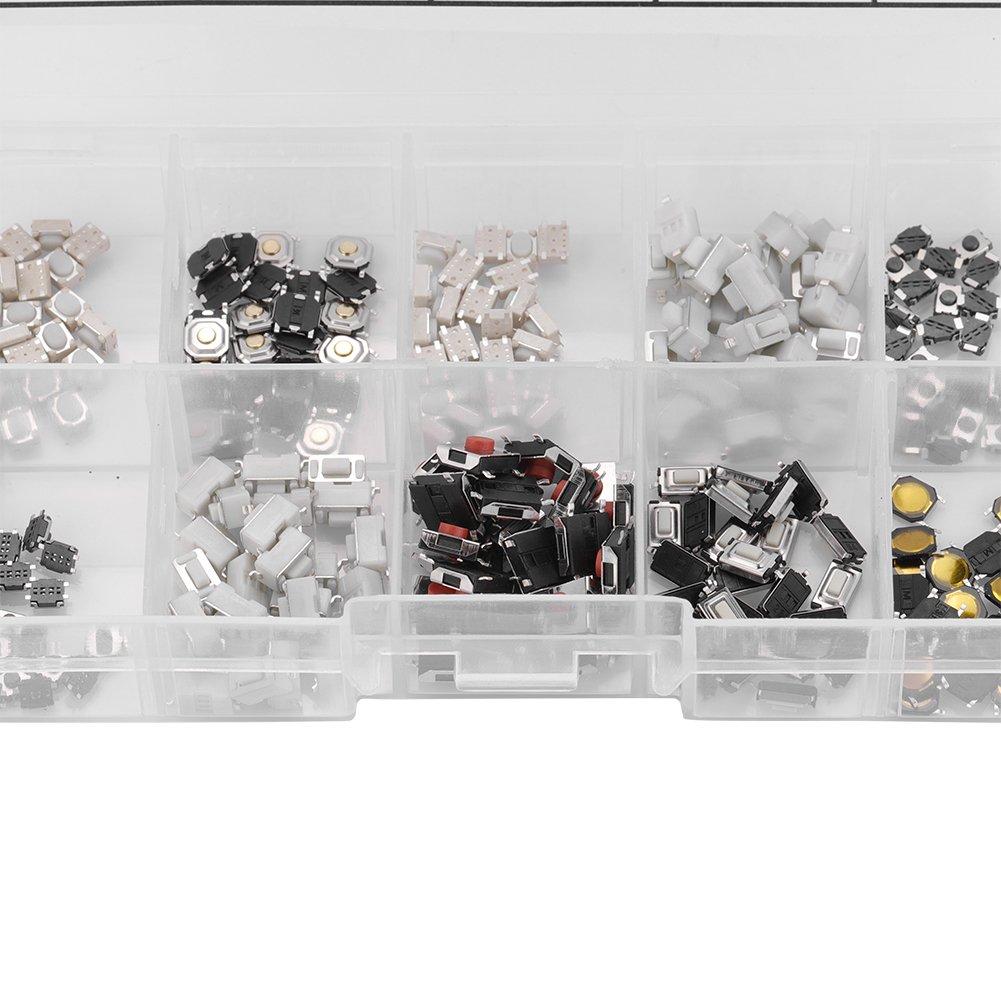
Image 3.1: A close-up of the organized compartments within the plastic box, demonstrating the clear separation of different switch types.
4. Operating Instructions
These tactile push button micro switches are designed for integration into electronic circuits. Their operation involves a momentary contact closure when pressed.
4.1. Application Guidelines
- Circuit Integration: These switches are typically used in low-voltage, low-current applications. Ensure your circuit's voltage and current requirements do not exceed the switch's specifications (12V, 0.1A).
- Soldering: When soldering the switches onto a Printed Circuit Board (PCB), use appropriate soldering techniques to avoid overheating the switch, which can cause damage. Apply heat for the shortest duration necessary.
- Polarity: Tactile switches are generally non-polarized, meaning they can be installed in any orientation regarding current flow, but always refer to your circuit diagram for specific requirements.
- Mounting: Many of these switches feature a snap-in mount design or are intended for through-hole or surface-mount soldering onto a PCB. Ensure secure mounting to prevent movement during operation.

Image 4.1: Detailed view of two different micro switch types, highlighting their compact design and pin configurations for soldering.
4.2. Common Uses
This assortment is ideal for:
- Repairing car remote control keys.
- Fixing buttons on audio equipment, televisions, and computers.
- Prototyping and DIY electronics projects.
- Replacing worn-out buttons in various small appliances.
5. Maintenance and Storage
Proper maintenance and storage will ensure the longevity and usability of your micro switch assortment.
5.1. Storage
Always store the switches in the provided clear plastic box. This prevents loss, keeps them organized by type, and protects them from dust, moisture, and physical damage. Keep the box in a cool, dry place away from direct sunlight and extreme temperatures.
5.2. Handling
Handle switches by their body rather than their pins to prevent bending or damage. Avoid applying excessive force during installation or removal.
6. Troubleshooting
If you encounter issues when using the micro switches, consider the following common troubleshooting steps:
- Switch Not Responding:
- Verify correct soldering: Ensure all pins are properly connected to the PCB and there are no cold solder joints or short circuits.
- Check circuit continuity: Use a multimeter to test the switch's continuity when pressed and released.
- Confirm correct switch type: Ensure the selected switch matches the required dimensions and electrical characteristics for your application.
- Intermittent Operation:
- Inspect for debris: Small particles can sometimes interfere with the switch mechanism.
- Re-solder connections: Poor connections can lead to intermittent contact.
- Physical Damage:
- If a switch appears physically damaged (e.g., bent pins, cracked housing), replace it with a new one from the assortment.
7. Specifications
| Feature | Detail |
|---|---|
| Brand | Walfront |
| Total Quantity | 250 pieces |
| Types Included | 10 different types |
| Operation Mode | Push Button (Momentary) |
| Contact Type | Tactile Push Button Micro Switch Assortment |
| Operating Voltage | 12 Volts (DC) |
| Current Rating | 0.1 Amps |
| Mounting Type | Snap In Mount (various types) |
| Product Dimensions (Box) | 4.72 x 2.68 x 0.98 inches |
| Weight | Approx. 1.76 ounces (53g) |
8. Warranty and Support
Specific warranty information for this product is not provided in the available documentation. For any product-related inquiries or support, please refer to the seller or the Walfront brand store.
You can visit the official Walfront store for more information: Walfront Store on Amazon
Ask a question about this manual
Ask about setup, troubleshooting, compatibility, parts, safety, or missing instructions. Manuals+ will review the question and use this page’s manual context to help answer it.