
ELAC DEBUT SUB 3010
ELAC DEBUT SUB 3010 Subwoofer User Manual
Model: DEBUT SUB 3010
Introduction
The ELAC DEBUT SUB 3010 is an active subwoofer designed to provide powerful and deep bass for both music and home cinema systems. Featuring a 10-inch long-throw woofer, a 10-inch passive radiator, and a 400-watt BASH amplifier, this subwoofer integrates seamlessly into any audio setup. Its advanced DSP and app-controlled auto-equalization allow for precise tuning and optimization from your smartphone.
Product Overview

Figure 1: Angled front view of the ELAC DEBUT SUB 3010 Subwoofer. This image shows the black finish and the large front-firing driver with its protective grille.
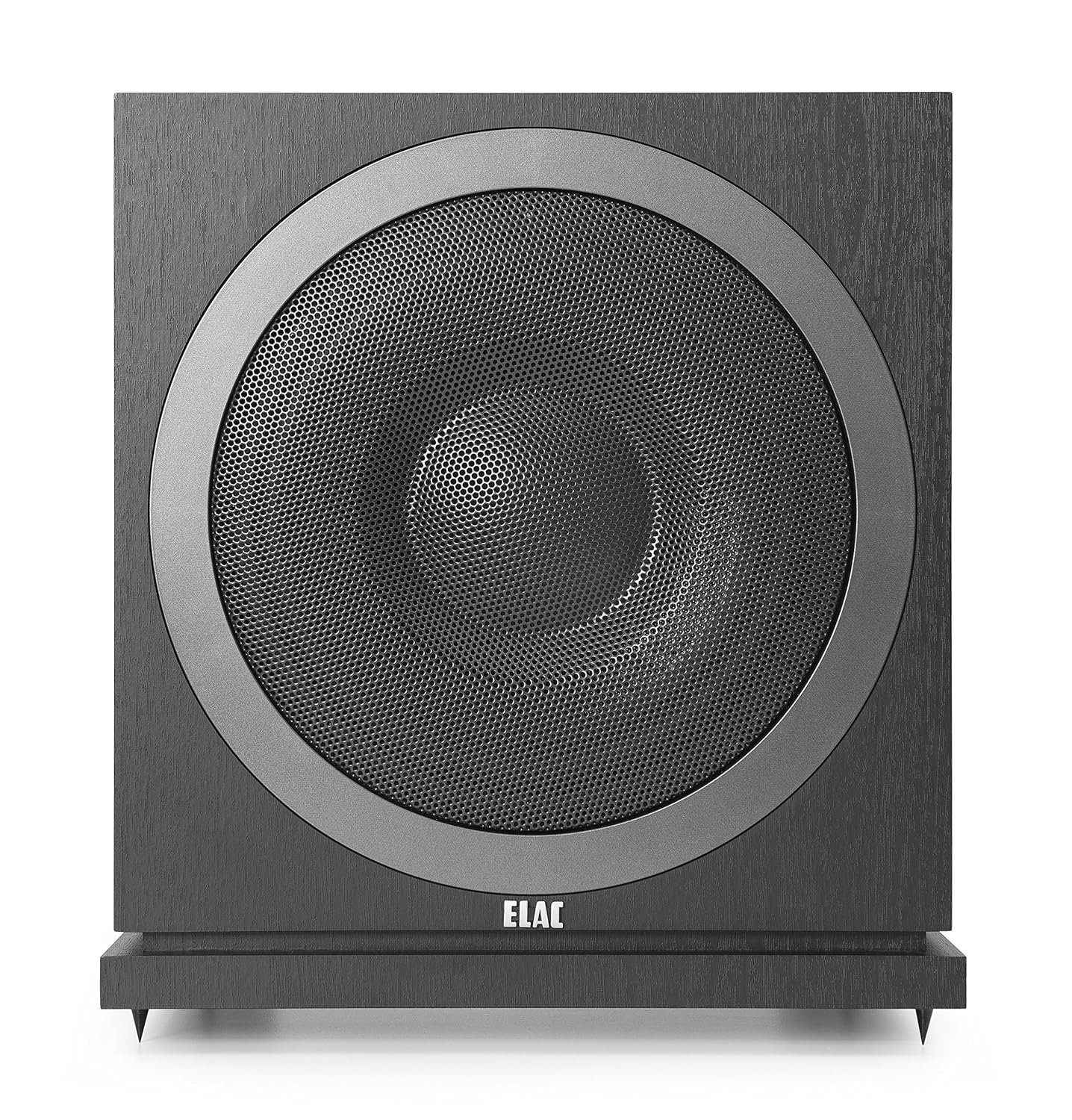
Figure 2: Direct front view of the ELAC DEBUT SUB 3010 Subwoofer, highlighting the central driver and the ELAC logo at the bottom.

Figure 3: Rear panel of the ELAC DEBUT SUB 3010 Subwoofer, showing the input connections (RCA L/R/LFE), power input, and service/reset ports. Model number SUB3010 is visible.
Setup
1. Unpacking
Carefully remove the subwoofer from its packaging. Retain all packaging materials for future transport or storage. Inspect the unit for any signs of damage during transit.
2. Placement
Subwoofer placement significantly impacts sound quality. Experiment with different locations in your room to find the optimal position. Generally, placing the subwoofer in a corner can enhance bass output, but may also lead to boomy sound. Placing it along a wall can provide a more balanced response. Avoid placing it directly against a wall if possible, to allow for proper air circulation and reduce unwanted vibrations.
- For optimal performance, consider the "subwoofer crawl" method: Place the subwoofer in your primary listening position, then crawl around the room to find where the bass sounds best. This is where the subwoofer should be placed.
- Ensure adequate ventilation around the unit.
- The reinforced MDF cabinet is designed to reduce vibrations, but using the included spikes or optional rubber feet can further isolate the unit from the floor.
3. Connections
Connect the subwoofer to your audio system using the appropriate RCA inputs. The SUB 3010 features two RCA inputs (L, R/LFE).
- LFE Input (Low-Frequency Effects): For home cinema receivers with a dedicated subwoofer output (LFE or Sub Out), connect a single RCA cable from the receiver's LFE output to the subwoofer's LFE input (typically labeled R/LFE).
- Stereo RCA Inputs: For stereo systems or receivers without a dedicated LFE output, connect RCA cables from your pre-amplifier's or receiver's stereo pre-out to both the L and R RCA inputs on the subwoofer.
Once connected, plug the power cord into the subwoofer and then into a suitable wall outlet.
Operating Instructions
1. Power On/Off
The subwoofer features an auto-on/off function. It will automatically power on when an audio signal is detected and enter standby mode after a period of inactivity to conserve energy. The LED on the rear panel indicates the power status.
2. App Control (Bluetooth)
The ELAC DEBUT SUB 3010 is designed for convenient control and calibration via a dedicated smartphone application. This app allows you to adjust various settings, including volume, crossover frequency, phase, and auto-equalization.
- Download the official ELAC Sub Control app from your device's app store (iOS or Android).
- Ensure Bluetooth is enabled on your smartphone.
- Open the app and follow the on-screen instructions to connect to your SUB 3010.
3. Initial Calibration and Settings
The app provides powerful tools for optimizing the subwoofer's performance in your room.

Figure 4: Screenshot of the ELAC Sub Control app, illustrating the "Cutoff Frequency" adjustment interface. This allows you to set the upper frequency limit for the subwoofer's output.
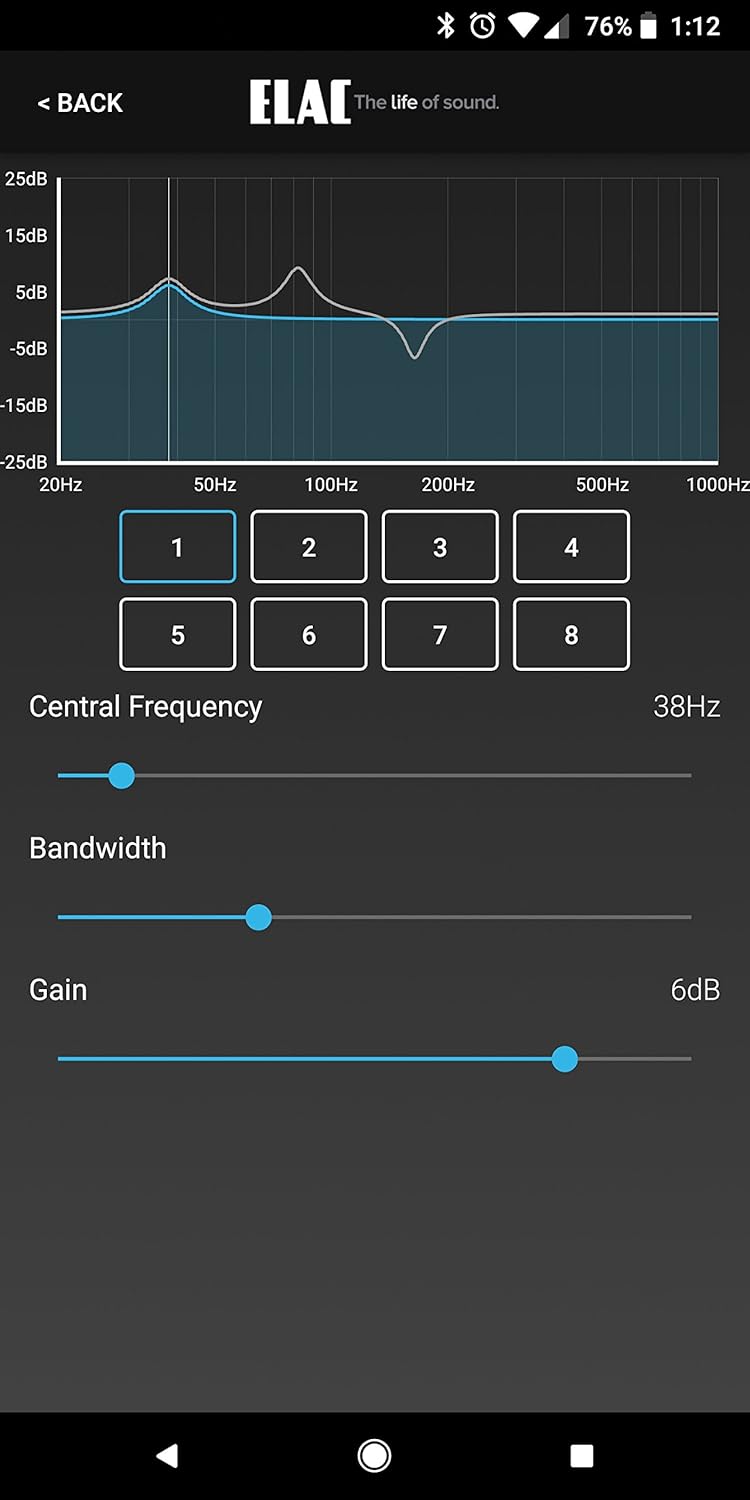
Figure 5: Screenshot of the ELAC Sub Control app, displaying the equalizer (EQ) settings. Users can adjust central frequency, bandwidth, and gain for multiple EQ bands to fine-tune the sound.
- AutoEQ: Utilize the app's AutoEQ feature to automatically measure your room's acoustics and optimize the subwoofer's frequency response for your listening environment.
- Crossover Frequency: Adjust the crossover frequency (50-150 Hz) to seamlessly blend the subwoofer's output with your main speakers. A good starting point is typically around 80 Hz, but this may vary depending on your main speakers' low-frequency capabilities.
- Phase Control: Adjust the phase (0° or 180°) to ensure the subwoofer's sound waves align correctly with your main speakers, preventing cancellation or reinforcement issues.
- Volume: Set the overall volume level of the subwoofer to achieve a balanced sound with your main speakers.
- EQ Settings: The app provides detailed equalizer controls to further fine-tune the sound to your preference or to address specific room modes.
Maintenance
The ELAC DEBUT SUB 3010 requires minimal maintenance to ensure long-term performance.
- Cleaning: Use a soft, dry cloth to wipe the cabinet. Avoid abrasive cleaners, solvents, or chemical sprays, as these can damage the finish.
- Ventilation: Ensure the rear panel and any ventilation openings remain clear of obstructions to prevent overheating.
- Storage: If storing the subwoofer for an extended period, disconnect it from power and store it in a cool, dry place, ideally in its original packaging.
Troubleshooting
| Problem | Possible Cause | Solution |
|---|---|---|
| No sound from subwoofer. |
|
|
| Boomy or muddy bass. |
|
|
| App connection issues. |
|
|
Specifications
| Feature | Detail |
|---|---|
| Type | Active Subwoofer with Passive Radiator |
| Woofer | 1 x 250 mm (10-inch) Long-Throw with Optimized Cellulose Cone |
| Passive Radiator | 1 x 250 mm (10-inch) |
| Frequency Range (IEC 268-5) | 28 - 150 Hz |
| Crossover Frequency | 50 - 150 Hz (Adjustable) |
| Amplifier Type | BASH Tracking Amplifier |
| Maximum Amplifier Power | 400 W Peak (200 W RMS) |
| Inputs | 2 x RCA (L, R/LFE) |
| Dimensions (H x W x D) | 364 x 343 x 343 mm (14.3 x 13.5 x 13.5 inches) |
| Weight | 14.6 kg (32.2 lbs) |
| Cabinet Material | MDF |
| Connectivity Technology | Wired (Audio), Bluetooth (App Control) |
| Special Feature | App Control with AutoEQ |
Warranty and Support
For detailed warranty information and technical support, please refer to the documentation included with your product or visit the official ELAC website. Warranty terms may vary by region and retailer.
If you require assistance with setup, operation, or troubleshooting that is not covered in this manual, please contact ELAC customer service or your authorized dealer.
Related documentsDEBUT SUB 3010


Ask a question about this manual
Ask about setup, troubleshooting, compatibility, parts, safety, or missing instructions. Manuals+ will review the question and use this page’s manual context to help answer it.