
XUNATA 12V10MRGBWW5AUS65-1
XUNATALED 12V 33ft 600 Units SMD 5050 RGB+Warm White LED Strip Lights Kit Instruction Manual
Model: 12V10MRGBWW5AUS65-1
1. Product Overview
The XUNATALED LED Strip Lights Kit provides flexible, color-changing illumination for various indoor and outdoor applications. This kit includes 33 feet of SMD 5050 LED strips with 600 units, offering both RGB and warm white lighting options. Control is managed via a 40-key IR remote, powered by a 12V supply.
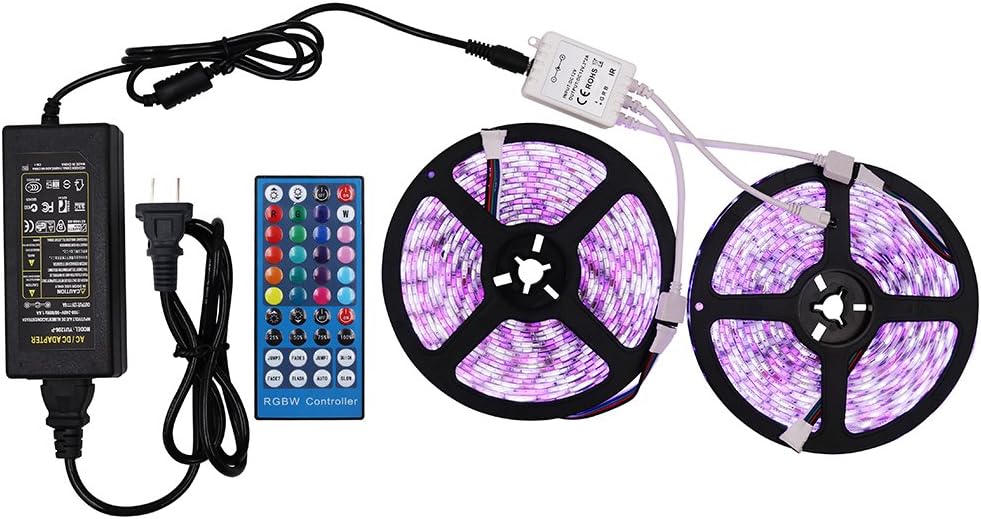
Image 1.1: Complete XUNATALED LED Strip Lights Kit, including two rolls of LED strips, a 40-key IR remote control, an IR receiver, and a 12V power adapter.
The strips are designed for versatility, featuring a waterproof construction (IP65) and a self-adhesive backing for easy installation. They are suitable for decorative lighting in areas such as kitchens, bedrooms, and outdoor spaces.

Image 1.2: Various application examples showing the XUNATALED LED strip lights installed in a kitchen under cabinets and behind a bed headboard, demonstrating their decorative potential.
2. What's in the Box
Your XUNATALED LED Strip Lights Kit includes the following components:
- LED Strip Lights (33ft, 600 units SMD 5050, RGB+Warm White)
- 40-Key IR Remote Control
- IR Receiver/Controller
- 12V Power Supply/Adapter

Image 2.1: Detailed view of the kit components, including the LED strip reels, IR remote, IR receiver, and power adapter.
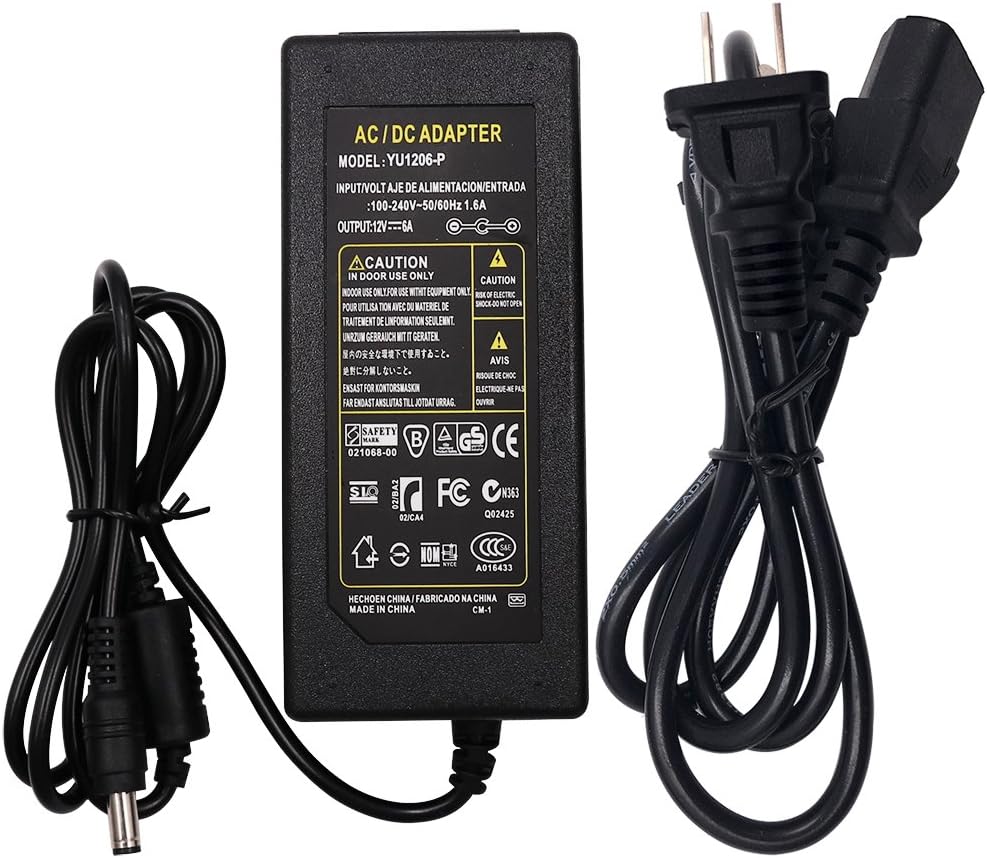
Image 2.2: Close-up of the 12V AC/DC power adapter included in the kit, showing input/output specifications.
3. Specifications
| Feature | Specification |
|---|---|
| Brand | XUNATA |
| Model Number | 12V10MRGBWW5AUS65-1 |
| Light Source Type | LED (SMD 5050) |
| Number of Light Sources | 600 units |
| Length | 33 feet (approx. 10 meters) |
| Color | RGB + Warm White |
| Voltage | 12 Volts (DC) |
| Power Source | DC Adapter |
| Control Method | 40-Key IR Remote Control |
| Waterproof Rating | IP65 (Indoor/Outdoor Usage) |
| Special Features | Flexible, Self-adhesive backing, Cuttable |
4. Setup Instructions
- Prepare the Surface: Ensure the installation surface is clean, dry, and smooth. Dust, oil, or moisture can affect the adhesive's effectiveness.
- Measure and Cut (Optional): If necessary, measure the desired length for your installation. The LED strips can be cut along the designated marks (usually indicated by a copper pad and a scissor icon). Do not cut in other areas, as this will damage the strip.
- Attach the Strip: Peel off the protective backing from the 3M adhesive tape on the back of the LED strip. Carefully press the strip onto the desired surface, ensuring firm contact.
- Connect the IR Receiver: Connect the 4-pin connector of the LED strip to the IR receiver/controller. Ensure the arrows on both connectors align correctly.
- Connect the Power Supply: Plug the DC output of the 12V power adapter into the input port of the IR receiver.
- Power On: Plug the power adapter into a standard electrical outlet.
- Remote Preparation: Before using the 40-key IR remote control, remove the transparent plastic sheet from the battery compartment to activate the battery.

Image 4.1: Close-up view of the LED strip, highlighting the 5050 RGB and warm white beads, and indicating the safe cutting points along the strip.

Image 4.2: The flexible LED strip demonstrating its bendable nature and the self-adhesive 3M backing for easy installation.
5. Operating Instructions
The XUNATALED LED Strip Lights are controlled using the included 40-key IR remote. Point the remote directly at the IR receiver for optimal response.
Remote Control Functions:
- On/Off: Press the ON or OFF buttons to power the lights.
- Brightness Adjustment: Use the Brightness Up and Brightness Down buttons to adjust the light intensity.
- Color Selection: Select from 20 preset colors, including various RGB shades and warm white, by pressing the corresponding color buttons.
- Dynamic Modes:
- FLASH: Cycles through colors rapidly.
- STROBE: Flashes a single color.
- FADE: Smoothly transitions between colors.
- SMOOTH: Gradual color change.
- JUMP3/JUMP7: Jumps between 3 or 7 colors.
- FADE3/FADE7: Fades between 3 or 7 colors.
- DIY Colors: The remote may include DIY buttons to create and save custom color mixes (refer to remote specific instructions if available).
Video 5.1: Demonstration of the XUNATALED LED strip lights changing colors and modes using the 40-key IR remote control. This video illustrates the various lighting effects and color options available.

Image 5.2: The LED strip illuminated in a vibrant blue color, showcasing one of the many available color options.
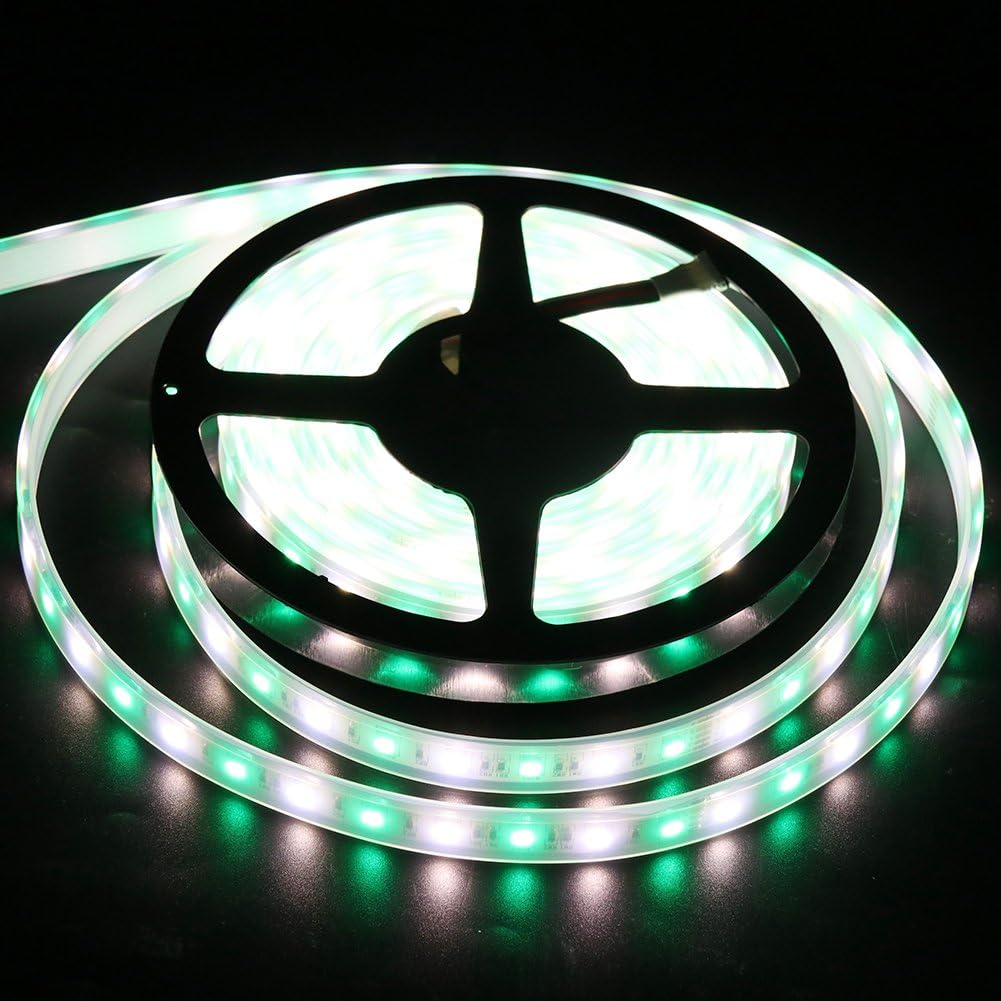
Image 5.3: The LED strip illuminated in a bright green color, demonstrating another color selection from the remote.

Image 5.4: The LED strip illuminated in a rich red color, illustrating the range of colors achievable with the RGB+Warm White LEDs.
6. Maintenance
- Cleaning: Gently wipe the LED strips with a soft, dry cloth to remove dust. For stubborn dirt, use a slightly damp cloth, ensuring the power is disconnected. Avoid harsh chemicals or abrasive cleaners.
- Connection Check: Periodically inspect all connections (strip to receiver, receiver to power supply) to ensure they are secure.
- Remote Battery: If the remote control becomes unresponsive, replace the CR2025 coin cell battery.
- Waterproof Integrity: For outdoor installations, regularly check the waterproof seals and connections for any signs of wear or damage to maintain IP65 rating.
7. Troubleshooting
| Problem | Possible Cause | Solution |
|---|---|---|
| Lights do not turn on. |
|
|
| Remote control is unresponsive. |
|
|
| Lights are flickering or inconsistent. |
|
|
| Incorrect colors displayed. |
|
|
8. Warranty and Support
For warranty information or technical support regarding your XUNATALED LED Strip Lights Kit, please contact XUNATA customer service through the retailer where the product was purchased or visit the official XUNATA website for contact details.
Please retain your purchase receipt as proof of purchase for any warranty claims.
Related documents12V10MRGBWW5AUS65-1


Ask a question about this manual
Ask about setup, troubleshooting, compatibility, parts, safety, or missing instructions. Manuals+ will review the question and use this page’s manual context to help answer it.