
1. Introduction
This manual provides essential information for the safe and efficient operation, maintenance, and troubleshooting of your Bajaj Neo JX4 Juicer Mixer Grinder. Please read these instructions carefully before using the appliance and retain them for future reference.
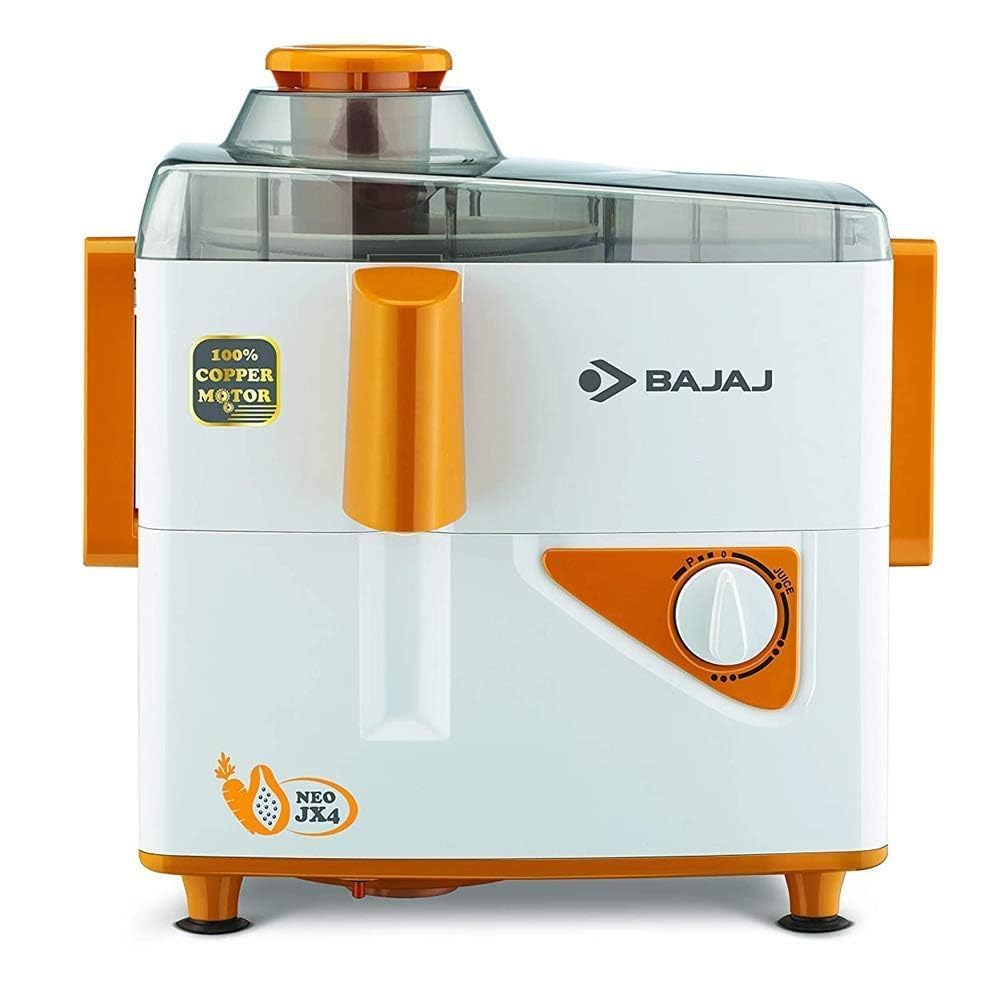
Image 1.1: The Bajaj Neo JX4 Juicer Mixer Grinder with its liquidising and dry grinding jars.
2. Important Safety Instructions
- Always ensure the appliance is switched off and unplugged before assembly, disassembly, or cleaning.
- Do not immerse the motor unit in water or any other liquid. Clean with a damp cloth only.
- Keep hands and utensils away from moving blades during operation to prevent injury.
- Ensure all parts are correctly assembled and locked before operating the appliance.
- Do not operate the appliance with a damaged cord or plug, or if it malfunctions or is dropped or damaged in any manner.
- This appliance is for household use only. Do not use outdoors.
- Supervise children to ensure they do not play with the appliance.
- Do not overload the motor. Refer to the capacity markings on the jars.
3. Product Components
Your Bajaj Neo JX4 Juicer Mixer Grinder includes the following parts:
- Motor Unit: The main power unit with speed control.
- Liquidising Jar (1.25L): For blending liquids, making purees, and milkshakes.
- Dry Grind Jar (0.6L): For grinding dry spices, nuts, and small quantities of wet ingredients.
- Juice Mesh: Stainless steel mesh for efficient juicing.
- Food Pusher: For safely pushing fruits and vegetables into the juicer.
- Spatula: For easy removal of ingredients from jars.

Image 3.1: Overview of the Bajaj Neo JX4 Juicer Mixer Grinder components, including jars, juicing unit, and controls.
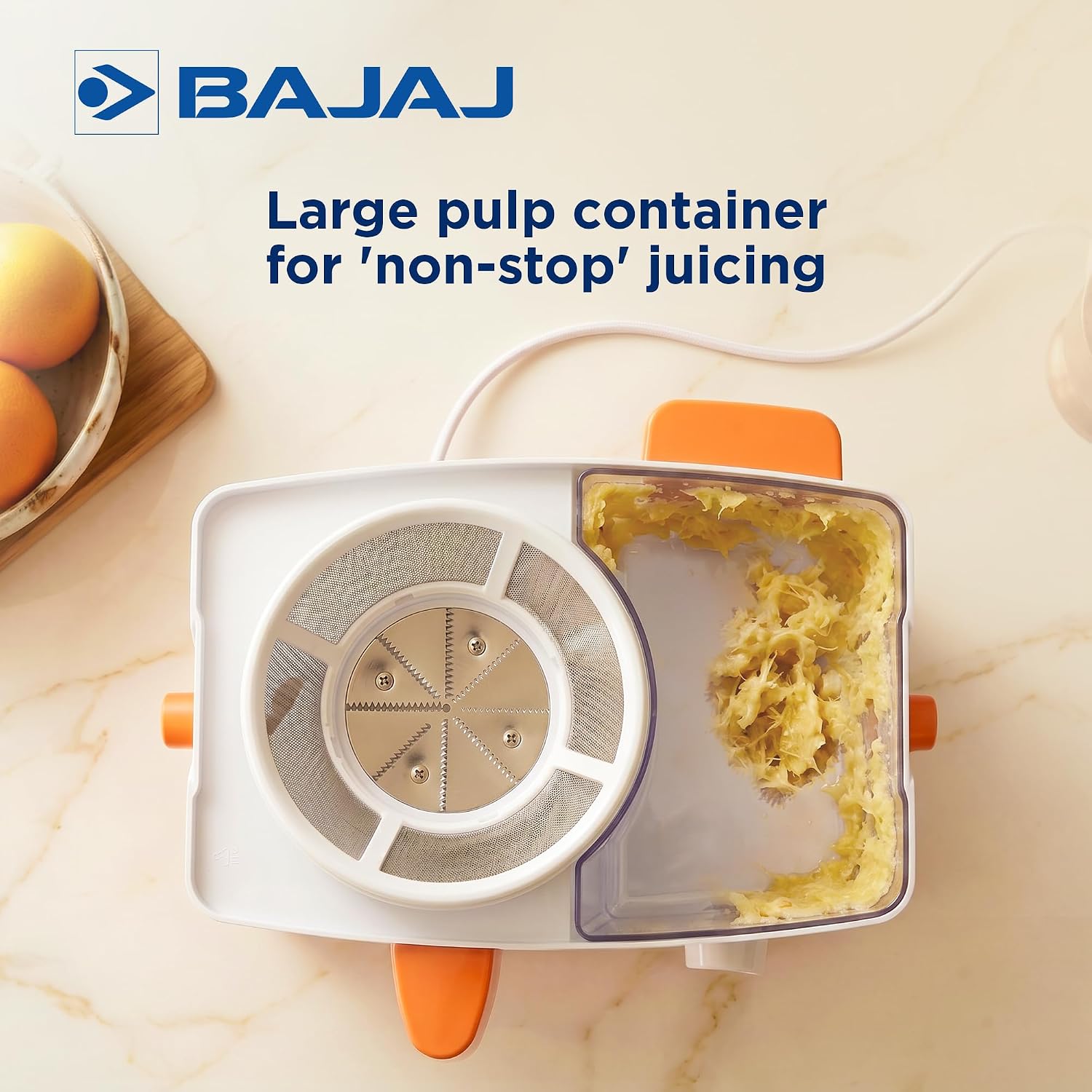
Image 3.2: The 1.25L liquidising jar and 0.6L dry grind jar for the Bajaj Neo JX4.
4. Setup and Assembly
Before first use, wash all removable parts (jars, lids, blades, juice mesh, food pusher, spatula) with warm soapy water, rinse thoroughly, and dry. Wipe the motor unit with a damp cloth.
4.1 Assembling the Juicer
- Place the motor unit on a stable, flat surface.
- Insert the juice mesh into the juicing unit.
- Place the juicing unit onto the motor unit, ensuring it locks securely.
- Attach the pulp container to the side of the juicing unit.
- Position a juice collecting container under the spout.
- Place the lid on the juicing unit and lock the clamps.
4.2 Assembling the Mixer/Grinder Jars
- Ensure the blade assembly is securely fitted at the bottom of the desired jar.
- Place the jar onto the motor unit, aligning the grooves, and twist clockwise until it locks into place.
- Place the lid firmly on the jar.
5. Operating Instructions
The Bajaj Neo JX4 features a powerful 450-watt motor with 3-speed settings and a pulse function for versatile use.
5.1 Juicing Operation
- Prepare fruits and vegetables by washing and cutting them into pieces that fit the feeding chute. Remove large seeds and hard peels.
- Ensure the juicer is correctly assembled and a juice collecting container is in place.
- Plug in the appliance and turn the speed selector to the desired setting (1, 2, or 3).
- Gradually feed the prepared ingredients into the chute using the food pusher. Do not force ingredients.
- Once juicing is complete, turn the speed selector to 'OFF' and unplug the appliance.

Image 5.1: Demonstrating the juicing function of the Bajaj Neo JX4.

Image 5.2: The large pulp container designed for continuous juicing.
5.2 Mixing and Grinding Operation
- Place the desired ingredients into the appropriate jar (liquidising for wet, dry grind for dry). Do not exceed the maximum fill line.
- Secure the lid on the jar and ensure the jar is locked onto the motor unit.
- Plug in the appliance.
- Turn the speed selector to the desired speed (1, 2, or 3) or use the 'Pulse' function for short bursts.
- Process until the desired consistency is achieved.
- Turn the speed selector to 'OFF' and unplug the appliance before removing the jar.

Image 5.3: The 450W motor provides efficient power for various tasks.
6. Care and Maintenance
Proper cleaning and maintenance ensure the longevity and optimal performance of your appliance.
6.1 Cleaning
- Motor Unit: Wipe the motor unit with a soft, damp cloth. Do not immerse it in water or rinse under a tap.
- Jars, Lids, Blades, Juice Mesh, Food Pusher, Spatula: These parts are not dishwasher safe. Wash them immediately after use with warm water and mild dish soap. Use a brush to clean the blades and mesh carefully. Rinse thoroughly and dry completely before storing.
- For stubborn stains in jars, fill with warm soapy water and run the mixer grinder on speed 1 for a few seconds, then clean manually.
6.2 Storage
Store the appliance and its accessories in a clean, dry place, away from direct sunlight and out of reach of children.
7. Troubleshooting
If you encounter any issues with your Bajaj Neo JX4, refer to the following common problems and solutions:
| Problem | Possible Cause | Solution |
|---|---|---|
| Appliance does not start. | Not plugged in; Power outage; Jar not locked correctly; Overload protector activated. | Check power connection; Check household fuse/breaker; Ensure jar is securely locked; Unplug, wait 2-3 minutes for motor to cool, then restart. |
| Unusual noise or vibration. | Improper assembly of jar/blade; Overloading; Appliance not on a stable surface. | Check jar and blade assembly; Reduce ingredients; Place appliance on a firm, flat surface. |
| Motor stops during operation. | Overload protector activated; Prolonged use. | Turn off, unplug, remove some ingredients, wait 2-3 minutes, then restart. Avoid continuous operation for too long. |
| Leakage from jar. | Lid not properly sealed; Gasket/seal damaged or missing; Jar overloaded. | Ensure lid is firmly closed; Check and replace gasket if damaged; Do not exceed max fill line. |
| Inefficient juicing/grinding. | Blades are dull; Incorrect speed setting; Ingredients too large or hard. | Contact service for blade replacement; Use appropriate speed; Cut ingredients into smaller pieces. |
If the problem persists after following these steps, please contact Bajaj customer support.
8. Product Specifications
| Feature | Specification |
|---|---|
| Brand | Bajaj |
| Model Name | Neo JX4 |
| Model Number | 410700 |
| Power | 450 Watts |
| Voltage | 230.0 V |
| Number of Speeds | 3 + Pulse |
| Liquidising Jar Capacity | 1.25 Liters |
| Dry Grind Jar Capacity | 0.6 Liters |
| Body Material | ABS Plastic |
| Blade Material | Stainless Steel |
| Product Dimensions (D x W x H) | 15D x 17W x 31H Centimeters |
| Item Weight | 500 Grams |
| Color | White/Orange |

Image 8.1: Dimensions of the Bajaj Neo JX4 Juicer Mixer Grinder.
9. Warranty Information
The Bajaj Neo JX4 Juicer Mixer Grinder comes with a comprehensive warranty:
- Product Warranty: 2 years from the date of purchase.
- Motor Warranty: 2 years from the date of purchase.
Please retain your purchase receipt as proof of purchase for warranty claims. The warranty covers manufacturing defects under normal household use. It does not cover damage resulting from misuse, neglect, unauthorized repairs, or normal wear and tear.
10. Customer Support
For any queries, service requests, or assistance with your Bajaj Neo JX4 Juicer Mixer Grinder, please contact Bajaj customer support:
- Manufacturer: Bajaj, M/s Home Appliances Co.
- Importer: Bajaj
- Packer Contact: M/s Home Appliances Co., Khasra no-72, Village Buranwala, Dist - Solan, Pin - 174103, HP, India
- Online Store: Visit the Bajaj Store on Amazon.in
Please have your model number (Neo JX4) and purchase details ready when contacting support.


