
Sunany LCD85-H
Sunany 8.5-inch LCD Writing Tablet Instruction Manual
Model: LCD85-H
Brand: Sunany
Introduction
The Sunany 8.5-inch LCD Writing Tablet is a versatile electronic drawing board designed for writing, drawing, and note-taking. It offers a paper-like experience without the need for traditional paper or pens, making it an environmentally friendly and convenient tool for various uses. This manual provides essential information for setting up, operating, maintaining, and troubleshooting your device.
Key Features
- 8.5-inch LCD screen for a natural writing experience.
- Pressure-sensitive display for varied line thickness.
- One-button erase function for instant clearing.
- Screen lock function to prevent accidental deletion.
- Lightweight and portable design.
- Environmentally friendly, reducing paper waste.
- Includes stylus, spare battery, and magnets.
What's in the Box
- Sunany 8.5-inch LCD Writing Tablet
- Stylus (2 included)
- CR2025 Battery (pre-installed)
- Spare CR2025 Battery
- Magnets (2)
- Small Screwdriver (for battery compartment)
Setup
- Unpacking: Carefully remove the LCD Writing Tablet and all accessories from the packaging.
- Stylus Placement: The stylus is typically stored in a slot on the side or top of the tablet. Remove it for use.
- Battery Check: The tablet comes with a pre-installed CR2025 battery. If the screen does not clear or respond, you may need to check or replace the battery. The battery compartment is secured with a screw for safety.
- Optional Accessories: Attach the provided magnets to the back of the tablet if you wish to mount it on a metallic surface like a refrigerator.
Operating Instructions
Writing and Drawing
Use the provided stylus to write or draw directly on the LCD screen. The tablet's pressure-sensitive surface allows for varying line thicknesses based on how firmly you press the stylus. The screen displays lines in a colorful, often green or rainbow-like, hue.

Image: The Sunany 8.5-inch LCD Writing Tablet in pink, displaying a colorful drawing of a dog, clouds, and text 'LCD WRITING BOARD'.
Erasing Content
To clear the entire screen, press the circular erase button located at the bottom center of the tablet. All content on the screen will disappear instantly.

Image: Two Sunany LCD Writing Tablets. The left tablet shows a drawing of the Leaning Tower of Pisa with a hand writing on it. The right tablet shows a blank screen after the erase button has been pressed, demonstrating the one-key clear function.
Screen Lock Function
The tablet features a screen lock switch, usually located on the side or back of the device. Slide the switch to the "lock" position to prevent accidental erasure of your drawings or notes. While locked, the erase button will be inactive. To clear the screen again, slide the switch back to the "unlock" position and then press the erase button.

Image: A close-up view of the Sunany LCD Writing Tablet highlighting the screen lock switch located on the side, labeled "Lock Screen".
Official Product Video: How to Use the LCD Writing Tablet
Video: This official product video demonstrates the basic functions of the 8.5-inch LCD Writing Tablet, including writing, erasing, and using the screen lock feature. It highlights the ease of use and portability of the device.
Official Product Video: Features Overview
Video: An official overview of the Sunany 8.5-inch LCD Writing Tablet, showcasing its design, ease of use, and key features such as the included stylus, one-button clear, and portability.
Maintenance
- Cleaning: Use a soft, dry cloth to clean the screen. Avoid using abrasive cleaners or solvents.
- Battery Replacement: If the erase function stops working, the CR2025 battery may need to be replaced. Use the provided small screwdriver to open the battery compartment, replace the old battery with a new one (a spare is included), and securely close the compartment.
- Storage: Store the tablet in a cool, dry place away from direct sunlight and extreme temperatures.
- Stylus Care: Keep the stylus securely stored in its designated slot to prevent loss.
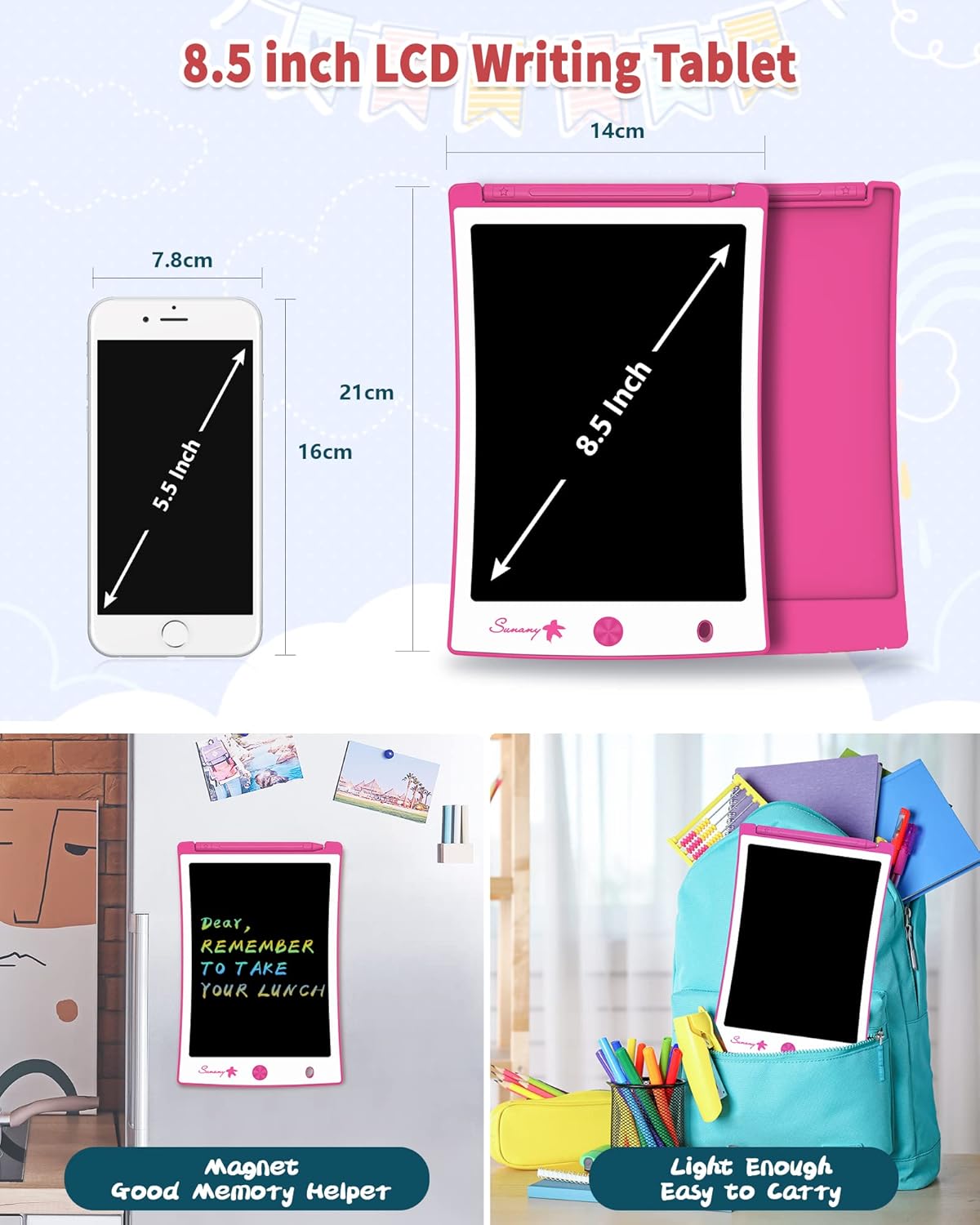
Image: A close-up of the Sunany LCD Writing Tablet illustrating the battery compartment being opened with a small screwdriver, highlighting the inclusion of two batteries and one screwdriver for maintenance.
Troubleshooting
- Screen Not Clearing:
- Check if the screen lock switch on the back/side of the tablet is in the "lock" position. Slide it to "unlock" and then press the erase button.
- If the issue persists, the battery may be low or depleted. Replace the CR2025 battery as described in the Maintenance section.
- Faint or Uneven Lines:
- Ensure the stylus tip is clean and free from debris.
- The battery might be low. Replace the CR2025 battery.
- Stylus Lost:
- The product typically includes a spare stylus. Use the spare if the original is lost.
- Consider attaching the stylus to the tablet using a string or lanyard through the designated hole to prevent loss.
Specifications
| Feature | Detail |
|---|---|
| Model Name | LCD85-H |
| Screen Size | 8.5 Inches |
| Screen Resolution | 1024x600 |
| Item Weight | 7.4 ounces |
| Product Dimensions | 8.7 x 5.9 x 0.18 inches |
| Battery Type | 1 CR2 battery (included) |
| Special Feature | Durable, Portable |
| Specific Uses | Drawing, Writing |
Warranty and Support
For warranty information or technical support, please refer to the product packaging or contact Sunany customer service directly. Contact details can typically be found on the manufacturer's official website or through your point of purchase.
You can visit the official Sunany store for more information: Sunany Store
Ask a question about this manual
Ask about setup, troubleshooting, compatibility, parts, safety, or missing instructions. Manuals+ will review the question and use this page’s manual context to help answer it.