
Introduction
The iDance Cyclone 400 is a versatile portable karaoke speaker designed to provide a complete audio entertainment experience. Featuring Bluetooth connectivity, MP3 playback from USB and SD cards, FM radio, and an integrated RGB LED light system, this speaker is perfect for parties, gatherings, or personal enjoyment. This manual provides essential information for safe operation, setup, and maintenance of your device.
Safety Information
- Read all instructions carefully before operating the device.
- Keep the speaker away from water, moisture, and direct sunlight.
- Do not attempt to disassemble or modify the unit. Refer all servicing to qualified personnel.
- Use only the specified charging cable and power adapter (if applicable) to avoid damage.
- Avoid exposing the battery to extreme temperatures or direct heat.
- Ensure proper ventilation and do not block any ventilation openings.
- Keep out of reach of children.
Package Contents
Please check that all items are present in the package:
- iDance Cyclone 400 Portable Speaker
- Microphone
- Microphone Cable
- USB Charging Cable
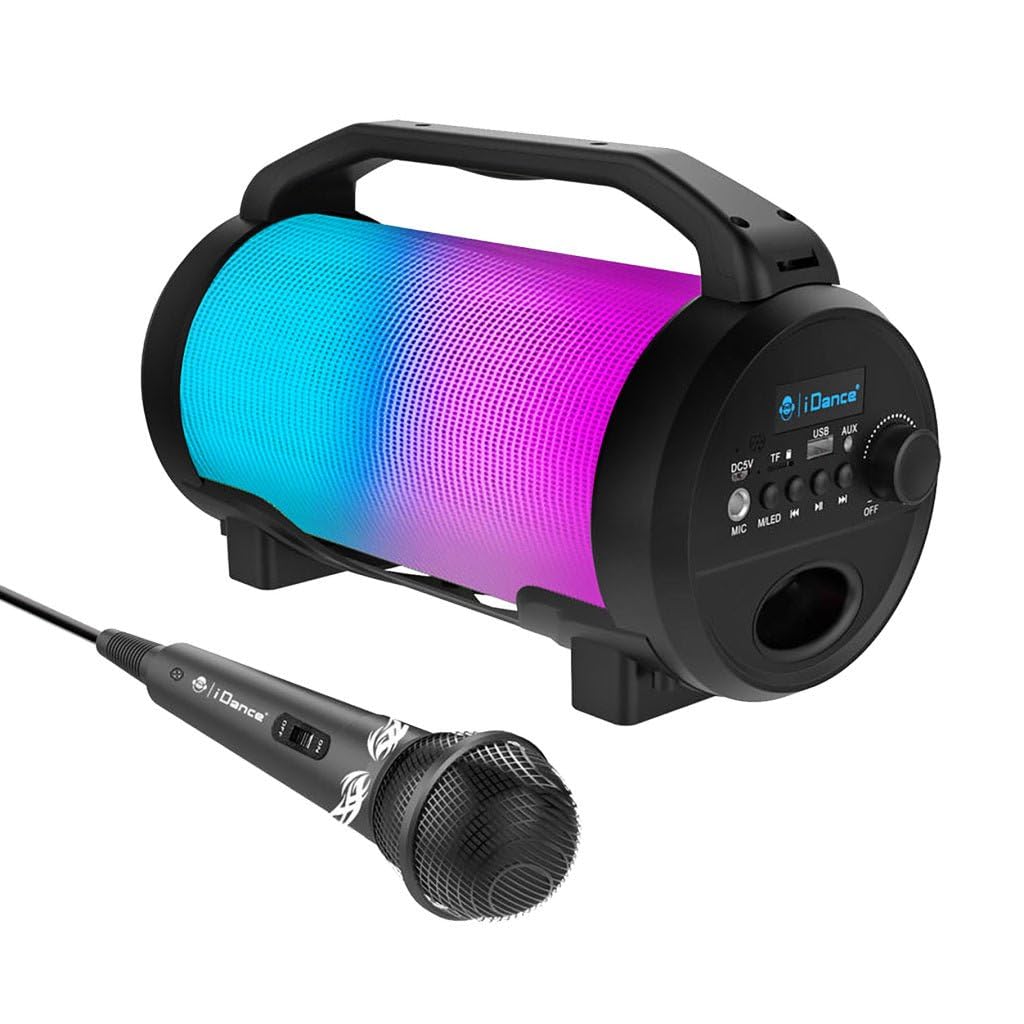
Image: The iDance Cyclone 400 speaker shown with its wired microphone. The speaker features a cylindrical design with a handle and a colorful LED light panel.
Product Features
- Karaoke Function: Includes a wired microphone for singing along.
- Bluetooth Connectivity: Wirelessly stream music from your smartphone, tablet, or other Bluetooth-enabled devices.
- Integrated FM Radio: Tune into your favorite radio stations.
- MP3 Playback: Play music directly from USB drives or SD cards (via TF slot).
- RGB LED Light Show: Dynamic multi-color LED lights with party mode to enhance your audio experience.
- Long Battery Life: Enjoy up to 8 hours of continuous playback on a single charge.
- Portable Design: Lightweight with a convenient handle for easy transport.
Controls and Connections
Familiarize yourself with the control panel located on the side of the speaker:

Image: Detailed view of the speaker's control panel, showing ports for DC5V charging, TF card, USB, AUX, and MIC, along with buttons for mode/LED control, track navigation, play/pause, and a rotary knob for power and volume.
- DC5V Port: For charging the speaker using the provided USB cable.
- TF Card Slot: Insert a MicroSD card for MP3 playback.
- USB Port: Insert a USB flash drive for MP3 playback.
- AUX Input: Connect external audio devices using a 3.5mm audio cable.
- MIC Input: Connect the wired microphone.
- M.LED Button: Press to cycle through different playback modes (Bluetooth, FM, USB, SD, AUX) and to control the LED lights.
- Previous Track Button: Short press for previous track; long press for fast rewind (in USB/SD mode).
- Play/Pause Button: Play or pause audio playback. In FM mode, long press to auto-scan and save stations.
- Next Track Button: Short press for next track; long press for fast forward (in USB/SD mode).
- OFF/ON/Volume Knob: Rotate to turn the speaker ON/OFF and adjust the volume.
Setup
1. Charging the Speaker
Before first use, fully charge the speaker. Connect the provided USB charging cable to the DC5V port on the speaker and the other end to a 5V USB power adapter (not included) or a computer USB port. The charging indicator will illuminate. Once fully charged, the indicator may change color or turn off.
2. Powering On/Off
Rotate the OFF/ON/Volume Knob clockwise to turn the speaker ON. Rotate it counter-clockwise until it clicks to turn the speaker OFF.
3. Connecting the Microphone
Insert the microphone cable into the MIC Input port on the control panel. The microphone is ready for use once connected.
Operating Instructions
Bluetooth Mode
- Turn on the speaker. It will automatically enter Bluetooth pairing mode, indicated by a flashing "BLUE" on the display and an audible prompt.
- Enable Bluetooth on your mobile device (smartphone, tablet, etc.).
- Search for "iDance Cyclone 400" (or similar) in your device's Bluetooth list and select it to pair.
- Once successfully paired, you will hear a confirmation sound, and "BLUE" will stop flashing.
- You can now play music from your device through the speaker. Use the speaker's or your device's controls for playback.
FM Radio Mode
- Press the M.LED Button repeatedly until "FM" appears on the display.
- Long press the Play/Pause Button to initiate an automatic scan for FM stations. The speaker will scan and save available stations.
- Use the Previous Track and Next Track Buttons to navigate between saved FM stations.
USB / SD Card Playback
- Insert a USB flash drive into the USB Port or a MicroSD card into the TF Card Slot.
- The speaker will automatically switch to USB or SD mode and begin playing MP3 files. If it doesn't, press the M.LED Button to select the correct mode.
- Use the Previous Track, Play/Pause, and Next Track Buttons to control playback.
AUX Input Mode
- Connect one end of a 3.5mm audio cable (not included) to the AUX Input port on the speaker.
- Connect the other end of the audio cable to the headphone jack or audio output of your external device.
- Press the M.LED Button until "AUX" appears on the display.
- Control playback and volume from your external device.
Karaoke Function
With the microphone connected to the MIC Input, simply speak or sing into the microphone. The sound will be amplified through the speaker. Adjust the main volume using the OFF/ON/Volume Knob. Note that there is no separate volume control for the microphone on the speaker itself.
LED Light Control
The speaker features dynamic RGB LED lights. The lights typically activate automatically when the speaker is on. Use the M.LED Button to cycle through different light modes or to turn the lights off/on (if supported by the specific firmware version).

Image: The iDance Cyclone 400 speaker displaying its vibrant, multi-colored LED light effects during operation.
Maintenance
- Cleaning: Use a soft, dry cloth to clean the exterior of the speaker. Do not use abrasive cleaners or solvents.
- Storage: When not in use for extended periods, store the speaker in a cool, dry place.
- Battery Care: To prolong battery life, avoid fully discharging the battery frequently. Charge the speaker regularly, even if not in use, to maintain battery health.
Troubleshooting
| Problem | Possible Cause | Solution |
|---|---|---|
| Speaker does not turn on. | Battery is depleted. | Charge the speaker using the provided USB cable. |
| No sound. | Volume is too low; incorrect mode selected; device not paired (Bluetooth). | Increase volume; press M.LED to select correct mode; re-pair Bluetooth device. |
| Bluetooth device cannot pair. | Speaker not in pairing mode; device too far; interference. | Ensure speaker is in Bluetooth mode (flashing "BLUE"); move device closer; turn off other Bluetooth devices. |
| Microphone not working. | Microphone not properly connected; speaker volume too low. | Ensure microphone cable is fully inserted into the MIC input; increase speaker volume. |
| USB/SD card not playing. | Incorrect file format; card/drive not inserted correctly; speaker not in correct mode. | Ensure files are MP3 format; reinsert card/drive; press M.LED to select USB/SD mode. |
Specifications
| Brand | iDance |
| Model Name | CY 400 |
| Connectivity Technology | Bluetooth, USB |
| Media Type Support | USB, SD, Bluetooth |
| Power Source | Battery Powered |
| Included Components | Microphone, Microphone Cable |
| Special Features | Portable, RGB LED Light Show |
| Number of Speakers | 1 |
| Voltage (for charger) | 220 Volts (AC) (Note: This refers to the input voltage for the charging adapter, not the speaker's internal voltage.) |
| Battery Life | Up to 8 hours |
Warranty and Support
For warranty information and customer support, please refer to the documentation provided with your purchase or contact your retailer. You may also visit the official iDance website for further assistance.


