
MIABOO M23
MIABOO Mini Bluetooth Speaker Instruction Manual
Model: M23
Your guide to setting up, operating, and maintaining your MIABOO Mini Bluetooth Speaker.
Introduction
The MIABOO Mini Bluetooth Speaker (Model M23) is a compact, portable wireless speaker designed for high-quality audio on the go. Featuring Bluetooth 4.1 technology, it offers easy pairing with various devices and supports dual speaker connection for stereo sound. Its durable metal body is designed to be shockproof and dustproof, making it suitable for both indoor and outdoor use.
This manual provides detailed instructions to help you get the most out of your speaker, from initial setup to advanced features and troubleshooting.

Image: The MIABOO Mini Bluetooth Speaker, demonstrating its compact and portable design when held in a hand.
Package Contents
Please check the package for the following items:
- MIABOO Mini Bluetooth Speaker (Model M23)
- USB Charging Cable
- User Manual
Setup
1. Charging the Speaker
Before first use, fully charge the speaker. Connect the provided USB charging cable to the speaker's charging port and the other end to a USB power source (e.g., computer, USB wall adapter). The LED indicator will show charging status. A full charge typically takes approximately 2 hours.
2. Powering On/Off
- To Power On: Press and hold the power button (usually marked with a power symbol) for a few seconds until you hear an audible prompt or see the LED indicator light up.
- To Power Off: Press and hold the power button again for a few seconds until you hear an audible prompt or the LED indicator turns off.
Operating Instructions
1. Bluetooth Pairing (Single Speaker)
- Ensure the speaker is powered on and in pairing mode. The LED indicator will typically flash blue rapidly.
- On your device (smartphone, tablet, laptop), enable Bluetooth.
- Search for available Bluetooth devices. The speaker will appear as "MIABOO M23" or a similar name.
- Select the speaker from the list to connect. Once connected, you will hear a confirmation sound, and the LED indicator will typically show a solid blue light or flash slowly.
- If prompted for a password, enter "0000".

Image: The MIABOO Mini Bluetooth Speaker paired with a smartphone, illustrating its use with mobile devices.
2. Dual Speaker Connection (Stereo Sound)
For an enhanced audio experience, you can pair two MIABOO M23 speakers together to create a stereo sound system.
- Ensure both speakers are powered on and not connected to any other Bluetooth device.
- On one speaker (this will be your primary speaker), double-press the power button. You will hear a prompt indicating it is searching for another speaker.
- The two speakers will automatically connect to each other. Once connected, you will hear a confirmation sound.
- Now, on your device, search for Bluetooth devices and connect to the primary speaker (e.g., "MIABOO M23"). Both speakers will now play audio in stereo.

Image: Two MIABOO Mini Bluetooth Speakers configured for stereo sound, demonstrating the dual connection feature.
3. Playing Audio
Once connected via Bluetooth, simply start playing audio from your paired device. The sound will be transmitted to the MIABOO Mini Bluetooth Speaker(s).
4. Hands-Free Calling
When connected to a smartphone, the speaker can be used for hands-free calls. Incoming calls will be routed through the speaker. Press the power button once to answer a call, and press it again to end a call.
Maintenance
- Cleaning: Use a soft, dry cloth to wipe the speaker's surface. Avoid using harsh chemicals or abrasive cleaners.
- Storage: Store the speaker in a cool, dry place away from direct sunlight and extreme temperatures.
- Battery Care: To prolong battery life, avoid fully discharging the battery frequently. Charge the speaker regularly, even if not in use for extended periods.
- Water Resistance: While the speaker features a durable metal body designed to be shockproof and dustproof, it is not explicitly stated as waterproof. Avoid submerging it in water or exposing it to heavy rain.
Troubleshooting
| Problem | Solution |
|---|---|
| Speaker does not power on. | Ensure the speaker is fully charged. Connect it to a power source using the USB cable. |
| Cannot pair with Bluetooth device. |
|
| No sound or low volume. |
|
| Dual connection not working. |
|
Specifications
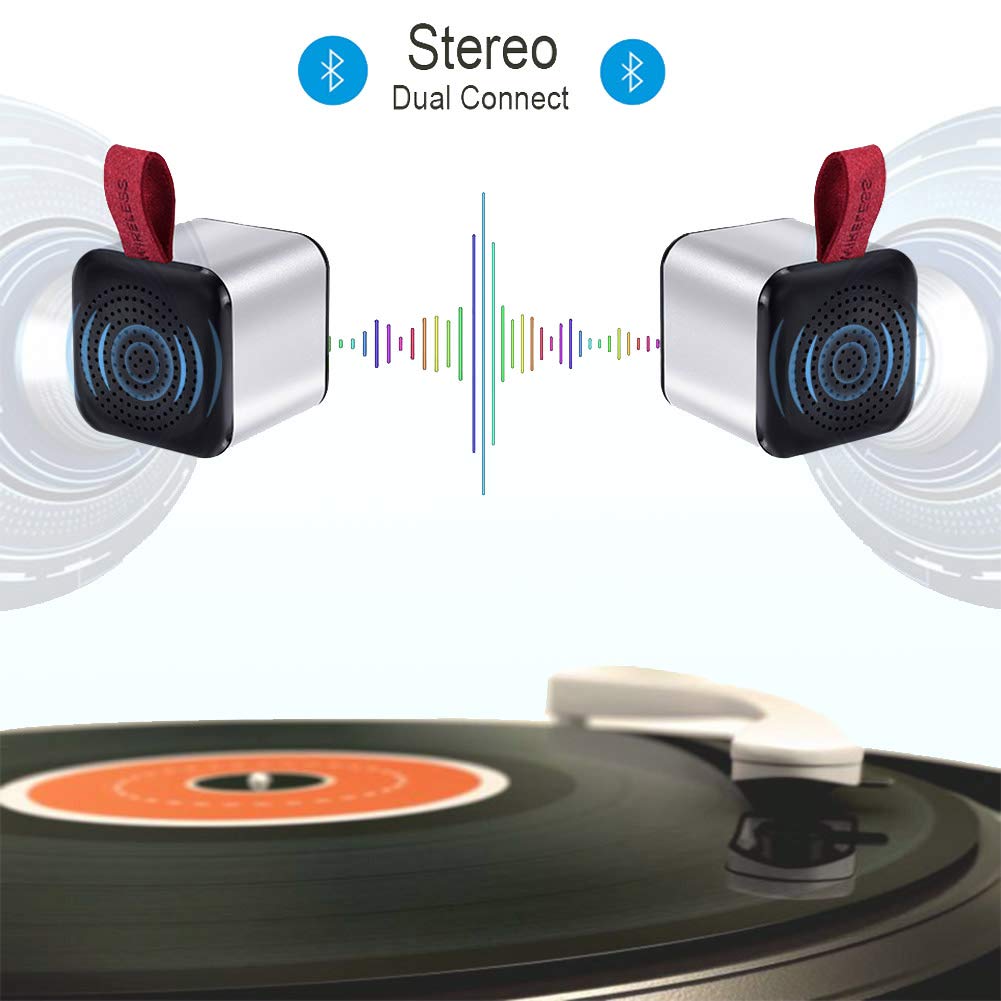
Image: Detailed technical specifications and dimensions of the MIABOO Mini Bluetooth Speaker (Model M23).
| Feature | Detail |
|---|---|
| Model No. | M23 |
| Output Power | 3W |
| Battery Capacity | 1000mAh |
| Playing Time | Approx. 5 hours |
| Chatting Time | Approx. 2 hours |
| Working Range | 10 meters (33 feet) |
| Weight | 70g |
| Bluetooth Version | 4.1 |
| Bluetooth Profile | A2DP1.2, AVRCP1.0 |
| Frequency Response | 100Hz-20KHz |
| Signal-To-Noise Ratio | 75dB |
| Distortion | 1.0% |
| Dimensions (LxWxH) | 41 x 41 x 46 mm (1.6 x 1.6 x 1.8 inches) |
| Material | Metal |
| Control Method | Touch |
| Power Source | Battery Powered |
Warranty and Support
MIABOO provides a 2-Year warranty for the Mini Bluetooth Speaker (Model M23) from the date of purchase. This warranty covers manufacturing defects and ensures reliable performance under normal use.
Additionally, we offer 3-month worry-free technical support to assist you with any questions or issues you may encounter during the initial period of use.
For warranty claims, technical assistance, or any other inquiries, please contact MIABOO customer support through the retailer where you purchased the product or refer to the contact information provided on the official MIABOO website (if available).
Please retain your proof of purchase for warranty validation.
Ask a question about this manual
Ask about setup, troubleshooting, compatibility, parts, safety, or missing instructions. Manuals+ will review the question and use this page’s manual context to help answer it.