
1. Product Overview
The Alpena 70128 LED Lighthouse Dual Color Rooftop Beacon is a low-profile, SAE Class 1 certified warning light designed for various vehicle applications. It features dual-color LEDs (white and amber) and multiple flash patterns to enhance visibility.
Key Features:
- 48 white & 48 amber high power LEDs
- 10 ft. coiled cord with 12-24V cigarette plug power controller
- Versatile magnetic, suction cup, & permanent mount options
- Class 1 SAE certified light output
- 16 selectable flash patterns
- Universal Fit for various vehicles
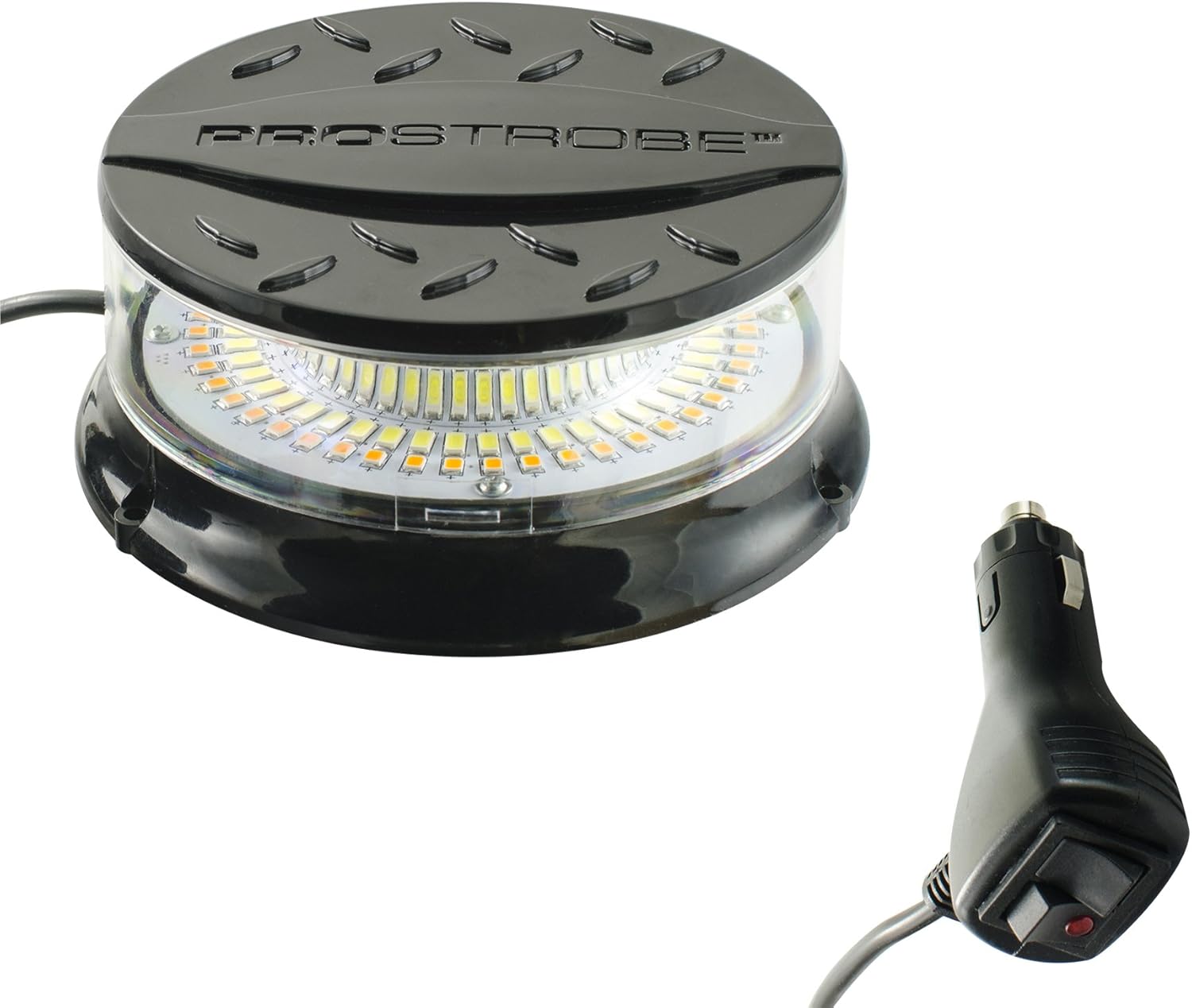
Image: The Alpena 70128 LED Lighthouse Dual Color Rooftop Beacon, showing its compact design and attached power plug.
2. Safety Information
Read all instructions before installation and use. Failure to follow these instructions may result in damage to the product, vehicle, or personal injury.
- Electrical Safety: Ensure the vehicle's power source is compatible with the beacon's 12-24V requirement. Do not attempt to modify the wiring or power plug.
- Mounting: Securely mount the beacon to prevent it from dislodging during vehicle operation. Ensure the mounting location does not obstruct the driver's view or interfere with vehicle safety systems.
- Visibility: Position the beacon where it is clearly visible to others. Avoid direct eye exposure to the light, as it is very bright.
- Waterproof: The product is designed to be waterproof. However, ensure all connections are secure and the unit is not submerged beyond its intended use.
- Local Regulations: Always comply with local and state laws regarding the use of warning lights on vehicles.
3. Package Contents
Verify that all items are present in the package:
- Alpena 70128 LED Lighthouse Dual Color Rooftop Beacon (1 unit)
4. Setup and Installation
The Alpena 70128 beacon offers multiple mounting options for versatility.
4.1 Mounting Options
Choose the most suitable mounting method for your application:
- Magnetic Mount: The beacon features a strong magnetic base for temporary attachment to metal surfaces. Ensure the surface is clean and flat for maximum adhesion. This method is ideal for quick deployment and removal.
- Suction Cup Mount: The rubber boot on the base can also function as a suction cup. For optimal suction, ensure the mounting surface is clean, smooth, and dry. Press firmly to create a vacuum seal.
- Permanent Mount: For a more secure and permanent installation, the beacon can be screwed directly to a surface. Locate appropriate mounting points on the base and use suitable hardware (not included) to fasten the unit. Ensure no vehicle wiring or components are damaged during drilling.

Image: The Alpena 70128 LED Lighthouse Dual Color Rooftop Beacon shown mounted on the roof of a white truck, demonstrating its intended use.
4.2 Power Connection
Connect the 10 ft. coiled cord's cigarette lighter plug into your vehicle's 12-24V auxiliary power outlet. The power controller is integrated into the plug.
5. Operation
Operating the Alpena 70128 beacon is straightforward using the integrated power controller.
5.1 Power On/Off
Once connected to a 12-24V power source, use the ON/OFF switch located on the cigarette lighter plug to activate or deactivate the beacon.
5.2 Changing Flash Patterns
The beacon features 16 distinct flash patterns. To cycle through these patterns, use the pattern selector switch on the cigarette lighter plug. Each press of the switch will advance to the next pattern. The unit typically retains the last selected pattern when powered off and on again.

Image: The Alpena 70128 LED Lighthouse Dual Color Rooftop Beacon illuminated with its bright white LED lights.

Image: The Alpena 70128 LED Lighthouse Dual Color Rooftop Beacon illuminated with its amber LED lights.
6. Maintenance
Regular maintenance ensures optimal performance and longevity of your beacon.
- Cleaning: Clean the lens and exterior with a soft, damp cloth. Avoid abrasive cleaners or solvents that could damage the polycarbonate lens.
- Connection Check: Periodically inspect the power cord and plug for any signs of wear, damage, or loose connections.
- Storage: When not in use, store the beacon in a cool, dry place away from direct sunlight and extreme temperatures.
7. Troubleshooting
If you encounter issues with your Alpena 70128 beacon, refer to the following common problems and solutions:
| Problem | Possible Cause | Solution |
|---|---|---|
| Beacon does not turn on | No power to the outlet; loose connection; faulty switch | Check vehicle's 12-24V outlet for power; ensure plug is fully inserted; verify ON/OFF switch position. |
| Flash patterns do not change | Faulty pattern selector switch | Ensure the pattern selector switch is being pressed correctly. If issue persists, contact customer support. |
| Beacon falls off mounting surface | Unclean surface; insufficient magnetic/suction force; improper permanent installation | Clean mounting surface thoroughly; ensure full contact for magnetic/suction mounts; re-secure permanent mounts. |
8. Specifications
- Brand: Alpena
- Model: 70128
- Light Source Type: LED
- LED Colors: White, Amber
- Voltage: 12-24 Volts
- Special Feature: Waterproof
- Lens Material: Polycarbonate
- Item Weight: 1.28 pounds
- Package Dimensions: 7.56 x 6.26 x 3.54 inches
- Certifications: SAE Class 1

Image: A diagram illustrating the physical dimensions of the Alpena 70128 LED Lighthouse Dual Color Rooftop Beacon.
9. Warranty and Support
For warranty information or technical support, please refer to the product packaging or contact Alpena customer service directly. Keep your purchase receipt for warranty claims.