
Introduction
Thank you for choosing the Vanity Planet Work It Digital Scale & Body Analyzer. This manual provides essential information for the safe and effective use of your new device. Please read it thoroughly before first use and keep it for future reference. This scale is designed to measure body weight and analyze various body composition metrics, including body fat, water weight, bone density, and muscle mass.
Safety Information
- Always place the scale on a hard, flat, and stable surface. Using it on carpet or uneven surfaces may affect accuracy.
- Do not use the scale on wet or slippery floors. Ensure your feet are dry before stepping on.
- Do not jump on the scale or drop heavy objects on it. The glass surface is strong but can break under extreme impact.
- Keep the scale away from water and high humidity. Do not immerse it in water.
- This scale is for household use only and not intended for medical or commercial purposes.
- Consult a healthcare professional before making any significant changes to your diet, exercise routine, or health regimen based on the scale's readings.
- Keep batteries out of reach of children.
Package Contents
Please check the package for the following items:
- Vanity Planet Work It Digital Scale & Body Analyzer
- User Manual (this document)
Note: 4 AAA batteries are required for operation and are not included in the package.
Product Overview
The Vanity Planet Work It Digital Scale & Body Analyzer features a sleek design with a glass platform and a clear digital display. It is equipped with sensors to provide comprehensive body composition data.
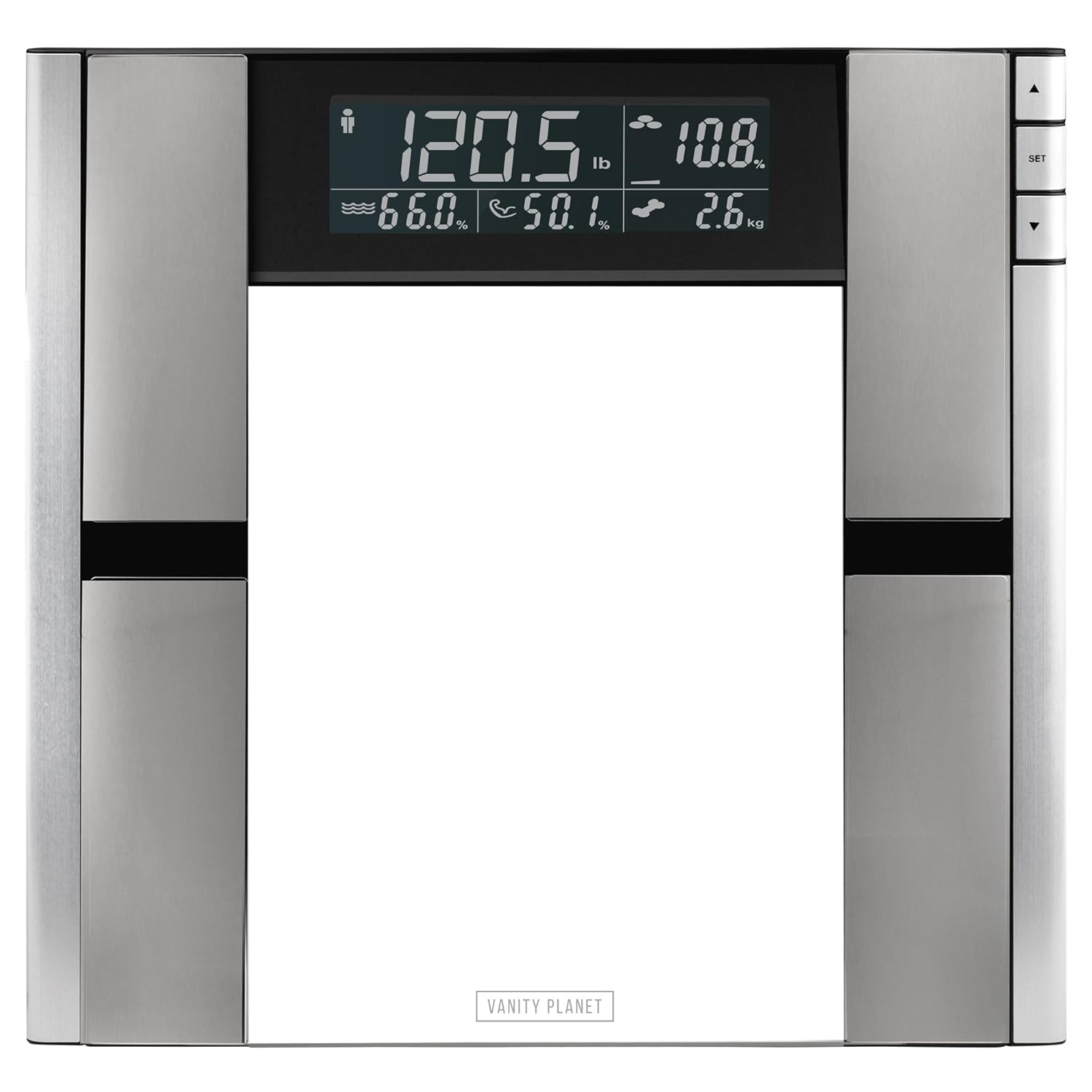
Image: Front view of the Vanity Planet Work It Digital Scale, displaying various metrics such as weight, body fat percentage, and other body composition data on its digital screen.

Image: A graphic illustrating the key body composition metrics tracked by the Vanity Planet Work It Digital Scale, including body fat, water weight, bone density, weight, and muscle mass, overlaid on an image of the scale's display.
Key components include the tempered glass platform, integrated electrodes for body analysis, a large LCD digital display, and control buttons (SET, Up, Down) for navigation and settings adjustment.
Setup
1. Battery Installation
- Locate the battery compartment on the underside of the scale.
- Open the battery compartment cover.
- Insert 4 new AAA batteries, ensuring the correct polarity (+/-) as indicated inside the compartment.
- Close the battery compartment cover securely.
2. Scale Placement

Image: The Vanity Planet Work It Digital Scale resting on a light-colored wooden floor, demonstrating proper placement on a hard, flat surface.
Place the scale on a hard, flat, and stable surface, such as tile or hardwood flooring. Avoid placing it on carpets, rugs, or uneven surfaces, as this can lead to inaccurate readings.
3. Initial Power-On and Unit Selection
Once batteries are installed, the scale will power on automatically when you step on it or press a button. You can typically switch between measurement units (pounds/kilograms) using the "SET" button or a dedicated switch on the underside. Refer to the display for the current unit.
Operating Instructions
Taking a Measurement
- Ensure the scale is on a flat, hard surface.
- Step onto the scale with bare, dry feet, positioning them evenly on the electrodes (the silver-colored pads).
- Stand still until your weight is displayed and the body analysis process is complete. The display will cycle through various metrics.
- Step off the scale. The readings will typically hold for a few seconds before the scale powers off automatically.
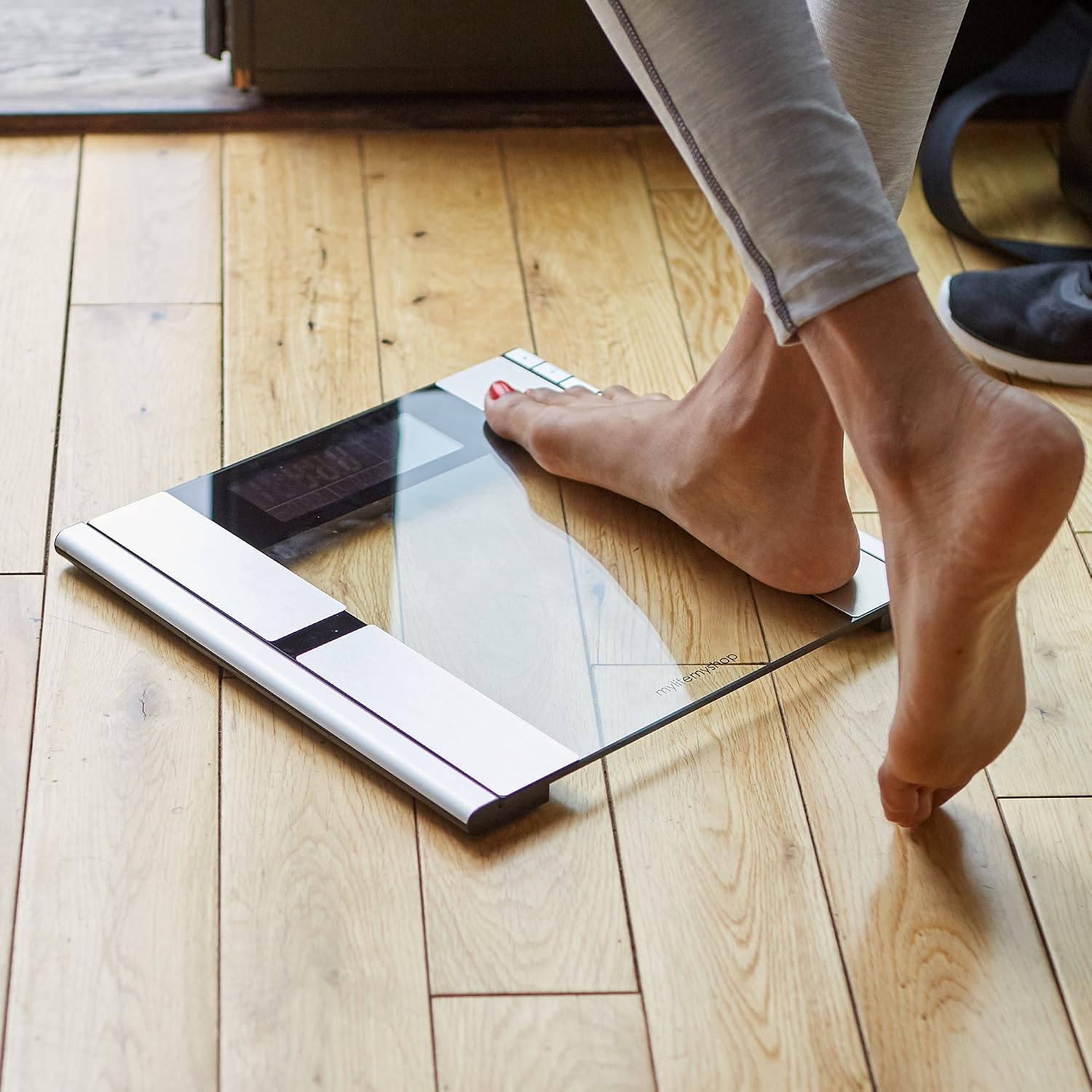
Image: A person's bare feet are shown stepping onto the glass platform of the Vanity Planet Work It Digital Scale, demonstrating the correct way to use the scale for measurement.
Interpreting Display Readings
The digital display will show your weight first, followed by other body composition metrics. These may include:
- Weight: Your total body mass.
- Body Fat Percentage: The proportion of fat in your body.
- Water Weight Percentage: The proportion of water in your body.
- Muscle Mass Percentage: The proportion of muscle in your body.
- Bone Density: An estimate of bone mineral content.
User Profile Management (if applicable)

Image: A hand is shown pressing one of the control buttons (likely 'SET', 'Up', or 'Down') on the side of the Vanity Planet Work It Digital Scale, indicating user interaction for settings or profile selection.
This scale may support multiple user profiles. If multiple users with similar weights are detected, the scale might prompt you to select your profile using the Up/Down buttons and confirm with the SET button. Refer to the on-screen prompts for guidance on setting up and selecting individual profiles to track personal progress accurately.
Maintenance
Cleaning
Wipe the scale surface with a soft, damp cloth. Do not use abrasive cleaners or chemical solvents, as these can damage the glass and electronic components. Ensure the scale is dry before storage or next use.
Storage
Store the scale in a cool, dry place, away from direct sunlight and extreme temperatures. Avoid placing heavy objects on the scale when not in use.
Battery Replacement
When the battery indicator appears on the display, or if the scale fails to power on, replace all 4 AAA batteries with new ones. Follow the battery installation steps outlined in the Setup section.
Troubleshooting
| Problem | Possible Cause | Solution |
|---|---|---|
| Scale does not turn on. | Batteries are dead or incorrectly installed. | Check battery polarity or replace with new AAA batteries. |
| Inaccurate weight readings. | Scale is on an uneven surface; scale needs recalibration; feet are not dry or properly placed. | Place scale on a hard, flat surface. Step on and off quickly to recalibrate to zero. Ensure bare, dry feet are centered on electrodes. |
| Body analysis readings (e.g., body fat) seem incorrect or fluctuate. | Feet are not making good contact with electrodes; scale is cold; user profile not correctly selected. | Ensure bare, dry feet are fully on the electrodes. Allow scale to reach room temperature if stored in a cold environment. Verify correct user profile is selected if applicable. |
| Display shows "Err" or other error codes. | Overload; measurement error. | Step off the scale. If "Err" persists, remove batteries for 10 seconds and reinsert. Ensure weight is within the scale's maximum capacity. |
Specifications
| Feature | Detail |
|---|---|
| Model Number | VP42252-0000 |
| Colour | Silver |
| Special Feature | Bodyweight, Body Composition Analysis |
| Display Type | Digital LCD |
| Form Factor | Foldable |
| Material | Glass |
| Item Weight | 2.4 kg (2 kg 400 g) |
| Measurement Type | Pounds, Kilograms |
| Batteries Required | 4 AAA batteries (not included) |
| Package Dimensions | 37.34 x 37.34 x 5.08 cm |
Warranty and Support
For warranty information and customer support, please refer to the documentation included with your purchase or visit the official Vanity Planet website. Keep your proof of purchase for any warranty claims.
If you encounter issues not covered in this manual, please contact Vanity Planet customer service for assistance.
