
Driini 7426851503430
Driini Wooden Analog Desktop Clock Instruction Manual
Model: 7426851503430
Brand: Driini
1. Introduction
Welcome to the instruction manual for your new Driini Wooden Analog Desktop Clock. This manual provides essential information for setting up, operating, and maintaining your clock to ensure long-lasting performance and enjoyment.
Key Features:
- Silent Sweep Movement: Enjoy a peaceful environment with the clock's non-ticking, silent quartz movement.
- Natural Pinewood Construction: Crafted from 100% natural pinewood, offering a durable and aesthetically pleasing design.
- Compact & Versatile: At 4.3 inches across, its compact size fits perfectly on desks, nightstands, mantels, or shelves.
- Easy-to-Read Display: Features laser-engraved numbers for clear and effortless time reading.
- Simple Battery Operation: Powered by a single AA battery (not included) for convenient and cable-free placement.

Figure 1: Driini Wooden Analog Desktop Clock (Dark Brown) and other available colors.
2. Setup
Setting up your Driini clock is a straightforward process. Please follow these steps:
- Remove the Back Cover: Gently remove the wooden back cover of the clock to access the battery compartment.
- Install Battery: Insert one AA battery (not included) into the battery compartment. Ensure the positive (+) end of the battery is inserted first, aligning with the indicator inside the compartment.
- Set the Time: Locate the setting knob on the clock mechanism. Gently turn this knob to move the hour and minute hands to the correct time.
- Replace Back Cover: Once the time is set, securely replace the wooden back cover.

Figure 2: Battery compartment and time setting mechanism.
Video 1: Unboxing and setup guide for the Driini Pinewood Clock, demonstrating battery installation and time setting.
3. Operating Instructions
Your Driini Wooden Analog Desktop Clock is designed for simple and reliable timekeeping.
- Silent Operation: The clock features a silent sweep quartz movement, which means the second hand moves continuously without any audible ticking sound. This makes it ideal for bedrooms, offices, or any space where quiet is desired.
- Time Display: The clock displays time using traditional hour, minute, and second hands.
- No Alarm Function: This model is a decorative analog clock and does not include an alarm function.
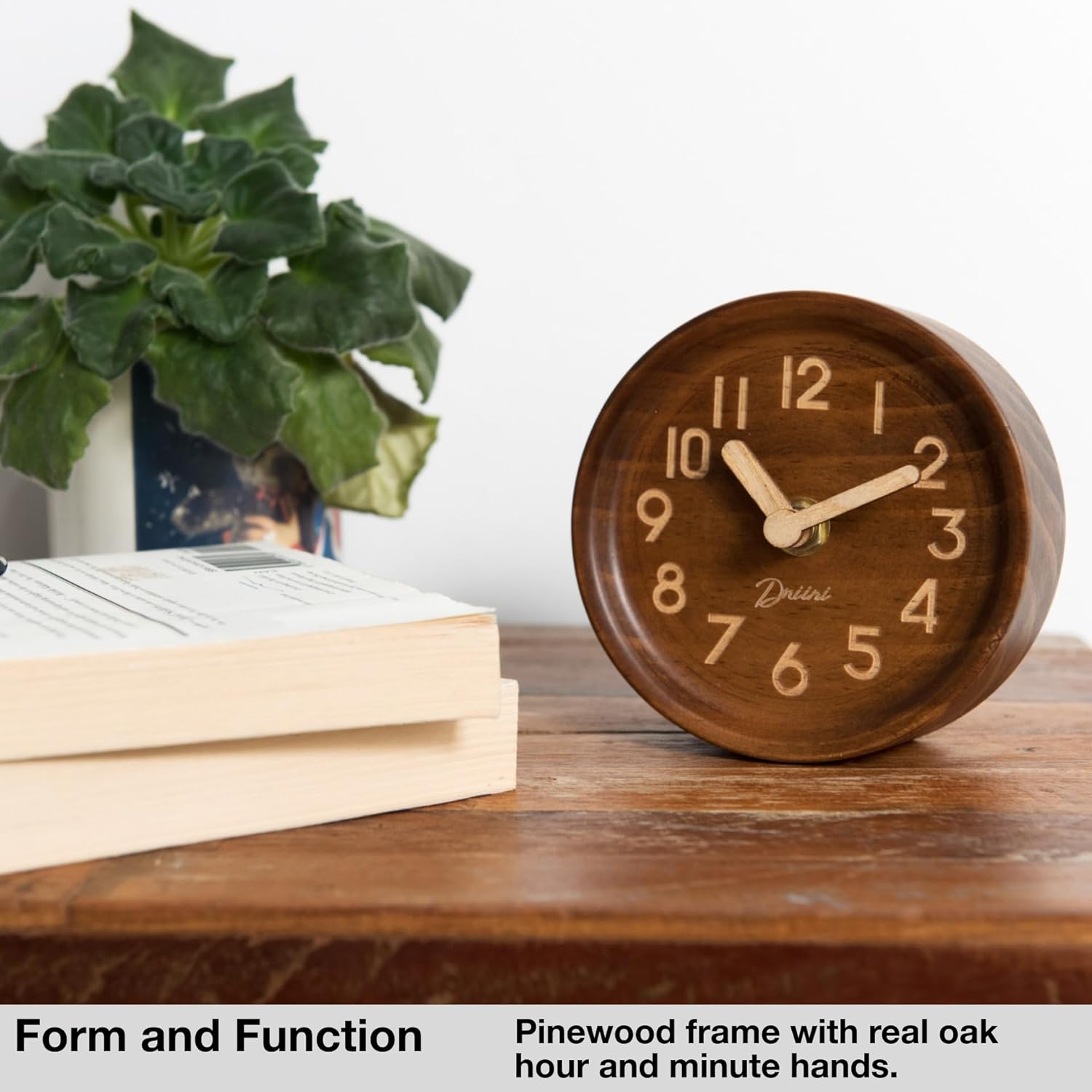
Figure 3: The clock in a typical home setting.
4. Maintenance
Proper care and maintenance will ensure the longevity and accurate performance of your clock.
- Cleaning: To clean the clock, wipe the wooden body and clock face with a soft, dry, lint-free cloth. Do not use liquid cleaners, abrasive materials, or chemical solvents, as these can damage the wood finish and internal components.
- Battery Replacement: Replace the AA battery annually, or immediately if you notice the clock slowing down or stopping. Always use a fresh, high-quality AA battery for optimal performance.
- Placement: Place the clock on a stable, flat surface to prevent it from falling. Avoid placing it in direct sunlight, near heat sources, or in areas with extreme temperature fluctuations or high humidity, as these conditions can affect the wood and the clock mechanism.
- Handling: Handle the clock with care. Avoid dropping it or subjecting it to strong impacts, which can damage the internal mechanism or the wooden casing.
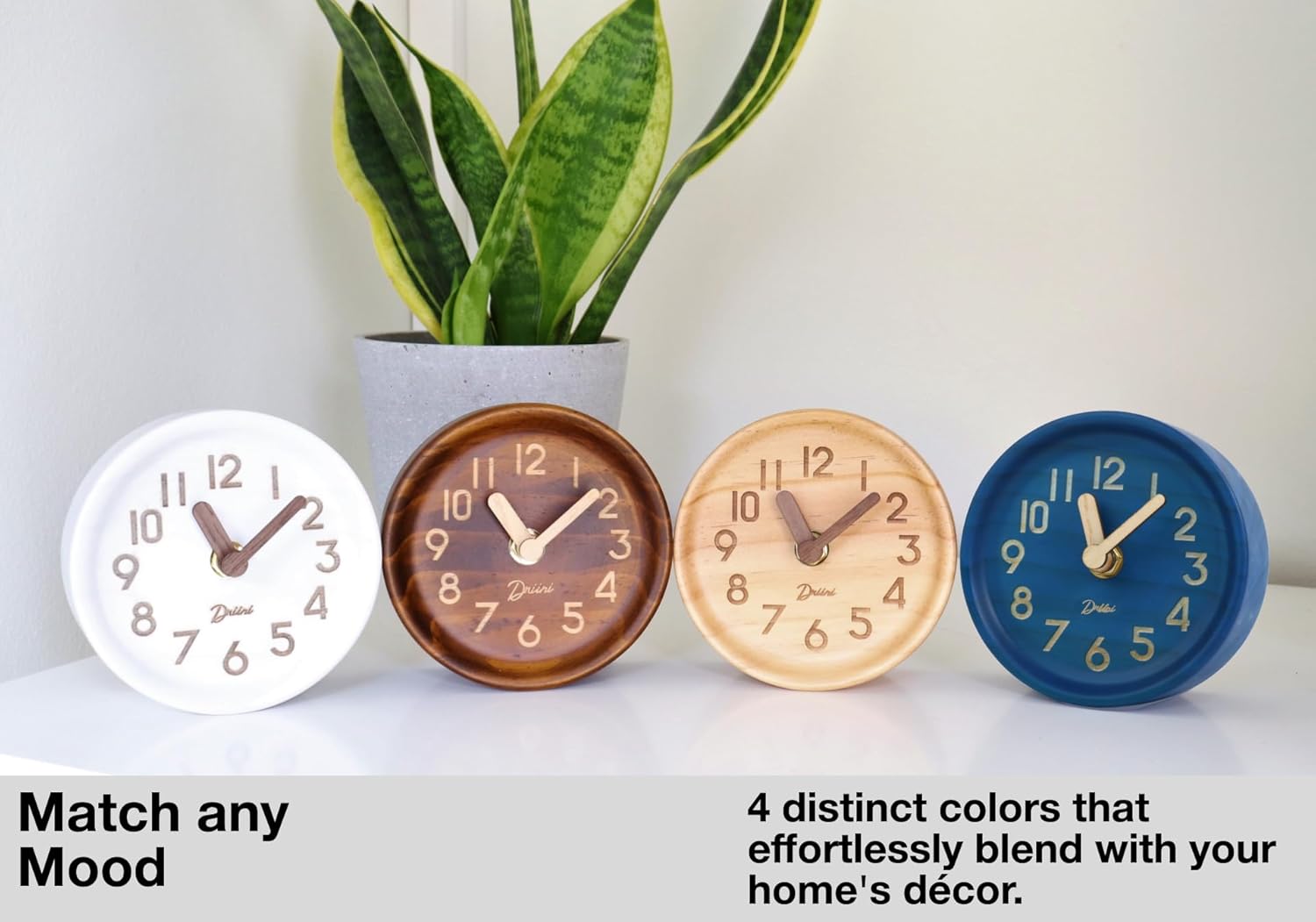
Figure 4: Available color variations of the clock.
5. Troubleshooting
If you encounter any issues with your Driini clock, please refer to the following troubleshooting guide:
| Problem | Possible Cause / Solution |
|---|---|
| Clock is not running or stops intermittently. |
|
| Hands are loose or not moving correctly. |
|
| Time is inaccurate. |
|
6. Specifications
| Feature | Detail |
|---|---|
| Brand | Driini |
| Model Number | 7426851503430 |
| Color | Dark Brown (as per current product variant) |
| Display Type | Analog |
| Power Source | 1 x AA Battery (not included) |
| Movement Type | Quartz (Silent Sweep) |
| Product Dimensions | 4.3"W x 4.3"H (10.9 cm x 10.9 cm) |
| Material | Premium Pinewood with Solid Oak Hands |
| Item Weight | 5.6 ounces (0.16 Kilograms) |
| Indoor/Outdoor Usage | Indoor Only |

Figure 5: Product Dimensions.
7. Warranty and Support
Driini is committed to your complete satisfaction with our products. While specific warranty details are not included in this manual, please retain your proof of purchase.
For any product-related inquiries, technical support, or warranty claims, please refer to the contact information provided at the point of purchase or visit the official Driini website for customer service details.
Video 2: Promotional video showcasing the Driini Pinewood Desk Clock's features and design.
Ask a question about this manual
Ask about setup, troubleshooting, compatibility, parts, safety, or missing instructions. Manuals+ will review the question and use this page’s manual context to help answer it.