
Introduction
Thank you for choosing a Citizen watch. This manual provides detailed instructions for the proper use and care of your Citizen Men's Quartz Watch Model BI5000-52L. Please read this manual thoroughly to ensure optimal performance and longevity of your timepiece. This watch features a reliable quartz movement, an analog display, and a date function, all housed in a durable stainless steel case and band.
Product Overview
The Citizen BI5000-52L is a classic men's analog watch designed for everyday elegance and functionality. It features a round stainless steel case, a stainless steel bracelet, and a clear dial with a date display. The watch is powered by a precise quartz movement.
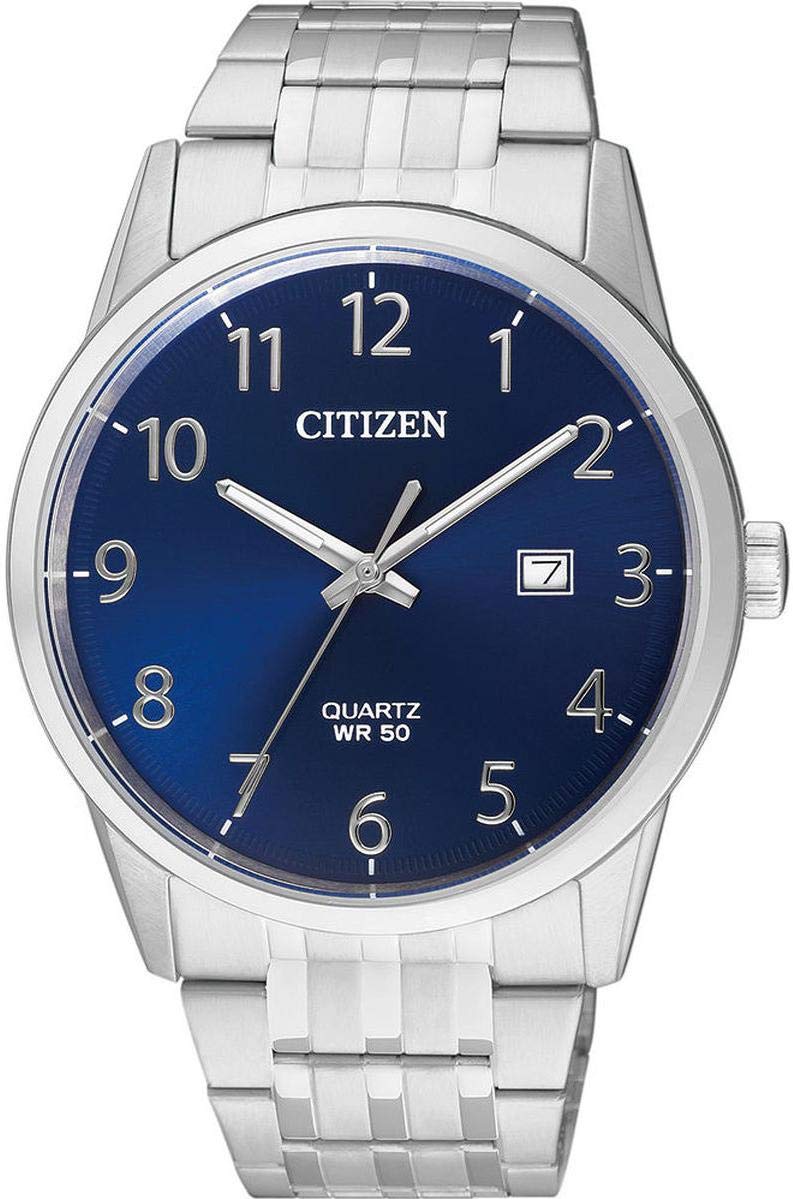
Image: Front view of the Citizen Men's Watch BI5000-52L, showcasing its blue dial, silver hands, date window, and stainless steel bracelet.
Setup
Setting the Time
- Pull the crown out to the second click position (farthest out).
- Turn the crown to set the hour and minute hands. When setting the minute hand, advance it a few minutes past the desired time, then turn it back to the exact time.
- Push the crown back into the normal position to start the watch.
Setting the Date
- Pull the crown out to the first click position.
- Turn the crown clockwise to set the date. Avoid setting the date between 9:00 PM and 1:00 AM, as this may interfere with the date change mechanism.
- Push the crown back into the normal position.
Operating Your Watch
Your Citizen BI5000-52L watch is designed for reliable daily use. The quartz movement ensures accurate timekeeping. The watch features a luminous indicator on the hands and markers for improved visibility in low-light conditions.
Water Resistance
This watch is water resistant to 50 meters (5 ATM), making it suitable for short periods of recreational swimming. It is not suitable for diving, snorkeling, or prolonged water activities. Ensure the crown is fully pushed in before any contact with water.
Maintenance
Cleaning
Wipe the watch case and band regularly with a soft, dry cloth to remove dirt and moisture. For stainless steel bands, a slightly damp cloth can be used, followed by a dry cloth. Avoid using chemical cleaners or abrasive materials.
Battery Replacement
The watch is powered by a single product-specific battery. When the battery runs low, the watch may stop or run erratically. Battery replacement should be performed by a qualified watch technician to ensure proper sealing and maintain water resistance.
Storage and Care
- Avoid exposing the watch to extreme temperatures (hot or cold) or sudden temperature changes.
- Protect the watch from strong impacts or shocks.
- Keep the watch away from strong magnetic fields, which can affect timekeeping accuracy.
Troubleshooting
| Problem | Possible Cause | Solution |
|---|---|---|
| Watch has stopped or is running slow. | Low or depleted battery. | Have the battery replaced by a professional watch technician. |
| Time or date is incorrect. | Time/date not set correctly or crown accidentally pulled out. | Refer to the "Setting the Time" and "Setting the Date" sections to reset. Ensure the crown is fully pushed in. |
| Condensation inside the crystal. | Exposure to extreme temperature changes or compromised water resistance. | Immediately take the watch to a qualified service center for inspection and repair to prevent internal damage. |
Specifications
| Brand: | Citizen |
| Model Number: | BI5000-52L |
| Movement Type: | Quartz |
| Display Type: | Analog |
| Case Material: | Stainless Steel |
| Band Material: | Stainless Steel |
| Case Diameter: | 39 mm |
| Case Thickness: | 8 mm |
| Band Width: | 22 mm |
| Crystal Type: | Mineral Glass |
| Water Resistance: | 50 Meters (5 ATM) |
| Calendar Type: | Date |
| Special Features: | Luminous indicator |
| Product Weight: | 97 Grams |
| Power Source: | Battery (1 required, included) |
| Country of Origin: | Japan |
Warranty and Support
Warranty Information
According to the product information, this item is sold without a specific manufacturer's warranty. Please refer to your retailer's return and warranty policies at the time of purchase for any applicable consumer rights or guarantees.
Customer Support
For any questions, service, or repair needs not covered in this manual, please contact the retailer where you purchased the watch or visit the official Citizen website for authorized service centers and support information.


