
1. Product Overview
The Ultimate Ears BOOM 3 is a super-portable wireless speaker designed for adventure. It delivers immersive 360° sound with deep bass, balanced to ensure every note is heard clearly. This speaker is built to withstand various environments, being seriously waterproof, dustproof, and drop-proof (IP67 rated), making it suitable for use anywhere from desert festivals to pool parties. It features the innovative Magic Button for direct control over music playback (play, pause, skip songs) and supports custom one-touch playlists. The BOOM 3 is encased in a durable, high-performance fabric that shimmers, enhancing its aesthetic appeal while providing robust protection.

Figure 1: Ultimate Ears Boom 3 Wireless Bluetooth Speaker (Lagoon Blue)
2. What's in the Box
Upon unboxing your Ultimate Ears Boom 3, please ensure all the following components are present:
- BOOM3 Speaker
- USB power block
- Charging cable
- Quick Start Guide

Figure 2: Packaging contents and dimensions of the Boom 3 speaker.
3. Key Features
3.1 Immersive 360° Sound with Deep Bass
Experience bold, immersive, and crystal-clear sound that radiates 360 degrees. The BOOM 3 is engineered to deliver deep, rich bass that is carefully balanced to ensure you hear every note of your music.

Figure 3: Balanced 360° sound with deep bass.
3.2 Extreme Durability: Waterproof, Dustproof, and Drop-proof
The BOOM 3 is built tough for any adventure. It boasts an IP67 water and dustproof rating, meaning it can be completely submerged in water up to 1 meter for 30 minutes and still function perfectly. Its robust construction also makes it virtually indestructible and drop-proof, ensuring your music stays on point no matter how wild your activities get.

Figure 4: Waterproof and floating design.

Figure 5: Drop-proof and dust-proof design.
3.3 All-New Magic Button
Control your music directly from the speaker with the all-new Magic Button. Play, pause, and skip songs with a single touch. You can also set up custom one-touch playlists for popular streaming services like Spotify (on Android), Amazon Music Unlimited, Amazon Prime Music, Apple Music, and Deezer Premium.
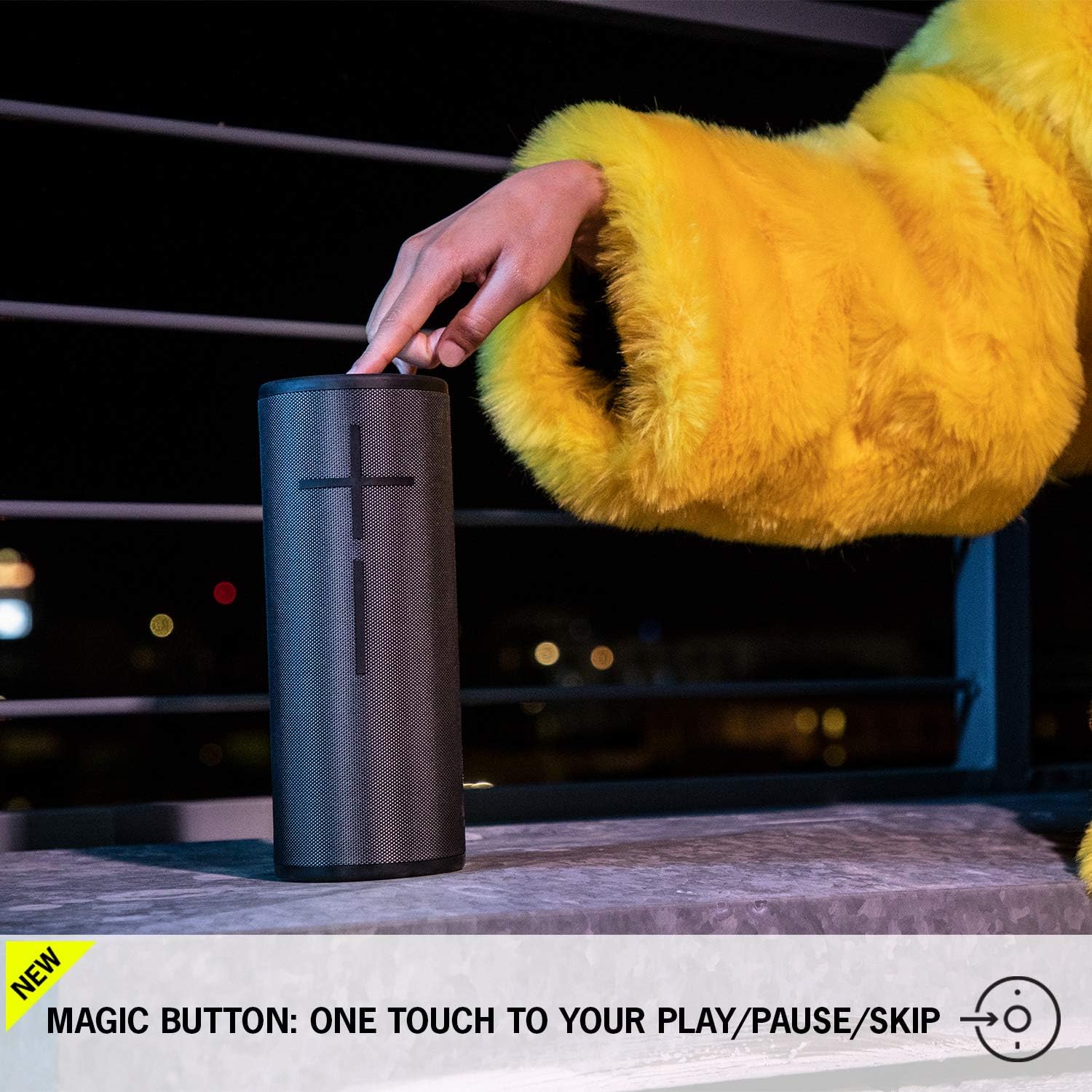
Figure 6: The Magic Button for one-touch music control.
3.4 PartyUp Feature
Amplify your audio experience with PartyUp. Use the BOOM & MEGABOOM app to wirelessly pair 2, 3, 4, or even over 150 BOOM and MEGABOOM speakers (including previous generations) to create the ultimate surround sound experience.
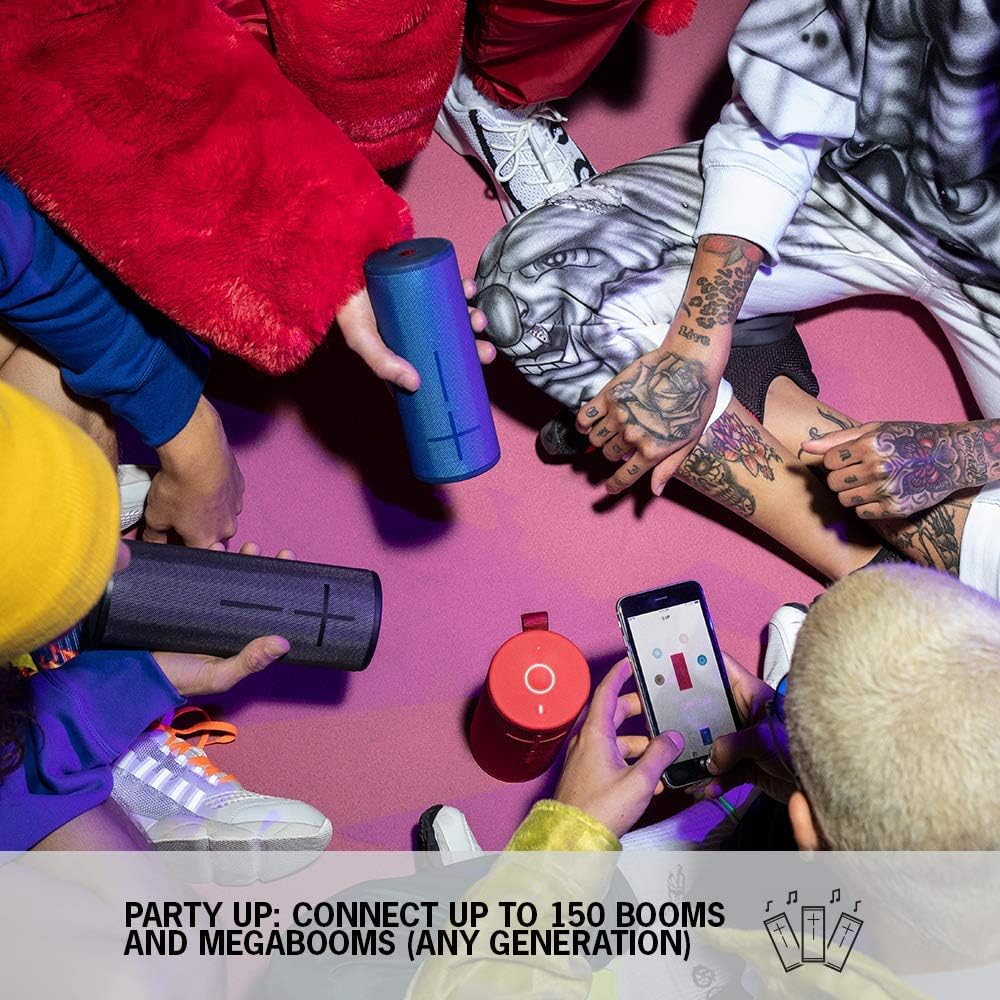
Figure 7: PartyUp feature for connecting multiple speakers.
3.5 Extended Battery Life
The BOOM 3 features a rechargeable battery that provides up to 15 hours of continuous music playback on a single charge. For wireless charging convenience, the Power Up charging dock (sold separately) can be used to ensure your speaker is always ready for your next musical adventure.

Figure 8: 15-hour battery life and extended range.
3.6 Official Product Video
Video 1: Official overview of the Ultimate Ears Boom 3 Portable Waterproof Bluetooth Speaker, highlighting its features and durability.
4. Setup
4.1 Charging Your Speaker
Before first use, fully charge your BOOM 3 speaker. Connect the provided USB charging cable to the micro-USB port located at the bottom of the speaker (under the protective flap) and plug the other end into the USB power block, then into a wall outlet. The LED indicator on top of the speaker will light up to confirm charging. A full charge takes approximately 2 hours.
4.2 Bluetooth Pairing
To pair your BOOM 3 with a Bluetooth device:
- Turn on your BOOM 3 speaker by pressing the power button on the top.
- Press and hold the Bluetooth pairing button (small circle icon next to the power button) until you hear an audible tone and the LED light starts blinking rapidly.
- On your mobile device (smartphone, tablet, laptop), go to the Bluetooth settings and select "BOOM 3" from the list of available devices.
- Once connected, you will hear a confirmation tone from the speaker, and the LED light will turn solid blue.

Figure 9: Labeled diagram of the Boom 3 speaker controls.
5. Operating Instructions
5.1 Power On/Off
To turn the speaker ON, press the power button located on the top of the speaker. To turn it OFF, press and hold the power button until you hear a shutdown tone.
5.2 Volume Control
Adjust the volume directly on the speaker using the large '+' and '-' buttons on the front. You can also control the volume from your connected Bluetooth device.
5.3 Using the Magic Button
The Magic Button (large circular button on top) provides quick control over your music:
- Single Press: Play/Pause current track.
- Double Press: Skip to the next track.
- Long Press: Access pre-selected playlists (requires setup via the BOOM & MEGABOOM app).
5.4 Activating PartyUp
To use the PartyUp feature, download the Ultimate Ears BOOM & MEGABOOM app on your smartphone or tablet. Follow the in-app instructions to connect multiple compatible Ultimate Ears speakers for a synchronized audio experience.
6. Maintenance
6.1 Cleaning
Due to its waterproof and dustproof design, the BOOM 3 can be easily cleaned. Rinse the speaker with fresh water after exposure to saltwater, chlorinated water, or sand. For general cleaning, use a soft, damp cloth. Do not use abrasive cleaners or solvents.
6.2 Storage
Store the speaker in a cool, dry place when not in use. Ensure the micro-USB port's protective flap is securely closed to maintain its waterproof integrity.
7. Troubleshooting
7.1 Connectivity Issues
- Speaker not pairing: Ensure the speaker is in pairing mode (blinking blue LED). Check your device's Bluetooth settings and forget/remove previous "BOOM 3" connections, then try pairing again.
- Intermittent connection: Move the speaker closer to your Bluetooth device. Ensure there are no obstructions (walls, large metal objects) between the devices. Avoid placing the speaker near other wireless devices that might cause interference.
7.2 No Sound or Low Volume
- Check the volume levels on both the speaker and your connected device.
- Ensure the speaker is not muted.
- Verify that the correct audio output is selected on your device.
7.3 Charging Problems
- Ensure the charging cable is securely connected to both the speaker and the power source.
- Try a different USB port or wall outlet.
- If using the Power Up charging dock, ensure the speaker is correctly seated on the dock.
7.4 Speaker Not Turning On
- Connect the speaker to its charger and allow it to charge for at least 30 minutes before attempting to turn it on.
- Perform a hard reset by holding down the power button and the volume down button simultaneously for about 10-15 seconds until the speaker restarts.
8. Specifications
| Feature | Detail |
|---|---|
| Model Name | BOOM 3 Portable Bluetooth Speaker |
| Model Number | 984-001350 |
| Dimensions (D x W x H) | 2.87"D x 2.87"W x 7.24"H |
| Weight | 1.8 Pounds |
| Connectivity | Bluetooth |
| Wireless Range | Up to 150 ft (45 meters) |
| Battery Life | Up to 15 Hours |
| Charging Time | Approximately 2 Hours |
| Waterproof Rating | IP67 (submersible up to 1m for 30 minutes) |
| Sound Level | Maximum 90dBA |
| Frequency Range | 90Hz - 20kHz |
| Power Source | Battery Powered |
| Manufacturer | Logitech |
9. Warranty and Support
The Ultimate Ears Boom 3 comes with a Limited Warranty. For detailed warranty information and support, please refer to the official Ultimate Ears website or the full user manual.
You can also download the complete User Manual in PDF format for more in-depth information: Download User Manual (PDF)


