
1. Introduction
The Ninja CT800 Professional Chef Blender is engineered for high-performance blending, featuring a 1500-watt advanced motor system and next-generation high-speed blade design. It offers a wide variable speed range and a selection of 10 Auto-iQ programs for diverse culinary tasks. This manual provides essential information for safe operation, maintenance, and optimal use of your blender.

Image 1.1: Ninja CT800 Professional Chef Blender with a pitcher full of ingredients.
2. Important Safety Information
Please read all instructions carefully before using the Ninja CT800 Professional Chef Blender. Failure to follow these instructions may result in injury or damage to the appliance.
- Always ensure the blender is unplugged before assembling, disassembling, or cleaning.
- Do not immerse the motor base in water or other liquids.
- Keep hands and utensils out of the container while blending to reduce the risk of severe injury to persons or damage to the blender. A scraper may be used only when the blender is not running.
- Blades are sharp. Handle with care.
- Do not blend hot liquids in the sealed container as pressure buildup may result in burns.
- Ensure the lid is securely locked in place before operating the blender.
- Do not operate any appliance with a damaged cord or plug, or after the appliance malfunctions or has been dropped or damaged in any manner.
3. Included Components
Your Ninja CT800 Professional Chef Blender package includes the following items:
- 1500-Watt Motor Base
- 72 oz. Pitcher
- Tamper
- Lid with Vented Lid Cap
- 35-Recipe Inspiration Guide
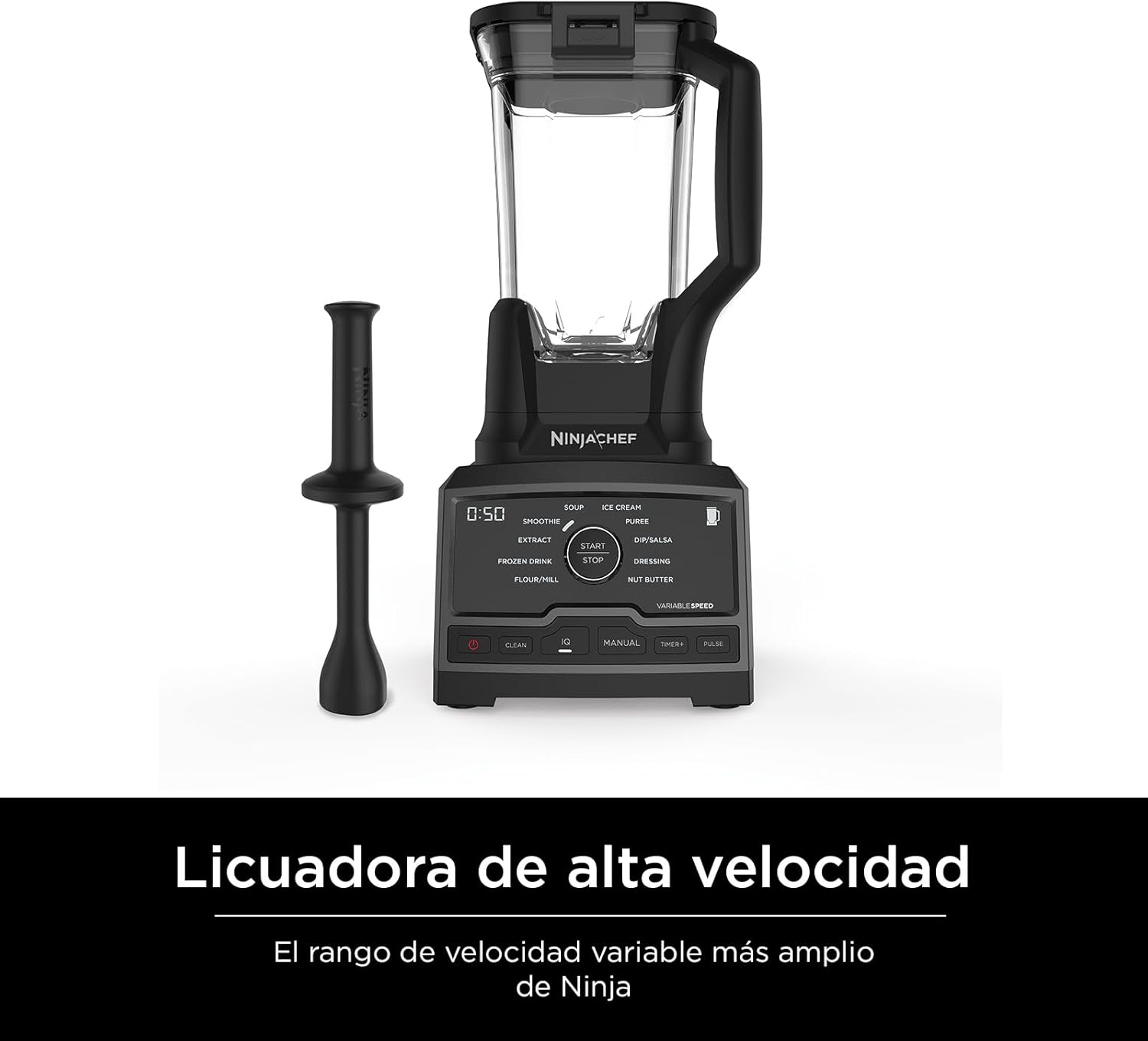
Image 3.1: The Ninja CT800 Blender with its included tamper.
4. Setup
Before first use, wash all components (pitcher, lid, tamper) in warm, soapy water, then rinse and dry thoroughly. The motor base should be wiped clean with a damp cloth.
- Place the motor base on a clean, dry, and level surface.
- Align the pitcher with the motor base and place it securely. The pitcher should click into place.
- Add your desired ingredients to the pitcher. Do not exceed the MAX LIQUID fill line.
- Secure the lid onto the pitcher, ensuring it is properly aligned and locked. The vented lid cap should also be in place unless using the tamper.
- Plug the blender into a standard electrical outlet.
5. Operating Instructions
The Ninja CT800 offers both automated programs and manual control for versatile blending.
5.1. Control Panel Overview

Image 5.1: Close-up of the Ninja CT800 control panel with various blend modes.
5.2. Auto-iQ Programs
Select from 10 intelligent pre-set programs designed to deliver optimal results for specific recipes. Simply select the desired program, and the blender will automatically adjust speed and duration.
- Ice Cream: For creamy frozen desserts.
- Soup: For hot, smooth soups.
- Nut Butter: For homemade nut butters.
- Flour/Mill: For grinding grains into flour.
- Extract: For nutrient extraction from fruits and vegetables.
- Dressing: For smooth salad dressings.
- Puree: For smooth purees and sauces.
- Frozen Drink: For perfectly crushed ice drinks.
- Smoothie: For silky smooth beverages.
- Dip/Salsa: For chunky or smooth dips and salsas.
5.3. Manual Mode & Variable Speed Control
For complete control, switch to Manual mode. The variable speed dial allows you to precisely adjust the blending speed from 7,000 to 18,000 RPM. Start at a lower speed and gradually increase as needed for desired consistency.
5.4. Pulse Function
Use the PULSE button for short bursts of power to chop ingredients, crush ice, or achieve a desired texture without over-processing.
5.5. Using the Tamper
The tamper is designed to push ingredients down towards the blades when blending thick or frozen mixtures. Only use the tamper through the vented lid cap opening while the blender is running. Do not use any other utensil.
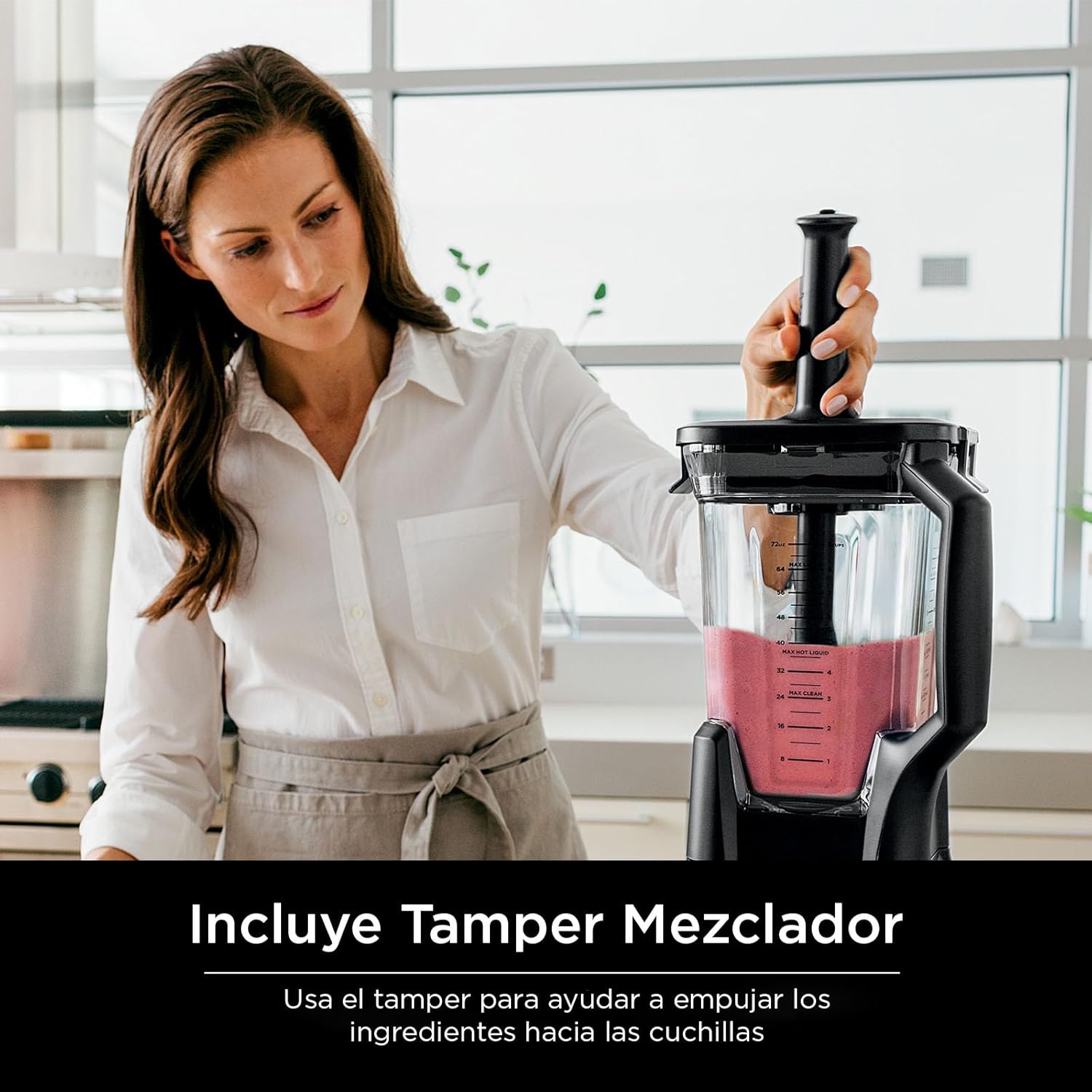
Image 5.2: A user demonstrating the proper use of the tamper to push ingredients towards the blades.
6. Cleaning and Maintenance
Proper cleaning ensures the longevity and hygiene of your blender.
6.1. Easy Clean Program
For quick and convenient cleaning, utilize the built-in Clean Program:
- Fill the pitcher halfway with warm water and add a drop of dish soap.
- Secure the lid and select the 'Clean' program on the control panel.
- Allow the program to complete.
- Rinse the pitcher thoroughly with clean water.

Image 6.1: Illustrates adding water and soap to the blender pitcher for the Easy Clean program.
6.2. Dishwasher Safe Parts
The pitcher, tamper, and lid are BPA-free and dishwasher safe for easy cleaning. Place them on the top rack of your dishwasher.
6.3. Motor Base Cleaning
Wipe the motor base clean with a damp cloth. Do not immerse the motor base in water or any other liquid.
7. Troubleshooting
If you encounter any issues with your Ninja CT800 Blender, refer to the following common troubleshooting tips:
- Blender does not turn on: Ensure the unit is properly plugged into a working outlet. Check that the pitcher and lid are securely locked into place.
- Ingredients are not blending smoothly: Add more liquid if the mixture is too thick. Use the tamper to push ingredients towards the blades. Increase speed gradually.
- Loud noise/unusual smell: Immediately turn off and unplug the blender. Allow it to cool down. Check for any obstructions around the blades. If the issue persists, contact customer support.
- Leakage from the lid: Ensure the lid is properly seated and locked onto the pitcher. Do not overfill the pitcher beyond the MAX LIQUID line.
8. Specifications
| Brand | Ninja |
| Model Number | CT800 |
| Color | Black |
| Power Source | Corded Electric |
| Motor Wattage | 1500 Watts |
| Pitcher Capacity | 72 oz. |
| Number of Speeds | 10 (Auto-iQ) + Variable Manual |
| Voltage | 110 Volts |
| Controls Type | Touch |
| Material Type Free | BPA Free |
| Container Material | Plastic |
| Item Weight | 17.6 pounds |
| Product Dimensions | 18.11"D x 17.72"W x 9.84"H |
9. Warranty and Support
The Ninja CT800 Professional Chef Blender comes with a 1 Year Limited Warranty. For warranty claims, technical support, or replacement parts, please contact Ninja customer service directly. Refer to the contact information provided in your product packaging or visit the official Ninja website.


