
Introduction
Thank you for choosing the Calypso K5769/2 Analogue Digital Quartz Watch. This manual provides detailed instructions for setting up, operating, and maintaining your watch to ensure optimal performance and longevity. Please read this manual thoroughly before using your watch.
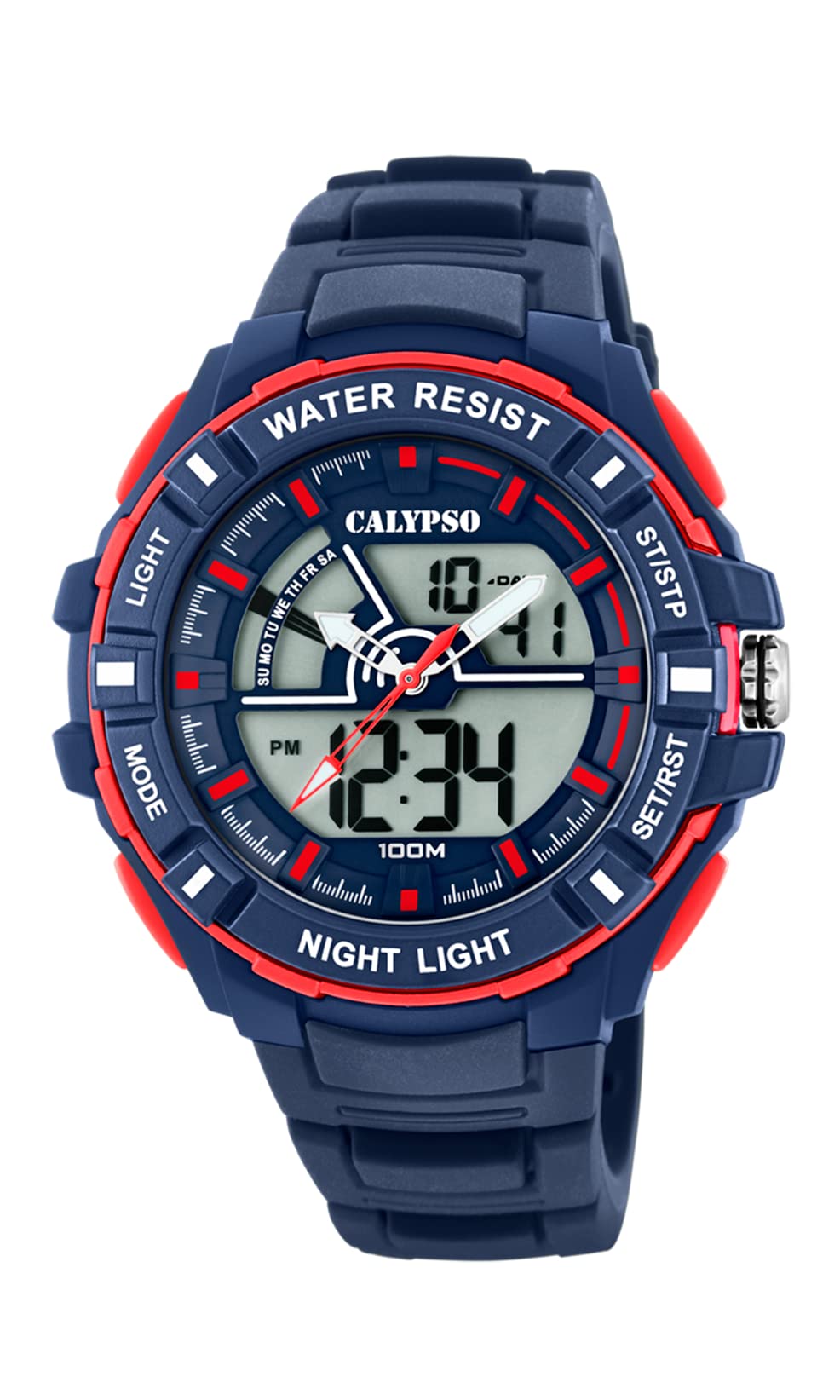
Image: Front view of the Calypso K5769/2 Analogue Digital Quartz Watch, showcasing its blue plastic case and silicone strap.
Setup
Initial Time and Date Setting
Your Calypso K5769/2 watch features both analogue and digital displays. Both need to be set for accurate timekeeping.
- Digital Time Setting:
- Press the MODE button repeatedly until the time setting mode is displayed (usually indicated by flashing digits).
- Use the ADJUST button to select the digit you wish to change (hours, minutes, seconds).
- Use the SET or START/STOP button to increase the value.
- Once set, press MODE again to exit the setting mode.
- Analogue Time Setting:
- Pull the crown (the small knob on the side of the watch case) out to the first or second position (refer to specific watch model for exact crown positions).
- Turn the crown to adjust the hour and minute hands to the correct time.
- Push the crown back in to secure the time setting.
- Date Setting:
- In digital time setting mode, after setting the time, continue using the ADJUST button to navigate to the date (month, day, year) settings.
- Adjust values using the SET or START/STOP button.
- Exit by pressing MODE.

Image: Side view of the Calypso K5769/2 watch, highlighting the control buttons and the crown used for adjustments.
Operating Instructions
Your watch is equipped with several functions accessible via the control buttons.
Mode Selection
Press the MODE button to cycle through the available functions:
- Time Display (Analogue & Digital)
- Alarm
- Stopwatch
- Dual Time Zone
- Date Display
Alarm Function
- Press MODE until the Alarm mode is displayed.
- Press ADJUST to select the hour or minute digits.
- Use SET or START/STOP to set the desired alarm time.
- Press MODE to confirm and exit.
- To activate/deactivate the alarm, press a specific button (often ADJUST or SET) while in Alarm mode. An alarm icon will appear when active.
Stopwatch Function
- Press MODE until the Stopwatch mode is displayed (usually showing 00:00:00).
- Press START/STOP to begin timing.
- Press START/STOP again to pause/resume timing.
- Press RESET (often the ADJUST button) to clear the stopwatch to zero.
Dual Time Zone
This feature allows you to display a second time zone simultaneously.
- Press MODE until the Dual Time Zone mode is displayed.
- Use ADJUST and SET or START/STOP to set the desired second time zone.
- Press MODE to confirm and exit.
Light Up Function
To illuminate the digital display in low-light conditions, press the LIGHT button (usually located on the top left of the watch case).
Maintenance
Water Resistance (10 ATM / 100 Metres)
Your Calypso K5769/2 watch is water resistant up to 10 ATM (100 meters). This means it is suitable for swimming, snorkeling, and showering. However, it is not suitable for high-impact water sports or diving. Do not operate buttons or the crown while the watch is wet or submerged, as this can compromise the water resistance.
Cleaning
To clean your watch, wipe it gently with a soft, damp cloth. Avoid using harsh chemicals, solvents, or abrasive cleaners, as these can damage the case and strap materials.
Battery Replacement
The watch is powered by a Quartz (battery) movement. When the display becomes dim or the watch stops functioning, the battery may need replacement. Battery replacement should be performed by a qualified watch technician to ensure proper sealing and maintain water resistance.
Troubleshooting
| Problem | Possible Cause | Solution |
|---|---|---|
| Watch not displaying time/functions. | Low or dead battery. | Replace battery (professional service recommended). |
| Analogue hands not moving. | Crown pulled out; battery issue. | Push crown back in; if still not working, replace battery. |
| Digital display is dim or flickering. | Low battery. | Replace battery. |
| Water inside the watch. | Buttons operated underwater; seal compromised. | Immediately take to a professional watch repair service. Do not attempt to dry it yourself. |
| Incorrect time/date displayed. | Settings were not saved or incorrectly set. | Refer to the "Initial Time and Date Setting" section and re-set the watch. |
Specifications
| Model Number: | K5769/2 |
| Brand: | Calypso |
| Display Type: | Analogue-Digital |
| Movement Type: | Quartz (Battery) |
| Water Resistance: | 10 ATM (100 Metres) |
| Case Material: | Polycarbonate (Plastic) |
| Strap Material: | Plastic (Silicone) |
| Case Diameter: | 53 Millimetres |
| Case Thickness: | 19 Millimetres |
| Band Width: | 26 Millimetres |
| Additional Features: | Alarm, Dual Time Zone, Light Up, Stopwatch |
| Item Weight: | 65 Grams |
Warranty Information
Calypso watches typically come with a manufacturer's warranty covering defects in materials and workmanship for a specified period from the date of purchase. This warranty usually does not cover damage resulting from improper handling, accidents, unauthorized repairs, or normal wear and tear (e.g., battery, strap, crystal). Please retain your proof of purchase for warranty claims. For specific warranty terms and conditions, refer to the warranty card included with your watch or contact Calypso customer support.
Customer Support
If you encounter any issues or have questions regarding your Calypso K5769/2 watch that are not addressed in this manual, please contact Calypso customer support. You can typically find contact information on the official Calypso website or on the packaging of your product.
- Online Support: Visit the official Calypso Watches website for FAQs and support contact details.
- Service Centers: For repairs or battery replacement, locate an authorized Calypso service center.


