
Introduction
The Aquatic AV SWA6 Combined Stereo + Subwoofer is engineered for robust audio performance in challenging environments. This unit integrates a powerful stereo amplifier with an 8-inch subwoofer, designed to deliver rich, amplified bass and clear audio. Featuring Bluetooth connectivity with Halo Aerial Technology for extended signal range, it allows wireless streaming from various devices. The SWA6 is suitable for marine, ATV, and other outdoor or indoor applications, capable of powering up to four additional external speakers. It includes both wired and wireless remote access options for comprehensive sound control.
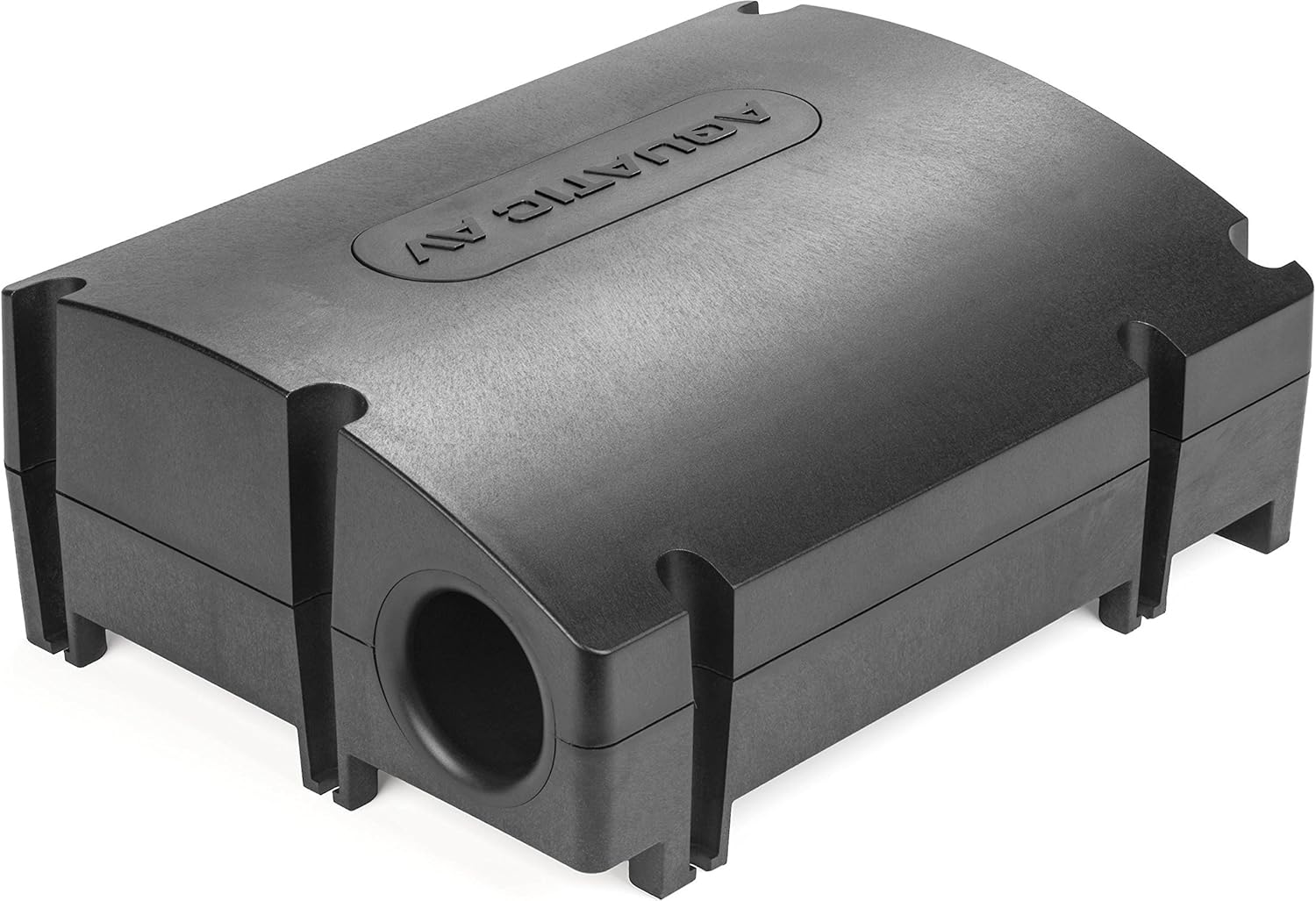
Image: The Aquatic AV SWA6 Combined Stereo + Subwoofer, showcasing its compact and durable black enclosure from a top-front perspective.
Safety Information
Please read and understand all safety instructions before operating the device. Failure to follow these instructions may result in injury or damage to the product.
- Ensure proper ventilation around the unit to prevent overheating.
- Use only the specified power supply and wiring to avoid electrical hazards.
- Do not expose the unit to extreme temperatures or direct sunlight for prolonged periods.
- Avoid disassembling or modifying the unit, as this will void the warranty and may cause damage.
- If the unit emits smoke, unusual odors, or strange noises, immediately disconnect power and contact support.
Package Contents
Verify that all items are present in the package before proceeding with installation:
- Aquatic AV SWA6 Stereo/Subwoofer System
- Bluetooth Module
- Wired Remote Control
- Wireless Remote Control
- Mounting Hardware (if applicable, refer to specific packaging)
- User Manual (this document)
Setup
Mounting
The SWA6 is designed for versatile mounting in various environments. Choose a location that is secure, provides adequate ventilation, and allows for proper cable routing. Ensure the mounting surface is stable enough to support the unit's weight and withstand vibrations.

Image: A top-down view of the Aquatic AV SWA6 Combined Stereo + Subwoofer, highlighting its sleek, black, rectangular design with the Aquatic AV logo embossed on the top surface.
Wiring Connections
Proper wiring is crucial for optimal performance and safety. Refer to the diagram below and ensure all connections are secure and correctly polarized. It is recommended to have this unit installed by a qualified professional.
- Power (Red): Connect to a fused 12V DC constant power source.
- Ground (Black): Connect to a clean chassis ground point.
- Remote Turn-On (Blue/White): Connect to the remote output of your head unit or a switched 12V source.
- Speaker Outputs: Connect external speakers to the designated speaker output terminals. Observe correct polarity (+/-).
- RCA Inputs: Connect audio source devices (e.g., head unit) to the RCA input jacks.
- Remote Control Port: Connect the wired remote control cable to this port.

Image: The rear view of the Aquatic AV SWA6 Combined Stereo + Subwoofer, showing the various wiring harnesses and input/output ports for power, audio, and remote control connections.
Operating Instructions
Power On/Off
To power on the SWA6, ensure all connections are secure and the remote turn-on signal is active. The unit will power on automatically when the connected source (e.g., head unit) is turned on. To power off, turn off the connected source.
Bluetooth Pairing
- Ensure the SWA6 is powered on.
- On your mobile device, navigate to the Bluetooth settings.
- Search for available devices. The SWA6 will appear as "Aquatic AV SWA6" or similar.
- Select the SWA6 to initiate pairing. A confirmation tone may sound upon successful connection.
- Once paired, your device will typically reconnect automatically when in range and Bluetooth is enabled.
Audio Playback
Once connected via Bluetooth or auxiliary input, you can control audio playback (volume, track skip) directly from your source device or using the provided wired/wireless remote controls. Adjust the master volume to a comfortable listening level.
Remote Control Usage
The SWA6 comes with both wired and wireless remote control options for convenience. Use the remote to adjust volume, change input sources, and control basic playback functions without directly accessing the unit.
Maintenance
Cleaning
To maintain the appearance and longevity of your SWA6, clean the exterior regularly with a soft, damp cloth. Avoid using harsh chemicals, abrasive cleaners, or solvents, as these can damage the finish or internal components.
Storage
If the unit will not be used for an extended period, store it in a cool, dry place away from direct sunlight and extreme temperatures. Ensure all connections are disconnected before storage.
Troubleshooting
| Problem | Possible Cause | Solution |
|---|---|---|
| No power | Loose power connection; Blown fuse; No remote turn-on signal. | Check power and ground connections; Replace fuse if blown; Verify remote turn-on wire is connected and receiving 12V. |
| No sound | Volume too low; Incorrect input selected; Loose speaker wires; Faulty audio source. | Increase volume; Ensure correct input (Bluetooth/Aux) is selected; Check all speaker and RCA connections; Test with a different audio source. |
| Bluetooth connection issues | Device out of range; Interference; Pairing error. | Move device closer to the SWA6; Avoid sources of interference; Delete SWA6 from device's Bluetooth list and re-pair. |
| Distorted sound | Volume too high; Improper gain settings; Damaged speaker. | Reduce volume; Adjust gain settings on the unit or source; Inspect speakers for damage. |
Specifications
| Feature | Description |
|---|---|
| Model Number | AQ-SWA8-6BT |
| Speaker Type | Outdoor, Subwoofer |
| Subwoofer Diameter | 8 Inches |
| Max Power Output | 288 Watts |
| Impedance | 2 & 4 OHM Stable |
| Material | Acrylonitrile Butadiene Styrene (ABS), Polypropylene Cone |
| Special Feature | Waterproof |
| Connectivity Technology | Bluetooth, Auxiliary, Wired (Subwoofer) |
| Control Method | Remote (Wired/Wireless) |
| Product Dimensions (D x W x H) | 11"D x 14.5"W x 5.68"H (368.3 x 279.4 x 144.2 mm) |
| Item Weight | 0.01 Ounces (approx. 5.19 kg package weight) |
| UPC | 689780999263 |
Warranty Information
The Aquatic AV SWA6 Combined Stereo + Subwoofer comes with a 2-year manufacturer's warranty when purchased from an authorized reseller. This warranty covers defects in materials and workmanship under normal use. Please retain your proof of purchase for warranty claims. For full warranty terms and conditions, please visit the Aquatic AV official website or contact their customer support.
Support
For technical assistance, troubleshooting, or warranty inquiries, please contact Aquatic AV customer support:
- Website: Visit the official Aquatic AV website for FAQs, support resources, and contact forms.
- Email: Refer to the Aquatic AV website for direct email support.
- Phone: Refer to the Aquatic AV website for customer service phone numbers.
When contacting support, please have your product model number (AQ-SWA8-6BT) and proof of purchase readily available.