
1. Introduction
This manual provides essential information for the safe and efficient operation of your Onida 50UIR KY Rock 50-inch 4K Ultra HD Smart LED TV. Please read it thoroughly before using the television and retain it for future reference.
2. Safety Information
Observe the following safety precautions to prevent fire, electric shock, or damage to the product:
- Do not expose the TV to rain or moisture.
- Do not open the cabinet; refer all servicing to qualified personnel.
- Ensure proper ventilation; do not block ventilation openings.
- Place the TV on a stable, level surface or mount securely to a wall.
- Unplug the TV during lightning storms or when unused for long periods.
3. Package Contents
Verify that all items are present in the packaging:
- 1 x Onida 50UIR LED TV
- 1 x Table Top Stand
- 1 x Wall Mount Bracket
- 1 x User Manual
- 1 x Warranty Card
- 1 x Remote Control
4. Setup
4.1 Installing the Stand or Wall Mount
You can choose to install the included table-top stand or use the wall mount bracket. Ensure the TV is placed on a stable surface or securely mounted to a wall according to the provided instructions for the chosen mounting method.
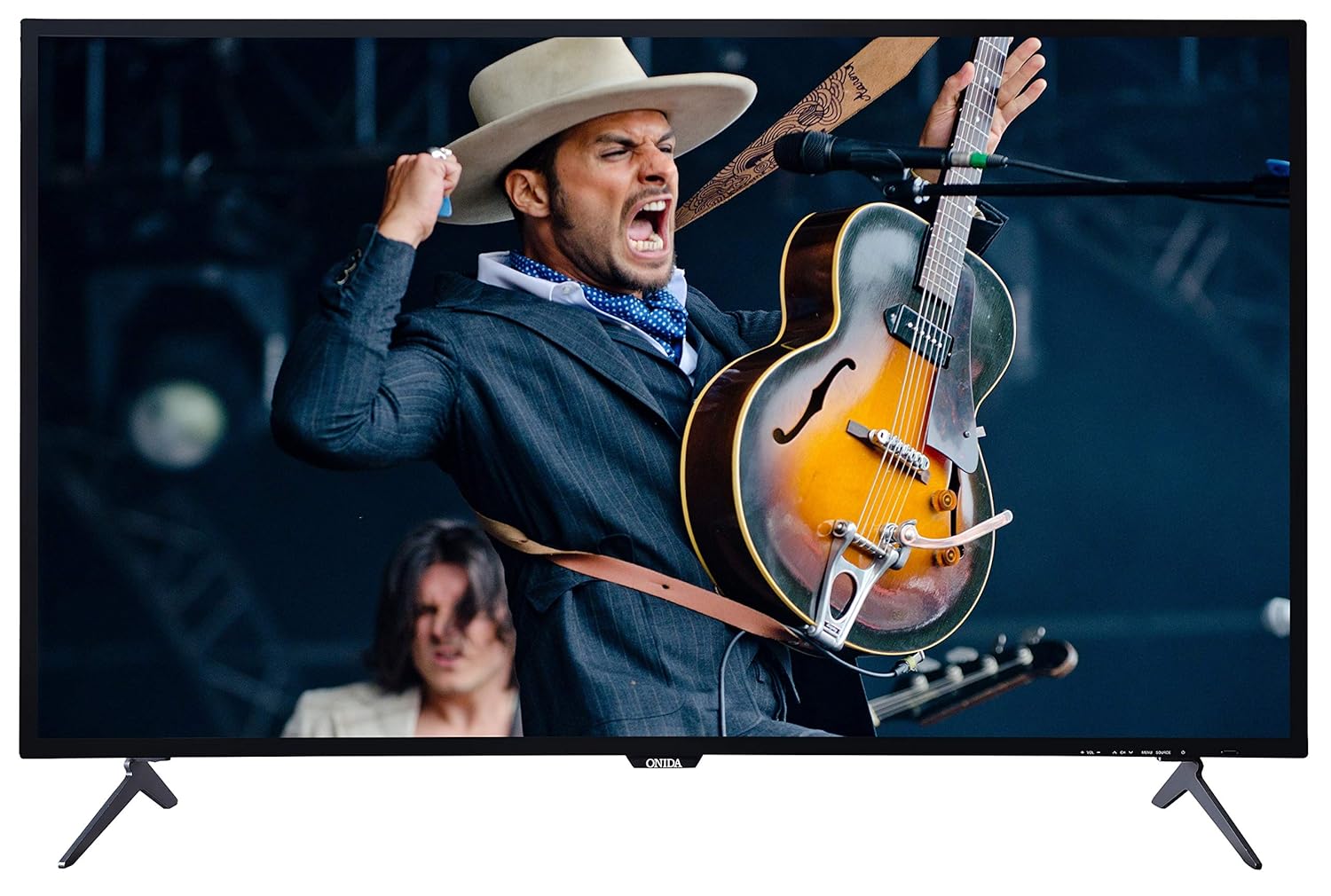
This image displays the front of the Onida 50UIR television, showcasing its slim bezels and the included table-top stands. The screen shows a vibrant image of a musician.

An angled view of the Onida 50UIR TV, highlighting its profile and the design of the table-top stands.
4.2 Initial Power-On and Configuration
After connecting the power cable, press the power button on the TV or remote control. Follow the on-screen prompts to complete the initial setup, including language selection, network connection, and channel scanning.
5. Operating Instructions
5.1 Basic Functions
- Power On/Off: Press the power button on the remote or TV.
- Volume Control: Use the VOL +/- buttons on the remote.
- Channel Selection: Use the CH +/- buttons or number pad on the remote.
- Input Source: Press the SOURCE button to select between HDMI, AV, VGA, or TV inputs.
6. Connectivity
The Onida 50UIR TV offers various connectivity options for external devices:
- HDMI Ports (3): Connect set-top boxes, Blu-ray players, gaming consoles.
- USB Ports (2): Connect hard drives, USB flash drives for media playback.
- VGA Port (1): Connect a computer.
- AV Input: Connect older devices using composite video and stereo audio.
- Antenna Input: Connect a terrestrial or cable antenna.
- Ethernet (LAN) Port: For wired internet connection.

A detailed view of the rear panel of the Onida 50UIR TV, displaying various input and output ports including HDMI, USB, VGA, and audio connections.

This image provides another detailed view of the rear connectivity panel, highlighting the Ethernet port, additional HDMI inputs, VGA, PC Audio In, and Antenna input.
7. Smart TV Features
Your Onida 50UIR TV is equipped with smart functionalities for an enhanced viewing experience:
- Operating System: Android OS 5.1.1
- Processor: ARM A7 Quad-core processor
- Memory: 2GB RAM, 8GB Internal Memory
- App Access: Full access to the Google Play Store for downloading applications.
- Wireless Connectivity: Built-in Wi-Fi for internet access.
- Screen Mirroring: Share content from compatible mobile devices to the TV screen.
- Supported Services: Includes YouTube and other streaming applications available via the Play Store.

A graphic detailing the main features of the Onida 50UIR TV, including 4K UHD resolution, Android OS, ARM A7 Quad Core Processor, Screen Mirroring, Built-In Wi-Fi, Quality Checks, Quick & Free Installation, and 300+ Service Centers.
8. Remote Control
The included remote control features navigation keys and a full QWERTY keyboard for convenient operation and text input.
8.1 Battery Installation
Open the battery compartment on the back of the remote control. Insert two AAA batteries, ensuring correct polarity (+/-). Close the compartment securely.
8.2 Remote Control Technology
The remote control utilizes both Infrared (IR) and Bluetooth technology for communication with the TV.

This image shows both the front and back of the Onida Smart TV remote control. The front features standard navigation and media playback buttons, while the back reveals a full QWERTY keyboard for easier text input.
9. Maintenance
9.1 Cleaning the TV
Gently wipe the screen and cabinet with a soft, dry cloth. For stubborn marks, use a slightly damp cloth with a mild, non-abrasive cleaner specifically designed for electronics. Do not spray cleaner directly onto the screen.
9.2 Storage
If storing the TV for an extended period, disconnect it from the power outlet and store it in a cool, dry place, protected from dust and extreme temperatures.
10. Troubleshooting
If you encounter issues with your TV, refer to the following common problems and solutions:
- No Power: Ensure the power cable is securely connected and the power outlet is functional. Check if the power indicator light is on.
- No Picture/Sound: Verify the correct input source is selected. Check all cable connections (HDMI, AV, etc.). Try another channel or media source.
- Remote Control Not Working: Check battery levels and ensure they are inserted correctly. Point the remote directly at the TV's IR sensor.
- Smart Features Not Responding: Check your internet connection (Wi-Fi or Ethernet). Restart the TV by unplugging it for a few minutes and plugging it back in.
- Poor Picture Quality: Adjust picture settings (brightness, contrast, sharpness). Ensure the input source is providing a high-quality signal.
For persistent issues, contact customer support.
11. Specifications
| Feature | Specification |
|---|---|
| Brand | Onida |
| Model | 50UIR |
| Model Name | KY Rock |
| Screen Size | 50 Inches (127 cm) |
| Display Technology | LED ADS Panel |
| Resolution | 4K Ultra HD (3840 x 2160 pixels) |
| Refresh Rate | 60 Hz |
| Operating System | Android OS 5.1.1 |
| Processor | ARM A7 Quad core |
| Memory Storage Capacity | 8 GB (Internal) |
| RAM | 2 GB |
| Sound Output | 20 Watts (Stereo) |
| HDMI Ports | 3 |
| USB Ports | 2 |
| VGA Port | 1 |
| Hardware Interface | HDMI, USB, VGA |
| Connectivity Technology | HDMI, USB, Built-in Wi-Fi |
| Remote Control Technology | IR, Bluetooth |
| Viewing Angle | 178 Degrees |
| Image Aspect Ratio | 16:9 |
| Image Contrast Ratio | 3000000 : 1 |
| Power Source | AC |
| Product Dimensions (LxWxH) | 110.8 x 23 x 70 cm |
| Item Weight | 11 kg |

A technical diagram illustrating the physical dimensions of the Onida 50UIR TV, including width, height, depth, and screen diagonal in both inches and centimeters.
12. Warranty and Support
12.1 Warranty Information
The Onida 50UIR TV comes with a 1-year manufacturer warranty from the date of purchase. Please retain your purchase receipt for warranty claims.
12.2 Customer Support
For technical assistance, service requests, or warranty inquiries, please contact MIRC Electronics (Onida) customer service:
- Customer Service Number: 1800-103-1000