
1. Introduction
Thank you for choosing the Pro Breeze 10L/Day Desiccant Dehumidifier. This manual provides important information regarding the safe operation, installation, maintenance, and troubleshooting of your dehumidifier. Please read this manual thoroughly before using the appliance and keep it for future reference.
This desiccant dehumidifier is designed to efficiently remove moisture from the air, helping to prevent mold, mildew, and dampness in various environments, especially in low-temperature conditions where traditional compressor dehumidifiers may be less effective. It features a digital display, continuous drainage option, and an integrated humidity sensor for optimal performance.
2. Safety Information
WARNING: Please read all safety warnings and instructions carefully before using this appliance to avoid personal injury or damage to the product.
- Always ensure the voltage indicated on the rating label matches the mains voltage before connecting the appliance.
- Do not operate the dehumidifier with a damaged cord or plug, or if it has been dropped or damaged in any way.
- This appliance is for indoor use only. Do not use it outdoors or in wet conditions.
- Keep the appliance away from heat sources, direct sunlight, humidity, and sharp edges.
- Ensure the air inlets and outlets are not obstructed. Maintain at least 20 cm clearance around the unit.
- Do not insert any objects into the air vents or openings.
- Always unplug the dehumidifier before cleaning, performing maintenance, or moving the unit.
- Do not use chemical solvents (e.g., benzene, alcohol, gasoline) to clean the unit.
- The water collected from the dehumidifier is not suitable for drinking.
- This appliance is not intended for use by persons (including children) with reduced physical, sensory or mental capabilities, or lack of experience and knowledge, unless they have been given supervision or instruction concerning use of the appliance by a person responsible for their safety.
3. Product Features
- High Efficiency: Quiet 46dB system, capable of extracting up to 10 liters of water per day in rooms with temperatures ranging from 1 to 40°C. Effectively combats humidity and mold in large areas, garages, and basements.
- Desiccant System: Unlike compressor dehumidifiers that lose efficiency below 20°C, this desiccant dehumidifier is designed to collect humidity at temperatures as low as 1°C, making it ideal for cold environments.
- Humidity Sensor: Detects the room's humidity level and the desired humidity level. The unit automatically shuts off to save energy when the target humidity is reached, thanks to the integrated timer. The rotating air outlet directs airflow as desired.
- Continuous Drainage: The 3L water tank automatically shuts off when maximum capacity is reached. A continuous drainage hose is included for extended use without manual emptying.
- Digital Control Panel: The LED screen displays the current ambient humidity level, and the easy-to-use control panel ensures simple control of the dehumidifier and the automatic shut-off option.
- Antibacterial Nano-filter: Releases silver ions to help combat bacteria, spores, and fungi in the air.
4. Product Overview and Components
Familiarize yourself with the main parts of your Pro Breeze dehumidifier.

Figure 4.1: Front view of the Pro Breeze 10L Desiccant Dehumidifier, showing its compact design and the transparent water tank at the bottom.

Figure 4.2: Dimensions of the dehumidifier: 31.7cm (L) x 21.3cm (W) x 49.9cm (H).

Figure 4.3: Close-up of the digital control panel with touch buttons for Timer, Mode, Set (humidity), and Power.

Figure 4.4: Illustration showing the dehumidifier's capacity to extract up to 10 liters per day and its 3-liter water tank.

Figure 4.5: Diagram illustrating the antibacterial nano-filter, which releases silver ions to combat bacteria, spores, and fungi.

Figure 4.6: Image showing the continuous drainage option with the included hose connected to the unit and draining into a floor drain.

Figure 4.7: A chart comparing the dehumidifier's noise level (48dB) to other common sounds like rustling leaves (20dB), flushing toilet (75dB), urban traffic (85dB), and a hairdryer (90dB), highlighting its quiet operation.
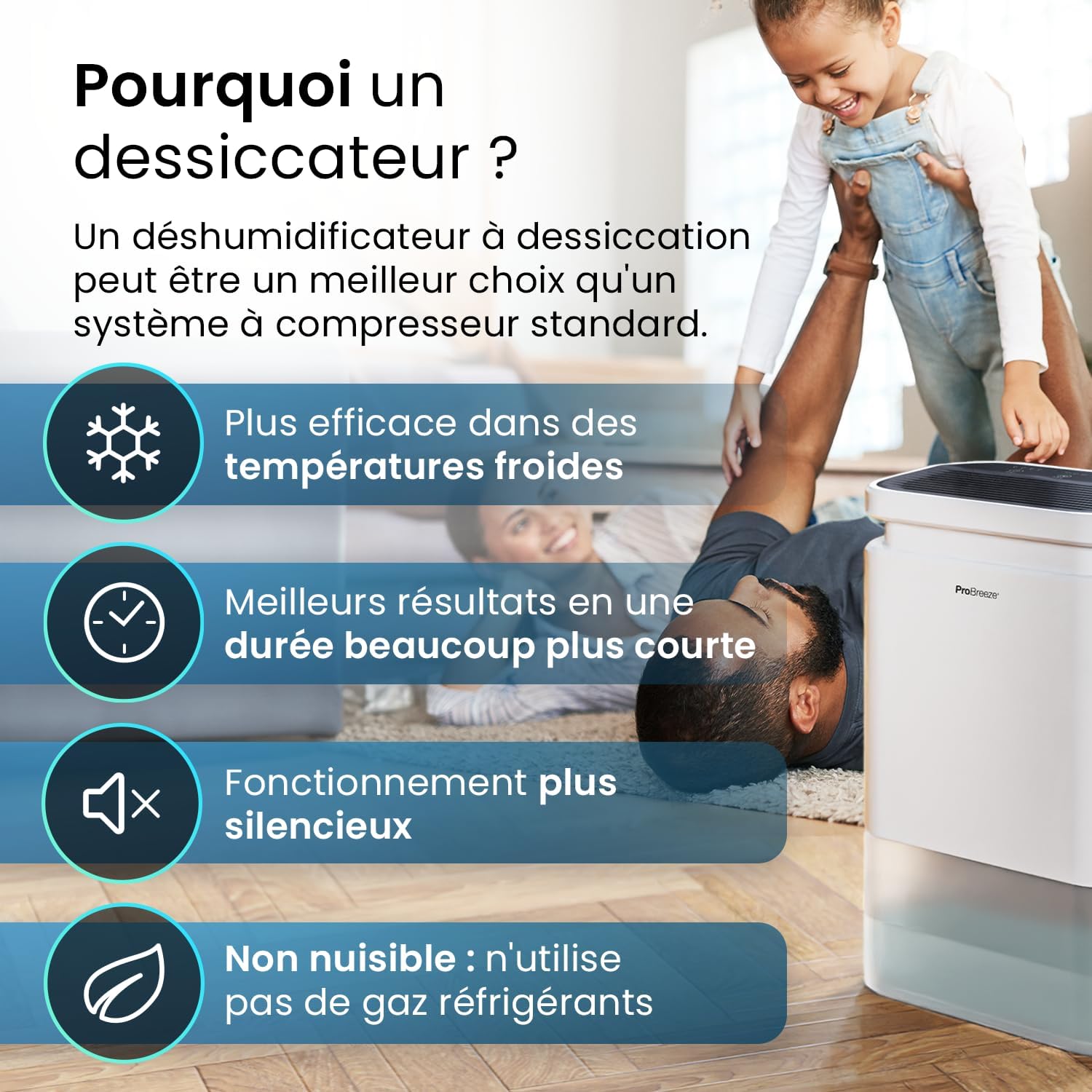
Figure 4.8: Infographic explaining why a desiccant dehumidifier is a better choice than a standard compressor system, highlighting its effectiveness in cold temperatures, faster results, quieter operation, and no use of refrigerant gases.
5. Setup and Installation
- Unpacking: Carefully remove the dehumidifier from its packaging. Retain the packaging for future storage or transport.
- Placement:
- Place the unit on a firm, level surface to prevent vibration and noise.
- Ensure there is at least 20 cm (8 inches) of space around the unit for proper air circulation. Do not block the air inlet or outlet.
- Avoid placing the unit near heat-generating appliances or in direct sunlight.
- This dehumidifier is suitable for use in various areas including homes, garages, basements, and other rooms up to 37m².
- Power Connection: Plug the power cord into a grounded electrical outlet. Ensure the outlet's voltage matches the dehumidifier's requirements (refer to specifications).
- Continuous Drainage (Optional):
- For continuous operation without emptying the water tank, connect the included drainage hose to the continuous drainage port on the back of the unit.
- Ensure the hose is sloped downwards to allow water to drain by gravity into a suitable drain or container. Do not allow the hose to kink or be elevated above the drainage port.
6. Operating Instructions
6.1 Control Panel Overview
The digital control panel allows for easy operation of your dehumidifier.
- Power Button (Ⓞ): Turns the unit On or Off.
- Mode Button (⚙): Selects the operating mode (AUTO, LOW, HIGH).
- Set Button (%): Adjusts the target humidity level (40%, 50%, 60%, 70%, 80% or continuous).
- Timer Button (⏰): Sets the auto-off timer (2hr, 4hr, 8hr, 12hr).
- LED Display: Shows current room humidity and selected settings.
6.2 Basic Operation
- Turning On/Off: Press the Ⓞ Power button to turn the dehumidifier on. Press it again to turn it off.
- Setting Humidity Level: Press the % Set button repeatedly to cycle through desired humidity levels: 40%, 50%, 60%, 70%, 80%, or continuous operation. The unit will operate until the set humidity level is reached, then cycle on/off to maintain it.
- Selecting Mode: Press the ⚙ Mode button to choose between:
- AUTO: The unit automatically adjusts its operation based on the ambient humidity.
- LOW: Operates at a lower fan speed for quieter operation.
- HIGH: Operates at a higher fan speed for maximum moisture removal.
- Setting the Timer: Press the ⏰ Timer button to set the auto-off timer for 2, 4, 8, or 12 hours. The unit will automatically turn off after the selected time.
6.3 Water Tank Full Indicator
When the 3-liter water tank is full, the dehumidifier will automatically shut off, and an indicator light will illuminate on the control panel. Empty the water tank as described in the Maintenance section to resume operation.
7. Maintenance
Regular maintenance ensures optimal performance and extends the lifespan of your dehumidifier.
7.1 Emptying the Water Tank
- When the water tank is full, the unit will stop operating and the "Tank Full" indicator will light up.
- Carefully pull out the water tank from the front of the unit.
- Empty the collected water into a sink or drain.
- Slide the empty water tank back into the unit until it clicks into place. The dehumidifier will resume operation.
7.2 Cleaning the Air Filter
The antibacterial nano-filter should be cleaned regularly (every 2-4 weeks, depending on usage and air quality) to maintain efficiency.
- Turn off the dehumidifier and unplug it from the power outlet.
- Locate the air filter cover (usually at the back or side of the unit). Open or remove the cover.
- Carefully remove the air filter.
- Clean the filter using a vacuum cleaner to remove dust and debris. For more thorough cleaning, wash the filter gently with lukewarm water and a mild detergent. Rinse thoroughly.
- Allow the filter to air dry completely before reinserting it into the unit. Do not use a hairdryer or direct heat.
- Replace the filter and close the cover.
7.3 Cleaning the Exterior
- Wipe the exterior of the dehumidifier with a soft, damp cloth.
- Do not use abrasive cleaners, waxes, or solvents as these may damage the surface.
7.4 Storage
If you plan to store the dehumidifier for an extended period:
- Empty the water tank and ensure it is clean and dry.
- Clean the air filter.
- Coil the power cord neatly.
- Store the unit in a cool, dry place, preferably in its original packaging, away from direct sunlight and extreme temperatures.
8. Troubleshooting
| Problem | Possible Cause | Solution |
|---|---|---|
| Dehumidifier does not turn on. | No power supply; Power button not pressed; Water tank full or not correctly inserted. | Check power cord connection and outlet; Press the Power button; Empty and reinsert water tank correctly. |
| No water collected or low efficiency. | Air filter clogged; Room temperature too low (below 1°C); Humidity level already low; Air inlets/outlets blocked; Unit too small for room size. | Clean the air filter; Ensure room temperature is within operating range (1-40°C); Adjust target humidity lower; Clear obstructions around the unit; Consider a larger capacity unit if needed. |
| Unit is noisy. | Unit not on a level surface; Air filter clogged; Internal components loose. | Place on a flat, stable surface; Clean the air filter; If noise persists, contact customer support. |
| Odor from the unit. | New unit odor; Accumulated dust/mold in filter or internal components. | New unit odor will dissipate with use; Clean the air filter thoroughly; Ensure proper ventilation. |
If the problem persists after attempting the above solutions, please contact Pro Breeze customer support.
9. Specifications
| Specification | Value |
|---|---|
| Brand | Pro Breeze |
| Model Number | PB-10 |
| Color | White |
| Product Dimensions (L x W x H) | 31.8 x 21.3 x 49.2 cm (12.5 x 8.4 x 19.4 inches) |
| Item Weight | 7 Kilograms (15.4 lbs) |
| Water Extraction Capacity | 10 Liters/day |
| Water Tank Volume | 3 Liters |
| Power | 680 Watts |
| Noise Level | 46dB (as per feature bullets) |
| Operating Temperature Range | 1°C to 40°C |
| Recommended Floor Area | Up to 37 m² |
| Special Features | Portable, Automatic Shut-off, Digital Display, Humidity Sensor, Continuous Drainage |
| Included Components | Drainage Hose |
10. Warranty and Customer Support
Pro Breeze products are manufactured to the highest standards. For any questions, issues, or warranty claims, please contact Pro Breeze customer support. Please have your model number (PB-10) and purchase details ready when contacting support.
For more information and support, visit the official Pro Breeze website or contact their customer service department. Details can usually be found on the product packaging or the brand's official online store.
Note: This manual does not contain information regarding official product videos as no relevant video URLs with "creator_type":"Seller" were provided in the product data.


