
1. Introduction
This manual provides essential instructions for the safe and effective use of your Fujifilm X-T100 Mirrorless Digital Camera. The X-T100 features a compact design and offers a 24.2 Megapixel APS-C sensor, a high-magnification electronic viewfinder, a horizontal tilting rear LCD screen, and built-in Bluetooth technology for seamless image transfer. It is suitable for both beginners and advanced photographers seeking high-quality images in a portable form factor.
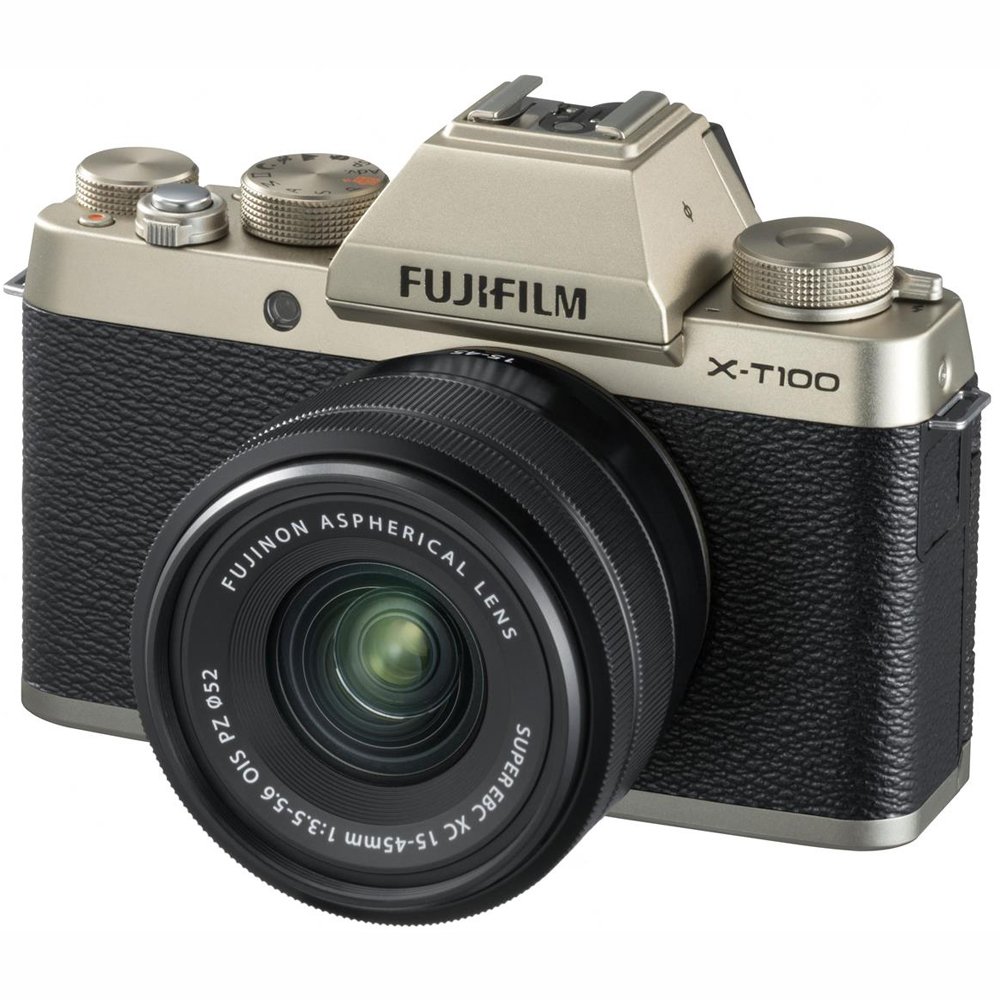
Figure 1: Fujifilm X-T100 Mirrorless Digital Camera with XC15-45mm F3.5-5.6 OIS PZ Lens in Champagne Gold.
2. Setup
2.1 Unboxing and Package Contents
Upon opening your Fujifilm X-T100 package, ensure all components are present. The standard kit includes:
- Camera Body
- XC15-45mm F3.5-5.6 OIS PZ Lens
- Strap
- Battery
- Charger
- USB Cable
- Manual (this document)
- U.S.A. Warranty (if applicable)
2.2 Battery Installation and Charging
- Open the battery compartment cover located on the bottom of the camera.
- Insert the battery with the correct orientation, ensuring it clicks into place.
- Close the battery compartment cover securely.
- To charge the battery, connect the camera to the charger using the provided USB cable. The charging indicator will illuminate.
- Alternatively, remove the battery and charge it using an external battery charger (if supplied or purchased separately).
2.3 Memory Card Insertion
- Open the memory card slot cover, usually located near the battery compartment.
- Insert a compatible SDXC memory card into the slot until it clicks. Ensure the card is facing the correct direction.
- Close the memory card slot cover securely.
2.4 Lens Attachment
- Remove the body cap from the camera and the rear cap from the lens.
- Align the white dot on the lens with the white dot on the camera's lens mount.
- Mount the lens by rotating it clockwise until it clicks into place.
- To remove the lens, press the lens release button on the camera body and rotate the lens counter-clockwise.
3. Operating Your Camera
3.1 Powering On and Basic Photography
To power on the camera, slide the power switch. The camera offers various shooting modes, including an evolved SR+ auto mode for subject and scene recognition, and manual controls for advanced users.
- Shooting Modes: Select your desired mode using the mode dial on the top of the camera. Options include Program (P), Shutter-priority (S), Aperture-priority (A), Manual (M), and various scene modes.
- Autofocus: The camera features a Phase Detection Autofocus system with a newly developed algorithm for fast and precise focusing. Use the focus lever to select your autofocus point.
- Film Simulation Modes: Fujifilm's renowned color reproduction technology is available through various film simulation modes, allowing for artistic expression directly in-camera.
3.2 Using the Viewfinder and LCD Screen
- Electronic Viewfinder (EVF): The high-magnification (0.62x) electronic viewfinder provides a clear and detailed view of your scene, ideal for precise composition and shooting in bright conditions.
- Tilting LCD Monitor: The 3-inch horizontal tilting LCD monitor offers flexibility for shooting from high or low angles. It is also touch-sensitive, allowing for intuitive control over focus and settings.
3.3 Video Recording
The X-T100 is capable of recording both 4K and Full HD (1080p) video.
- 4K Video: Record 4K video at 15 frames per second (fps).
- Full HD Video: Record Full HD (1080p) video at up to 60 fps for smoother motion.
- Audio: Audio is recorded via a built-in stereo microphone. An external 2.5mm microphone jack is also provided for enhanced audio quality.
3.4 Connectivity
The camera features Bluetooth Low Energy technology for quick and seamless image transfer to compatible devices. It also supports HDMI and USB connectivity.
4. Maintenance
Proper maintenance ensures the longevity and optimal performance of your Fujifilm X-T100 camera.
- Cleaning: Use a soft, lint-free cloth to clean the camera body and lens. For stubborn smudges on the lens, use a specialized lens cleaning solution and cloth. Avoid harsh chemicals.
- Sensor Cleaning: If dust spots appear on your images, the sensor may need cleaning. Consult a professional service or refer to advanced cleaning guides if you are comfortable performing this delicate task.
- Battery Care: Store batteries in a cool, dry place. Avoid fully discharging the battery frequently to prolong its lifespan.
- Storage: When not in use, store the camera in a dry, dust-free environment, ideally with a desiccant pack to prevent moisture buildup.
5. Troubleshooting
If you encounter issues with your camera, refer to the following common troubleshooting steps:
- Camera Not Powering On: Ensure the battery is fully charged and correctly inserted. Try using a different charged battery if available.
- Memory Card Error: Reinsert the memory card. If the error persists, try a different compatible memory card. Ensure the card is not locked.
- Autofocus Issues: Check that the lens is securely attached and clean. Ensure sufficient light for the autofocus system to operate effectively.
- Image Quality Concerns: Verify camera settings (ISO, aperture, shutter speed) are appropriate for your shooting conditions. Check the lens for smudges or dust.
- Connectivity Problems: For Bluetooth, ensure both devices have Bluetooth enabled and are within range. For USB/HDMI, check cable connections.
For more complex issues, please contact Fujifilm customer support.
6. Specifications
| Feature | Specification |
|---|---|
| Brand | Fujifilm |
| Model Name | X-T100 w/XC15-45mm Kit Champagne Gold |
| Sensor Type | CMOS |
| Photo Sensor Resolution | 24.2 MP |
| Photo Sensor Size | APS-C |
| Compatible Mountings | Fujifilm X |
| Image Stabilization | Digital |
| Maximum Focal Length | 45 Millimeters |
| Minimum Focal Length | 15 Millimeters |
| Maximum Aperture | 3.5 f |
| Video Resolution | FHD 1080p (4K at 15fps) |
| Display Type | Tilting LCD |
| Screen Size | 3 Inches |
| Viewfinder | Electronic (0.62x magnification) |
| Connectivity Technology | Bluetooth, HDMI, USB |
| Continuous Shooting | 6 FPS |
| Item Weight | 0.01 Ounces (body only) |
| UPC | 074101037517 |
7. Warranty Information
According to the product specifications, there is No Warranty explicitly stated for this product. Please refer to your purchase documentation or contact the retailer for any specific warranty details that may apply.
8. Support
For further assistance, technical support, or to inquire about accessories, please visit the official Fujifilm website or contact their customer service department.


