
Introduction
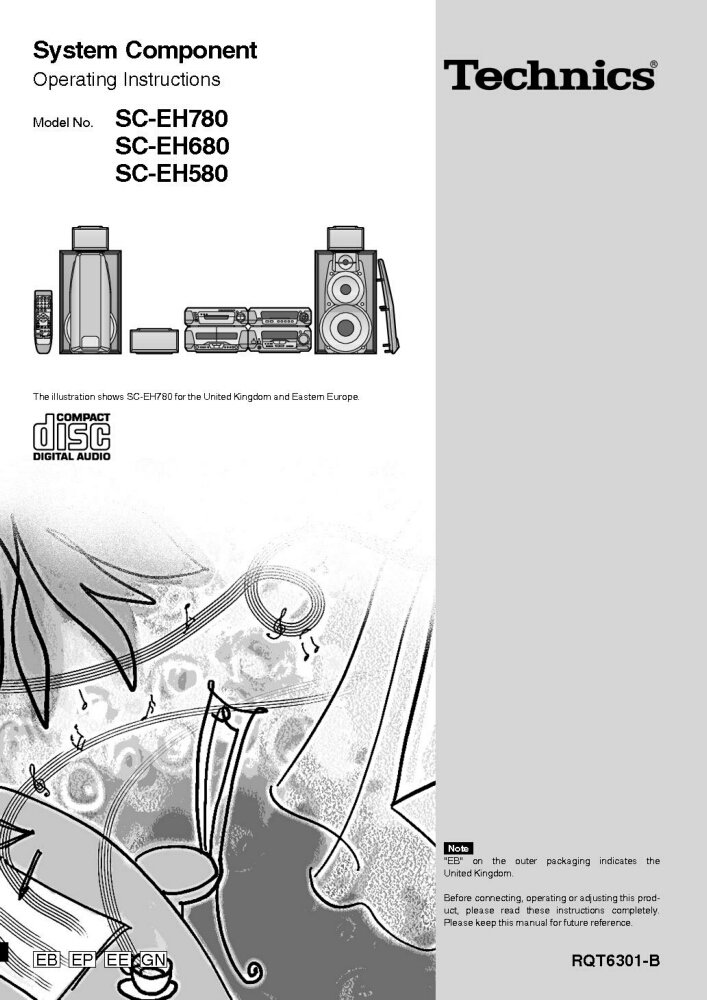
This manual provides comprehensive operating instructions for the Technics System Components, including models SC-EH780, SC-EH680, SC-EH580, SA-EH580, SL-EH680, and RS-DV280. To ensure proper connection, operation, and adjustment of your product, please read these instructions completely before use. Keep this manual for future reference.
Note: The designation "EB" on the outer packaging indicates that the product is intended for the United Kingdom market.
Setup and Installation
Proper setup is crucial for optimal performance. Follow these steps carefully:
- Unpacking: Carefully remove all components from the packaging. Verify that all parts listed in the packing list are present.
- Placement: Position the main unit, speakers, and other components on a stable, level surface. Ensure adequate ventilation around all units to prevent overheating. Avoid direct sunlight, heat sources, and areas with high humidity.
- Speaker Connection: Connect the speaker wires to the corresponding terminals on the amplifier and speakers. Ensure correct polarity (+ to + and - to -) for proper sound reproduction. Refer to the wiring diagram in the original manual for specific connections.
- Component Interconnection: Connect the various system components (CD player, cassette deck, tuner) to the main amplifier unit using the provided audio cables. Match input and output jacks correctly.
- Power Connection: Once all audio connections are made, plug the power cord into a suitable AC outlet.
For detailed diagrams and specific connection types, please consult the original Technics manual.
Operating Instructions
This section covers the basic operation of your Technics System Component.
Power On/Off
- Press the POWER button on the main unit or remote control to turn the system on or off.
Source Selection
- Use the FUNCTION or INPUT SELECTOR buttons on the unit or remote to switch between CD, Tuner, Tape, and other available inputs.
CD Player Operation
- Press the OPEN/CLOSE button to open the disc tray.
- Place a CD with the label side up on the tray.
- Press OPEN/CLOSE again to close the tray.
- Press PLAY to start playback.
- Use SKIP buttons to navigate tracks and STOP to end playback.
Tuner Operation
- Select the TUNER function.
- Use the TUNING buttons to manually tune to a station or PRESET buttons to select a stored station.
Cassette Deck Operation
- Insert a cassette tape into the deck.
- Use PLAY, REWIND, FAST FORWARD, and STOP buttons for tape control.
- Press RECORD to begin recording (ensure appropriate input is selected).
Maintenance and Care
To ensure the longevity and optimal performance of your Technics system, follow these maintenance guidelines:
- Cleaning: Use a soft, dry cloth to wipe down the exterior surfaces of the components. For stubborn dirt, slightly dampen the cloth with water and a mild detergent, then wipe dry. Avoid abrasive cleaners or solvents.
- Disc Tray: Keep the CD disc tray clean and free of dust. Do not force the tray open or closed.
- Cassette Deck Heads: Periodically clean the cassette deck heads and pinch rollers using a specialized tape head cleaner. This prevents sound degradation.
- Ventilation: Ensure that the ventilation openings on all units are not blocked. Proper airflow prevents overheating.
- Power Cord: Regularly inspect the power cord for any damage. If damaged, discontinue use and contact a qualified service technician.
Troubleshooting
If you encounter issues with your Technics system, refer to the following common problems and solutions:
| Problem | Possible Cause | Solution |
|---|---|---|
| No Power | Power cord unplugged; Power outlet faulty; System in standby mode. | Check power cord connection; Try a different outlet; Press the POWER button. |
| No Sound | Volume too low; Incorrect input selected; Speaker wires disconnected/incorrectly connected. | Increase volume; Select correct input (CD, Tuner, etc.); Check speaker connections and polarity. |
| CD Does Not Play | Disc inserted incorrectly; Disc dirty or scratched; Disc tray not closed. | Insert disc label-side up; Clean disc with a soft cloth; Ensure disc tray is fully closed. |
| Poor Radio Reception | Antenna not connected or poorly positioned; Interference from other electronics. | Connect antenna securely and adjust its position; Move system away from other electronic devices. |
If the problem persists after trying these solutions, please contact customer support.
Specifications
While specific detailed specifications vary by model (SC-EH780, SC-EH680, SC-EH580, SA-EH580, SL-EH680, RS-DV280), the Technics System Components typically feature:
- Amplifier Section: Stereo integrated amplifier with various input/output terminals.
- CD Player: Single or multi-disc CD changer, compatible with standard audio CDs.
- Tuner Section: AM/FM digital tuner with preset memory.
- Cassette Deck: Auto-reverse cassette deck (single or dual).
- Speakers: Multi-way speaker system designed for balanced audio reproduction.
- Power Requirements: AC 220-240V, 50/60Hz (specifics may vary by region).
- Dimensions (Approx.): Varies per component and model.
- Weight (Approx.): Varies per component and model.
For precise technical specifications for your specific model, please refer to the original product documentation or the label on the rear of the unit.
Warranty and Support
This manual is a reprint and does not include specific warranty information. For details regarding warranty coverage, technical support, or service for your Technics System Component, please refer to the original purchase documentation or contact Technics customer service directly.
You may also visit the official Technics website for updated support information, FAQs, and service center locations.
- Online Support: www.technics.com/support (Note: This is a placeholder link, please verify the actual support URL for Technics.)
- Service Centers: Consult the Technics website or your local dealer for authorized service centers.


