1. Product Overview
The Tonton 8CH Full HD 1080P Security Camera System provides comprehensive surveillance for your home or business. This 5-in-1 system includes a Digital Video Recorder (DVR) and a combination of bullet and dome cameras, offering 1080P full HD video quality, night vision, and advanced features like face recognition and motion detection.
The system is designed for both indoor and outdoor use, featuring weatherproof cameras and robust recording capabilities to ensure continuous monitoring and security.
2. Package Contents
Please verify that all items listed below are included in your package:
- 1x 8-Channel 1080P DVR (Hard Disk Drive not included)
- 4x 2.0MP Bullet Cameras
- 4x 2.0MP Dome Cameras
- 8x 60ft BNC Video/Power Cables
- 1x USB Mouse
- 1x 12V/2A AC/DC Power Adapter for DVR
- 2x 12V/3A AC/DC Power Adapters for Cameras
- 1x 1-to-8 Power Splitter Cable
- 1x 1m RJ45 Ethernet Cable
- 1x 1.5m HDMI Cable
- 4x Window Decals
- 1x Software CD
3. Setup and Installation
3.1 DVR Specifications
The Digital Video Recorder (DVR) is the central unit for video processing and storage. Key specifications include:
- Video Input Mode: CVBS, TVI, AHD, CVI, IPC (5-in-1 compatibility)
- Accessible Resolution: 4MP (TVI, AHD), 3MP/1080P/720P (TVI, AHD, CVI, IP), 960H, D1
- IP Channel Support: Up to 2048x1536@30FPS
- Video Inputs: 8x BNC ports
- Video Outputs: 1x BNC, 1x HDMI (1920x1080, 1280x1024, 1366x768, 1280x720, 1024x768)
- Audio Inputs: 1x RCA
- Audio Outputs: 1x RCA
- HDD Interface: 1x SATA (supports up to 6TB HDD)
3.2 Camera Specifications
The included cameras are designed for reliable performance:
- Image Sensor: 1/2.7" 2.0MP sensor
- Lens: 3.6mm, View Angle: 60 degrees
- IR LED: 6 Array IR LEDs for night vision
- Weatherproof Rating: IP66 (suitable for indoor and outdoor use)
- Night Vision Range: Up to 60ft
- IR Cut Filter: Yes, for accurate color reproduction during the day
3.3 System Connection
Follow these steps to connect your security camera system:
- Connect each camera to the DVR using the provided 60ft BNC video/power cables.
- Connect the 1-to-8 power splitter cable to the camera power adapters, then connect each camera to the splitter.
- Connect the DVR to a monitor using the HDMI cable.
- Connect the USB mouse to the DVR.
- For remote access, connect the DVR to your router using the RJ45 Ethernet cable.
- Plug in the power adapters for the DVR and cameras.

Figure 3.3.1: System Connection Diagram. This image illustrates how to connect the camera to the DVR, the DVR to a router for network access, and the steps to download the app for remote viewing.
3.4 Mobile App Setup
For remote viewing and control, download the free Tonton mobile application:
- Scan the QR code provided in the manual or on the DVR, or search for "Guarding Vision" in your device's app store (iOS/Android).
- Install the app and follow the on-screen instructions to add your DVR by scanning its QR code or manually entering its details.
- Once connected, you can live view and playback footage from your smartphone via 3G/4G/Wi-Fi.
4. Operation
4.1 Intelligent Video Analysis
The system supports advanced intelligent analysis features to enhance security:
- Face Detection: Supports 1 channel for detecting human faces.
- Perimeter Detection: Supports 4 channels for detecting intrusions into defined areas.
- These features enable intelligent video analysis and search capabilities.
4.2 Motion Detection and Alerts
Configure customizable motion detection zones and receive smart notifications:
- Define specific areas within the camera's view where motion detection should be active. This helps reduce false alarms.
- When unexpected movements are detected, the system can push smart notifications with images to your smartphone via the app.
- Email alerts with snapshots can also be configured.
- The DVR can emit a sound warning (buzzer) upon detection.

Figure 4.2.1: Customizable Motion Zones. This image demonstrates how users can define specific areas for motion detection, such as entrances, gardens, or pool areas, to receive alerts only from relevant zones.

Figure 4.2.2: App Push and Email Alerts. This image illustrates the various notification methods, including app push notifications with event details, email alerts with snapshots, and an audible buzzer from the DVR, to inform users of security events.
4.3 Night Vision
The cameras are equipped with Smart HD Night Vision for clear monitoring in low-light conditions:
- Automatic IR-cut filter ensures sharp images day and night.
- 6 Array IR LEDs provide night vision up to 60ft.
- Smart IR technology adjusts infrared intensity to prevent overexposure of objects close to the camera.

Figure 4.3.1: Smart HD Night Vision. This image compares video footage with and without Smart IR, demonstrating how Smart IR improves clarity and prevents overexposure in night vision recordings.
4.4 Video Recording and Storage
The DVR supports various recording modes and efficient video compression:
- Recording Modes: Alarm Recording, Auto Recording, Motion Detection Recording, Manual Recording.
- Backup Modes: USB Disk, Network.
- H.265+ Video Format: This advanced compression technology saves up to 75% of storage space compared to H.264, allowing for longer recording times on the same hard drive capacity.

Figure 4.4.1: H.265+ Video Format. This image illustrates the storage efficiency of H.265+ compression compared to H.264, showing that H.265+ can save up to 75% of storage, enabling longer recording durations.
5. Maintenance
To ensure the longevity and optimal performance of your Tonton Security Camera System, follow these maintenance guidelines:
- Camera Housing: The cameras feature a durable metallic housing, providing vandal-proof exterior and efficient heat dissipation. Regularly clean the camera lenses with a soft, damp cloth to remove dust and debris.
- Weather Protection: The IP66 weatherproof rating protects cameras from dust and water jets. While designed for outdoor use, avoid direct exposure to extreme weather conditions if possible.
- DVR Placement: Place the DVR in a cool, dry, and well-ventilated area to prevent overheating. Ensure it is protected from direct sunlight and moisture.
- Cable Management: Periodically check all cable connections for security and integrity. Ensure cables are not pinched or damaged.
- Software Updates: Check the manufacturer's website or app for any available firmware or software updates for the DVR and mobile application to ensure optimal performance and security.
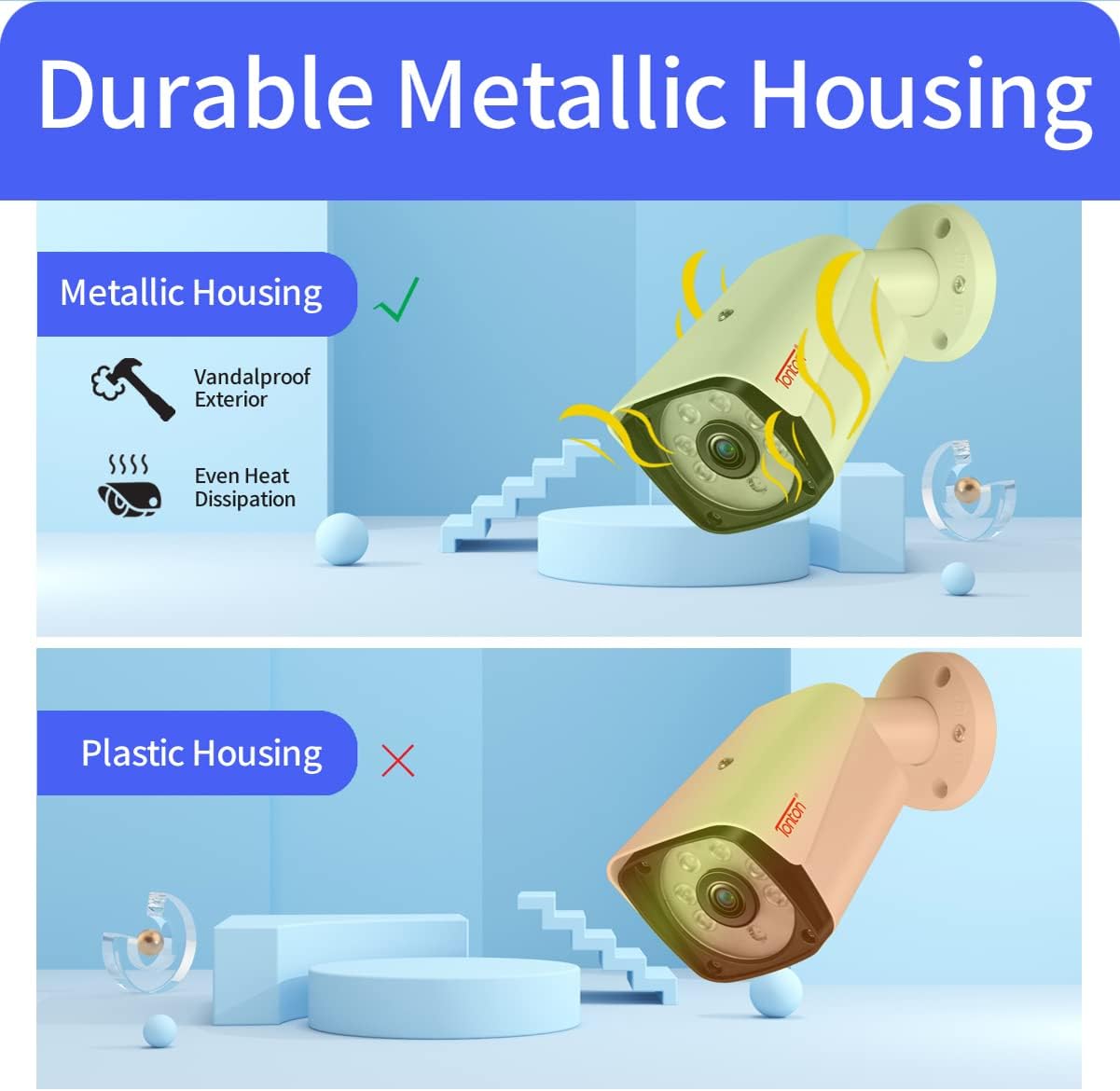
Figure 5.1: Durable Metallic Housing. This image highlights the benefits of the metallic housing used in Tonton cameras, emphasizing its vandal-proof exterior and superior heat dissipation compared to plastic alternatives.
6. Troubleshooting
If you encounter issues with your security system, please refer to the following general troubleshooting steps:
- No Video Signal:
- Check all power connections to the cameras and DVR.
- Ensure BNC cables are securely connected at both ends.
- Verify the monitor input source is correctly selected.
- Remote Access Issues:
- Confirm the DVR is connected to the internet via the RJ45 cable.
- Check your router's internet connection.
- Ensure the mobile app is updated to the latest version.
- Verify DVR settings for network and remote access are correctly configured.
- Motion Detection Not Triggering:
- Review motion detection zone settings in the DVR menu.
- Adjust sensitivity levels.
- Ensure there are no obstructions blocking the camera's view.
- Poor Night Vision:
- Clean the camera lens to remove dirt or smudges.
- Ensure there are no reflective surfaces close to the camera that could interfere with IR illumination.
For more detailed troubleshooting or specific issues, please contact Tonton customer support.
7. Technical Specifications
| Feature | Specification |
|---|---|
| Brand | Tonton |
| Connectivity Technology | Wired |
| Video Capture Resolution | 1536p, 720p (DVR supports up to 4MP for TVI/AHD) |
| Special Features | Image Sensor, Motion Sensor, Night Vision, Face Detection, Perimeter Detection |
| Number of Channels | 8 (DVR) |
| Memory Storage Capacity | Up to 6 TB (HDD not included) |
| Color | Sliver |
| Power Source | AC/DC |
| Item Dimensions (L x W x H) | 14.7 x 9.1 x 12.4 inches |
| Operating System Compatibility | Android, iOS (for mobile app) |
| Compatible Devices | Cameras, Smartphones, Tablets |
| Low Light Technology | Night Vision |
| Night Vision Range | 60 Feet |
| Frame Rate | 30 fps |
| Recording Mode | Motion Detection, Alarm, Auto, Manual |
| Manufacturer | Tonton security |
| UPC | 794163167495 |
| ASIN | B07D74GJ2D |
| Date First Available | May 21, 2018 |
8. Warranty and Support
Tonton is committed to providing professional customer support for your security system:
- Money Back Guarantee: 60-Day money back guarantee.
- Warranty: 2-Year free warranty.
- Technical Support: Lifetime technical support is provided.
- If your product ceases to function within the first year, it will be replaced.
For assistance, please refer to the contact information provided in your product packaging or visit the official Tonton support website.


