

Introduction
Welcome to the instruction manual for your new Bulova 98A150 Men's Watch. This guide provides essential information on setting up, operating, maintaining, and troubleshooting your timepiece to ensure its longevity and optimal performance. Please read this manual thoroughly before using your watch.
Product Overview
The Bulova 98A150 is a sophisticated men's watch designed for reliability and style. It features a durable construction and precise timekeeping. Familiarize yourself with its components for proper use.
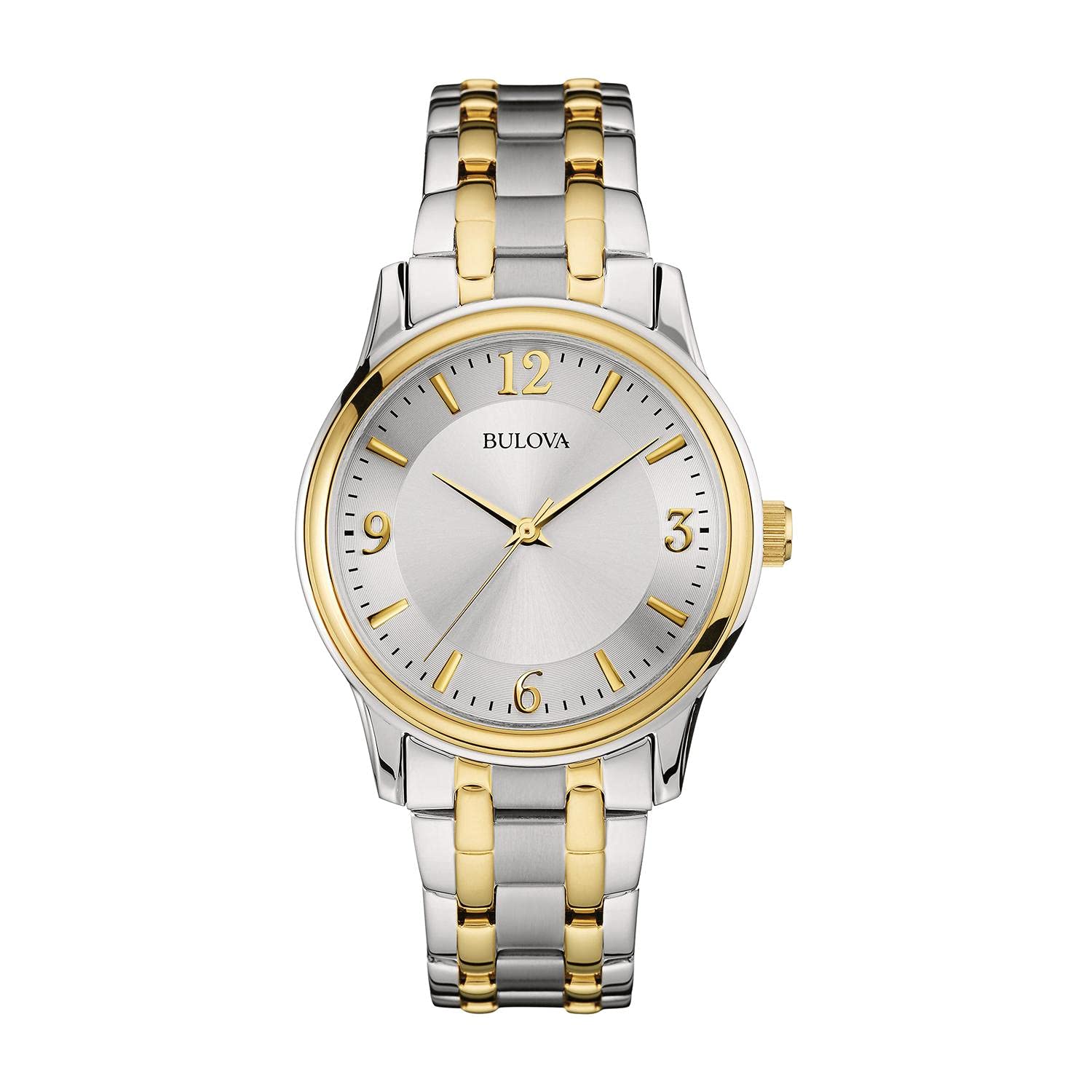
Image: The Bulova 98A150 Men's Watch, showcasing its design and features.
Setup
Unboxing
Carefully remove your watch from its packaging. Ensure all components, including the watch, instruction manual, and warranty card, are present.

Image: The Bulova watch presented in its original box, alongside the instruction manual.
Initial Time Setting
- Pull the crown out to the second click position.
- Turn the crown to set the hour and minute hands to the correct time.
- Push the crown back into the normal position to start the watch.
Bracelet Adjustment
For optimal comfort and fit, the watch bracelet may need adjustment. It is recommended to have this procedure performed by a qualified jeweler or watch technician to avoid damage. Refer to the size guide for general reference.

Image: A visual guide illustrating various watch sizes and their corresponding wrist measurements.
Operating Your Watch
Basic Timekeeping
Your Bulova 98A150 watch displays hours, minutes, and seconds. Once the time is set, the watch will operate continuously. Ensure the crown is fully pushed in to maintain water resistance and proper function.
Second Hand Function
The watch features a prominent second hand for precise time measurement. This hand moves in a continuous sweep, indicating the seconds.
Maintenance and Care
Cleaning
To clean your watch, wipe it gently with a soft, dry cloth. For metal bracelets, a slightly damp cloth can be used, followed by immediate drying. Avoid using harsh chemicals or abrasive materials.
Water Resistance
Your Bulova watch has a specific water resistance rating. This rating indicates the level of water exposure the watch can withstand. Always refer to the water resistance chart below and avoid exceeding the specified limits. Do not operate the crown or pushers when the watch is wet.

Image: A chart detailing various water resistance ratings (WR, 3 ATM, 5 ATM, 10 ATM, 20 ATM, 30 ATM) and their corresponding suitable activities such as hand washing, showering, swimming, and diving.
Battery Replacement
When the watch battery needs replacement, it is highly recommended to take it to an authorized Bulova service center or a professional watchmaker. This ensures the correct battery type is used and the watch's water resistance is maintained.
Troubleshooting
Common Issues
- Watch not running: Check if the crown is fully pushed in. If the watch is quartz, the battery may need replacement.
- Time is incorrect: Reset the time as described in the 'Initial Time Setting' section. Ensure the crown is securely pushed in afterward.
- Condensation under crystal: This may indicate a loss of water resistance. Avoid further water exposure and seek professional service immediately.
Specifications
| Feature | Detail |
|---|---|
| Item Model Number | 042429529823 |
| ASIN | B07D6YYBRJ |
| Manufacturer | Bulova |
| Department | Mens |
| Parcel Dimensions | 11.8 x 11.2 x 8.8 cm |
| Item Weight | 440 g |
| Date First Available | Dec 9 2020 |
| Discontinued by Manufacturer | No |
Warranty and Support
Your Bulova watch is covered by a manufacturer's warranty. Please refer to the warranty card included with your purchase for specific terms and conditions. For technical support, service, or warranty claims, please contact Bulova customer service or visit the official Bulova website.
Official Bulova Store: Bulova Store on Amazon.ca

