
ResponseBridge RB-800U
Wireless Voice Amplifier with Bluetooth 5.3
Model: RB-800U | Brand: ResponseBridge
Introduction
This manual provides detailed instructions for the proper use, setup, and maintenance of your ResponseBridge Wireless Voice Amplifier. Please read this manual thoroughly before operating the device to ensure optimal performance and longevity.

Image: The ResponseBridge Wireless Voice Amplifier with its accompanying headset microphone.
What's in the Box
Carefully unpack all items and ensure you have received the following components:
- 1 x Voice Amplifier
- 1 x Wireless Microphone Headset
- 1 x Charger
- 1 x User Manual (this document)
- 1 x 3.5mm Audio Cable
- 1 x Adjustable Waistband

Image: A visual representation of all items included in the product package.
Product Overview
Familiarize yourself with the main components and controls of your voice amplifier.

Image: Detailed view of the amplifier's ports and buttons, including MIC input, DC 5V charging port, Mode Key, Previous/Volume-, Power switch/play & pause, Next/Volume+, Recording button, AUX input, TF card slot, and USB port.
Key Features:
- 18W High Output: Provides clear and loud sound for groups of 100-200 people.
- Wireless UHF Headset Microphone: Offers freedom of movement up to 35m/100ft.
- Long Battery Life: 4400mAh rechargeable battery provides up to 12 hours of continuous amplification.
- Bluetooth 5.3 Connectivity: Stream audio wirelessly from Bluetooth-enabled devices.
- Multiple Audio Inputs: Supports Aux input, TF Card, and U Disk.
- IPX5 Water-Resistant: Suitable for outdoor use.
Setup
1. Initial Charging
Before first use, fully charge the voice amplifier. Connect the provided charger to the DC 5V port on the amplifier and plug it into a power outlet. The charging indicator will show the charging status and turn off when fully charged. A full charge typically takes 3-5 hours.
2. Connecting the Wireless Microphone
The wireless headset microphone is pre-paired with the amplifier. Simply power on both devices. If re-pairing is needed, refer to the troubleshooting section.
3. Positioning the Microphone
For optimal audio pickup and to prevent feedback, position the microphone about 3-5cm (1.2-2 inches) away from your mouth. Avoid placing the microphone directly in front of the voice amplifier.

Image: Illustration demonstrating the recommended distance between the microphone and the mouth, and the amplifier, to ensure clear sound and prevent audio feedback.
Operating Instructions
1. Power On/Off
Press and hold the 'Power switch/play & pause' button to turn the amplifier on or off.
2. Volume Adjustment
Adjust the volume using the 'Previous/Volume-' and 'Next/Volume+' buttons on the amplifier. You can also adjust the volume on the wireless microphone headset.
3. Mode Selection
Press the 'Mode Key' button to cycle through different input modes: Bluetooth, Aux, TF Card, and U Disk.
4. Bluetooth Pairing
In Bluetooth mode, the amplifier will automatically enter pairing mode. Enable Bluetooth on your mobile device and select 'RB-800U' (or similar) from the list of available devices to connect. Once connected, you can stream audio wirelessly.

Image: The voice amplifier shown with a Bluetooth icon, indicating its wireless audio streaming capability.
5. Using Aux Input, TF Card, and U Disk
- Aux Input: Connect an external audio device using the provided 3.5mm audio cable to the AUX port.
- TF Card: Insert a TF (Micro SD) card into the TF card slot to play audio files directly.
- U Disk: Insert a USB flash drive into the USB port to play audio files.
6. Recording Function
The amplifier supports recording. Insert a TF card or U disk, then press the 'Recording' button to start or stop recording. The recorded files will be saved to the inserted storage device.

Image: A teacher using the voice amplifier in a classroom, highlighting its recording capability.
Charging and Battery Life
The voice amplifier is equipped with a 4400mAh rechargeable lithium battery, providing extended usage times.
- MIC Mode: Approximately 12-13 hours of continuous use.
- Music Mode: Approximately 8-10 hours of continuous use.
- Full Charge Time: 3-5 hours.
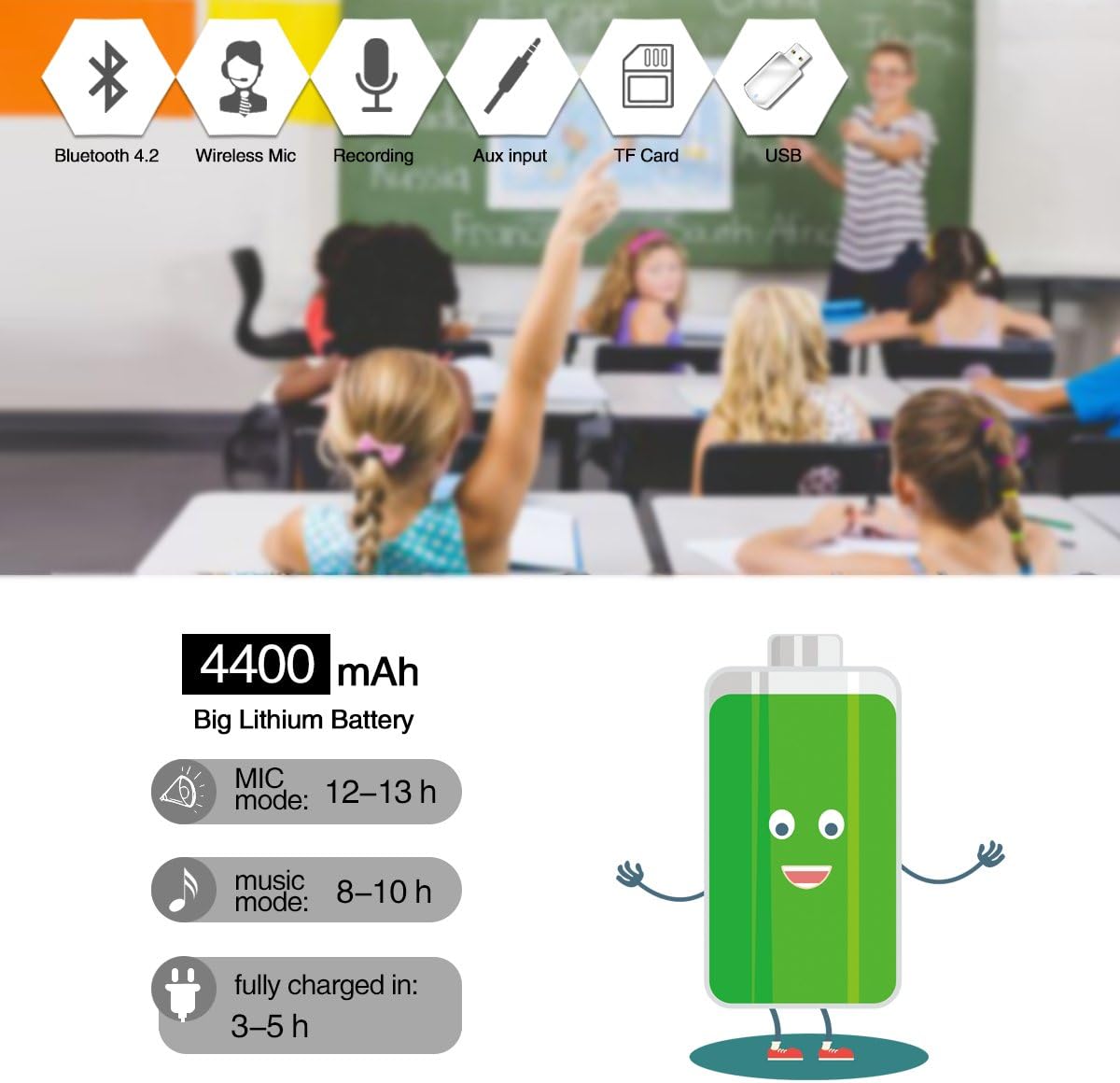
Image: A graphic illustrating the 4400mAh battery capacity and estimated working hours for microphone and music modes, along with charging time.

Image: The voice amplifier in an outdoor setting, emphasizing its long rechargeable battery life for extended use.
Maintenance and Care
- Cleaning: Wipe the device with a soft, dry cloth. Do not use abrasive cleaners or solvents.
- Water Resistance: The amplifier is IPX5 water-resistant, meaning it can withstand splashes and light rain. Do not submerge the device in water.
- Storage: Store the amplifier in a cool, dry place away from direct sunlight and extreme temperatures.
- Battery Care: To prolong battery life, avoid fully discharging the battery frequently. Charge the device regularly, even if not in use for extended periods.

Image: A person by a pool, demonstrating the IPX5 water-resistant feature of the amplifier, suitable for outdoor use.
Troubleshooting
| Problem | Possible Cause | Solution |
|---|---|---|
| No sound or low volume | Volume too low; Microphone not connected; Battery low. | Increase volume on amplifier and microphone; Ensure microphone is powered on and paired; Charge the amplifier. |
| Audio Feedback (Screeching sound) | Microphone too close to amplifier; Microphone pointed directly at amplifier. | Move microphone further away from the amplifier; Adjust microphone position so it's not directly facing the amplifier. |
| Bluetooth connection issues | Device not in pairing mode; Out of range; Interference. | Ensure amplifier is in Bluetooth mode and discoverable; Move devices closer; Re-pair the devices. |
| Microphone not working wirelessly | Microphone not charged; Not paired with amplifier. | Charge the microphone; Follow re-pairing instructions if necessary. |
Specifications
| Feature | Detail |
|---|---|
| Model Number | RB-800U |
| Output Wattage | 18 Watts |
| Battery Type | Lithium Polymer (4400mAh) |
| Connectivity Technology | Wireless (Bluetooth 5.3, UHF) |
| Audio Input | TF card, U disk, 3.5mm audio cable (Aux) |
| Frequency Response | 18 KHz |
| Material | Acrylonitrile Butadiene Styrene (ABS) |
| Item Weight | 13 Ounces |
| Product Dimensions | 4.7 x 3.8 x 1.8 inches |
| Mounting Type | Tabletop |
| Color | Black-wireless |
Safety Information
Please observe the following safety guidelines:
- Do not expose the device to extreme temperatures or humidity.
- Avoid dropping or subjecting the device to strong impacts.
- Do not attempt to disassemble or repair the device yourself. Refer to qualified service personnel.
- Keep out of reach of children.
- Use only the provided charger and accessories.
Warranty and Support
Your ResponseBridge Wireless Voice Amplifier comes with a 12-month worry-free warranty. We are committed to providing friendly customer service and support within 24 hours for any inquiries or issues you may encounter.
For technical assistance or warranty claims, please contact ResponseBridge customer service through the platform where you purchased the product or visit the official ResponseBridge store online.
Unreasonable returns are accepted within one month of purchase, in addition to the 12-month warranty and lifetime technical guidance support.
Related documentsRB-800U

Ask a question about this manual
Ask about setup, troubleshooting, compatibility, parts, safety, or missing instructions. Manuals+ will review the question and use this page’s manual context to help answer it.