
1. Introduction
Thank you for choosing the MartinLogan Dynamo 800X Powered Subwoofer. This manual provides essential information for the proper setup, operation, and maintenance of your subwoofer to ensure optimal performance and longevity. The Dynamo 800X is designed to deliver powerful and precise bass, enhancing your music and home theater experience.
What's in the Box
- MartinLogan Dynamo 800X Subwoofer
- Power Cord
- User Manual (this document)
2. Safety Information
Please read all safety instructions before operating your subwoofer. Retain this manual for future reference.
- Power Source: Connect the subwoofer only to the type of power source indicated on the unit.
- Ventilation: Ensure adequate ventilation. Do not block any ventilation openings.
- Water and Moisture: Do not expose the subwoofer to rain, moisture, or excessive humidity.
- Heat: Keep the subwoofer away from heat sources such as radiators, heat registers, stoves, or other heat-producing appliances.
- Cleaning: Unplug the subwoofer from the wall outlet before cleaning. Use a dry cloth only.
- Servicing: Do not attempt to service this product yourself. Refer all servicing to qualified service personnel.
3. Setup
3.1 Unpacking
Carefully remove the subwoofer from its packaging. Inspect the unit for any signs of damage during transit. If damage is found, contact your dealer immediately.
3.2 Placement
Subwoofer placement significantly impacts performance. Experiment with different locations to find the best sound for your room. Common placements include:
- Corner Placement: Often provides the most output and can enhance bass impact.
- Front Wall Placement: Placing the subwoofer near the front speakers can improve integration.
- Mid-Room Placement: Can offer more even bass distribution but may require more power.
Consider using the 'subwoofer crawl' method: Place the subwoofer in your primary listening position, play bass-heavy music, and crawl around the room to find where the bass sounds best. That location is often the ideal spot for your subwoofer.
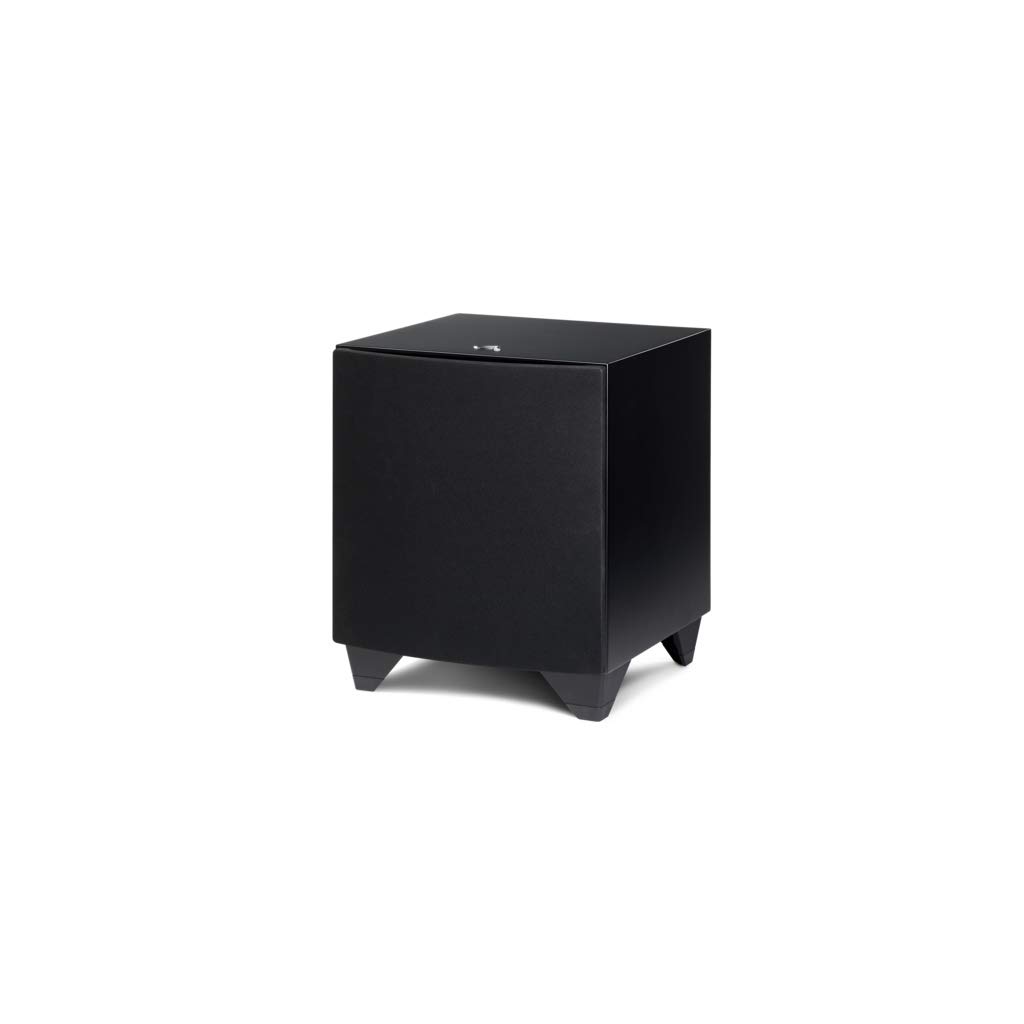
Figure 1: Front view of the MartinLogan Dynamo 800X Subwoofer.
3.3 Connections
The Dynamo 800X offers various connection options. Ensure your audio system is powered off before making any connections.

Figure 2: Rear panel showing input and control connections.
- LFE Input (RCA): For receivers with a dedicated subwoofer output (LFE/Sub Out). Connect a single RCA cable from your receiver's LFE output to the LFE input on the subwoofer.
- Stereo RCA Inputs (Left/Right): For receivers without a dedicated LFE output, or for stereo systems. Connect RCA cables from your receiver's pre-out or stereo output to the Left and Right RCA inputs on the subwoofer.
- Wireless Connection: The Dynamo 800X supports wireless connectivity. Refer to the MartinLogan Sub Control App for detailed instructions on establishing a wireless connection.
3.4 Power Connection
Once all audio connections are made, connect the supplied power cord to the subwoofer's AC inlet and then to a suitable wall outlet. The subwoofer features an auto-on/off function, activating when an audio signal is detected and entering standby mode after a period of inactivity.
3.5 Sub Control App and ARC Genesis
The MartinLogan Sub Control App (available for iOS and Android) allows for easy setup and optimization of your Dynamo 800X. Download the app and follow the on-screen instructions to connect to your subwoofer via Bluetooth. The app provides control over volume, low-pass filter, phase, and a 25-band parametric EQ.
The Dynamo 800X is compatible with Anthem Room Correction (ARC) Genesis. ARC Genesis is an advanced room correction system that optimizes the subwoofer's performance for your specific listening environment. For detailed instructions on using ARC Genesis, please refer to the MartinLogan website or the ARC Genesis software documentation.
4. Operating Instructions
4.1 Powering On/Off
The subwoofer will automatically power on when an audio signal is detected and enter a low-power standby mode after approximately 20 minutes of no signal. You can also manually control the power via the Sub Control App.
4.2 Using the Sub Control App
The Sub Control App provides comprehensive control over your subwoofer's settings:
- Volume: Adjust the overall output level of the subwoofer.
- Low-Pass Filter: Sets the upper frequency limit for the subwoofer. This should be adjusted to blend seamlessly with your main speakers.
- Phase: Adjusts the phase of the subwoofer output relative to your main speakers (0-180 degrees) to ensure proper integration.
- 25-Band Parametric EQ: Allows for fine-tuning of the subwoofer's frequency response to compensate for room acoustics.
- Listening Modes: Select from various preset listening modes or create custom ones.
5. Maintenance
5.1 Cleaning
To clean the cabinet, use a soft, dry cloth. For stubborn marks, a slightly damp cloth with a mild, non-abrasive cleaner can be used, followed by a dry cloth. Avoid using harsh chemicals or abrasive materials, as they can damage the finish.
5.2 General Care
- Keep the subwoofer away from direct sunlight and extreme temperatures.
- Ensure proper ventilation to prevent overheating.
- Avoid placing heavy objects on top of the subwoofer.
6. Troubleshooting
If you encounter issues with your Dynamo 800X, refer to the following common problems and solutions:
6.1 No Sound from Subwoofer
- Check Power: Ensure the subwoofer is plugged in and the power indicator light is on.
- Check Connections: Verify all audio cables are securely connected to both the subwoofer and your receiver/processor.
- Receiver Settings: Confirm that your receiver's subwoofer output is enabled and the volume is not muted or set too low.
- Subwoofer Volume: Adjust the volume control in the Sub Control App or on the subwoofer itself.
- Source Signal: Test with different audio sources to ensure the problem isn't with the source material.
6.2 Distorted or Unclear Sound
- Volume Level: Reduce the subwoofer volume. Excessive volume can cause distortion.
- Placement: Experiment with subwoofer placement to minimize room resonance.
- Crossover/Phase: Adjust the low-pass filter and phase settings in the Sub Control App to better integrate with your main speakers.
- EQ Settings: If using the parametric EQ, ensure settings are appropriate for your room. Incorrect EQ can introduce distortion.
6.3 App Connectivity Issues
- Bluetooth: Ensure Bluetooth is enabled on your mobile device and the subwoofer is within range.
- Restart: Try restarting both your mobile device and the subwoofer.
- Re-pair: If issues persist, try unpairing and re-pairing the subwoofer in the app.
6.4 Subwoofer Rattles at High Volumes
- Isolation: Ensure the subwoofer is on a stable, level surface. Consider placing isolation pads or foam under the feet to reduce vibrations transferred to the floor or cabinet.
- Loose Objects: Check for any loose objects on or near the subwoofer that might be rattling.
7. Specifications
Detailed technical specifications for the MartinLogan Dynamo 800X Subwoofer:

Figure 3: Dimensions of the MartinLogan Dynamo 800X Subwoofer.
| Feature | Specification |
|---|---|
| Model Name | Dynamo 800X |
| Speaker Type | Powered Subwoofer |
| Woofer Diameter | 10 Inches |
| Speaker Maximum Output Power | 300 Watts |
| Frequency Response | 35 Hz (Lower limit, adjustable) |
| Connectivity Technology | Bluetooth, RCA |
| Control Method | App (MartinLogan Sub Control App) |
| Product Dimensions (D x W x H) | 19" x 18" x 20" (Approximate, refer to Figure 3 for detailed measurements) |
| Item Weight | 35.8 pounds |
| Material | Wood |
| Mounting Type | Tabletop Mount |
8. Warranty Information
MartinLogan products are designed and manufactured to the highest quality standards. Your Dynamo 800X Subwoofer is covered by a limited warranty. For specific warranty terms, conditions, and registration information, please refer to the warranty card included with your product or visit the official MartinLogan website.
9. Support
For further assistance, technical support, or to inquire about service, please contact MartinLogan customer support or visit their official website:
- MartinLogan Official Website: www.martinlogan.com
- Customer Service: Refer to the website for contact numbers and email support.


