
1. Introduction
The Aqualung i300C is an intuitive and robust dive computer designed to enhance your diving experience. It features a simple user interface, integrated backlight, and the ability to activate upon water contact. This versatile computer is suitable for both experienced divers and beginners.

Image: Front view of the Aqualung i300C Dive Computer, displaying depth, dive time, and other dive data.
2. Key Features
- Four Operating Modes: Dive as you prefer with Air, Nitrox, Gauge, and Free Dive modes. The computer tracks calculations to allow seamless switching between dive and freedive modes.
- User-Replaceable Battery: Utilizes standard, universally available batteries for easy replacement when needed.
- Intuitive Navigation: Provides one-button access to last dive data, including maximum depth and bottom time.
- 3-Gas Computer: Offers the ability to switch between up to three gases underwater.
- Nitrox Mix Capacity: Supports Nitrox mixes up to 100% O2, allowing for up to 3 Nitrox gases.
- Bluetooth Connectivity: Connects to smartphones and tablets via Bluetooth for data transfer and settings management using the DiverLog+ app.
Video: An overview of the Aqualung i300C dive computer's features, including connectivity with the DiverLog+ app, operating modes, user-replaceable battery, and backlight. The video is in Italian.
3. Setup and Initial Use
3.1. Battery Installation
The i300C uses a user-replaceable battery. To install or replace the battery:
- Carefully open the battery compartment cover located on the back of the dive computer.
- Insert the new standard battery, ensuring correct polarity.
- Securely close the battery compartment cover to maintain water resistance.

Image: A diver interacting with the Aqualung i300C dive computer on their wrist, showing the display and buttons.
3.2. Bluetooth Pairing with DiverLog+ App
The i300C connects to the DiverLog+ app for managing settings and logging dives. Follow these steps to pair your device:
- Download the DiverLog+ app from the App Store (iOS) or Google Play (Android).
- Ensure your i300C dive computer is powered on. If it's off, activate it by pressing a button until the Home Menu appears.
- From the Home Menu, navigate to "Setup Menu," then "Bluetooth," and set it to "ON."
- Open the DiverLog+ app on your smartphone or tablet and follow the on-screen instructions to add a new device.
- Once paired, you can sync settings to your dive computer and upload dive logs to the app.

Image: The Aqualung i300C dive computer displayed next to a smartphone running the DiverLog+ app, illustrating Bluetooth connectivity and data synchronization.
4. Operating Modes
The Aqualung i300C offers four primary operating modes:
- Air Mode: Standard diving with air.
- Nitrox Mode: For diving with enriched air nitrox mixtures (up to 100% O2, with support for up to 3 gas mixes).
- Gauge Mode: Functions as a bottom timer, providing current depth and dive time without decompression calculations.
- Free Dive Mode: Specifically designed for freediving, tracking relevant data for breath-hold dives.
Switching between modes is performed via the intuitive button interface. Refer to the on-screen prompts for specific navigation.
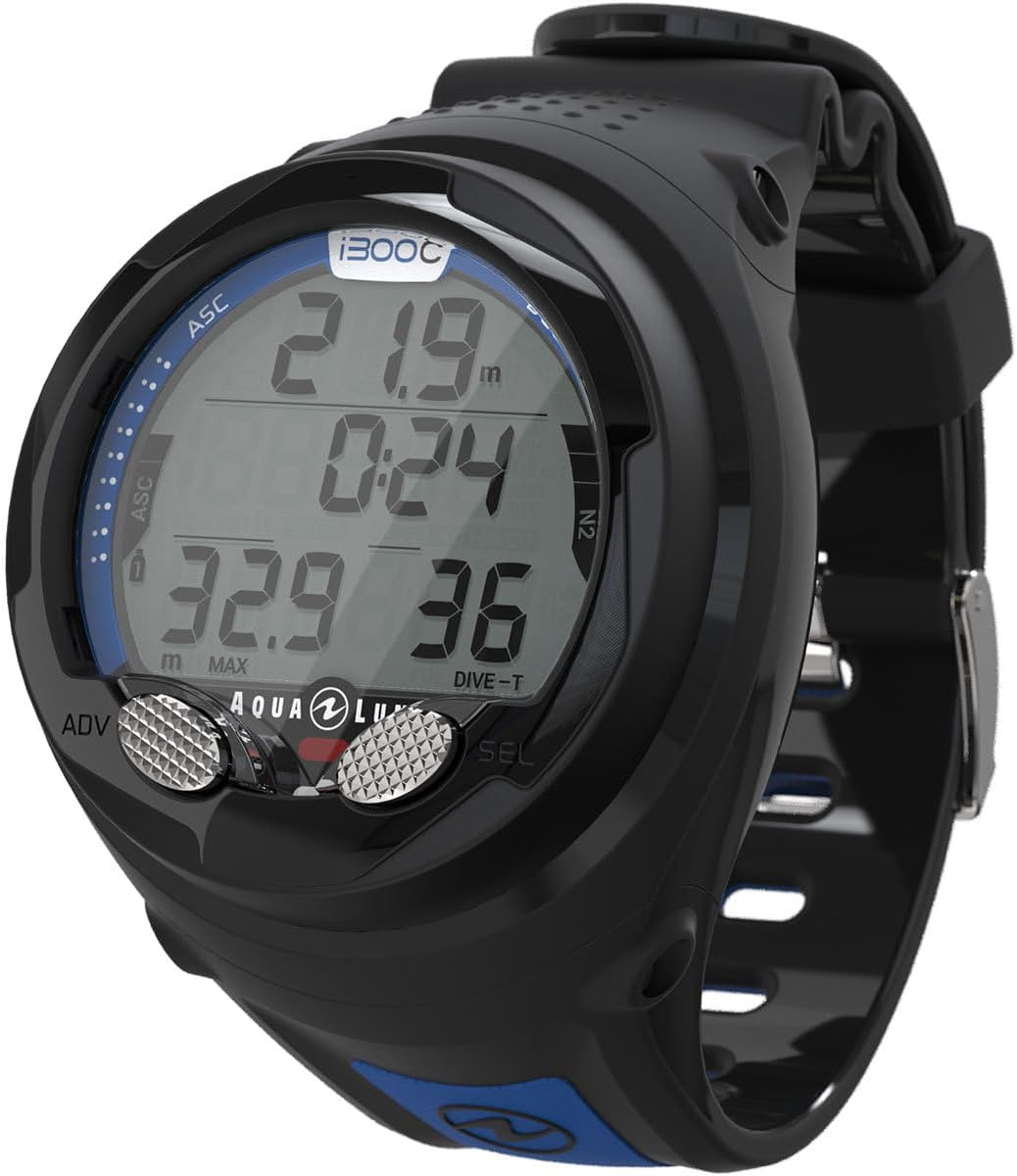
Image: The Aqualung i300C dive computer worn on a diver's wrist, showing its compact design and clear display underwater.
5. Maintenance and Care
Proper maintenance ensures the longevity and reliability of your Aqualung i300C dive computer.
- Rinse After Use: After each dive, rinse the computer thoroughly with fresh water to remove salt, chlorine, and other debris.
- Dry Completely: Allow the computer to air dry completely before storage.
- Battery Replacement: Replace the battery as indicated by the low battery warning or annually, even if not frequently used. Always ensure the O-ring is clean and properly seated when replacing the battery.
- Storage: Store the dive computer in a cool, dry place away from direct sunlight and extreme temperatures.
- Inspection: Regularly inspect the computer for any signs of damage, cracks, or wear on the strap and casing.
6. Troubleshooting
| Problem | Possible Cause | Solution |
|---|---|---|
| Computer does not turn on. | Low or dead battery. | Replace the battery. Ensure correct polarity. |
| Bluetooth pairing fails. | Bluetooth not enabled on computer or phone; app issues. | Ensure Bluetooth is ON on both devices. Restart the app and computer. Check app permissions. |
| Inaccurate depth readings. | Sensor obstruction or damage. | Clean the depth sensor. If problem persists, contact Aqualung support. |
| Display is dim or unreadable. | Low battery; backlight setting. | Replace battery. Adjust backlight settings in the menu. |
7. Specifications
- Operating System: Proprietary OS
- Special Feature: Dive Computer
- Battery Capacity: 1 Ampere/hour
- Connectivity Technology: Bluetooth
- Wireless Communication Standard: Bluetooth
- Battery Cell Composition: Lithium Metal
- GPS: No GPS
- Shape: Rectangular
- Screen Size: 9 Inches (Note: This measurement appears unusually large for a dive computer and may be a data entry anomaly.)
- Water Resistance Level: Waterproof
- User Interface Interaction Type: Buttons
- Supported Application: DiverLog+, reminders, social media messages
- Water Resistance Depth: 100 Meters
- Altimeter: Yes
- Closure Type: Buckle
- Strap Material: Silicone
- Compatible Devices: Smartphone, Tablet, Laptop
- Compatible Phone Models: Compatible with iOS and Android devices
- Item Weight: 1 Kilogram
- Item Dimensions: 22.9 x 22.9 x 17.8 cm
- Model Number: NS115134
- UPC: 053242340670

Image: Technical drawing showing the dimensions of the Aqualung i300C Dive Computer.
8. Warranty and Support
8.1. Product Warranty
Aqualung provides a warranty against manufacturing defects and material flaws. This warranty does not cover damage resulting from improper use or failure to store the equipment according to the guidelines. The warranty is void if the product is modified by unauthorized personnel or facilities. This warranty does not extend to products sold for commercial or military use.
Dive center equipment (rental/training) is guaranteed for 1 year from the date of purchase against material and/or workmanship defects, provided the product is used and stored correctly.
Customers benefit from a legal guarantee of conformity, covering defects existing at the time of delivery, packaging, assembly instructions, or installation. This guarantee can be invoked within two years of product delivery. Defects appearing within this period are presumed to have existed at delivery, unless proven otherwise. Customers can choose between repair or replacement, unless one option is disproportionately costly. If neither is possible, a full or partial refund will be offered. Any product repaired under this guarantee receives a six-month extension. If the consumer chooses repair but the seller fails to perform it, replacement will initiate a new legal guarantee period.
Customers also benefit from a guarantee against hidden defects, which must be invoked within two years of discovery and five years from the purchase date. Options include sales cancellation or price reduction. Proof of purchase (invoice or receipt with date and purpose) is essential for claiming warranty.
8.2. Customer Support
For warranty claims or support, contact Aqualung Customer Service if purchased directly from www.aqualung.com, or the authorized Aqualung retailer where the purchase was made. Products serviced or repaired by unauthorized retailers are not covered by the aforementioned warranties.


