
1. Introduction
This manual provides detailed instructions for the operation and maintenance of your Picun P26 Bluetooth Over-Ear Headphones. Designed for superior audio quality and comfort, these headphones offer versatile connectivity options including Bluetooth 5.0, wired audio, and TF card playback. Please read this manual carefully before use to ensure proper functionality and to maximize your listening experience.
2. Package Contents
Upon opening your Picun P26 headphone package, please verify that all the following items are included:
- Picun P26 Bluetooth Headphones
- USB Charging Cable
- 3.5mm Audio Cable
- User Manual
3. Product Features
- Hi-Fi Stereo Sound: Equipped with dual 40mm large aperture driver units and Bluetooth 5.0 technology for stable transmission, low latency, and high-fidelity stereo sound. The ear cushions are designed to provide an immersive audio experience.
- Extended Playtime: Enjoy up to 80 hours of talk time or music playback in wireless mode thanks to the high-performance rechargeable battery.
- Comfort-Oriented Design: Features memory protein ear cushions that mimic human skin texture for lasting comfort and durability. The stainless steel slider and softly padded headband ensure a comfortable fit for various head sizes. Regular breaks (every 1-2 hours) are recommended for optimal comfort.
- Integrated Microphone and Controls: A built-in microphone allows for clear, high-definition calls in wireless mode. On-ear controls enable easy management of music playback and phone calls.
- Ergonomic and Foldable: Adjustable headband and cushioned ear pads ensure a perfect fit. The lightweight and foldable design makes the headphones portable and easy to store.
- Multiple Playback Modes: Supports Bluetooth wireless, 3.5mm wired audio (audio cable included for continuous listening even when the battery is depleted), and TF card MP3 playback.
4. Controls and Functions

Image 4.1: Headphone Controls Layout
This image illustrates the various buttons and ports located on the earcups of the Picun P26 headphones, including the power switch, charging port, audio jack, microphone, TF card slot, and multi-function buttons for volume, track control, and mode switching.
- ON/OFF Switch: Slide to power the headphones on or off.
- Charging Port (USB): Connect the USB charging cable here to recharge the headphones.
- Audio Jack (AUX): Insert the 3.5mm audio cable for wired listening.
- HD Microphone: For hands-free calls.
- TF Port: Insert a TF (MicroSD) card for MP3 playback.
- LED Indicator: Displays status (e.g., pairing, charging, power on).
- Volume - / Previous Track: Short press for volume down; long press for previous track.
- Play/Pause / Answer/Hang Up: Press to play/pause music or answer/end calls.
- Volume + / Next Track: Short press for volume up; long press for next track.
- Mode Switch (M): Press to switch between Bluetooth, TF Card, and FM Radio modes (if applicable).
5. Setup and Operation
5.1. Charging the Headphones
Before first use, fully charge your Picun P26 headphones. Connect the provided USB charging cable to the charging port on the headphones and the other end to a USB power source (e.g., computer, wall adapter). The LED indicator will show charging status and turn off or change color when fully charged.
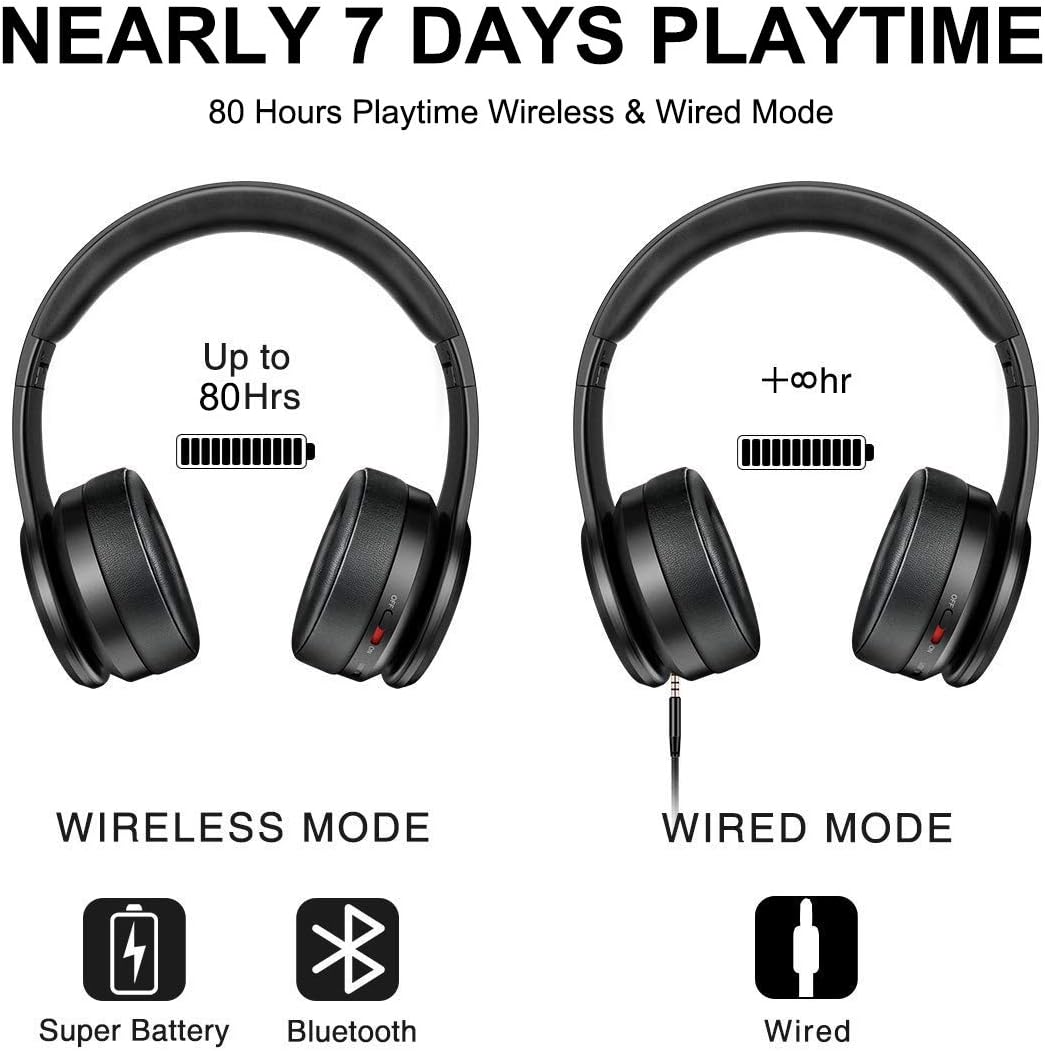
Image 5.1: Wireless and Wired Playtime
This image illustrates the impressive 80-hour playtime capability of the Picun P26 headphones in both wireless and wired modes, emphasizing battery longevity.
A full charge provides up to 80 hours of playtime.
5.2. Bluetooth Pairing
- Ensure the headphones are fully charged.
- Slide the ON/OFF switch to the "ON" position. The LED indicator will flash, indicating pairing mode.
- On your device (smartphone, tablet, computer), enable Bluetooth and search for available devices.
- Select "P26" from the list of found devices.
- Once connected, the LED indicator will stop flashing or show a steady light, and you will hear an audible confirmation.
Note: For TVs without built-in Bluetooth, a Bluetooth transmitter is required.

Image 5.2: Hi-Fi Stereo Sound Technology
This image highlights the Bluetooth V5.0 connectivity and Neodymium drivers that contribute to the Hi-Fi stereo sound quality of the Picun P26 headphones.
5.3. Wired Mode (AUX)
To use the headphones in wired mode, connect one end of the 3.5mm audio cable to the AUX jack on the headphones and the other end to your audio source. This mode works even if the headphone battery is depleted.
5.4. TF Card MP3 Mode
Insert a TF (MicroSD) card loaded with MP3 audio files into the TF port on the headphones. The headphones will automatically switch to TF card mode and begin playing music. Use the control buttons to manage playback.

Image 5.3: Multiple Operating Modes
This image demonstrates the versatility of the Picun P26 headphones, showcasing their TF card, wired, and Bluetooth modes, along with their foldable design.
6. Maintenance
- Clean the headphones regularly with a soft, dry cloth.
- Avoid exposing the headphones to extreme temperatures, humidity, or direct sunlight.
- Do not use abrasive cleaners or solvents.
- Store the headphones in a cool, dry place when not in use. The foldable design helps with compact storage.
- To maintain ear cushion integrity, avoid prolonged pressure or sharp objects.

Image 6.1: Ergonomic Design Details
This image provides a detailed view of the ergonomic features of the Picun P26 headphones, including the soft memory-protein earmuffs, adjustable headband, and soft sung pad, all contributing to user comfort.
7. Troubleshooting
| Problem | Possible Cause | Solution |
|---|---|---|
| Headphones do not power on. | Battery is depleted. | Charge the headphones using the provided USB cable. |
| Cannot pair via Bluetooth. | Headphones not in pairing mode; device Bluetooth off; too far from device. | Ensure headphones are on and LED is flashing; enable Bluetooth on your device; move closer to the device (within 10 meters). |
| No sound in Bluetooth mode. | Volume too low; headphones not connected; incorrect audio output selected on device. | Increase headphone and device volume; re-pair headphones; check device audio settings. |
| Sound distortion. | Volume too high; weak Bluetooth signal. | Lower volume; move closer to the Bluetooth source. |
| On/Off switch is stuck. | Mechanical issue with the switch. | Gently try to dislodge the switch. If persistent, contact customer support. |
8. Specifications
- Model Name: P26
- Brand: Picun
- Connectivity Technology: Wireless (Bluetooth), Wired (3.5 mm Jack)
- Wireless Communication Technology: Bluetooth 5.0
- Bluetooth Range: 10 Meters
- Audio Driver Type: Dynamic Driver
- Audio Driver Size: 40 Millimeters
- Battery Life: Up to 80 Hours
- Earpiece Shape: Over-ear
- Control Type: Call Control, Touch
- Item Weight: 7 ounces (0.44 Pounds)
- Product Dimensions: 6.69 x 3.14 x 7.08 inches
- Compatible Devices: Smartphones, Tablets, Computers, TVs (with Bluetooth transmitter)
9. Official Product Videos
Picun P26 Bluetooth Headphones Overview
This video provides a comprehensive overview of the Picun P26 Bluetooth Headphones, showcasing their design, key features, and highlighting the 80-hour playtime. It demonstrates the product's aesthetic and functional aspects.
Picun P26 Features and Design
This video details the various features and ergonomic design of the Picun P26 headphones, including the comfortable earcups, adjustable headband, and multi-mode functionality. It offers a closer look at the product's build quality and user-friendly aspects.
10. Warranty and Support
Picun products are designed for durability and performance. For specific warranty information, please refer to the warranty card included in your product packaging or visit the official Picun website. For technical support, troubleshooting assistance, or inquiries about your Picun P26 headphones, please contact Picun customer service through their official channels.


