
Introduction
Thank you for choosing the Anker Soundcore Flare Portable Bluetooth Speaker. This manual provides essential information for setting up, operating, and maintaining your speaker. The Soundcore Flare delivers 360° sound, enhanced bass with BassUp™ technology, customizable ambient LED lighting, and features an IPX7 waterproof rating for versatile use.
1. Setup
1.1 Charging Your Speaker
Before first use, fully charge your Soundcore Flare speaker. The speaker uses a USB Type-C charging cable.
- Connect the USB Type-C cable to the charging port on the speaker.
- Connect the other end of the cable to a compatible USB power adapter (not included).
- The LED indicator will show charging status.
1.2 Bluetooth Pairing
To connect your Soundcore Flare speaker to a Bluetooth device:
- Power on the speaker by pressing the power button. The Bluetooth indicator will flash.
- On your device (smartphone, tablet, etc.), enable Bluetooth and search for "Soundcore Flare" in the list of available devices.
- Select "Soundcore Flare" to connect. Once connected, the Bluetooth indicator will turn solid blue.

Image: Two Soundcore Flare speakers providing powerful all-around sound in a living room.
2. Operating Instructions
2.1 Power On/Off
Press and hold the power button to turn the speaker on or off.
2.2 Volume Control
Adjust the volume using the volume buttons on the speaker or directly from your connected Bluetooth device.
2.3 BassUp™ Technology
Press the BassUp™ button to activate or deactivate intensified, powerful bass. This feature enhances the low-frequency output for a richer audio experience.

Image: A Soundcore Flare speaker demonstrating BassUp™ Technology for enhanced bass.
2.4 Ambient LED Light Modes
The Soundcore Flare features customizable beat-driven LED lighting. Use the dedicated light button on the speaker or the Soundcore app to cycle through different light modes and colors.

Image: The Soundcore Flare speaker's base with its beat-driven light show, offering customizable illumination.
2.5 Wireless Stereo Pairing
You can pair two Soundcore Flare speakers for an enhanced audio experience:
- Boost Mode: Pair two speakers to double the audio power, filling a larger space with sound.
- Stereo Mode: Pair two speakers to achieve true left and right stereo separation for an immersive listening experience.

Image: Two Soundcore Flare speakers used in 'Boost Mode' to amplify sound for a lively atmosphere.
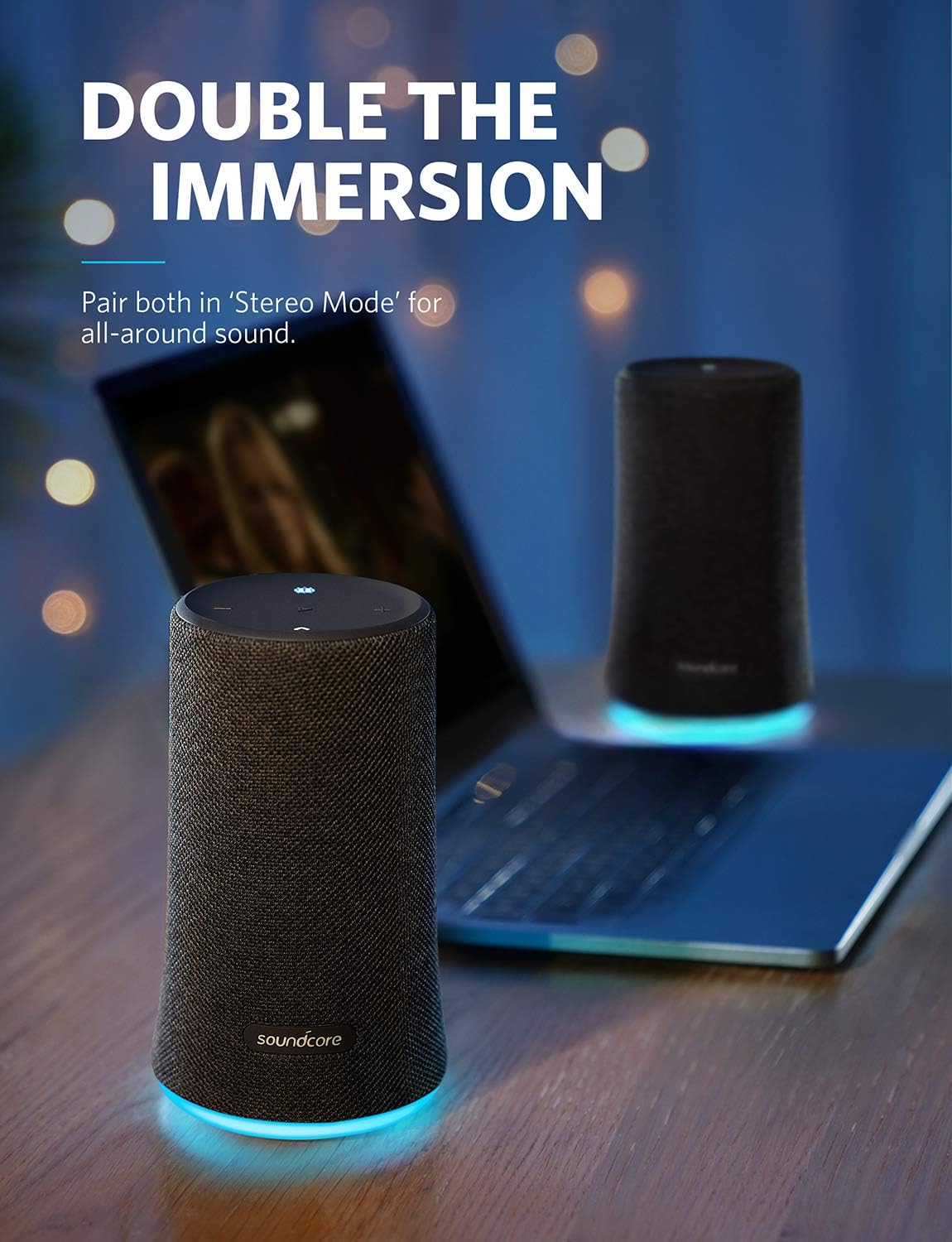
Image: Two Soundcore Flare speakers paired in 'Stereo Mode' for a double immersion audio experience.
3. Maintenance
3.1 Cleaning
To clean your speaker, use a soft, damp cloth. Avoid using harsh chemicals or abrasive materials.
3.2 Waterproof Rating (IPX7)
The Soundcore Flare speaker has an IPX7 waterproof rating, meaning it can be submerged in up to 1 meter of water for up to 30 minutes. Ensure the charging port cover is securely closed before exposing the speaker to water.

Image: The Soundcore Flare speaker is shown in water, highlighting its IPX7 waterproof design, suitable for poolside use.
4. Troubleshooting
4.1 Speaker Not Powering On
Ensure the speaker is fully charged. Connect it to a power source and allow it to charge for at least 30 minutes before attempting to power it on again.
4.2 Unable to Pair via Bluetooth
- Ensure the speaker is in pairing mode (Bluetooth indicator flashing).
- Make sure your device's Bluetooth is enabled and within range (up to 10 meters).
- Try forgetting "Soundcore Flare" from your device's Bluetooth settings and re-pairing.
- Restart both the speaker and your Bluetooth device.
4.3 No Sound or Low Volume
- Check the volume levels on both the speaker and your connected device.
- Ensure the speaker is properly paired and connected.
- If using wireless stereo pairing, ensure both speakers are correctly linked.
4.4 Speaker Reset
If you experience persistent issues, you can try resetting the speaker. To reset the Soundcore Flare, hold down the "Boost" and "Play" buttons on the top of the speaker simultaneously for at least 8 seconds.
5. Specifications
| Model Name | Flare |
| Item Model Number | AK-B3161011 |
| Brand | Anker |
| Speaker Type | Outdoor |
| Special Feature | Portable |
| Connectivity Technology | Bluetooth |
| Wireless Communication Technology | Bluetooth |
| Bluetooth Range | 10 Meters |
| Audio Output Mode | Stereo |
| Speaker Maximum Output Power | 50 Watts |
| Water Resistance Level | Waterproof (IPX7) |
| Power Source | Battery Powered (1 Lithium Ion battery included) |
| Item Weight | 1.17 Pounds |
| Product Dimensions | 9.3"D x 7.1"W x 9.3"H |
| Material | Plastic or Rubber |
| Control Method | App |
| UPC | 848061055979 |
6. Warranty Information
The Anker Soundcore Flare speaker comes with a limited warranty. For detailed information regarding warranty coverage, terms, and conditions, please refer to the warranty card included with your product or visit the official Anker Soundcore website.
7. Customer Support
For technical assistance, product inquiries, or customer service, please contact Anker customer support through their official website or the contact information provided in your product packaging. You can also visit the Anker Store on Amazon for more information.


