Introduction
This manual provides essential instructions for the safe and efficient operation, maintenance, and troubleshooting of your new BLACK+DECKER 2200 Watt Steam Iron, Model BXIR2202IN. Please read this manual thoroughly before first use and keep it for future reference.

Image: Main view of the BLACK+DECKER 2200 Watt Steam Iron.
Safety Instructions
- Always ensure the iron is unplugged before filling or emptying the water tank, and when not in use.
- Do not leave the iron unattended while it is switched on or connected to the power supply.
- Keep the iron and its cord out of reach of children and pets.
- Use the iron on a stable, heat-resistant surface.
- Do not immerse the iron, cord, or plug in water or other liquids.
- If the supply cord is damaged, it must be replaced by the manufacturer, its service agent, or similarly qualified persons to avoid a hazard.
- This appliance is not intended for use by persons (including children) with reduced physical, sensory or mental capabilities, or lack of experience and knowledge, unless they have been given supervision or instruction concerning use of the appliance by a person responsible for their safety.
- Children should be supervised to ensure that they do not play with the appliance.
- The iron must be used and rested on a stable surface.
- When placing the iron on its stand, ensure that the surface on which the stand is placed is stable.
- Do not use the iron if it has been dropped, if there are visible signs of damage, or if it is leaking.
Product Features
- Efficient Power: 2200-watt power rating for fast and consistent performance.
- Anti-Drip Feature: Prevents water from dripping from the soleplate, even if the steam level is not reached, protecting your garments from water stains.
- Ceramic Coated Soleplate: Ensures even heat distribution and smooth gliding over all fabric types.
- Steam Output: Continuous steam output of 35 g/min and a powerful steam boost of 9 g/min for effective crease removal.
- Lightweight Design: Weighs approximately 1.4 kg for ease of use during ironing sessions.
- Water Tank Capacity: Equipped with a 380 ml water tank for extended ironing without frequent refills.
- Cord Length: 1.8-meter cord for better reach and flexibility.
- Vertical Steam: Ideal for steaming hanging fabrics, curtains, and delicate garments.
- Steam Burst & Spray Function: Provides powerful bursts of steam and a fine spray for tackling stubborn creases.
- Triple Precision Tip: Designed for easy navigation around buttons, pleats, and corners for precise ironing.
- Self-Clean Function: Helps remove calcium buildup and other impurities from the steam iron, ensuring optimal performance and prolonging lifespan.
- Auto Shutoff: Enhances safety by automatically turning off the iron when left unattended.

Image: Diagram illustrating the advantages of the ceramic soleplate, including even heat distribution, friction-free glide, and durability.

Image: Icons representing key functions: Anti-drip, Self-clean, Higher Wattage for Faster Steaming, and Anti-calc.

Image: Overview of key features including 2200W power, adjustable temperature, steam burst/spray, anti-drip, 380ml water tank, and fast heat-up.
Setup
- Unpacking: Carefully remove the iron from its packaging. Retain packaging for storage or return if necessary.
- First Use: Before using for the first time, remove any labels or protective foil from the soleplate. It is normal for a slight odor or smoke to be emitted during the first few minutes of use as manufacturing residues burn off.
- Filling the Water Tank:
- Ensure the iron is unplugged.
- Open the water tank cover.
- Using a measuring cup, fill the water tank with clean tap water up to the 'MAX' mark. Do not overfill.
- Close the water tank cover securely.
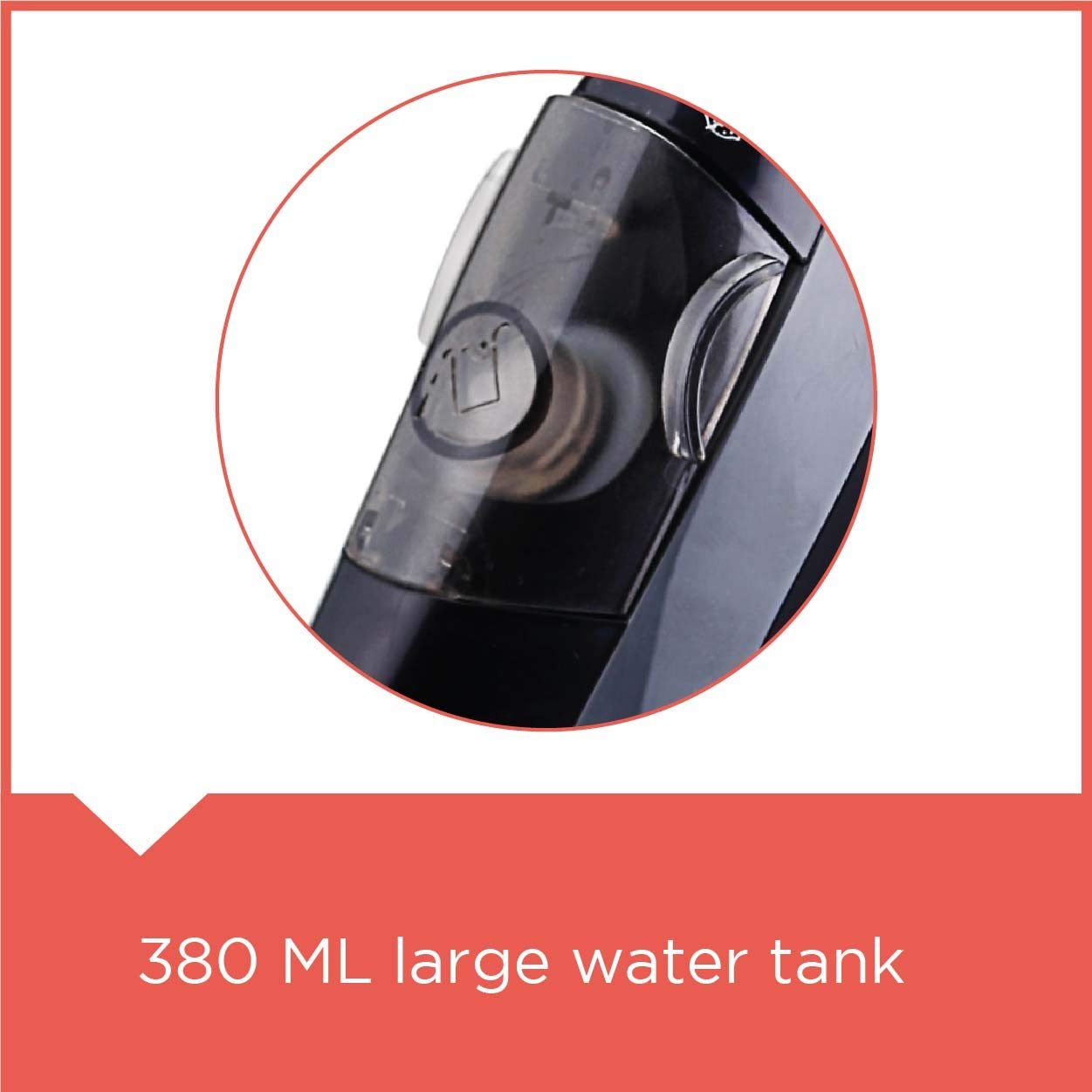
Image: Close-up of the 380 ml water tank opening.

Image: Demonstrating how to fill the water tank of the steam iron.
- Connecting to Power: Plug the iron into a suitable 16 Amp electrical outlet.
Operating Instructions
- Temperature Selection: Turn the temperature dial to select the appropriate heat setting for your fabric type. Refer to the fabric care labels on your garments.

Image: Close-up of the variable temperature and steam control dial.
- Heating Up: The indicator light will illuminate, indicating the iron is heating. It will turn off when the desired temperature is reached.
- Dry Ironing: For dry ironing, ensure the steam control is set to the 'OFF' position.
- Steam Ironing:
- Once the iron reaches the selected temperature, adjust the steam control to the desired steam level.
- Move the iron smoothly over the fabric. The continuous steam output will help remove creases.
- Steam Burst: For stubborn creases, press the steam burst button. This releases a powerful shot of steam. Wait a few seconds between bursts to allow the steam to regenerate.
Video: Demonstrates the steam burst function of the iron.
- Spray Function: Press the spray button to release a fine mist of water, which can help dampen fabric for easier ironing.
- Vertical Steam: Hold the iron vertically, about 15-30 cm away from the fabric. Press the steam burst button to release steam for vertical steaming of hanging garments or curtains.
Video: Shows the steam iron in operation, highlighting its features and ease of use.
- Finishing: After ironing, set the temperature dial to 'OFF', unplug the iron, and allow it to cool down completely before storing.
Maintenance
- Emptying the Water Tank: After each use, ensure the iron is unplugged and cooled. Empty any remaining water from the tank to prevent mineral buildup.
- Cleaning the Soleplate:
- Allow the iron to cool completely.
- Wipe the soleplate with a damp cloth and a non-abrasive cleaner if necessary.
- Do not use abrasive scouring pads or harsh cleaners as they can damage the ceramic coating.
- Self-Clean Function:
- Fill the water tank to the MAX level.
- Set the steam control to 'OFF' and the temperature dial to 'MAX'.
- Plug in the iron and wait for the indicator light to go out.
- Unplug the iron.
- Hold the iron horizontally over a sink. Press and hold the self-clean button. Hot water and steam will be expelled from the soleplate, flushing out mineral deposits.
- Gently shake the iron back and forth until the water tank is empty.
- Plug in the iron again and let it heat up to dry the soleplate.
- Unplug and let it cool before storing. Perform this function monthly or as needed.
- Storage: Store the iron upright on its heel rest in a cool, dry place. Ensure the cord is neatly wrapped and not tightly coiled.
Troubleshooting
| Problem | Possible Cause | Solution |
|---|---|---|
| Iron does not heat up. | Not plugged in; power outlet faulty; temperature dial set to 'OFF'. | Check power connection; try another outlet; set temperature dial to desired heat. |
| Water leaks from soleplate. | Temperature too low for steam; water tank overfilled; anti-drip system engaged. | Increase temperature setting; do not overfill water tank; ensure iron is hot enough for steam. |
| No steam or insufficient steam. | Water tank empty; steam control set to 'OFF'; temperature too low; mineral buildup. | Fill water tank; adjust steam control; increase temperature; perform self-clean function. |
| White flakes on garments. | Mineral deposits in water tank/steam vents. | Perform self-clean function. Use distilled water in areas with hard water. |
Specifications
- Brand: BLACK+DECKER
- Model Name: BXIR2202IN
- Power: 2200 Watts
- Water Tank Capacity: 380 ml
- Soleplate Type: Non-stick Ceramic Coated
- Special Features: Anti-Drip, Self-Clean, Vertical Steam, Steam Burst, Spray Function, Auto Shutoff
- Cord Length: 1.8 meters
- Product Dimensions: 31.5L x 12.5W Centimeters
- Item Weight: 1 kg 210 g
- Operating Voltage: 220 - 240 volts
- Plug Type: 16 Amp
Warranty and Support
This BLACK+DECKER Steam Iron (Model BXIR2202IN) comes with a 2-year warranty from the date of purchase. Please retain your purchase receipt as proof of warranty.

Image: Warranty information for the product.
For warranty claims, technical support, or service inquiries, please contact BLACK+DECKER customer service. Contact details can typically be found on the product packaging or the official BLACK+DECKER website for your region. In India, you may contact Stovekraft Limited at 1800-425-66666.


