
CrossBeats CB-AIR
CrossBeats Air True Wireless Bluetooth Earphones CB-AIR User Manual
Model: CB-AIR
1. Product Overview
The CrossBeats Air are True Wireless Bluetooth Earphones designed for audio playback and communication. They feature a compact design, Bluetooth 5.0 connectivity, and come with a portable charging dock.

Image 1.1: CrossBeats Air True Wireless Bluetooth Earphones and their charging case.
Key Features:
- True Wireless Design: Freedom from cables for an unhindered audio experience.
- Bluetooth 5.0: Advanced connectivity for stable and efficient performance.
- Beryllium Drivers: Engineered for crisp and clear audio output.
- Portable Charging Dock: Provides additional charges for extended use.
- Water Resistant: Designed to withstand splashes and sweat (IPX5 rating).
- Voice Assistant Compatibility: Supports Siri and Google Assistant.
- Multi-point Function: Connects to two mobile phones simultaneously.
2. Package Contents
Ensure all items are present in the package:
- CrossBeats Air True Wireless Earphones (Left and Right)
- Portable Charging Case
- Ear Cushions (various sizes)
- User Manual (this document)
3. Safety Information
Warning: Permanent hearing loss may result from long-term exposure to sound at high volumes. Use the lowest possible volume and avoid prolonged use of the headsets at excessive sound pressure levels.
4. Setup
4.1 Initial Charging
Before first use, fully charge the earphones and the charging case. The earphones need to be fully charged for optimal performance.
- Place the earphones into the charging case, ensuring they are correctly seated in their respective slots (L for left, R for right).
- Connect the charging case to a power source using a compatible USB cable (not explicitly mentioned in components, but implied for charging).
- The indicator lights on the earphones and/or case will show charging status. Refer to the indicator light section for details (if available, otherwise general statement).
- Charging time is approximately 2 hours for a full charge.

Image 4.1: Earphones placed in the charging case for charging.
The charging case provides up to 3 additional full charges for the earphones, extending playback time to 3-4 hours per charge cycle.
4.2 Bluetooth Pairing
The CrossBeats Air earphones feature intelligent auto-pairing for convenience.
- Power On: Remove both earphones from the charging case. They will automatically power on and enter pairing mode.
- Activate Bluetooth: On your device (smartphone, tablet, laptop), enable Bluetooth.
- Search for Devices: In your device's Bluetooth settings, search for available devices.
- Select "CrossBeats Air": From the list of found devices, select "CrossBeats Air" to connect.
- Confirmation: Once connected, a voice prompt or indicator light change will confirm successful pairing.

Image 4.2: Earphones in the charging case, illustrating the intelligent auto-pairing feature.
The earphones support multi-point function, allowing connection to two mobile phones simultaneously.
5. Operating Instructions
The CrossBeats Air earphones utilize a single button operation for various functions.

Image 5.1: Diagram illustrating the single button controls for music, calls, and voice interaction.
5.1 Power On/Off
- Power On: Remove earphones from the charging case. They will power on automatically.
- Power Off: Place earphones back into the charging case. They will power off automatically.
5.2 Music Control
- Play/Pause: Double-click the button on either the Left (L) or Right (R) earphone.
- Next Track: Click the button on the Right (R) earphone.
- Previous Track: Click the button on the Left (L) earphone.
- Volume Up: (Specific instruction not detailed in diagram, typically long press or multiple clicks on one earbud).
- Volume Down: (Specific instruction not detailed in diagram, typically long press or multiple clicks on the other earbud).
5.3 Call Management
- Answer/End Call: (Specific instruction not detailed in diagram, typically single click).
- Reject Call: (Specific instruction not detailed in diagram, typically long press).
5.4 Voice Assistant
The earphones are compatible with Siri and Google Assistant.
- Activate Voice Assistant: Double-click the button on the Left (L) earphone. You can then issue commands like "Hey Siri, Play music" or "Ok Google, What's the weather?".

Image 5.2: Activating voice assistance (Siri shown) using the earphones.
6. Maintenance
Proper maintenance ensures the longevity and performance of your CrossBeats Air earphones.
- Cleaning: Gently wipe the earphones and charging case with a soft, dry cloth. Avoid using harsh chemicals or abrasive materials.
- Storage: When not in use, store the earphones in their charging case to protect them and keep them charged.
- Water Resistance: The earphones are water resistant (IPX5), meaning they can withstand splashes and sweat. Do not submerge them in water. Ensure they are dry before placing them back in the charging case.
- Battery Care: To preserve battery life, avoid fully discharging the earphones and charging case frequently. Charge them regularly.
Image 6.1: The earphones are designed with IPX5 splash and dust protection.
7. Troubleshooting
If you encounter issues with your CrossBeats Air earphones, refer to the following common solutions:
- Earphones not pairing:
- Ensure both earphones are fully charged.
- Place them back in the case, then remove them to re-initiate pairing mode.
- Turn off and on Bluetooth on your device.
- Forget "CrossBeats Air" from your device's Bluetooth list and try pairing again.
- No sound from one earphone:
- Ensure both earphones are charged.
- Try resetting the earphones (refer to manufacturer's specific reset instructions if available, otherwise re-pair).
- Charging case not charging earphones:
- Ensure the charging case itself is charged.
- Verify the earphones are correctly seated in the case.
- Clean the charging contacts on both the earphones and the case with a dry cotton swab.
- Poor sound quality:
- Ensure the earphones are properly seated in your ears. Try different sized ear cushions.
- Check the audio source quality.
- Move closer to your connected device to avoid interference.
8. Specifications
| Model | CB-AIR |
| Connectivity Technology | Bluetooth 5.0 |
| Audio Driver Type | Balanced Armature Driver |
| Special Features | Apt-X Codec with Original CSR Chipset, Voice Prompt, iOS battery capacity display, Multi-point function |
| Operating Range | Up to 10 meters |
| Charging Time | Approximately 2 Hours |
| Playback Time | 3 to 4 hours (plus 3 additional charges from case) |
| Standby Time | 100 Hours |
| Water Resistance Level | Water Resistant (IPX5) |
| Item Weight | 4.6 Grams (per earphone) |
| Product Dimensions | 4.5 x 4 x 3 cm |
| Battery Type | Lithium Ion |
| Compatible Devices | Cellphones, Desktops, Laptops, Macbook, Smart TV, Tablets iPads, Xbox & PS4, iPhone |
| Control Type | Voice Control, Touch |
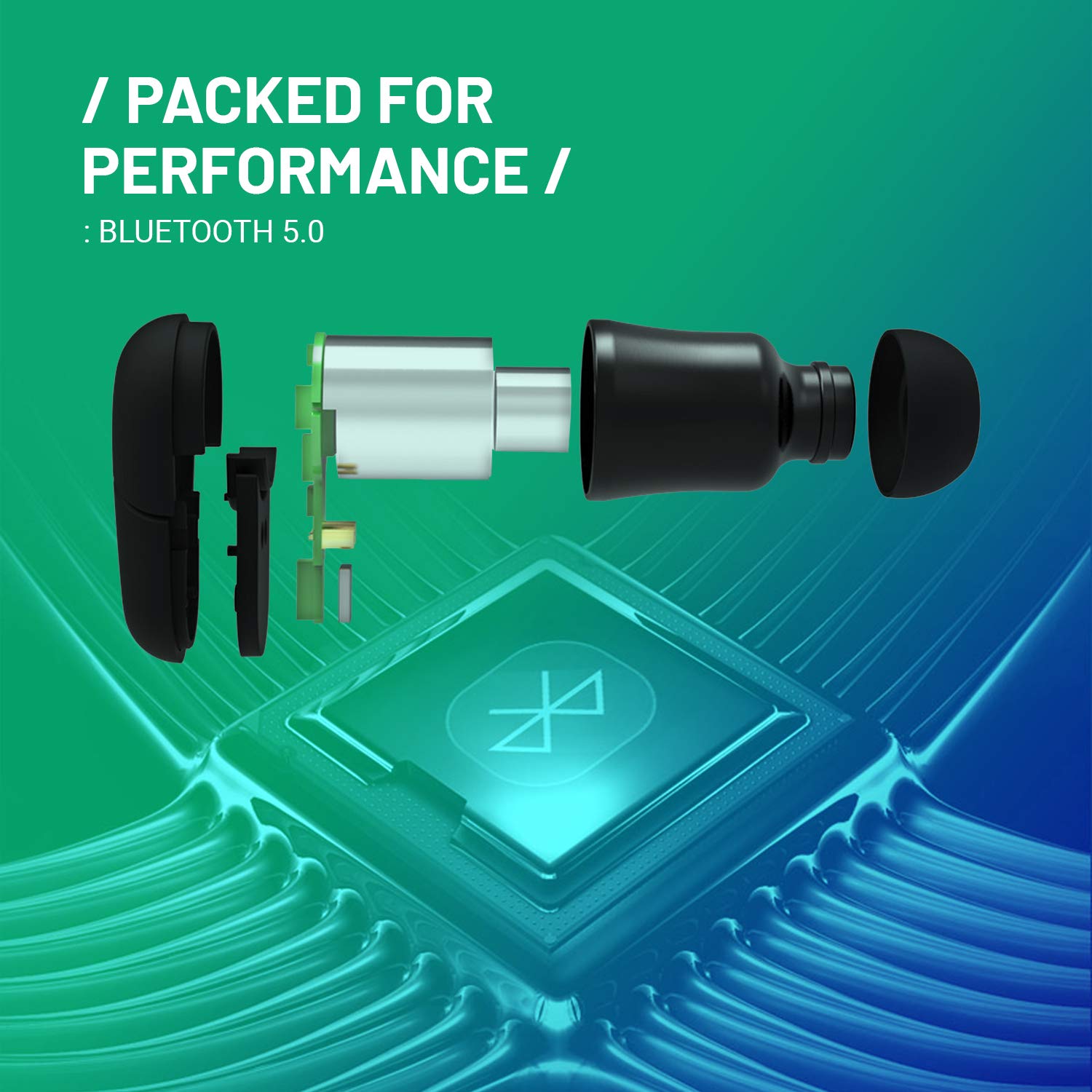
Image 8.1: Internal components of the earphone, showcasing Bluetooth 5.0 technology.
9. Warranty and Support
9.1 Warranty Information
The CrossBeats Air earphones come with a 6 Months Replacement Warranty on manufacturing defects. To avail of the warranty and lifetime product support, it is recommended to register your product on the official CrossBeats Website within 10 days of your purchase.
Note: Warranty terms and conditions apply. Please refer to the official CrossBeats website for complete details.
9.2 Customer Support
For any queries, technical assistance, or warranty claims, please contact CrossBeats customer care:
- Customer Care Number: 9611 293 293
- Manufacturer: CrossBeats
Related documentsCB-AIR


Ask a question about this manual
Ask about setup, troubleshooting, compatibility, parts, safety, or missing instructions. Manuals+ will review the question and use this page’s manual context to help answer it.