
1. Introduction
This instruction manual provides essential information for the safe and efficient operation of your Alphasonik PRO Venum Series V815BT Powered DJ Speaker. Please read this manual thoroughly before using the product and retain it for future reference. Proper understanding of these instructions will ensure optimal performance and longevity of your speaker system.
2. Safety Information
WARNING: RISK OF ELECTRIC SHOCK. DO NOT OPEN.
- Ensure the power supply voltage matches the requirements specified on the unit (AC110V/240V, 50/60Hz). Use the voltage selector switch on the rear panel to select the correct voltage for your region.
- Do not expose this appliance to rain or moisture to prevent fire or shock hazards.
- Do not place objects filled with liquids, such as vases, on the apparatus.
- Do not block any ventilation openings. Install in accordance with the manufacturer's instructions.
- Protect the power cord from being walked on or pinched, particularly at plugs, convenience receptacles, and the point where they exit from the apparatus.
- Only use attachments/accessories specified by the manufacturer.
- Refer all servicing to qualified service personnel. Servicing is required when the apparatus has been damaged in any way, such as power-supply cord or plug is damaged, liquid has been spilled or objects have fallen into the apparatus, the apparatus has been exposed to rain or moisture, does not operate normally, or has been dropped.
3. Product Overview
The Alphasonik PRO Venum Series V815BT is a high-performance 15-inch powered DJ speaker designed for various applications including DJ performances, live events, parties, and both indoor and outdoor use. It features 1000 Watts of maximum output power, versatile connectivity options, and a 5-band graphic equalizer for personalized sound.
Key Features:
- Powerful Audio: 15-inch woofer with 1000 Watts maximum output power for robust sound.
- Multiple Connectivity: Bluetooth, USB, SD Card, Auxiliary (3.5mm), RCA, and XLR inputs.
- Sound Customization: Integrated 5-band graphic equalizer.
- Versatile Placement: Designed for use as a main speaker, stage monitor, or mounted on a speaker stand.
- Durable Design: Robust construction with multiple handles for easy transport.
Product Views:


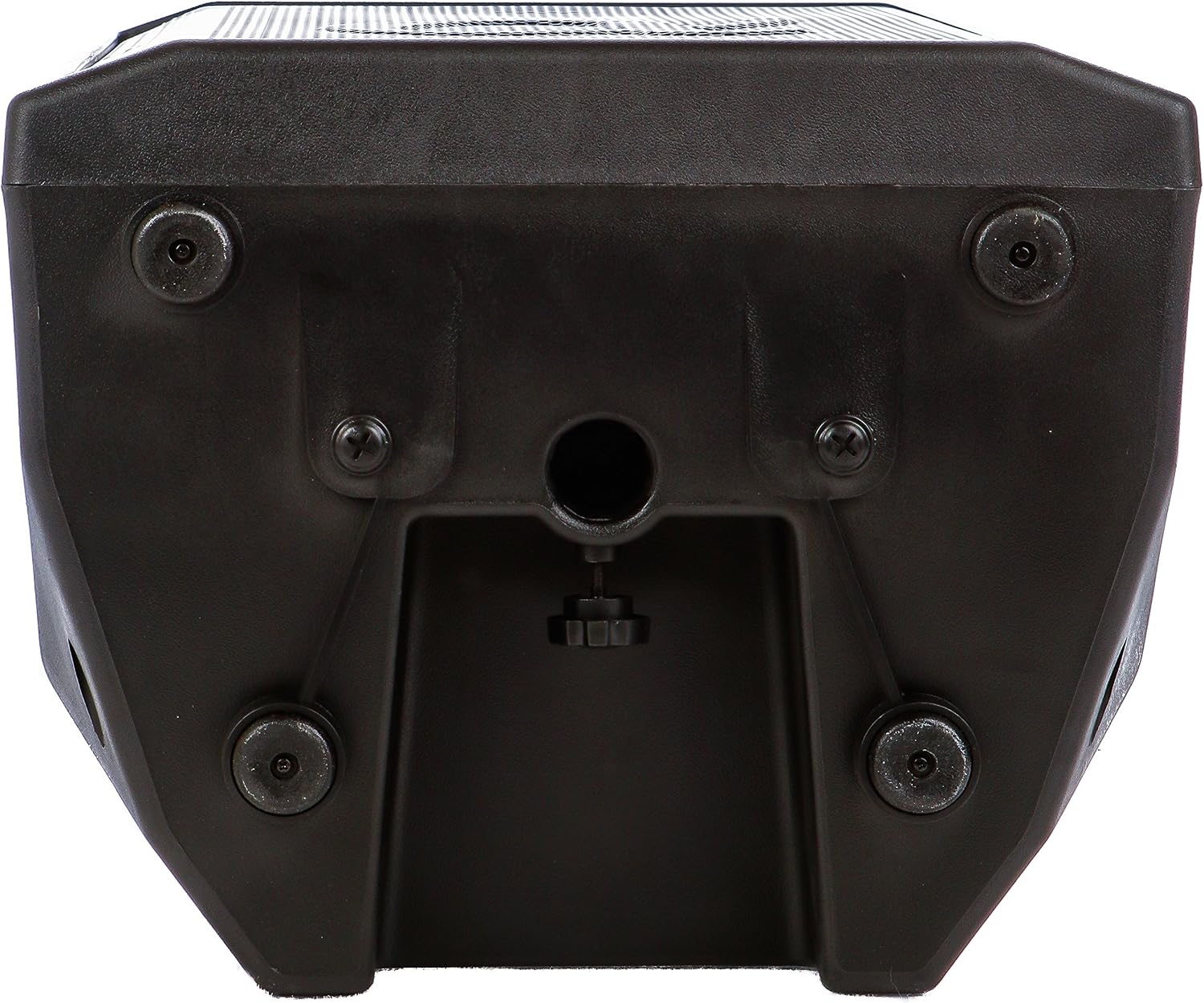

Product Highlight Video:
This video provides a visual overview of the Alphasonik Venum Series Powered Speakers, highlighting key features such as powerful bass, crisp sonic clarity from the high-frequency driver, convenient handles, and versatile mounting options (stage monitor or speaker stand). It also showcases the ultimate connectivity and control features, including the 5-band graphic EQ.
4. Setup
4.1 Placement Options
- Main Speaker: Place the speaker upright on a stable, flat surface or mount it on a compatible speaker stand using the integrated pole mount socket on the bottom.
- Stage Monitor: The speaker can be laid on its side to function as a stage monitor, directing sound towards performers.
4.2 Power Connection
- Locate the voltage selector switch on the rear panel. Ensure it is set to the correct voltage for your region (110V or 240V).
- Connect the provided power cable to the AC input on the rear panel and then to a suitable power outlet.
- Turn on the power switch located next to the AC input. The "POWER" indicator light on the media controller should illuminate.
5. Operating Instructions
The rear panel of the V815BT speaker features a comprehensive media controller and input/output section. Familiarize yourself with these controls for optimal operation.


5.1 Media Controller Functions
- USB Port: Insert a USB drive with MP3 audio files for playback.
- SD Card Slot: Insert an SD card with MP3 audio files for playback.
- Bluetooth: Press the MODE button to select Bluetooth. On your device, search for "V815BT" and pair. A confirmation sound will indicate successful connection.
- IR Sensor: For use with a remote control (if included).
- Playback Controls: Standard play/pause, stop, skip track, and repeat functions.
- MODE Button: Toggles between input sources (USB, SD, Bluetooth, FM Radio).
- MP3 Volume: Adjusts the volume specifically for USB, SD, Bluetooth, and FM Radio sources.
- Master Volume: Controls the overall output volume of the speaker.
- 5-Band Graphic Equalizer: Adjust the sliders to customize the frequency response (60Hz, 250Hz, 800Hz, 2KHz, 8KHz) for personalized sound.
5.2 Input/Output Connections
- MIC/LINE Inputs (1 & 2): Two combination XLR/1/4" (6.35mm) inputs. Use the corresponding VOLUME knob to adjust the input level. The LINE/MIC switch selects between microphone or line-level input.
- AUX Input (3.5mm): Connect external audio devices via a 3.5mm stereo cable. Adjust volume using the dedicated AUX VOLUME knob.
- RCA Inputs (L/R): Connect external audio devices with RCA outputs. Adjust volume using the dedicated AUX VOLUME knob.
- LINE OUT (XLR): Provides an XLR output to connect to another powered speaker or mixer, allowing you to expand your sound system.
6. Maintenance
- Cleaning: Use a soft, dry cloth to clean the exterior of the speaker. Do not use abrasive cleaners or solvents.
- Storage: When not in use, store the speaker in a cool, dry place away from direct sunlight and extreme temperatures.
- Ventilation: Ensure ventilation openings are clear of dust and debris to prevent overheating.
7. Troubleshooting
- No Power:
- Check if the power cable is securely connected to both the speaker and the power outlet.
- Ensure the power switch on the rear panel is in the "ON" position.
- Verify the voltage selector switch is set correctly (110V or 240V).
- No Sound:
- Check all volume controls (MP3, Master, Mic/Line, AUX) and ensure they are not set to minimum.
- Verify the input source selected via the MODE button matches your connected device.
- Ensure audio cables are correctly connected and not damaged.
- If using a microphone, ensure it is powered on and its volume is adjusted.
- Bluetooth Connection Issues:
- Ensure the speaker is in Bluetooth mode (indicated on the display).
- Make sure Bluetooth is enabled on your device and it is within the 10-meter range.
- Forget the device "V815BT" from your device's Bluetooth settings and try pairing again.
- Ensure no other devices are currently connected to the speaker via Bluetooth.
- Distorted Sound:
- Reduce the input volume from your source device or the speaker's volume controls.
- Adjust the 5-band graphic equalizer to reduce frequencies that may be clipping.
- Check for the "CLIP" indicator light on the media controller; if it's on, reduce volume.
8. Specifications
| Feature | Specification |
|---|---|
| Brand | Alphasonik |
| Model Number | V815BT |
| Speaker Maximum Output Power | 1000 Watts |
| Speaker Size | 15 Inches (Woofer Diameter) |
| Connectivity Technology | Auxiliary, Bluetooth, RCA, USB, XLR |
| Wireless Technology | Bluetooth |
| Bluetooth Range | 10 Meters |
| Audio Output Mode | Stereo |
| Mounting Type | Plug Mount |
| Additional Features | 5-Band Graphic Equalizer, MP3 Player, FM Radio |
| Specific Uses For Product | DJ performances, Live events, Parties, Indoor performances, Outdoor performances |
| Impedance | 4 Ohms |
| Item Dimensions (D x W x H) | 27.5"D x 18"W x 14.5"H |
| Item Weight | 55 Pounds |
| Compatible Devices | Smartphone, Tablet, MP3 Player, Desktop, Television, Projector, Laptop |
9. Warranty and Support
The Alphasonik PRO Venum Series V815BT speaker comes with a Limited Warranty. For specific details regarding warranty coverage, duration, and terms, please refer to the warranty card included with your product or contact Alphasonik customer support.
For technical assistance, troubleshooting, or any product-related inquiries, please contact Alphasonik Customer Support. Contact information can typically be found on the manufacturer's website or on the product packaging.


