
1. Introduction
The GENBOLT Solar Security Camera is a 100% wire-free outdoor surveillance solution designed for ease of use and reliable performance. Featuring a 19200mAh rechargeable battery and a solar panel for continuous power, this camera offers 1080P high-definition video, color night vision, and advanced PIR motion detection to minimize false alarms. This manual provides detailed instructions for setting up, operating, and maintaining your security camera.
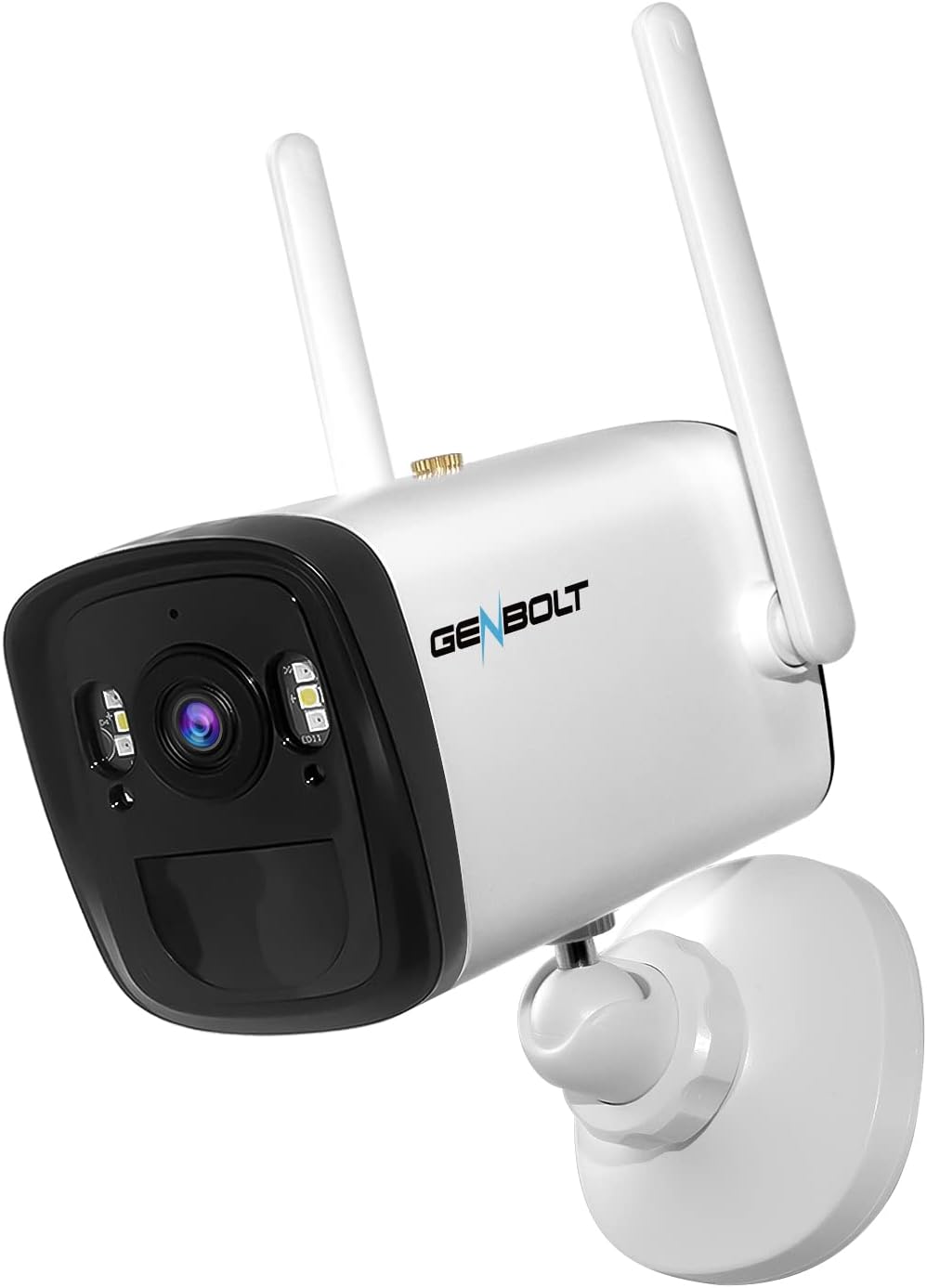
Image: The GENBOLT Solar Security Camera, a white bullet-style camera with two external antennas, designed for outdoor use.
2. What's in the Box
Please check the package contents upon arrival to ensure all components are present:
- GENBOLT Solar Security Camera
- Solar Panel
- Mounting Bracket and Screws
- USB-C Charging Cable
- User Manual

Image: A visual representation of the camera and its accessories, including the solar panel, mounting kit, and charging cable.
3. Product Overview
The GENBOLT Solar Security Camera is equipped with advanced features for reliable outdoor surveillance:
- 1080P FHD Resolution: Provides clear and detailed video footage.
- 120° Super Wide Angle: Offers a broad field of view, reducing the need for multiple cameras.
- PIR Motion Detection: Detects objects with heat signatures (e.g., humans, animals) to minimize false alarms.
- Color Night Vision: Enhanced low-light performance for clear images even at night.
- 19200mAh Battery: High-capacity rechargeable battery for extended operation.
- Solar Power Supply: Connects to a solar panel for continuous charging, ensuring 100% wire-free operation.
- IP66 Weatherproof: Designed to withstand various outdoor weather conditions.
4. Setup Instructions
4.1 Initial Charging
Before first use, fully charge the camera's internal battery using the provided USB-C cable and a 5V power adapter (not included). A full charge ensures optimal performance, especially before solar charging takes over.
4.2 App Installation and Account Creation
- Download the GENBOLT PRO app from your smartphone's app store (iOS or Android).
- Open the app and follow the on-screen instructions to create a new account or log in if you already have one.
4.3 Camera Pairing and Wi-Fi Connection
- Power on the camera. The camera will enter pairing mode (indicated by a specific LED light pattern or voice prompt).
- In the GENBOLT PRO app, tap the "Add Device" or "+" icon.
- Select your camera model or scan the QR code on the camera if prompted.
- Follow the app's instructions to connect the camera to your 2.4GHz Wi-Fi network. Ensure your phone is connected to the same Wi-Fi network during setup.
- Once connected, you can name your camera and begin live viewing.
4.4 Mounting the Camera and Solar Panel
Choose a mounting location that provides a clear view of the area you wish to monitor and ensures the solar panel receives maximum direct sunlight throughout the day. The camera supports wall mounting.
- Use the provided mounting bracket and screws to securely attach the camera to a wall or suitable surface.
- Mount the solar panel in an unshaded area, ideally facing south (in the Northern Hemisphere) or north (in the Southern Hemisphere) for optimal sun exposure.
- Connect the solar panel cable to the camera's charging port. Ensure the rubber seal is properly closed to maintain weather resistance.

Image: The camera and solar panel installed on an exterior wall, demonstrating proper outdoor placement for solar charging.
5. Operating Instructions
5.1 Live View and Remote Access
Open the GENBOLT PRO app on your smartphone. Select your camera from the device list to access the live video feed. You can view the live feed from anywhere with an internet connection.
5.2 Motion Detection and Alerts
The camera uses a PIR sensor to detect motion. When motion is detected, the camera will record a short clip and send a push notification to your smartphone.
- Adjusting Sensitivity: In the app settings, you can adjust the PIR motion detection sensitivity to reduce false alarms caused by minor movements or environmental factors.
- Email Alerts: Configure email notifications in the app to receive alerts with snapshots when motion is detected.
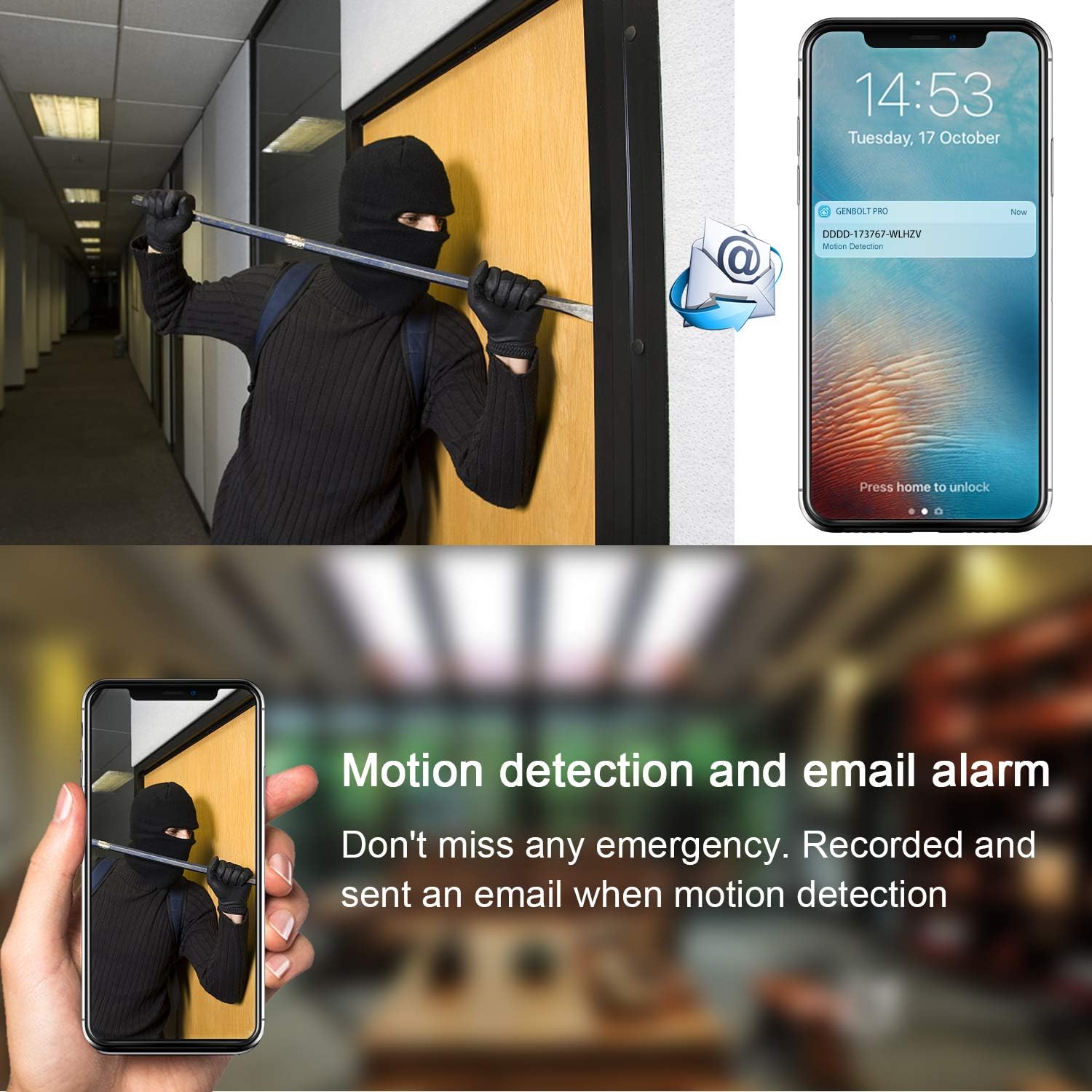
Image: A visual demonstrating how motion detection triggers an alert, sending a notification to a smartphone and an email.
5.3 Recording and Playback
The camera supports local storage via an SD card (not included). Recordings are triggered by motion events.
- SD Card Recording: Insert a microSD card (up to 128GB, Class 10 or higher recommended) into the camera's SD card slot. The camera will automatically record motion-triggered events as 10/30-second clips.
- Remote Playback: Access recorded events through the GENBOLT PRO app. Navigate to the playback section to view historical footage stored on the SD card.
6. Maintenance
6.1 Battery Management
The camera's 19200mAh battery is designed for long-lasting performance, supplemented by the solar panel. Ensure the solar panel is clean and free from obstructions (e.g., dirt, leaves, snow) to maximize charging efficiency. In periods of prolonged low sunlight, the camera may require manual charging via the USB-C port.
6.2 Cleaning
Periodically clean the camera lens and the solar panel surface with a soft, damp cloth to ensure clear image quality and efficient solar charging. Avoid using harsh chemicals or abrasive materials.
7. Troubleshooting
| Problem | Possible Cause | Solution |
|---|---|---|
| Difficulty pairing the camera | Incorrect Wi-Fi password; Camera too far from router; 5GHz Wi-Fi network selected. | Ensure correct 2.4GHz Wi-Fi password; Move camera closer to router; Ensure router supports 2.4GHz. |
| Camera frequently disconnects | Weak Wi-Fi signal; Network interference. | Relocate camera or router; Use a Wi-Fi extender; Check for sources of interference. |
| False motion alerts | High PIR sensitivity; Environmental factors (e.g., moving branches, strong light changes). | Reduce PIR sensitivity in app settings; Adjust camera angle to avoid common false alarm triggers. |
| Battery not charging via solar panel | Insufficient sunlight; Dirty solar panel; Loose connection. | Ensure solar panel is in direct sunlight; Clean the solar panel; Check cable connection. |
8. Specifications
| Feature | Detail |
|---|---|
| Model Number | GB106H |
| Video Capture Resolution | 1080p |
| Field Of View | 120 Degrees |
| Power Source | Solar Powered |
| Battery Capacity | 19200mAh (Lithium Ion) |
| Connectivity Protocol | Wi-Fi (2.4GHz) |
| Mounting Type | Wall Mount |
| International Protection Rating | IP66 |
| Item Dimensions (L x W x H) | 8.66 x 7.48 x 7.09 inches |
| Item Weight | 1.1 pounds (0.5 Kilograms) |
| Compatible Devices | Smartphone |
9. Warranty and Support
GENBOLT offers comprehensive support for your product:
- Money Back Guarantee: 30 Days
- Warranty: 1-Year
- Technical Support: Life Time Free Technical Support
For assistance, please contact:
- Email: us@genbolt.com
- CA Local Support: +1 (778)807-9710 (Monday - Friday, 18:30 to 23:30 PST)


