
1. Introduction
This manual provides detailed instructions for the safe and efficient installation, operation, and maintenance of your Mophorn Motorized TV Lift. Please read this manual thoroughly before installation and retain it for future reference. This motorized lift is designed to securely raise and lower televisions ranging from 28 to 65 inches, offering a maximum stroke length of 35 inches.
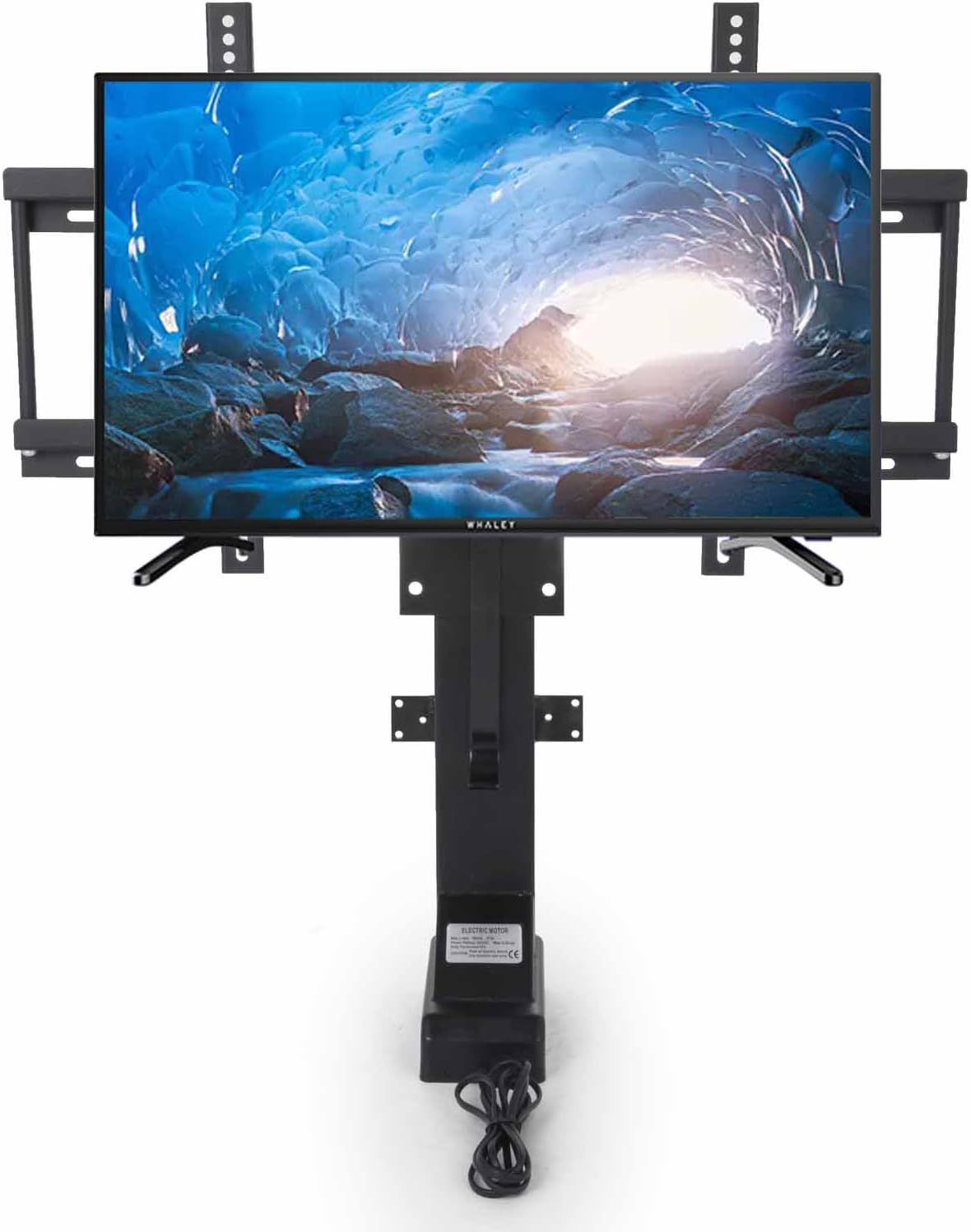
Figure 1.1: Mophorn Motorized TV Lift with TV mounted.
2. Safety Information
Observe the following safety precautions to prevent injury or damage to the product:
- Ensure all power is disconnected before installation or maintenance.
- Do not exceed the maximum weight capacity specified in the specifications.
- Keep hands and loose clothing clear of moving parts during operation.
- Ensure the lift is securely mounted to a stable surface or cabinet structure.
- Do not allow children to operate the lift unsupervised.
- If any unusual noise or malfunction occurs, immediately disconnect power and consult the troubleshooting section.
3. Package Contents
Verify that all components are present before beginning installation. Refer to your product packaging for a complete list of included hardware. Typically, the package includes:
- Motorized TV Lift Mechanism
- TV Mounting Brackets
- Power Adapter
- Wired Controller
- Wireless Remote Control
- Mounting Hardware (screws, washers, etc.)

Figure 3.1: Included controllers and power supply.
4. Specifications
| Feature | Detail |
|---|---|
| Brand | Mophorn |
| Model | Motorized TV Lift (35-inch Stroke) |
| Compatible TV Sizes | 28" - 65" |
| Stroke Length | 35 inches (approx. 89 cm) |
| Material | Alloy Steel |
| Item Weight | Approx. 34.5 lbs (15.6 kg) |
| Power | 1000N Electric Motor |
| Control | Wired Controller, Wireless Remote Control |
| UPC | 719034880679 |
| ASIN | B07CYRQTZ5 |

Figure 4.1: Key dimensions of the TV lift.
5. Setup and Installation
Careful installation is crucial for the safe and proper function of the TV lift. It is recommended that two people perform the installation.
5.1 Unpacking and Component Identification
Carefully remove all components from the packaging. Lay them out and identify each part against the package contents list.
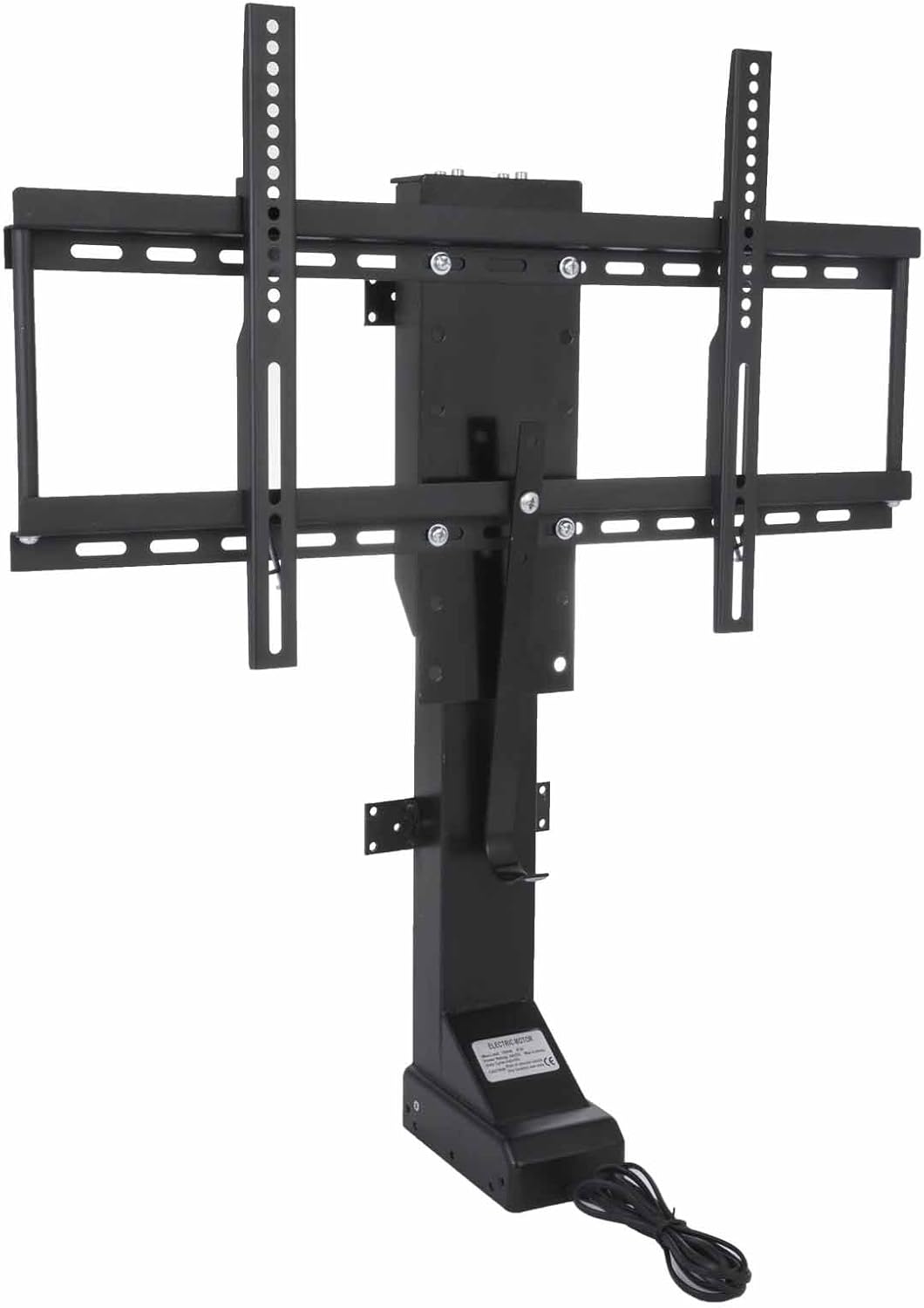
Figure 5.1: Main TV lift mechanism.
5.2 Mounting the Lift Base
The lift base must be securely fastened to a stable surface, such as a floor, cabinet interior, or wall stud. Use appropriate hardware for your mounting surface.
- Position the lift in the desired location.
- Mark the drilling points through the holes on the base plate.
- Drill pilot holes if necessary.
- Secure the base using the provided screws or suitable fasteners.

Figure 5.2: Base mounting plate.
5.3 Attaching TV Mounting Brackets
Attach the vertical TV mounting brackets to the back of your television. Ensure the brackets are centered and level.
- Identify the VESA mounting holes on the back of your TV.
- Select the appropriate screws and spacers (if needed) from the hardware kit.
- Attach the vertical brackets to the TV, ensuring they are tightened securely but not over-tightened.

Figure 5.3: TV mounting bracket detail.
5.4 Mounting the TV to the Lift
With the vertical brackets attached to the TV, carefully lift the TV and hook it onto the horizontal arms of the lift mechanism. Secure it in place.
- Align the vertical brackets on the TV with the horizontal arms on the lift.
- Carefully lower the TV so the brackets engage with the arms.
- Secure the TV to the lift using the locking screws or mechanisms provided.

Figure 5.4: Top mechanism for TV attachment.
5.5 Power Connection
Connect the power adapter to the lift control box, then plug the adapter into a standard electrical outlet.
6. Operating Instructions
The Mophorn Motorized TV Lift can be operated using either the wired controller or the wireless remote control.
6.1 Basic Operation
Use the 'Up' and 'Down' buttons on either controller to raise or lower the TV. Press 'Stop' to halt movement at any desired height.

Figure 6.1: Wired and wireless controllers.
6.2 Memory Functions (Wired Controller)
The wired controller features memory presets (1, 2, 3, 4) to store and recall preferred TV heights.
- Adjust the TV to the desired height using the 'Up' or 'Down' buttons.
- Press and hold one of the memory preset buttons (1-4) until the lift beeps or the indicator light flashes, confirming the height is saved.
- To recall a saved height, simply press the corresponding memory preset button.

Figure 6.2: Illustrates height adjustment levels.
7. Maintenance
The Mophorn Motorized TV Lift requires minimal maintenance to ensure long-term performance.
- Regularly inspect all mounting hardware to ensure it remains tight and secure.
- Keep the lift mechanism clean and free from dust and debris. Use a soft, dry cloth for cleaning.
- Do not apply lubricants to the moving parts unless specifically instructed by the manufacturer.
- Check the power cord for any signs of damage. If damaged, discontinue use and contact customer support.
8. Troubleshooting
If you encounter issues with your Mophorn Motorized TV Lift, refer to the following common problems and solutions:
| Problem | Possible Cause | Solution |
|---|---|---|
| Lift does not move | No power, loose connection, motor overload, or control issue. |
|
| Lift moves intermittently or makes unusual noises | Obstruction, motor issue, or mechanical binding. |
|
| Wireless remote not working | Dead batteries, out of range, or pairing issue. |
|
9. Customer Support and Warranty
For technical assistance, replacement parts, or warranty inquiries, please contact Mophorn customer support. While specific warranty details are not provided in this manual, Mophorn typically offers support for product defects and operational issues.
When contacting support, please have your product model (Motorized TV Lift, 35-inch Stroke) and ASIN (B07CYRQTZ5) available to expedite service.
For the most current contact information, please refer to the Mophorn official website or your purchase documentation.