
AIYIMA 2Pcs 2Inch Audio Portable Speakers
AIYIMA 2-Inch 12W Full Range Speaker User Manual
Model: 2Pcs 2Inch Audio Portable Speakers
Introduction
This manual provides essential information for the proper installation, operation, and maintenance of your AIYIMA 2-inch 12W Full Range Speakers. Please read these instructions carefully before use to ensure optimal performance and longevity of your product.
Product Features
- Type: 2-inch Full Range Speaker
- Impedance: 4 ohms
- Power: 12W
- Effective Frequency: 118Hz-20kHz
- Sensitivity: 88dB
- Qts: 0.67
- Equivalent Volume: 0.8L
- Maximum Diameter: 53mm
- Speaker Opening: 46mm
- Total Height: 28mm
- Designed for DIY Square Stereo HiFi Audio Horn Loudspeaker and Home Theater Speakers.
What's in the Box
- 2 x AIYIMA 2-inch Full Range Speakers
Setup
Speaker Placement
For optimal sound, ensure speakers are securely mounted in an enclosure or system designed for their size and specifications. Consider the acoustic properties of your listening environment to minimize reflections and maximize sound clarity.
Wiring
Connect the speaker terminals to your amplifier or audio source. Observe correct polarity: connect the positive (+) terminal of the speaker to the positive (+) output of the amplifier, and the negative (-) terminal of the speaker to the negative (-) output of the amplifier. Incorrect polarity can lead to phase issues and reduced sound quality.
Operating Instructions
Power On/Off
These are passive speakers and do not have a dedicated power switch. They receive power directly from the connected amplifier. Ensure your amplifier is powered on before playing audio.
Audio Playback
Once connected to an amplifier, play audio from your source device. Adjust the volume and tone controls on your amplifier to achieve your desired sound.
Maintenance
To maintain the performance and appearance of your speakers:
- Cleaning: Use a soft, dry cloth to gently wipe the speaker cones and frames. Avoid using harsh chemicals or abrasive materials.
- Storage: If storing the speakers, keep them in a cool, dry place away from direct sunlight and extreme temperatures.
- Handling: Avoid touching the speaker cones directly, as this can cause damage.
Troubleshooting
- No Sound:
- Check all cable connections between the speakers and the amplifier.
- Ensure the amplifier is powered on and the correct input source is selected.
- Verify the volume level on your amplifier and audio source.
- Distorted Sound:
- Reduce the volume level on your amplifier or audio source.
- Check for loose connections or damaged speaker wires.
- Ensure the amplifier's power output matches the speaker's power handling capabilities.
- One Speaker Not Working:
- Swap the non-working speaker with a working one to determine if the issue is with the speaker or the amplifier channel.
- Inspect the wiring for the affected speaker for any breaks or loose connections.
Specifications
| Specification | Value |
|---|---|
| Speaker Type | Full Range Speaker |
| Size | 2 inches |
| Maximum Diameter | 53mm |
| Speaker Opening | 46mm |
| Screw Diagonal Distance | 60mm |
| Adjacent Angle Distance | 43mm |
| Total Height | 28mm |
| Impedance | 4 ohms |
| Power | 12W |
| Effective Frequency | 118Hz-20kHz |
| Sensitivity | 88dB |
| Qts | 0.67 |
| Equivalent Volume | 0.8L |
| Item Weight | 100 Grams |
Product Images


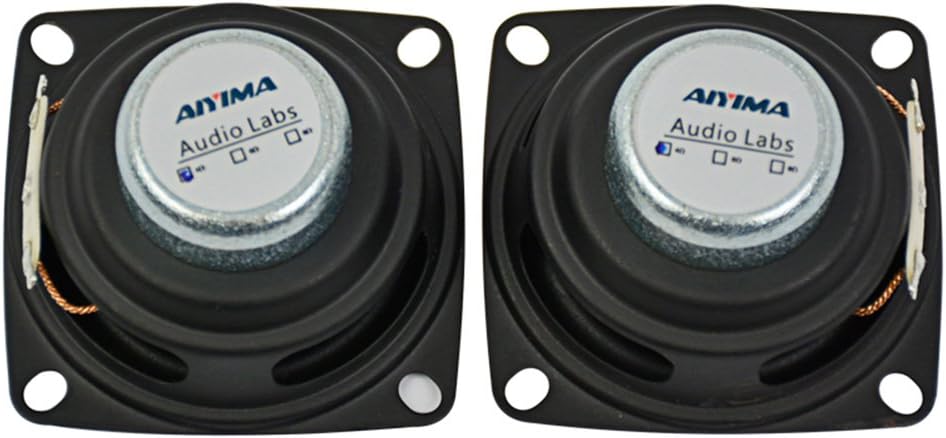
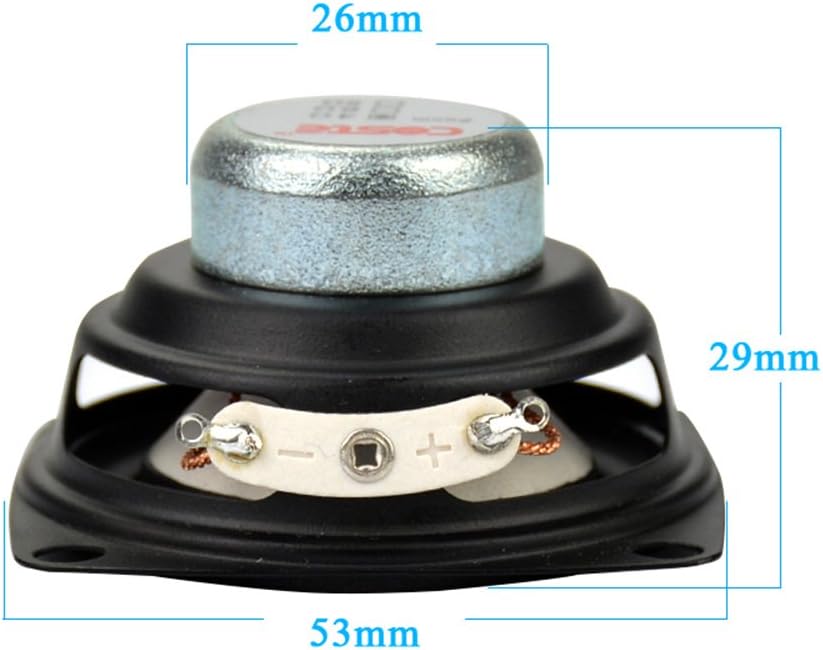
Warranty and Support
AIYIMA products are designed for reliability and performance. For specific warranty details and support inquiries, please refer to the product packaging or visit the official AIYIMA brand store on Amazon. You can find the brand store here.
Ask a question about this manual
Ask about setup, troubleshooting, compatibility, parts, safety, or missing instructions. Manuals+ will review the question and use this page’s manual context to help answer it.