
Introduction
The School Smart CS-209 Scientific Calculator is designed for a wide range of mathematical and scientific calculations. It features a 2-line display and 183 pre-programmed functions, including logarithms, reciprocals, powers, roots, factorials, trigonometric functions, hyperbolic functions, and statistical calculations. This manual provides instructions for proper setup, operation, maintenance, and troubleshooting to ensure optimal performance of your calculator.
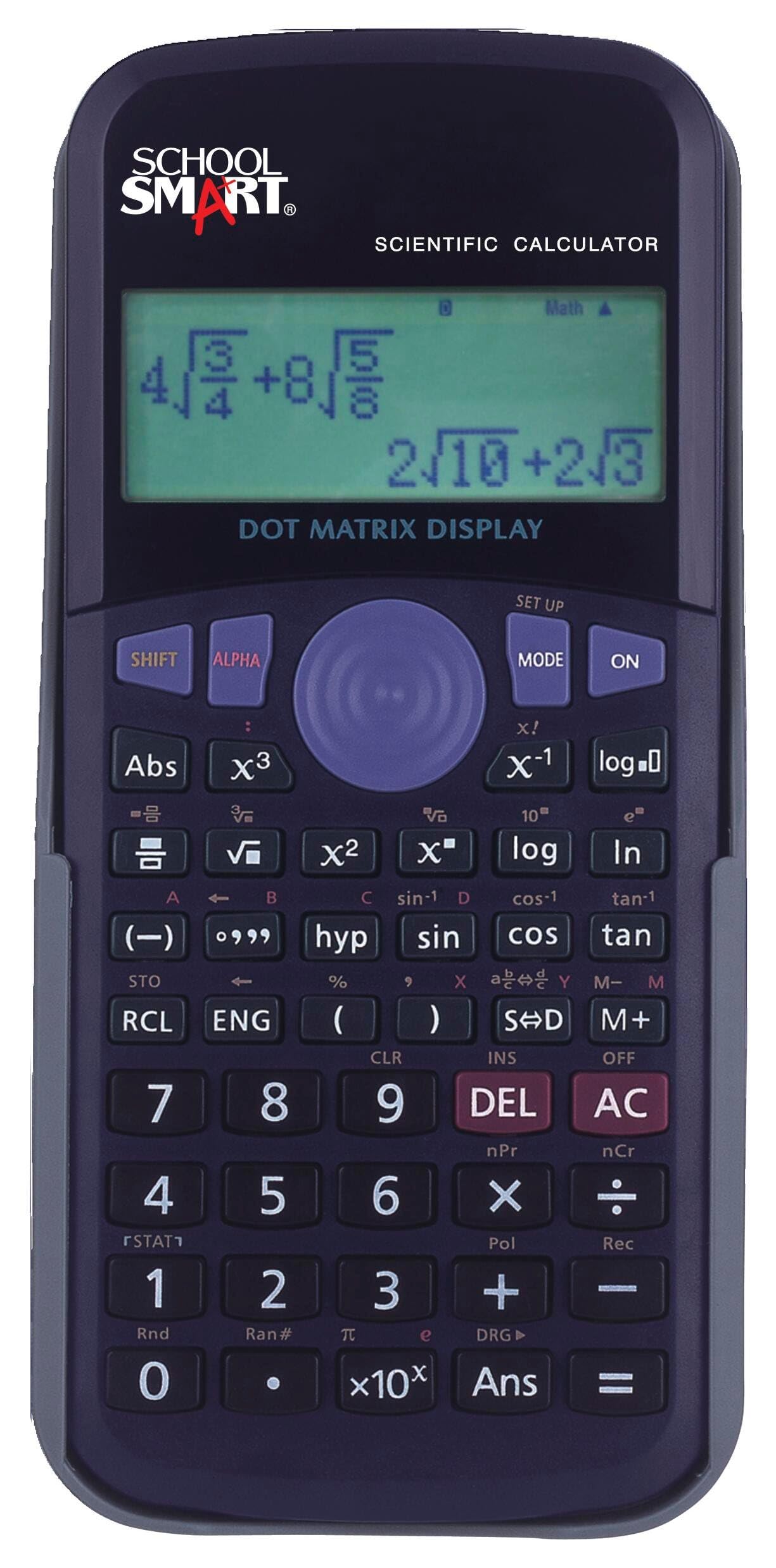
Image: A student utilizing the School Smart CS-209 Scientific Calculator for academic tasks.
Key Features
- 183 Pre-programmed Functions: Includes a comprehensive set of scientific, trigonometric, statistical, and algebraic functions.
- 2-Line Display: Allows for simultaneous viewing of input expressions and calculation results.
- Protective Hard Shell Case: Provides durability and protection for the calculator during transport and storage.
- Statistical Calculations: Capable of performing one-variable statistical calculations.
- Fraction Calculations: Supports direct input and calculation with fractions.

Image: Front view of the School Smart CS-209 Scientific Calculator, showcasing its display and keypad layout.
Setup
Battery Installation
The School Smart CS-209 calculator uses AG13/LL54 batteries. To install or replace batteries:
- Ensure the calculator is powered off.
- Locate the battery compartment on the back of the calculator.
- Use a small screwdriver to open the battery compartment cover.
- Remove old batteries if present.
- Insert new AG13/LL54 batteries, ensuring correct polarity (+/-).
- Replace the battery compartment cover and secure it with the screw.

Image: Rear view of the School Smart CS-209 Scientific Calculator, indicating the battery compartment for installation.
Initial Power On
Press the ON button to power on the calculator. The display should show '0' or a previous calculation result. If the display is blank or dim, check the battery installation.
Operating Instructions
Basic Arithmetic Operations
Enter numbers and use the +, -, ×, ÷ keys for basic calculations. Press = to get the result.
Scientific Functions
The calculator supports 183 pre-programmed functions. Many functions are accessed by pressing the SHIFT key followed by the desired function key (indicated by secondary labels above the keys).
- Trigonometric Functions: Use sin, cos, tan keys. For inverse functions, press SHIFT then the respective key.
- Logarithms: Use log (base 10) and ln (natural logarithm) keys.
- Powers and Roots: Use x², x³, √, ³√ keys. For general powers, use x^y.
- Fractions: Use the fraction key (often denoted as a/b or d/c) to input and calculate with fractions.
- Degrees, Minutes, Seconds (DMS) Conversions: Use the appropriate function key for conversions between decimal degrees and DMS.

Image: A detailed view of the School Smart CS-209 Scientific Calculator's 2-line display and various function keys.
Statistical Calculations
The calculator can perform one-variable statistical calculations. Refer to the specific key labels for entering data and calculating statistical measures like mean, standard deviation, etc. Typically, you enter a statistical mode, input data points, and then use dedicated keys to retrieve results.

Image: The calculator's keypad, highlighting the extensive range of over 180 mathematical functions.
Maintenance
Cleaning
To clean the calculator, use a soft, dry cloth. For stubborn dirt, slightly dampen the cloth with water and a mild detergent, then wipe dry immediately. Do not use strong solvents or abrasive cleaners.
Battery Replacement
Replace batteries when the display becomes dim or calculations are erratic. Follow the battery installation steps outlined in the Setup section.
Storage
When not in use, store the calculator in its protective hard shell case to prevent damage. Avoid exposing the calculator to extreme temperatures, humidity, or direct sunlight.

Image: The School Smart CS-209 Scientific Calculator shown with its included protective hard shell case.
Troubleshooting
- Calculator does not turn on: Check battery installation and ensure batteries are fresh.
- Display is dim or blank: Replace batteries.
- Incorrect calculation results: Ensure correct mode (e.g., Degree/Radian) is selected. Clear previous calculations using the AC or CLR button.
- Error message on display: Refer to the calculator's specific error codes (if available) or try clearing the calculation and re-entering. Common errors include division by zero or invalid input.
Specifications
- Model Number: CS-209
- Brand: School Smart
- Calculator Type: Scientific
- Display Type: LCD, 2-line Dot Matrix Display
- Number of Functions: 183 pre-programmed functions
- Power Source: Battery Powered (AG13/LL54 batteries)
- Dimensions: Approximately 12.7 x 7.62 x 0.25 cm (5-1/8 x 3 x 1/4 inches)
- Weight: Approximately 154.22 g (0.34 Pounds)
- Enclosure Material: Plastic

Image: The calculator's display, emphasizing its convenient 2-line capability for showing expressions and results.
Warranty and Support
For warranty information or technical support regarding your School Smart CS-209 Scientific Calculator, please refer to the documentation provided at the time of purchase or contact School Smart customer service directly. Keep your purchase receipt as proof of purchase.