
RICOO S4964
RICOO S4964 Universal Swivel Tilt TV Wall Mount Instruction Manual
Model: S4964 | Brand: RICOO
1. Introduction
Thank you for choosing the RICOO S4964 Universal Swivel Tilt TV Wall Mount. This manual provides detailed instructions for safe installation, operation, and maintenance of your new TV mount. Please read this manual thoroughly before installation and keep it for future reference.
2. Safety Information
WARNING: Improper installation may result in serious personal injury or property damage. If you do not understand these instructions, or have doubts about the safety of the installation, please contact a qualified installer.
- Ensure the mounting surface can safely support the combined weight of the mount and the TV.
- Do not exceed the maximum load capacity of 60 kg (132 lbs).
- Verify VESA compatibility with your TV before installation.
- Use appropriate tools and follow all steps carefully.
- Keep children and pets away during installation.
3. Package Contents
Please check that all parts are present and undamaged before beginning installation. If any parts are missing or defective, contact RICOO customer support.
- Pre-assembled TV Wall Mount
- Wall Plugs (for concrete walls only)
- Various TV Screws (M4, M6, M8)
- Wall Mounting Screws and Washers
- Assembly Accessories (e.g., spacers, level)
- Instruction Manual
4. Installation Guide
4.1 Pre-Installation Checks
- Check TV VESA Compatibility: Ensure your TV's VESA mounting pattern falls within the supported range of 300x200, 300x300, 400x200, 400x300, 400x400, or 600x400 mm.
- Check TV Weight: Confirm your TV's weight does not exceed the maximum load capacity of 60 kg (132 lbs).
- Determine Wall Type: Identify your wall type (e.g., concrete, brick, wood stud) to use appropriate mounting hardware.

Image: VESA compatibility and recommended TV sizes (42-75 inches).
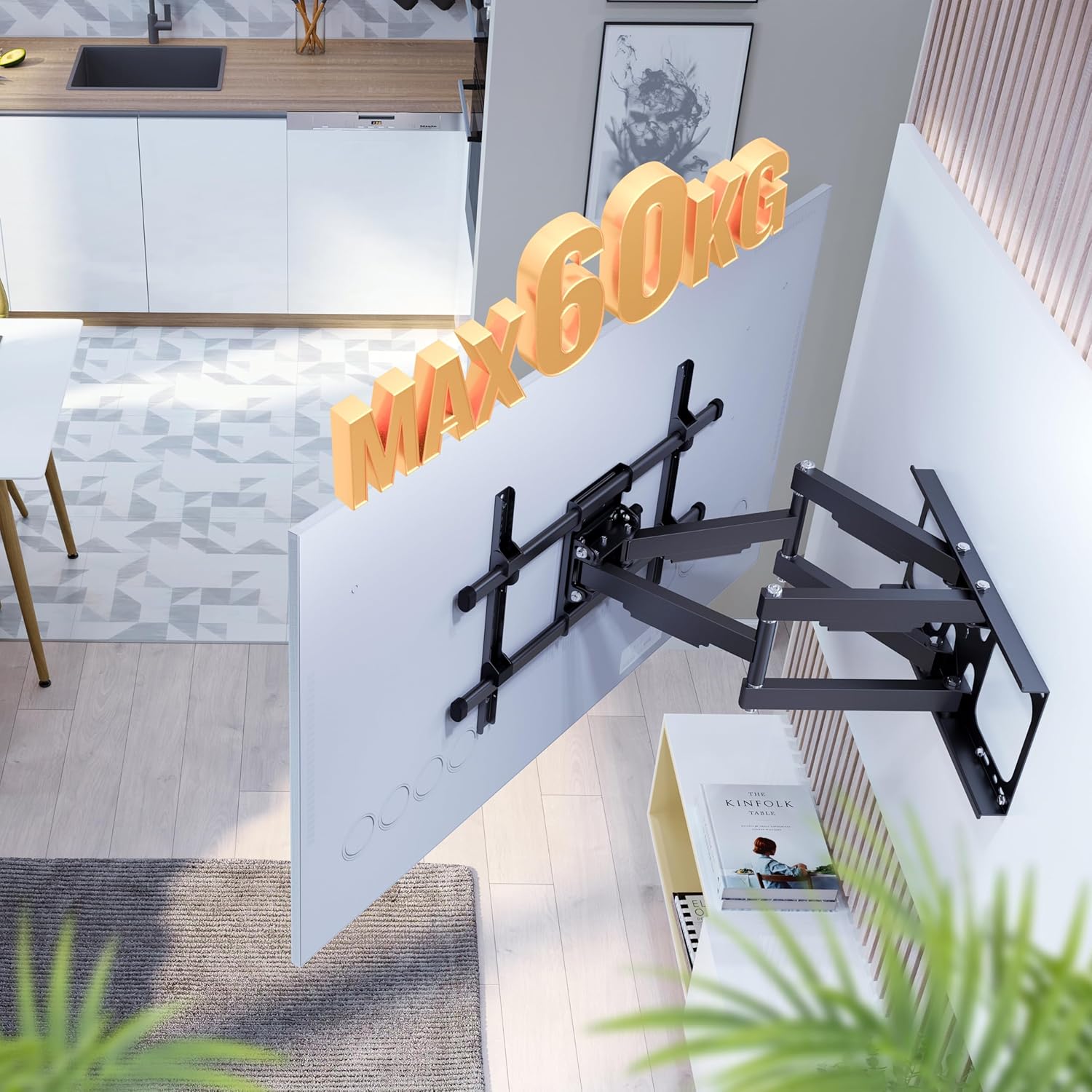
Image: Maximum load capacity of 60 kg.
4.2 Wall Mounting
- Mark Drilling Holes: Use the provided drilling template or the wall plate itself to mark the desired drilling locations on the wall. Ensure the mount is level.
- Drill Holes: Drill holes at the marked locations using an appropriate drill bit for your wall type.
- Insert Wall Plugs: Insert the wall plugs (if applicable for your wall type) into the drilled holes.
- Attach Wall Plate: Secure the wall plate to the wall using the wall mounting screws and washers. Ensure it is firmly attached.
4.3 Attaching the TV
- Attach TV Brackets: Secure the TV mounting brackets to the back of your television using the appropriate TV screws and spacers.
- Hang TV on Mount: Carefully lift the TV and hook the brackets onto the wall mount's arms. Ensure the TV is securely seated.
- Secure TV: Tighten any safety screws or locking mechanisms on the TV brackets to prevent accidental dislodgement.

Image: Attaching the TV to the wall mount.
5. Operating Instructions
The RICOO S4964 mount offers various adjustment options for optimal viewing.
5.1 Swivel Adjustment
The mount allows for a 120-degree swivel range, providing flexible viewing angles. This range is optimal for TVs up to 125 cm (approx. 49 inches) wide to prevent hitting the wall.

Image: 120-degree swivel adjustment.
5.2 Tilt Adjustment
Adjust the vertical tilt of your TV for reduced glare and improved viewing comfort. The mount supports a tilt range of +15 degrees (upward) to -5 degrees (downward).

Image: Tilt adjustment range (+15/-5 degrees).
5.3 Rotation Adjustment
The front panel of the mount allows for a slight rotation of +/-3 degrees. This feature helps in fine-tuning the horizontal level of your TV after installation.
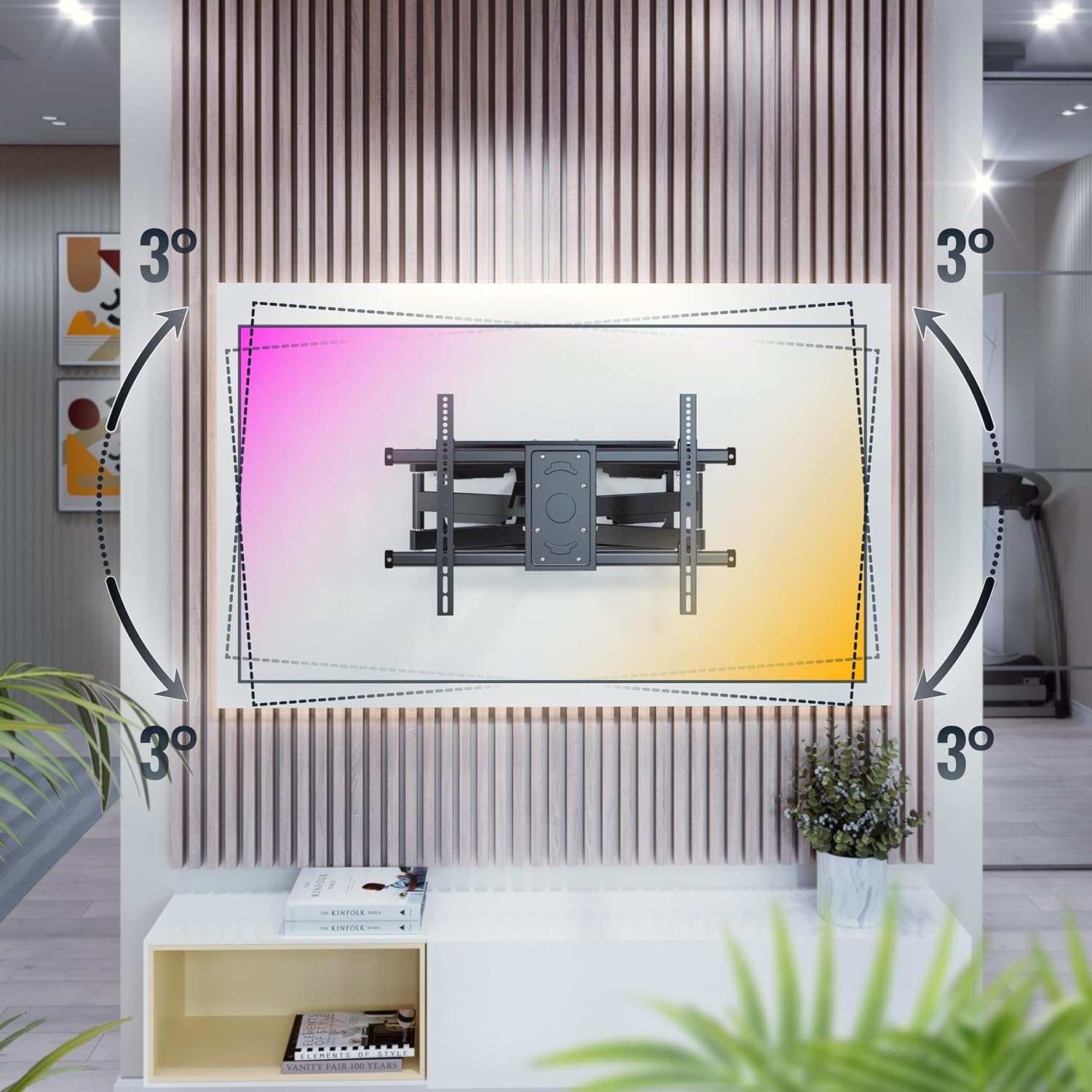
Image: +/-3 degree rotation adjustment.
5.4 Wall Distance Adjustment
The mount allows for adjustment of the distance from the wall, ranging from 69 mm (minimum) to 635 mm (maximum).

Image: Adjustable wall distance (69mm - 635mm).
6. Maintenance
To ensure the longevity and safe operation of your TV wall mount, follow these maintenance guidelines:
- Regular Checks: Periodically check all screws and connections to ensure they are tight and secure.
- Cleaning: Clean the mount with a soft, dry cloth. Avoid using abrasive cleaners or solvents.
- Lubrication: Moving parts may benefit from occasional lubrication with a silicone-based spray to maintain smooth operation.
7. Troubleshooting
If you encounter any issues with your RICOO S4964 TV wall mount, refer to the table below for common problems and solutions.
| Problem | Possible Cause | Solution |
|---|---|---|
| TV is not level | Minor rotational misalignment | Adjust the +/-3 degree rotation feature on the front panel. |
| Mount feels loose on the wall | Wall screws are not tight or wall material is insufficient | Retighten wall screws. If problem persists, consult a professional installer to assess wall integrity. |
| Difficulty swiveling/tilting | Joints are stiff or too tight | Apply a small amount of silicone lubricant to the moving joints. Do not overtighten pivot bolts. |
| TV does not fit VESA pattern | Incorrect VESA size | This mount supports VESA 300x200, 300x300, 400x200, 400x300, 400x400, 600x400. If your TV's VESA is different, this mount is not compatible. |
8. Specifications
Detailed technical specifications for the RICOO S4964 TV Wall Mount:
| Feature | Specification |
|---|---|
| Model Number | S4964 |
| Brand | RICOO |
| Material | Alloy Steel |
| Color | Neutral Black |
| Compatible TV Sizes | 42 - 75 inches (107 - 191 cm) |
| Max Load Capacity | 60 kg (132 lbs) |
| VESA Compatibility | 300x200, 300x300, 400x200, 400x300, 400x400, 600x400 mm |
| Swivel Angle | Up to 120 degrees (depending on TV width) |
| Tilt Angle | +15 degrees (up) / -5 degrees (down) |
| Rotation Angle | +/-3 degrees |
| Wall Distance | 69 mm - 635 mm |
| Type of Movement | Pivotant (Swivel) |
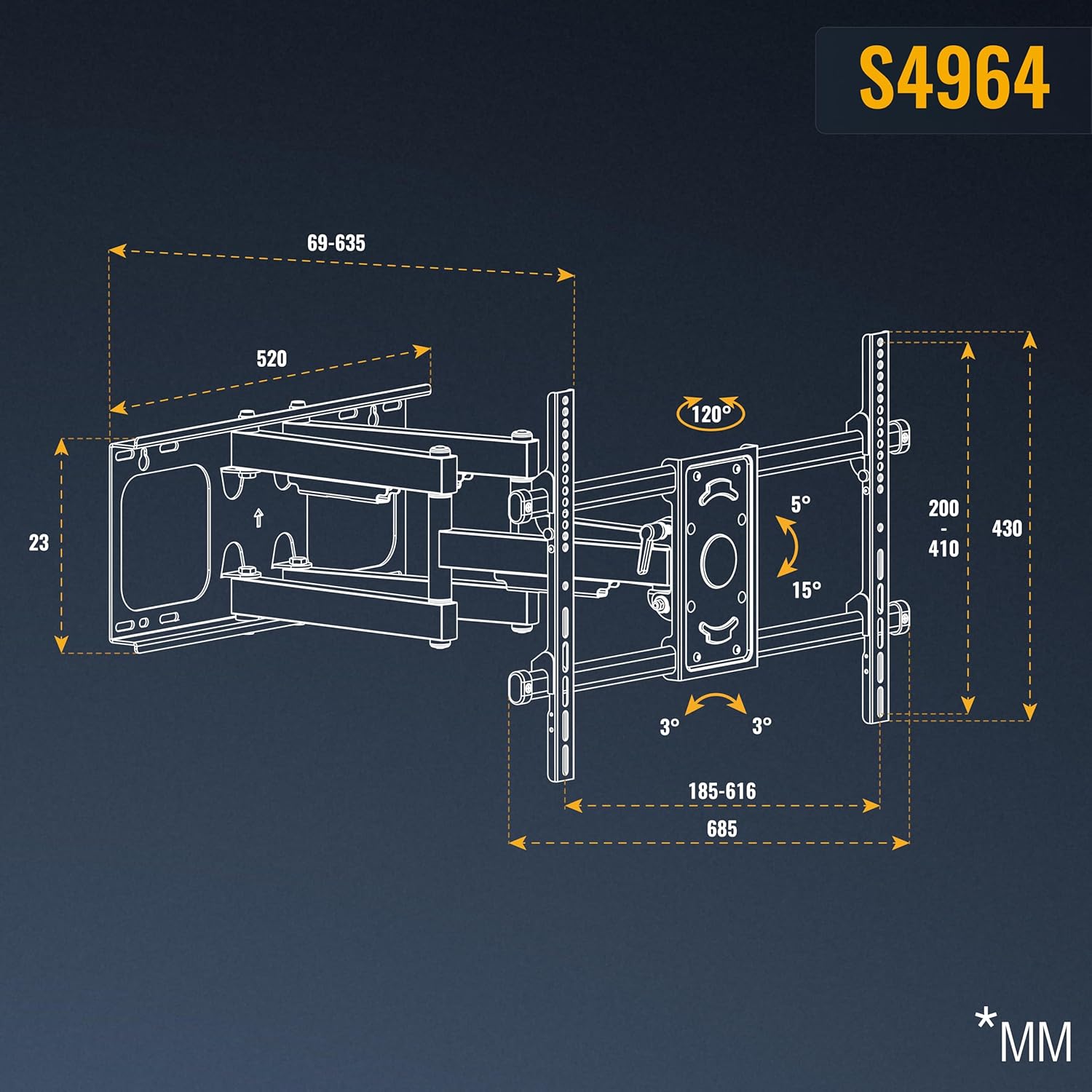
Image: Detailed dimensions of the S4964 mount.
9. Warranty and Support
RICOO products are designed for durability and performance. For warranty information or technical support, please refer to the contact details provided with your purchase or visit the official RICOO website. Keep your proof of purchase for warranty claims.
Related documentsS4964


Ask a question about this manual
Ask about setup, troubleshooting, compatibility, parts, safety, or missing instructions. Manuals+ will review the question and use this page’s manual context to help answer it.