
Introduction
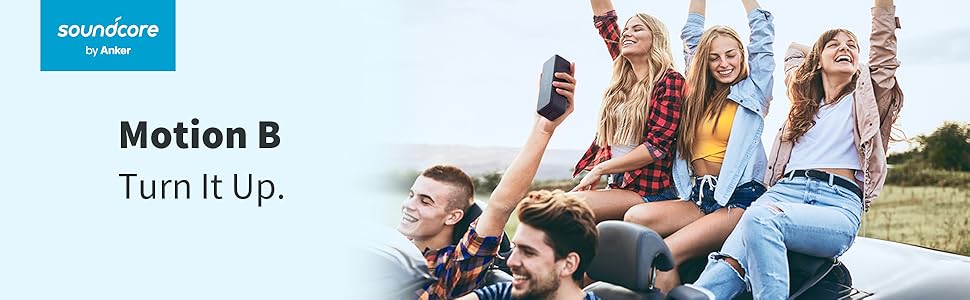
The Anker Soundcore Motion B is a portable Bluetooth speaker designed to deliver powerful stereo sound with enhanced bass. It features a robust, waterproof design and an extended battery life, making it suitable for various indoor and outdoor environments.
Key features include:
- Upgraded Edition: Enhanced sound and protection.
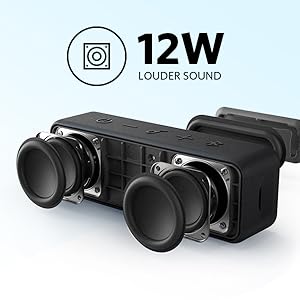
- 12W Stereo Sound: Dual full-range drivers and an oversized bass radiator provide significant audio output.
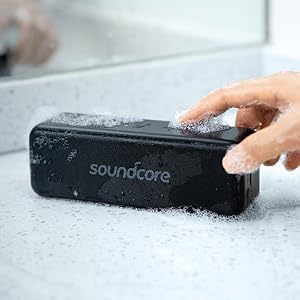
- IPX7 Waterproof: Impermeable protection against water, including complete submersion.
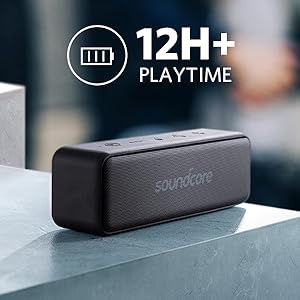
- 12+ Hour Playtime: High-performance Li-ion battery for extended listening.
Setup
1. Charging the Speaker
Before first use, fully charge the Soundcore Motion B speaker using the provided Micro USB cable. The charging indicator light will show the charging status.
2. Powering On/Off
Press and hold the power button located on the speaker's control panel to turn the speaker on or off. A sound indicator will confirm the action.
3. Bluetooth Pairing
- Turn on the Soundcore Motion B speaker. The Bluetooth indicator light will flash blue, indicating it is in pairing mode.
- On your device (smartphone, tablet, laptop), enable Bluetooth and search for available devices.
- Select "Soundcore Motion B" from the list of devices.
- Once connected, the Bluetooth indicator light will turn solid blue.
Operating
Basic Controls
- Volume Up/Down: Press the '+' or '-' buttons.
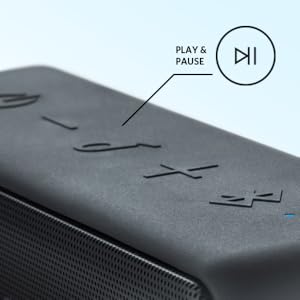
- Play/Pause: Press the play/pause button.
- Next Track: Double-press the play/pause button.
- Previous Track: Triple-press the play/pause button.
- Answer/End Call: Press the play/pause button during an incoming call.
True Wireless Stereo (TWS) Pairing
For an enhanced stereo experience, two Soundcore Motion B speakers can be paired together:
- Ensure both Soundcore Motion B speakers are powered on and not connected to any other Bluetooth device.
- On one speaker (this will be the primary speaker), press and hold the Bluetooth button for 3 seconds until you hear a tone.
- The primary speaker will automatically search for the secondary speaker. Once connected, both speakers will emit a confirmation tone, and their Bluetooth indicators will turn solid blue.
- Connect your device to the primary speaker via Bluetooth as described in the "Bluetooth Pairing" section.
Maintenance
Waterproof Care (IPX7)
The Soundcore Motion B is IPX7 rated, meaning it can be submerged in up to 1 meter of water for 30 minutes. To maintain its waterproof integrity:
- Ensure the charging port cover is securely closed before exposing the speaker to water.
- Do not expose the speaker to saltwater or other chemicals, as this may damage the seals.
- After exposure to water, especially chlorinated or saltwater, rinse the speaker with fresh water and dry it thoroughly before charging or using the ports.
Cleaning and Storage
- Clean the speaker with a soft, damp cloth. Do not use abrasive cleaners or solvents.
- Store the speaker in a cool, dry place away from extreme temperatures and direct sunlight.
- If storing for an extended period, charge the battery every 3 months to prolong its lifespan.
Troubleshooting
No Power
- Ensure the speaker is fully charged. Connect it to a power source using the Micro USB cable.
- Press and hold the power button for at least 3 seconds to ensure it's not just a short press.
Cannot Pair via Bluetooth
- Ensure the speaker is in pairing mode (flashing blue LED).
- Make sure Bluetooth is enabled on your device and it is within 33 feet (10 meters) of the speaker.
- Try forgetting "Soundcore Motion B" from your device's Bluetooth list and re-pairing.
- Restart both the speaker and your Bluetooth device.
Poor Sound Quality or Distortion
- Ensure the speaker and your device are within range and there are no obstacles interfering with the Bluetooth signal.
- Adjust the volume on both the speaker and your connected device.
- Check if the audio source is of good quality.
True Wireless Stereo (TWS) Pairing Issues
- Ensure both speakers are Soundcore Motion B models.
- Make sure both speakers are fully charged and not connected to any other device before initiating TWS pairing.
- Repeat the TWS pairing steps carefully.
Specifications
| Feature | Specification |
|---|---|
| Brand | Anker |
| Model Number | AK-A3109011 |
| Speaker Maximum Output Power | 12 Watts |
| Connectivity Technology | Bluetooth, USB |
| Audio Output Mode | Stereo |
| Mounting Type | Freestanding, Plug Mount |
| Speaker Type | Outdoor |
| Battery Average Life | 12 Hours |
| Is Waterproof | TRUE (IPX7) |
| Control Method | App (via Soundcore App) |
| Item Weight | 0.88 Pounds |
| Compatible Devices | Smartphone, Tablet, Laptop |
| Power Source | Battery Powered |
| Number of Batteries | 1 Lithium Polymer (included) |
Warranty and Support
The Anker Soundcore Motion B comes with an 18-month warranty. For any issues or support, please refer to the official Anker support channels or contact customer service. You can find more information on the Anker Store.


