
Introduction
Welcome to the world of retro gaming with your My Arcade All Star Arena Micro Player. This portable mini arcade machine brings classic arcade action to your fingertips, featuring 7 officially licensed Jaleco titles and 300 retro-style bonus games. Designed for portability and ease of use, this manual will guide you through setting up, operating, and maintaining your device to ensure hours of entertainment.

Image: Front view of the My Arcade All Star Arena Micro Player, showcasing its compact design and screen.
Setup
Powering Your Micro Player
Your All Star Arena Micro Player can be powered in two ways:
- Batteries: Insert 4 AA batteries (not included) into the battery compartment located on the back of the unit. Ensure correct polarity.
- USB-C Cable: Connect a USB-C cable (not included) to the USB-C port on the back of the unit and plug the other end into a compatible USB power source.

Image: Rear view of the Micro Player highlighting the battery compartment and USB-C input for power.
Included Components
The package includes:
- My Arcade All Star Arena Micro Player
- User Guide (this manual)
Operating Instructions
Turning On/Off
Locate the power button, typically on the front or side of the unit. Press it to turn the device on or off.
Game Selection
Use the joystick and action buttons to navigate the on-screen menu and select your desired game from the 7 licensed Jaleco titles (GOAL!, BASES LOADED 1,2,3 & 4, RACKET ATTACK, HOOPS) or the 300 retro-style bonus games.
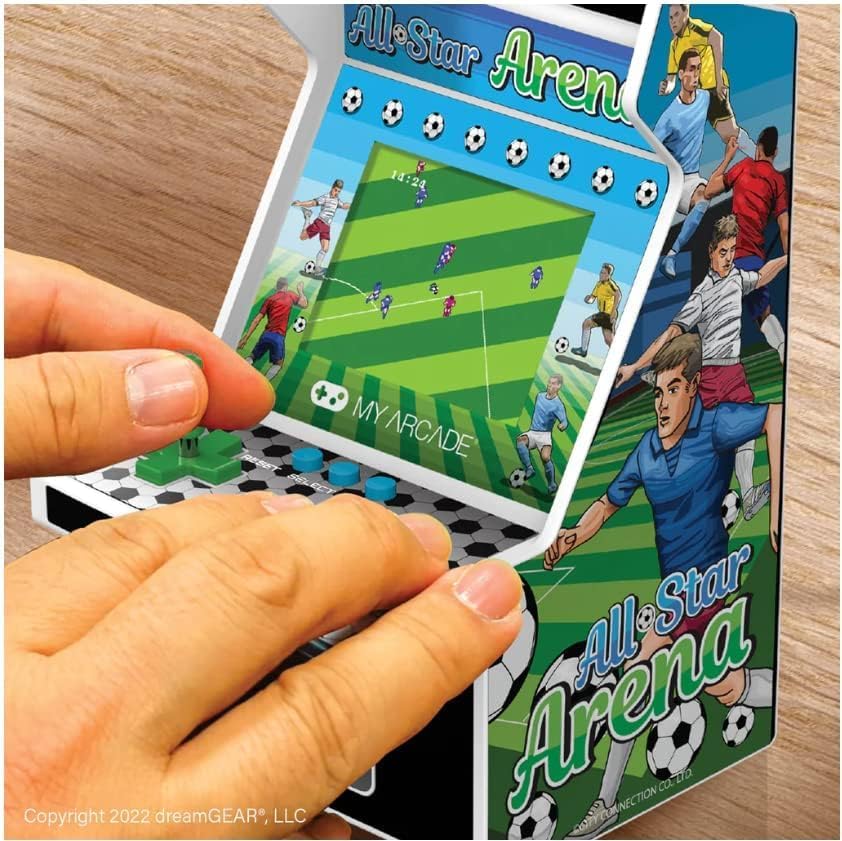
Image: Close-up of hands interacting with the joystick and buttons on the Micro Player during gameplay.
Controls
- Joystick: Use the removable joystick for directional movement within games.
- Action Buttons: Press the designated action buttons for in-game commands such as jump, fire, or special moves.
- Volume Control: Adjust the game volume using the dedicated volume buttons.
- Headphone Port: For private listening, plug standard 3.5mm headphones into the headphone jack.
Video Overview
Watch this official product video for a visual guide on the All Star Arena Micro Player's features and gameplay.
Video: An official overview of the My Arcade All Star Arena Micro Player, demonstrating its design and gameplay.
Maintenance
- Cleaning: Use a soft, dry cloth to clean the exterior of the Micro Player. Do not use abrasive cleaners or solvents.
- Storage: Store the device in a cool, dry place away from direct sunlight and extreme temperatures.
- Battery Care: Remove batteries if the device will not be used for an extended period to prevent leakage.
Troubleshooting
- Device Not Turning On: Ensure batteries are correctly inserted and charged, or that the USB-C cable is securely connected to a power source.
- No Sound: Check the volume level and ensure headphones are not plugged in if you intend to use the built-in speaker.
- Screen Issues: If the screen is blank or flickering, try turning the device off and on again. If the issue persists, contact customer support.
Specifications
| Feature | Detail |
|---|---|
| Model Number | DGUNL-4125 |
| UPC | 845620041251 |
| Number of Players | 1 |
| Controller Type | Joystick (removable) |
| Screen Size | 2.75 Inches |
| Power Source | 4 AA batteries (not included) or USB-C cable (not included) |
| Hardware Interface | USB Type C |
| Display Type | LCD |
| Form Factor | Handheld |
| Dimensions | 4.5 x 4 x 6.8 inches |
| Item Weight | 470 Grams |
| Material Type | Plastic |
| Age Recommendation | 168 months (14 years) and up |
| Included Games | GOAL!, BASES LOADED 1,2,3 & 4, RACKET ATTACK, HOOPS, plus 300 retro style bonus games |

Image: The Micro Player with its dimensions (height, width, depth) clearly indicated.
Warranty Information
This My Arcade product comes with a 120-day manufacturer warranty from the date of purchase. Please retain your proof of purchase for warranty claims.
Support
For additional support, product information, or to explore other My Arcade products, please visit the official My Arcade Store.


