Introduction
The EZVIZ Outdoor Security Camera (Model: CS-CV310-A0-3B1WFR) is a Full HD, wall-mounted outdoor Wi-Fi camera designed to enhance home security. It features a built-in strobe light and alarm for deterrence, two-way audio communication, and robust weather resistance. This manual provides essential information for setting up, operating, maintaining, and troubleshooting your camera.

Figure 1: EZVIZ Outdoor Security Camera (Model CS-CV310-A0-3B1WFR)
This image displays the EZVIZ outdoor security camera, a white bullet-style camera with two external antennas, designed for outdoor surveillance.
Package Contents
Before proceeding with installation, please verify that all components are present in the package:
- IPC (Internet Protocol Camera) Unit
- Power Adapter
- Waterproof Kit
- Screw Kit
- Mounting Template
- Quick Start Guide
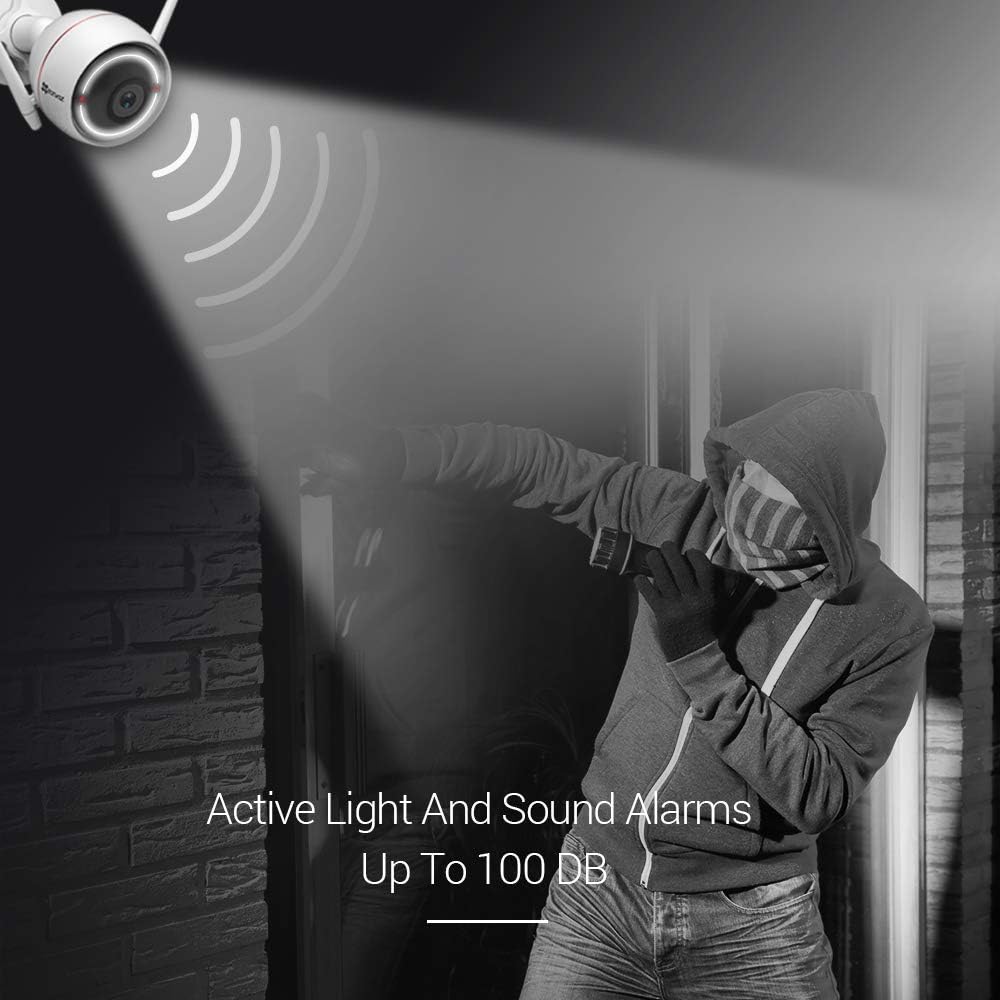
Figure 2: Included Accessories
This image illustrates the various components included in the EZVIZ camera package, such as the camera itself, power adapter, waterproof kit, screw kit, mounting template, and quick start guide.
Setup
Follow these steps to set up your EZVIZ Outdoor Security Camera:
- Choose a Mounting Location: Select an outdoor location that provides optimal surveillance coverage. The camera can be mounted on a wall or ceiling. Ensure the location is within range of your Wi-Fi network or allows for a wired connection.
- Prepare for Installation: Use the provided mounting template to mark drilling points. Drill holes and insert wall anchors if necessary.
- Mount the Camera: Secure the camera's base to the chosen surface using the screw kit. The base allows for manual 360° adjustment.
- Connect Power: Connect the power adapter to the camera and plug it into a power outlet.
- Network Connection:
- Wi-Fi: The camera features dual Wi-Fi antennas for strong signal penetration. Follow the instructions in the Quick Start Guide to connect the camera to your 2.4G Wi-Fi network via the EZVIZ app.
- Wired: Alternatively, connect an Ethernet cable to the camera's network port for a wired connection.
- Install Micro SD Card (Optional): If using local storage, insert a Micro SD card (up to 256GB, not included) into the designated slot.
- Complete Setup via EZVIZ App: Download the EZVIZ app on your iOS or Android device. Follow the in-app instructions to add your camera, configure settings, and begin monitoring.

Figure 3: Connectivity and Components Overview
This diagram highlights key components of the EZVIZ camera, including the power supply connection, dual Wi-Fi antennas, weatherproof casing, dual night vision LEDs, strobe light, manually adjustable base, high definition audio, and microSD card slot/reset button.

Figure 4: Ceiling and Wall Mounting Options
This image demonstrates the two primary installation methods for the EZVIZ camera: ceiling mounting and wall mounting, showcasing its versatile placement capabilities.
Operating Instructions
The EZVIZ camera offers several advanced features for effective surveillance:
- Active Light and Sound Alarms:
Upon detection of motion, the camera can automatically activate a loud siren (up to 100 dB) and a strobe light to deter intruders. These alarm functions can be independently enabled or disabled via the EZVIZ app.

Figure 5: Active Light and Sound Alarms
This image depicts the EZVIZ camera's active deterrence feature, showing a bright light beam and sound waves emanating from the camera towards a figure, illustrating its ability to deter intruders with light and sound.
- Two-Way Audio:
The camera is equipped with a built-in microphone and a HiFi quality speaker, enabling two-way communication. This allows you to speak to visitors or deter unwanted individuals directly through the camera via the EZVIZ app.

Figure 6: Two-Way Audio Communication
This image illustrates the two-way audio capability of the EZVIZ camera, showing a smartphone screen with a live camera feed and chat bubbles, indicating a conversation between a user and a person at the camera's location.
- Night Vision:
The camera provides clear vision day and night, with efficient infrared lights and an anti-reflection panel. It offers excellent night vision up to 100 feet (approximately 30 meters), ensuring continuous surveillance in low-light conditions.

Figure 7: Day and Night Vision Comparison
This image compares the camera's view during the day and night, demonstrating its brilliant night vision capability up to 98 feet, showing a clear black and white image at night versus a color image during the day.
- Connectivity:
Equipped with powerful external dual Wi-Fi antennas, the camera ensures long-range transmission with strong penetration and anti-interference capabilities, providing a stable connection.
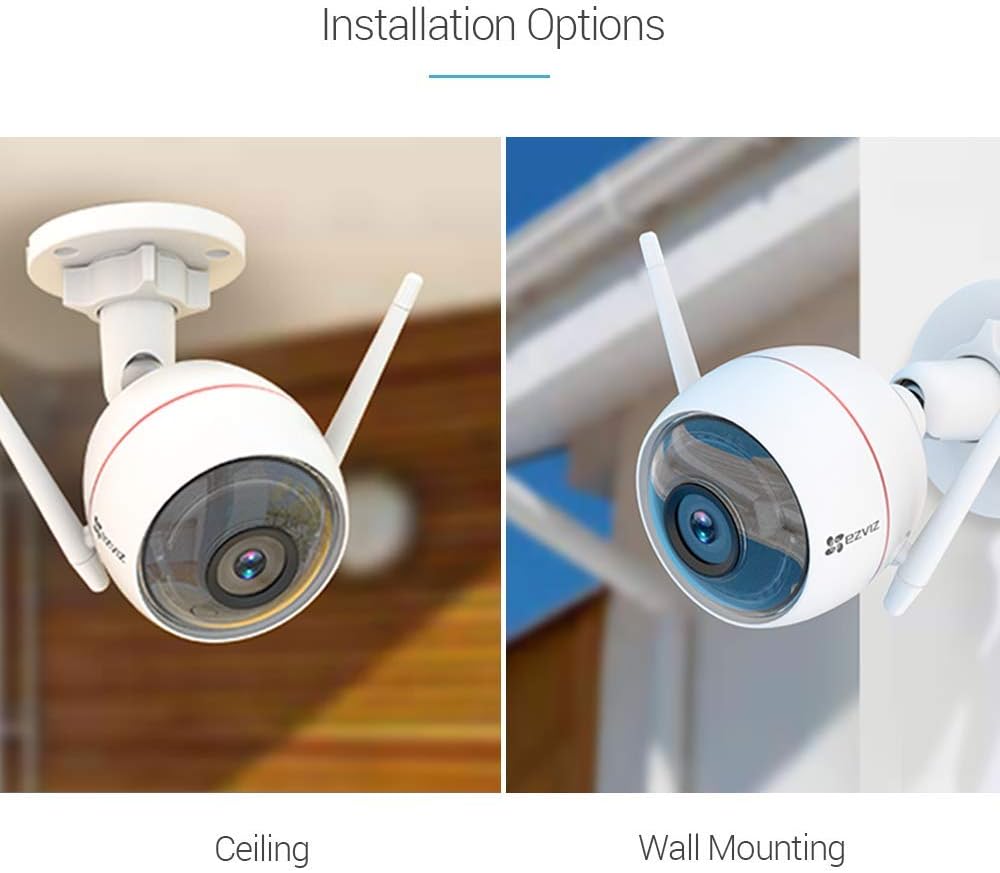
Figure 8: Powerful External Dual Antenna
This image highlights the EZVIZ camera's powerful external dual antennas, visually representing their role in ensuring robust and reliable wireless connectivity.
- Smart Home Integration:
The camera is compatible with Amazon Alexa (via Echo Show), Google Home, and IFTTT, allowing for integrated control and synchronized smart home functionalities.
- Storage Options:
The camera supports both cloud storage (with a free 1-month trial) and local storage via a Micro SD card (up to 256GB, sold separately) for continuous recording.
Maintenance
To ensure optimal performance and longevity of your EZVIZ camera, consider the following maintenance guidelines:
- Weather Protection: The camera is IP66-certified, meaning it is dust-tight and protected against powerful jets of water. It is designed to withstand various weather conditions including rain, sunshine, and snow.
- Cleaning: Periodically clean the camera lens and casing with a soft, damp cloth to remove dust, dirt, or water spots that may obstruct the view. Avoid using harsh chemicals or abrasive materials.
- Firmware Updates: Regularly check for and install firmware updates through the EZVIZ app to ensure your camera has the latest features and security enhancements.

Figure 9: IP66 Weatherproof Design
This image shows the EZVIZ camera with water droplets on its surface, emphasizing its IP66 waterproof and dustproof rating, indicating its durability in various weather conditions.
Troubleshooting
If you encounter issues with your EZVIZ camera, try the following troubleshooting steps:
- No Power: Ensure the power adapter is securely connected to both the camera and a working power outlet.
- No Network Connection:
- Verify your Wi-Fi network is active and the camera is within range.
- Restart your Wi-Fi router.
- If using a wired connection, check the Ethernet cable.
- Try resetting the camera (refer to the Quick Start Guide for reset instructions).
- Poor Image Quality:
- Clean the camera lens.
- Ensure there are no obstructions in the camera's field of view.
- Check your network bandwidth; a slow connection can affect streaming quality.
- Motion Detection Issues:
- Adjust motion detection sensitivity settings in the EZVIZ app.
- Ensure the camera's view is not obstructed by moving objects like tree branches.
For more detailed troubleshooting or persistent issues, refer to the EZVIZ app's help section or contact customer support.
Specifications
| Feature | Specification |
|---|---|
| Model Number | CS-CV310-A0-3B1WFR |
| Connectivity Protocol | Wi-Fi |
| Wireless Communication Technology | Wi-Fi (2.4G) |
| Power Source | DC (12 Volts, 6 watts) |
| Video Capture Resolution | 1080p, 720p |
| Night Vision Range | 100 Feet |
| International Protection Rating | IP66 (Dust & Water Protection) |
| Controller Type | Amazon Alexa, Android, IFTTT |
| Mounting Type | Wall Mount |
| Item Dimensions (L x W x H) | 4.33 x 5.91 x 2.83 inches |
| Item Weight | 11.5 ounces (326 Grams) |
| Optical Zoom | 3 x |
| Focus Type | Automatically |
| Light Source Type | Infrared |
| Alert Type | Motion Only |
| Recommended Uses | Outdoor Security |
Warranty and Support
EZVIZ is committed to providing reliable security solutions. All EZVIZ cameras come with a 1-year warranty from the date of purchase.
Additionally, EZVIZ offers lifetime technical support for its products. If you require assistance with setup, operation, troubleshooting, or any other aspect of your camera, please contact EZVIZ customer support through the EZVIZ app or their official website.
For the latest information, FAQs, and support resources, visit the official EZVIZ website or the EZVIZ store on Amazon: EZVIZ Store.


