
TECKNET WA878
TECKNET Wireless Doorbell Instruction Manual
Model: WA878
Introduction
This manual provides comprehensive instructions for the installation, operation, maintenance, and troubleshooting of your TECKNET Wireless Doorbell. Please read this manual thoroughly before using the product to ensure proper function and longevity.
Product Components
The TECKNET Wireless Doorbell package includes the following items:
- 1 x Transmitter (push button, battery included)
- 1 x Plug-in Receiver
- 1 x Adhesive Tape
- 2 x Screws
- 2 x Anchors
- 1 x User Manual (this document)

Figure 1: Main components of the TECKNET Wireless Doorbell system.
Setup and Installation
The TECKNET Wireless Doorbell is designed for easy setup without the need for WiFi or complex wiring. Follow these steps for installation:
1. Powering the Receiver
Plug the receiver into any standard electrical outlet within your home. Ensure the outlet is easily accessible and centrally located for optimal sound distribution.

Figure 2: Plug the receiver into a power outlet.
2. Mounting the Transmitter (Push Button)
Choose a suitable location for the push button near your door. It is recommended to install it on a non-metal surface for best wireless performance. Two installation methods are available:
- Method 1: Adhesive Tape
Clean the surface where you intend to mount the transmitter. Peel off one side of the adhesive tape and firmly attach it to the back of the transmitter. Peel off the other side and press the transmitter firmly onto the desired surface for at least 30 seconds.
- Method 2: Screws and Anchors
For a more secure installation, use the provided screws and anchors. Mark the positions for the screw holes on the wall. Drill pilot holes, insert the anchors, and then screw the transmitter into place.

Figure 3: Installation methods for the push button.
- Method 1: Adhesive Tape
3. Pairing (If Necessary)
Your doorbell should be pre-paired from the factory. If pairing is lost or you add additional transmitters/receivers, follow these steps:
- Press and hold the volume button on the receiver for 5 seconds until the LED indicator flashes rapidly.
- Immediately press the push button on the transmitter. The receiver will chime, indicating successful pairing.
- Repeat for any additional transmitters or receivers.
Operating Instructions
Once installed, operating your TECKNET Wireless Doorbell is straightforward:
1. Changing Ringtones
The receiver offers 60 different ringtones. To cycle through them, press the "Music" button on the side of the receiver. Each press will play the next melody. The doorbell has a memory function that retains your last selected melody even after a power outage.

Figure 4: Adjusting ringtones and volume levels.
2. Adjusting Volume Levels
There are 5 adjustable volume levels, ranging from 0dB (mute) to 120dB. Press the "Volume" button on the side of the receiver to adjust the volume. The mute level is ideal for times when silence is required, such as during baby's nap time.

Figure 5: LED indicator and mute mode for quiet environments.
3. Working Modes
The receiver supports three working modes: LED & Ringtone, Ringtone Only, and LED Flash Only. You can switch between these modes using the dedicated mode button on the receiver. The LED flash provides a visual alert, which is particularly helpful for the hearing impaired.
Video 1: Demonstrating the TECKNET Wireless Doorbell's features, including wireless range, volume levels, ringtones, and working modes. This video is provided by the seller.
Maintenance
To ensure the longevity and optimal performance of your TECKNET Wireless Doorbell, follow these maintenance guidelines:
- Cleaning: Use a soft, dry cloth to clean the surfaces of both the transmitter and receiver. Avoid using abrasive cleaners or solvents.
- Battery Replacement (Transmitter): The transmitter uses a CR2032 battery (included). If the doorbell button stops working or the LED light on the transmitter does not illuminate when pressed, it may be time to replace the battery. Refer to the diagram below for battery compartment location.

Figure 6: Transmitter battery location and lifespan.
- Weather Protection: The transmitter is IP65 waterproof, designed to withstand outdoor conditions. However, extreme temperatures (-4°F to 140°F) or prolonged submersion should be avoided.
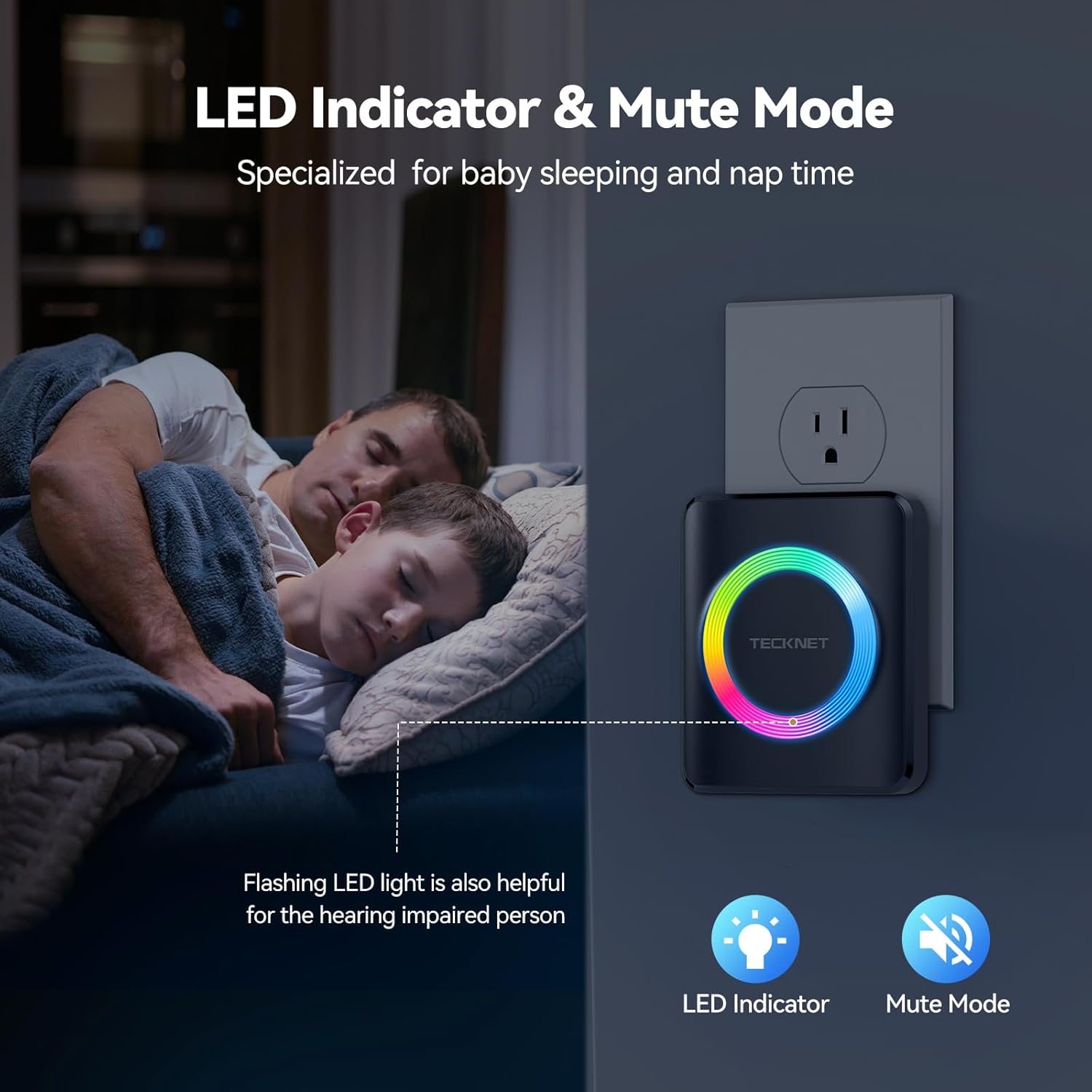
Figure 7: IP65 waterproof rating for outdoor use.
Troubleshooting
If you encounter issues with your TECKNET Wireless Doorbell, refer to the following common problems and solutions:
| Problem | Possible Cause | Solution |
|---|---|---|
| Doorbell does not ring. |
|
|
| Short wireless range. |
|
|
| Receiver rings randomly. |
|
|
Specifications
| Feature | Detail |
|---|---|
| Model Number | WA878 |
| Wireless Range | Up to 1300ft (400m) |
| Ringtones | 60 Chimes |
| Volume Levels | 5 (0-120dB) |
| Waterproof Rating (Transmitter) | IP65 |
| Operating Temperature | -4°F to 140°F (-20°C to 60°C) |
| Transmitter Battery Life | Approx. 4.5 years (CR2032) |
| Material | ABS |
| Certifications | FCC, CE, RoHS |
Warranty and Support
TECKNET products are designed for reliability and performance. Your TECKNET Wireless Doorbell comes with a comprehensive warranty and dedicated customer support.
- Warranty: All TECKNET products offer a 36-month warranty upon registration. Please visit the official TECKNET website for warranty registration and details.
- Customer Support: For any questions, technical assistance, or warranty claims, please contact TECKNET customer support. Contact information can be found on the official TECKNET website or your product packaging.
- User Guide (PDF): A digital version of this user guide is available for download.Download PDF User Guide
Related documentsWA878

Ask a question about this manual
Ask about setup, troubleshooting, compatibility, parts, safety, or missing instructions. Manuals+ will review the question and use this page’s manual context to help answer it.