
Introduction
This manual provides instructions for the UpStart Components replacement remote control, designed for use with Emerson TV models, specifically compatible with original remote models LC401EM3F and NH000UD. This remote control is engineered to function similarly to the original unit, offering a straightforward replacement solution.

Image 1: Front view of the UpStart Components replacement remote control. It is black, rectangular, with various buttons for power, volume, channel, navigation, and number input. The model number "NH000UD" is printed at the bottom.
Setup
1. Battery Installation
- Locate the battery compartment on the back of the remote control.
- Slide the battery compartment cover downwards or press the release tab and lift to open.
- Insert two (2) AAA batteries, ensuring the positive (+) and negative (-) terminals align correctly with the markings inside the compartment.
- Replace the battery compartment cover by sliding it back into place until it clicks securely.
Note: Batteries are not included with the remote control. Always use new batteries for optimal performance. Do not mix old and new batteries, or different types of batteries.

Image 2: Back view of the remote control, highlighting the battery compartment cover with an "OPEN" indicator and a textured grip area.
Operating Instructions
This remote control is pre-programmed and does not require any setup or coding. Once batteries are installed, it is ready for use with compatible Emerson TVs.
Button Functions:
| Button | Function |
|---|---|
| POWER (⏻) | Turns the TV on or off. |
| SOURCE | Selects input sources (e.g., HDMI, AV, Component). |
| VOL+ / VOL- | Increases or decreases the volume level. |
| CH+ / CH- | Changes the TV channel up or down. |
| MUTE (🔇) | Mutes or unmutes the TV audio. |
| SAP | Selects Secondary Audio Program (if available). |
| BACK | Returns to the previous menu or channel. |
| ECO | Activates or deactivates energy-saving mode. |
| MENU | Opens the TV's main menu. |
| INFO | Displays program information. |
| Navigation Arrows (▲ ◄ ▼ ►) | Navigates through menus and options. |
| OK | Confirms selections in menus. |
| Number Buttons (0-9) | Direct channel input. |
| PREV.CH | Switches to the previously viewed channel. |
| SLEEP | Sets the sleep timer. |
| FREEZE | Pauses the current image on screen. |
| FORMAT | Adjusts the screen aspect ratio. |
Maintenance
- Cleaning: Wipe the remote control with a soft, dry cloth. Do not use liquid cleaners or abrasive materials.
- Battery Replacement: Replace batteries when the remote's response becomes sluggish or stops working. Remove batteries if the remote will not be used for an extended period to prevent leakage.
- Storage: Store the remote in a cool, dry place away from direct sunlight and extreme temperatures.
Troubleshooting
- Remote not responding:
- Ensure batteries are inserted correctly with the correct polarity.
- Replace old batteries with new AAA batteries.
- Check for any obstructions between the remote control and the TV's infrared sensor.
- Ensure the remote is pointed directly at the TV.
- Some buttons not working:
- This remote is designed to replicate the original functionality. If specific buttons do not work, verify if the original remote had that function for your specific TV model.
- Clean the remote control, especially around the non-functioning buttons, to remove any debris.
Specifications
- Model Number: RC-NH000UD-DL18
- Compatibility: Emerson TV models (compatible with original remotes LC401EM3F, NH000UD)
- Power Source: 2 x AAA Batteries (not included)
- Connectivity Technology: Infrared (IR)
- Dimensions: 5.91 x 1.73 x 0.79 inches
- Item Weight: 2.5 ounces
- Manufacturer: UpStart Components
Warranty and Support
This product is an UpStart Components Brand replacement part and is not an OEM (Original Equipment Manufacturer) product. It is not affiliated with any OEM brands and is not covered under any warranties offered by the original manufacturers.
Any warranties for this product are offered solely by UpStart Components. For support or warranty inquiries, please refer to the contact information provided with your purchase or visit the UpStart Components official website.
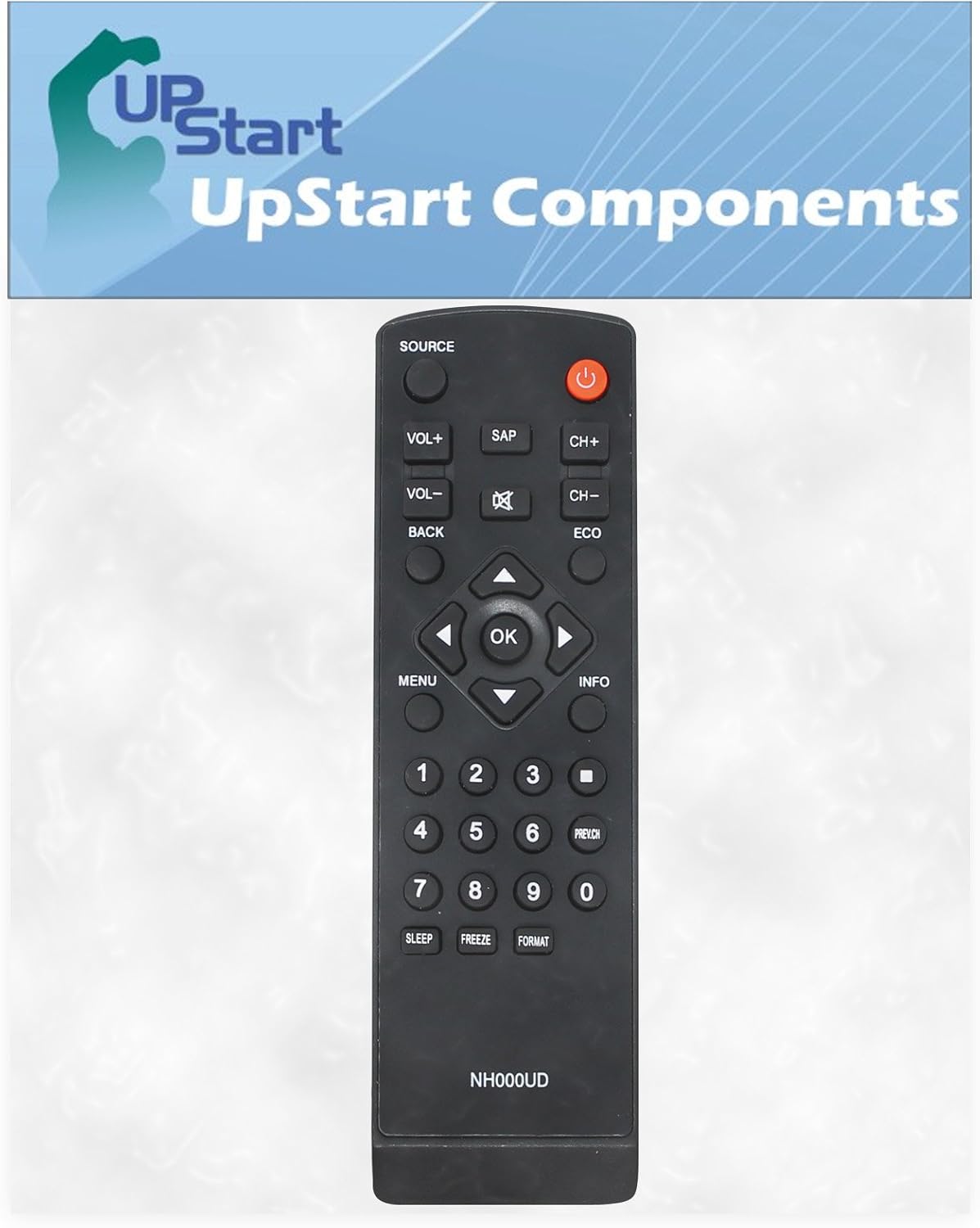
Image 3: Front view of the UpStart Components replacement remote control, displayed with the UpStart Components brand logo in the background.