
Square D NF442
Square D 480 Volt 3 Phase MLO 250 Amp Panel
Model: NF442
Introduction
This manual provides essential information for the safe and proper installation, operation, and maintenance of the Square D 480 Volt 3 Phase MLO 250 Amp Panel, Model NF442. Please read this manual thoroughly before attempting any procedures to ensure personal safety and optimal product performance. This panel is designed for industrial and commercial applications requiring a robust and reliable electrical distribution solution.
Safety Information
WARNING: Risk of electric shock or arc flash. Improper installation, operation, or maintenance can result in death, serious injury, or equipment damage. Installation and servicing must be performed by qualified personnel only.
- Always disconnect power before working on or near the panel.
- Use appropriate personal protective equipment (PPE) as required by local electrical codes and safety standards.
- Verify all connections are secure and properly torqued according to specifications.
- Ensure proper grounding and bonding.
- Do not operate the panel with covers removed unless necessary for qualified service and with appropriate safety precautions.
Product Overview
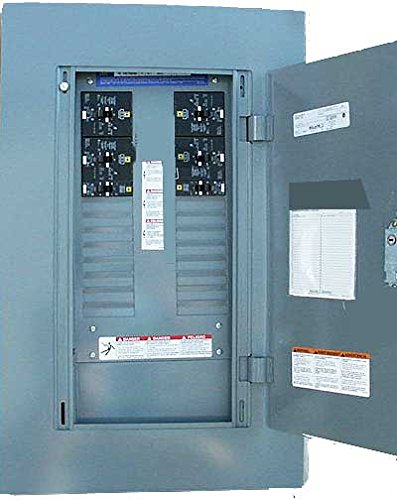
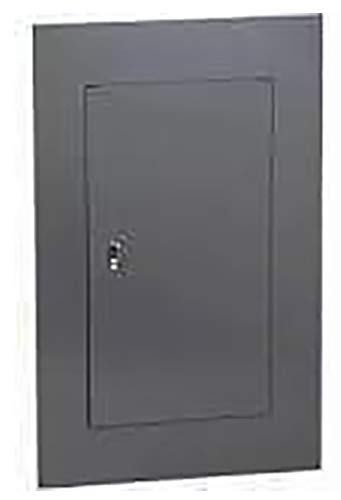
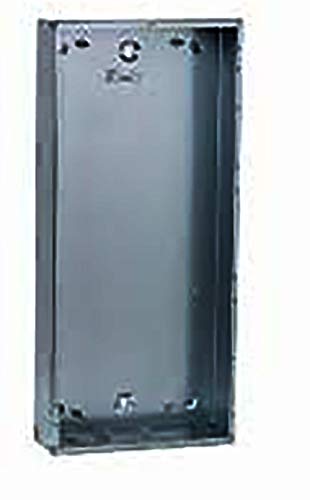
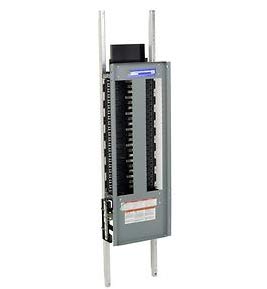
The Square D 480 Volt 3 Phase MLO 250 Amp Panel (Model NF442) is a robust electrical distribution panel designed for high-voltage, three-phase applications. It features a copper busbar system for superior conductivity and durability. The panel is supplied complete with its interior, cover, and door, ready for the installation of circuit breakers (circuit breakers are not included).
Setup and Installation
Pre-Installation Checklist:
- Ensure the installation location is dry, well-ventilated, and free from corrosive agents.
- Verify that the mounting surface is structurally sound and capable of supporting the panel's weight.
- Confirm that the incoming power supply matches the panel's specifications (480 Volt, 3 Phase, 4 Wire).
- Have all necessary tools and personal protective equipment (PPE) available.
Mounting Instructions:
- Carefully unpack the panel and inspect for any shipping damage.
- Mark the mounting points on the wall using the panel's pre-drilled holes as a template.
- Securely fasten the panel to the mounting surface using appropriate hardware (not supplied). Ensure the panel is level and plumb.
Wiring Instructions:
- Before proceeding, ensure all power to the installation site is OFF and locked out.
- Connect the incoming 480 Volt, 3 Phase, 4 Wire power supply to the main lugs. Refer to the wiring diagram inside the panel door for correct phase and neutral connections.
- Install appropriate circuit breakers (not included) into the designated slots. Ensure breakers are rated for 480V and the specific load requirements.
- Connect load wiring to the circuit breakers.
- Ensure all ground and neutral connections are properly terminated to the respective busbars.
- Verify all connections are tight and secure. Refer to torque specifications provided on internal labels.
- Close and secure the panel cover and door.
Operating the Panel
Once installed and wired by qualified personnel, the Square D panel operates by controlling the flow of electricity through the installed circuit breakers. Each circuit breaker protects a specific circuit from overcurrents and short circuits.
- Turning Circuits ON/OFF: To energize a circuit, ensure the corresponding circuit breaker is in the "ON" position. To de-energize, switch the breaker to the "OFF" position.
- Tripped Breakers: If a circuit breaker trips (moves to an intermediate or "OFF" position), it indicates an overload or short circuit. Before resetting, identify and resolve the cause of the trip. To reset, fully push the breaker handle to the "OFF" position, then back to "ON".
- Load Balancing: For optimal performance and longevity, ensure loads are balanced across the three phases as much as possible.
Maintenance
Regular maintenance is crucial for the safe and reliable operation of your Square D panel. All maintenance should be performed by qualified electrical personnel.
- Annual Inspection: Annually inspect the panel for signs of wear, corrosion, loose connections, or overheating (discoloration).
- Cleaning: Keep the interior of the panel clean and free of dust and debris. Use a dry, non-conductive cloth or vacuum. Do not use liquids.
- Torque Verification: Periodically re-torque all electrical connections, especially main lugs and breaker connections, to manufacturer specifications.
- Ventilation: Ensure that ventilation openings (if any) are not obstructed to prevent overheating.
Troubleshooting
| Problem | Possible Cause | Solution |
|---|---|---|
| Circuit breaker trips frequently. | Overload on circuit, short circuit, faulty appliance, or faulty breaker. | Reduce load, inspect wiring for shorts, test appliances, or replace breaker. |
| No power to a circuit. | Tripped breaker, loose connection, or open circuit. | Reset breaker, check connections, or trace circuit for breaks. |
| Panel feels hot. | Overloaded panel, loose connections, or inadequate ventilation. | Reduce load, tighten connections, ensure proper airflow. Consult qualified electrician immediately. |
If troubleshooting steps do not resolve the issue, contact a qualified electrician or Square D technical support.
Specifications
| Attribute | Value |
|---|---|
| Brand | Square D |
| Model | NF442 (Estimated based on features) |
| Voltage Rating | 480 Volt |
| Phase Type | 3 Phase, 4 Wire |
| Current Rating | 250 Amps (MLO) |
| Material | Copper Buss |
| Number of Circuits | 42 (Estimated based on typical NF panels) |
| Configuration | Main Lug Only (MLO) |
| ASIN | B07CMJ43Q6 |
| First Available Date | April 24, 2018 |
Warranty and Support
For specific warranty information, please refer to the documentation provided with your purchase or contact Square D directly. Square D products are known for their reliability and are backed by comprehensive support.
For technical assistance, product inquiries, or to locate authorized service centers, please visit the official Square D website or contact their customer support line. Always provide the product model (NF442) and ASIN (B07CMJ43Q6) when seeking support.
Important: Any unauthorized modifications or repairs to the panel will void the warranty and may pose significant safety hazards.
Ask a question about this manual
Ask about setup, troubleshooting, compatibility, parts, safety, or missing instructions. Manuals+ will review the question and use this page’s manual context to help answer it.