
Rapoo H100
Rapoo H100 Wired Stereo Headset User Manual
Model: H100
Introduction
Thank you for choosing the Rapoo H100 Wired Stereo Headset. This manual provides detailed instructions for setting up, operating, and maintaining your headset to ensure optimal performance and longevity. The Rapoo H100 is designed for clear audio communication and comfortable wear, featuring smooth HD voice calls, microphone noise reduction, adjustable rotation, volume control, microphone mute, and a standard 3.5mm audio port.
Package Contents
Please check the package contents to ensure all items are present:
- Rapoo H100 Wired Stereo Headset
Product Overview
Familiarize yourself with the components of your Rapoo H100 headset for proper use and understanding.

Figure 1: Front-angled view of the Rapoo H100 Wired Stereo Headset, showcasing the earcups, adjustable headband, and microphone arm.
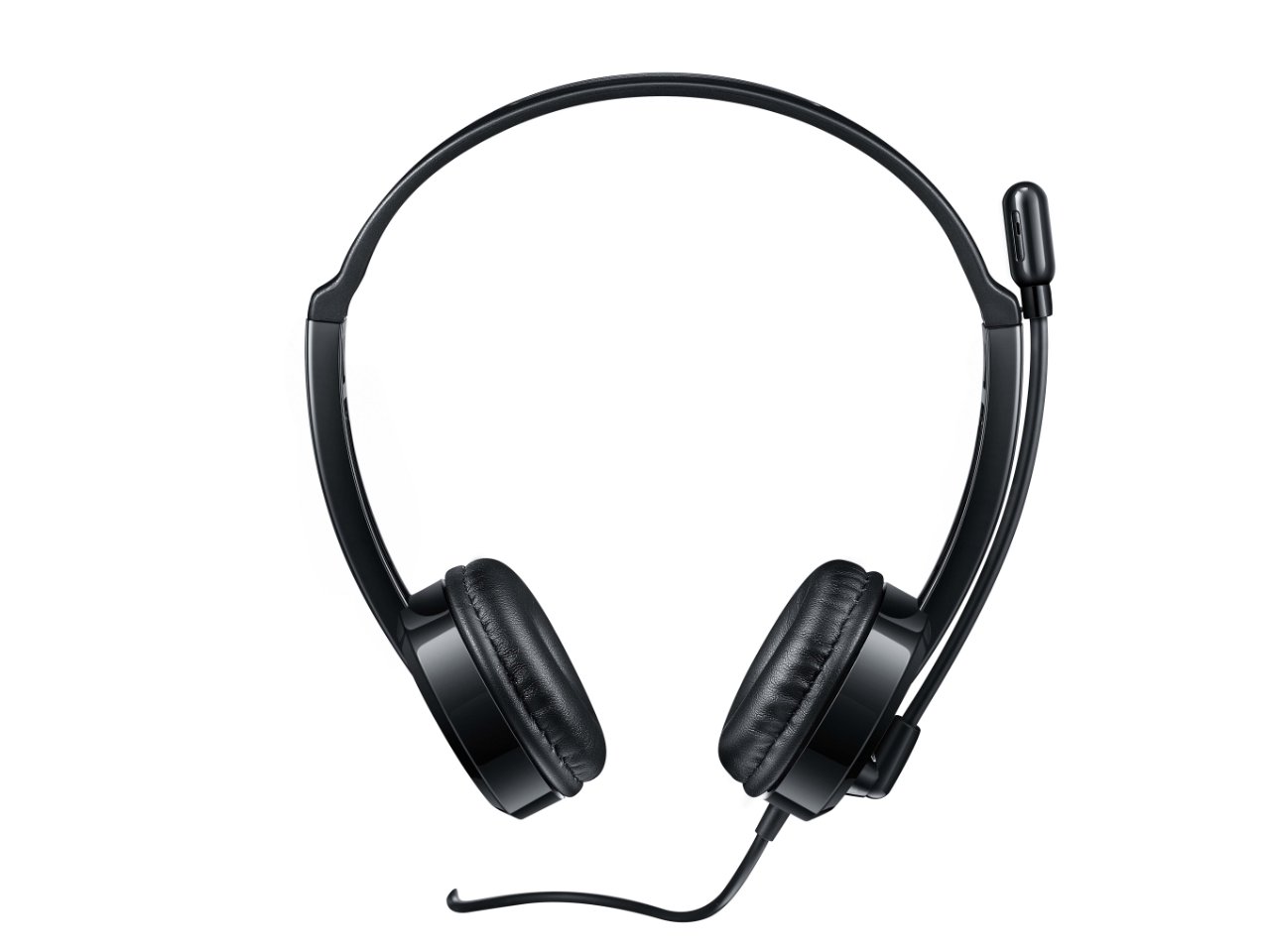
Figure 2: Top-front view of the headset, providing a clear perspective of the headband's curvature and the design of both earcups.
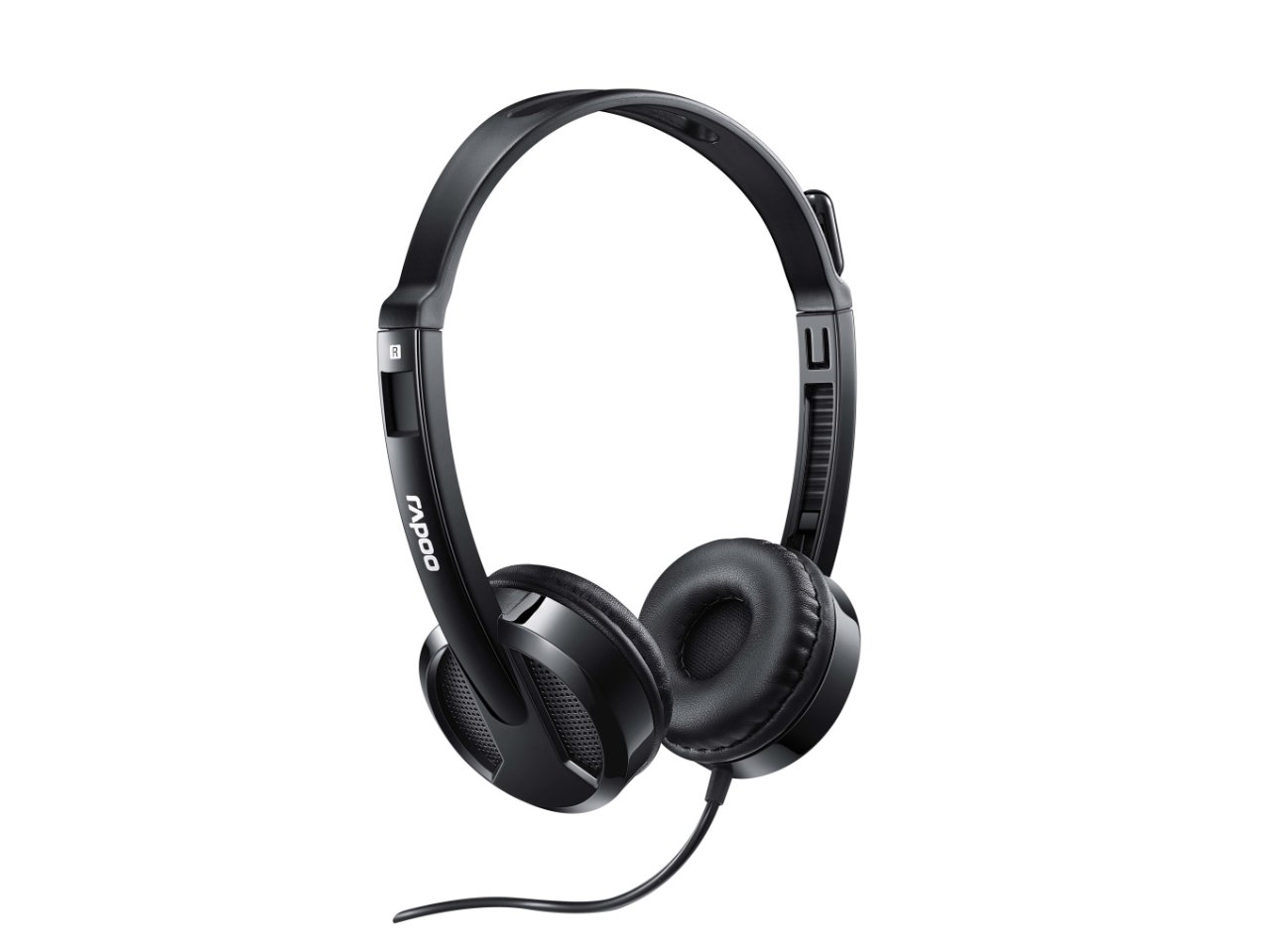
Figure 3: Angled view from behind the headset, showing the connection point of the audio cable to the earcup.

Figure 4: Close-up view of the rotatable microphone arm, illustrating its design for optimal voice capture.

Figure 5: Side profile view of the Rapoo H100 headset, showing the slim design and the headband adjustment mechanism.
Key Components:
- Adjustable Headband: Allows for a comfortable fit for various head sizes.
- Soft Earpads: Designed for comfort during extended use.
- Rotatable Microphone: Can be adjusted for optimal voice pickup and rotated out of the way when not in use.
- In-line Control Unit: Contains the volume control wheel and microphone mute switch for easy access.
- 3.5mm Audio Jack: Standard connector for universal compatibility with devices.
Setup
- Connect the Headset: Insert the 3.5mm audio jack into the corresponding audio port on your computer, laptop, tablet, or smartphone. Ensure the connection is secure.
- Adjust the Headband: Gently extend or retract the headband on both sides until the earcups rest comfortably over your ears.
- Position the Microphone: Rotate the microphone arm downwards and position the microphone approximately 2-3 cm (1 inch) from your mouth for clear voice pickup. The microphone is adjustable for optimal placement.
- Configure Audio Settings (if necessary): On your device, navigate to the sound settings and ensure the Rapoo H100 is selected as the default input (microphone) and output (speaker) device.
Operating Instructions
- Volume Control: Use the in-line volume control wheel on the headset cable to adjust the listening volume. Rotate the wheel upwards to increase volume and downwards to decrease it.
- Microphone Mute: Locate the mute switch on the in-line control. Slide the switch to mute or unmute the microphone. This is useful for privacy during calls or when you do not wish your voice to be transmitted.
- Making Calls: Once connected and configured, you can use the headset for voice calls through various communication applications (e.g., Skype, Zoom, Microsoft Teams) or for standard phone calls on compatible devices.
- Listening to Audio: The headset will output audio from your connected device, allowing you to listen to music, videos, or game audio.
Maintenance
Proper maintenance will extend the life of your headset.
- Cleaning: Use a soft, dry cloth to wipe down the earcups and headband. For stubborn dirt, a slightly damp cloth can be used, but ensure no moisture enters the speaker grilles or microphone. Do not use harsh chemicals or abrasive cleaners.
- Storage: When not in use, store the headset in a clean, dry place away from direct sunlight and extreme temperatures. Avoid tangling the cable.
- Cable Care: Do not pull the cable forcefully or wrap it too tightly around the headset. This can damage the internal wires.
Troubleshooting
If you encounter issues with your Rapoo H100 headset, refer to the following common problems and solutions:
| Problem | Possible Cause | Solution |
|---|---|---|
| No sound from headset |
|
|
| Microphone not working |
|
|
| Sound quality is poor |
|
|
Specifications
| Feature | Detail |
|---|---|
| Model Name | H100 |
| Connectivity Technology | Wired |
| Included Components | Headset |
| Compatible Devices | Tablets, Telephones, Laptops, Desktops |
| Control Type | Volume Control |
| Item Weight | 400 Grams |
| Earpiece Shape | Over Ear |
| Manufacturer | Rapoo |
| Form Factor | Over Ear, On ear |
| Product Dimensions (LxWxH) | 1.8 x 18.6 x 11.6 cm |
| Headphones Jack | 3.5 mm Jack |
| Color | Black |
Warranty and Support
For warranty information and technical support, please refer to the official Rapoo website or contact their customer service. Keep your purchase receipt as proof of purchase for warranty claims.
Manufacturer: Rapoo
Website: www.rapoo.com (Please note: This is a general placeholder. Refer to your product packaging or Rapoo's official documentation for the most accurate support contact information.)
Related documentsH100


Ask a question about this manual
Ask about setup, troubleshooting, compatibility, parts, safety, or missing instructions. Manuals+ will review the question and use this page’s manual context to help answer it.