
SONGMICS UOBG63BQ
SONGMICS Ergonomic Gaming Office Chair User Manual
Model: UOBG63BQ | Brand: SONGMICS
1. Introduction
Thank you for choosing the SONGMICS Ergonomic Gaming Office Chair. This manual provides essential information for the safe assembly, operation, and maintenance of your new chair. Please read it thoroughly before use and retain it for future reference.
This chair features a steel frame with a premium PU cover, designed for stability and durability. It includes silent nylon castors for smooth movement and a 360° swivel design for convenience. The ergonomic design with generous padding and built-in lumbar support aims to provide comfort during extended use.
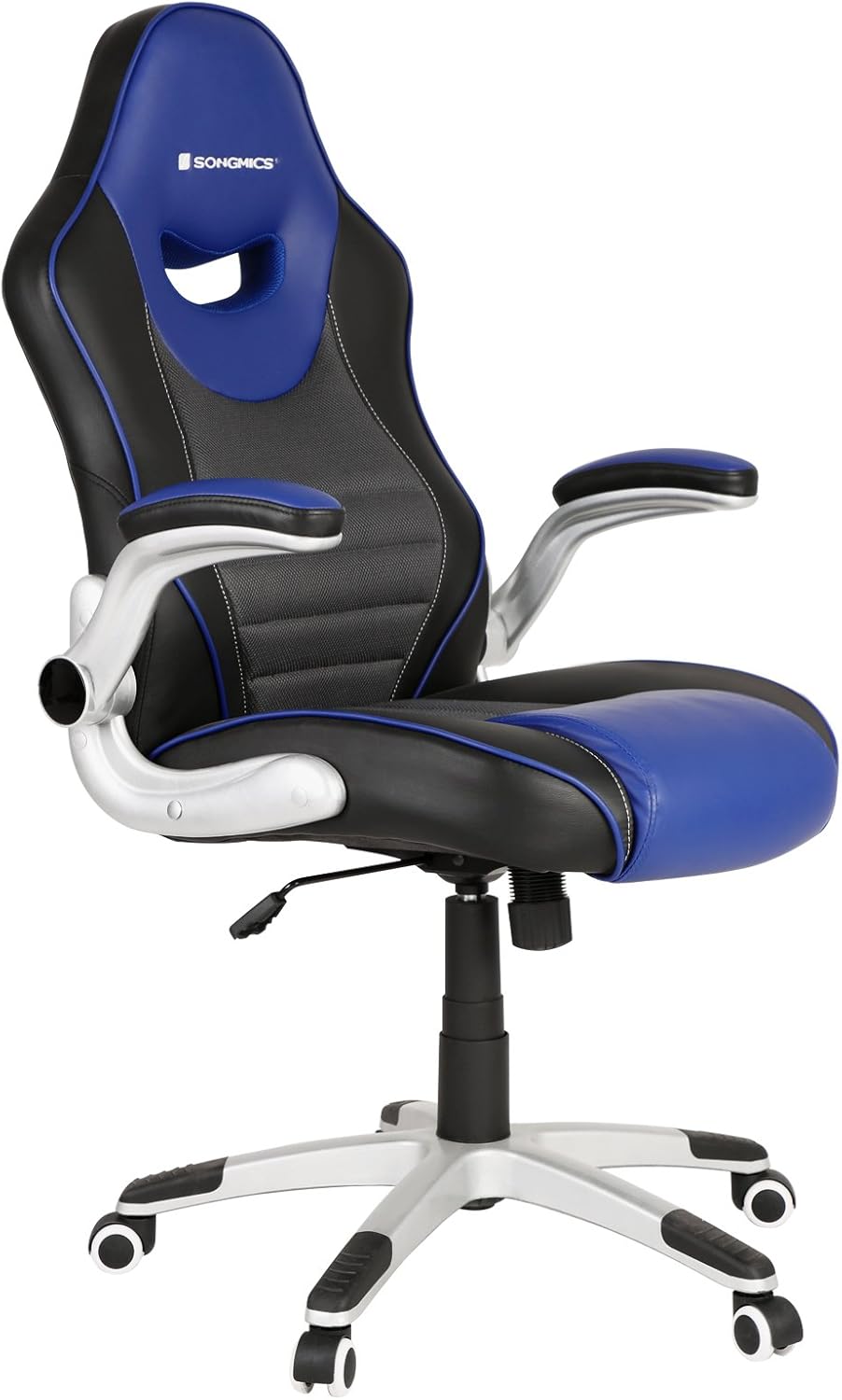
Image 1.1: The SONGMICS Ergonomic Gaming Office Chair, showcasing its blue and black design with silver accents.
2. Safety Instructions
- Ensure all components are present and undamaged before assembly. Do not use if any parts are missing or broken.
- Follow the assembly instructions carefully. Incorrect assembly can lead to instability and injury.
- Do not stand on the chair. Use it only for sitting.
- Do not exceed the maximum load capacity of 330 lbs (150 kg).
- Keep children away from the chair during assembly. Small parts can be a choking hazard.
- Regularly check all screws and connections to ensure they are tight. Retighten if necessary.
- Avoid exposing the chair to direct sunlight or extreme temperatures, which can damage the materials.
- Use the chair on a flat, stable surface.
3. Package Contents
Before beginning assembly, please verify that all the following components are included in your package:
- 1 x SONGMICS Office Chair (disassembled components)
- 1 x Bag of Fittings (screws, washers, tools)
- 1 x Instructions Manual
4. Setup and Assembly
Assembly of the SONGMICS Ergonomic Gaming Office Chair typically requires two people and approximately 30-60 minutes. Please follow the detailed instructions provided in the included instruction manual for step-by-step guidance. Below is a general overview of the assembly process:
- Unpack all components and lay them out on a clean, soft surface to prevent scratches.
- Attach the casters to the star base.
- Insert the gas lift cylinder into the center hole of the star base.
- Attach the seat plate mechanism to the underside of the seat cushion.
- Connect the backrest to the seat cushion using the provided screws.
- Attach the armrests to both the seat and backrest.
- Place the assembled seat and backrest onto the gas lift cylinder.
- Ensure all screws are securely tightened before use.
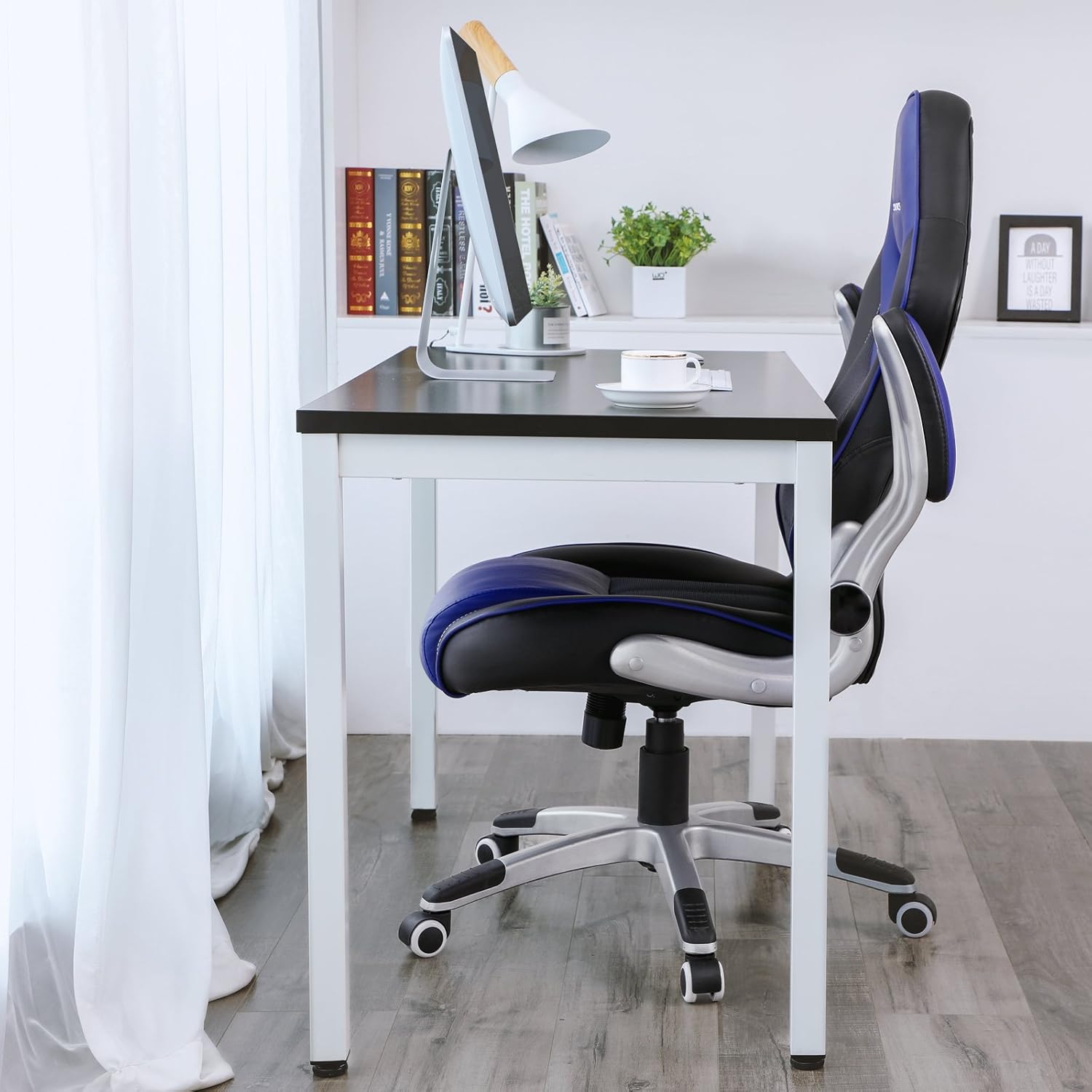
Image 4.1: The assembled chair ready for use in an office environment.
5. Operating Instructions
Your SONGMICS Ergonomic Gaming Office Chair offers several adjustable features to customize your seating experience:
5.1. Seat Height Adjustment
- To raise the seat: While standing, pull up the lever located on the right side of the seat. The seat will rise automatically. Release the lever at the desired height.
- To lower the seat: While seated, pull up the lever located on the right side of the seat. The seat will lower. Release the lever at the desired height.
- The seat height is adjustable from 19.3 inches (49 cm) to 23.2 inches (59 cm).
5.2. Rocking Function and Recline
- The chair features a rocking function that allows you to rock back and forth between 90° and 110°.
- To activate/deactivate the rocking function, pull out/push in the lever located on the left side of the seat.
- The tension of the rocking function can be adjusted by turning the knob located underneath the seat. Turn clockwise to increase tension (harder to rock), counter-clockwise to decrease tension (easier to rock).
5.3. Flip-up Armrests
- The armrests can be flipped up to allow the chair to be pushed closer to a desk or for easier storage.
- Simply lift the armrests upwards until they lock into the upright position. To lower them, pull them down.

Image 5.1: Visual representation of the chair's adjustable features, including recline, height, and armrests.
5.4. Lumbar Support and Seat Design
- The chair features a well-padded built-in lumbar support designed to fit the natural shape of your body, promoting good posture.
- The contoured seat with a waterfall edge is designed to promote leg circulation and reduce pressure on the thighs.

Image 5.2: Close-up view of the chair's integrated lumbar support, designed for ergonomic comfort.
6. Maintenance
Proper maintenance will extend the life and appearance of your SONGMICS chair:
- Cleaning: Wipe the PU leather and mesh surfaces with a soft, damp cloth. For stubborn stains, use a mild soap solution and wipe dry immediately. Avoid harsh chemicals or abrasive cleaners.
- Casters: Periodically check the casters for hair or debris that may impede smooth rolling. Clean as needed.
- Fasteners: Every 3-6 months, check all screws and bolts to ensure they are tight. Retighten if any looseness is detected to maintain stability and safety.
- Avoid Direct Sunlight: Prolonged exposure to direct sunlight can cause the PU leather to fade or crack.

Image 6.1: Detail of the smooth-rolling nylon casters, designed for quiet and wear-resistant movement.
7. Troubleshooting
| Problem | Possible Cause | Solution |
|---|---|---|
| Chair wobbles or feels unstable. | Loose screws or uneven assembly. | Check and tighten all assembly screws. Ensure the chair is on a flat surface. |
| Seat does not adjust height. | Gas lift cylinder malfunction or lever not fully engaged. | Ensure the height adjustment lever is fully pulled up. If the issue persists, contact customer service. |
| Casters do not roll smoothly. | Debris (hair, dust) caught in casters or damaged casters. | Clean casters of any debris. If damaged, replacement casters may be needed. |
| Rocking function is too stiff or too loose. | Tension knob not adjusted correctly. | Adjust the tension knob underneath the seat. Turn clockwise for more tension, counter-clockwise for less. |
8. Specifications
| Feature | Detail |
|---|---|
| Brand | SONGMICS |
| Model Name | UOBG63BQ |
| Color | Blue |
| Back Style | Solid Back |
| Special Features | Adjustable, Ergonomic, Rolling, Swivel |
| Recommended Uses | Gaming, Office |
| Style | Racing style |
| Finish Type | Brushed |
| Room Type | Office |
| Included Components | 1 x Fittings Bag, 1 x Instructions, 1 x Office Chair |
| Arm Style | With arms (Flip-up) |
| Furniture Base Movement | Swivel |
| Furniture Finish | Stainless Steel |
| Maximum Load Capacity | 330.69 lbs (150 kg) |
| Item Weight | 38.4 pounds |
| Package Dimensions | 32.6 x 26 x 13.3 inches |
| Date First Available | April 23, 2018 |

Image 8.1: Key dimensions of the chair, including height, width, and depth measurements.
9. Warranty and Customer Support
SONGMICS is committed to providing high-quality products and excellent customer service. While specific warranty periods may vary by region and retailer, we offer 100% satisfaction guaranteed and provide customized and professional customer service before and after your purchase.
If you encounter any issues with your chair, require replacement parts, or have questions regarding assembly or operation, please do not hesitate to contact SONGMICS customer support. Refer to the contact information provided on the product packaging or the official SONGMICS website for the most up-to-date support channels.
For more information, you may visit the official SONGMICS Store on Amazon.
Related documentsUOBG63BQ


Ask a question about this manual
Ask about setup, troubleshooting, compatibility, parts, safety, or missing instructions. Manuals+ will review the question and use this page’s manual context to help answer it.